

Melody Sauce 3 VST by Evabeat
GENERATE MELODIES, CHORD PROGRESSIONS AND BASS LINES IN YOUR DAW
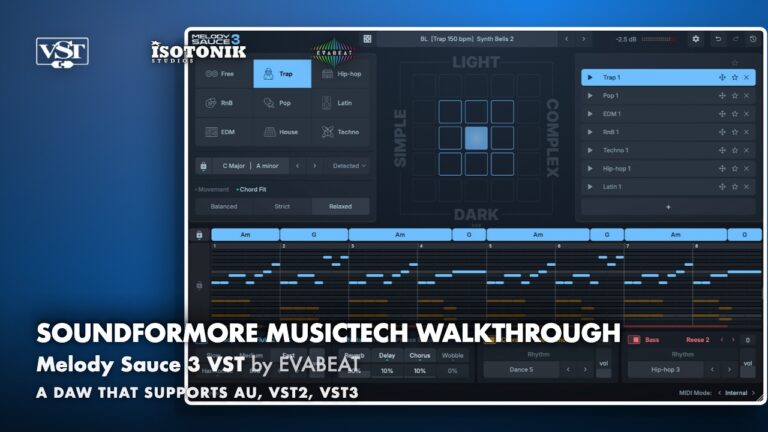
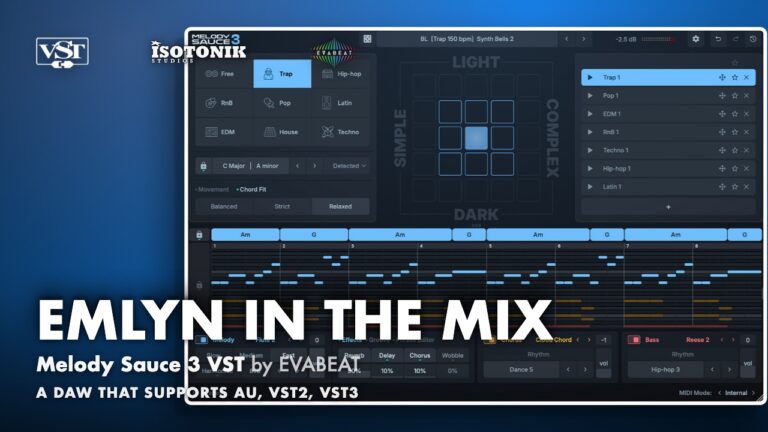
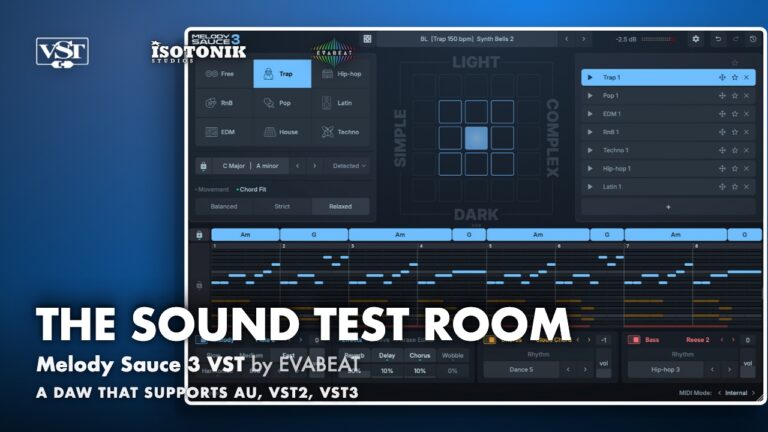
Melody Sauce 3 is a complete rebuild of the popular melody creation plugin, now with a full chord progression engine, upgraded AI melody algorithms and a brand new interface including a piano roll editor. Nearly 1,000 chord progressions, over 300 sounds and nearly 350 style presets give you an unlimited supply of musical ideas ready to drag straight into your project.
- Chord Progression Engine: Nearly 1,000 chord progressions across 9 genres, fully editable with expanded chord types including Maj9, sus2 and Dim7.
- Upgraded Melody Algorithms: AI-powered generation produces natural, flowing melodic lines up to 8 bars long, twice the length of the previous version.
- Three Independent Layers: Melody, Chord and Bass layers each with dedicated internal sounds, rhythms and effects, with over 140 chord and bass rhythms to choose from.
- MIDI Chord Import: Drag in a MIDI chord file and Melody Sauce 3 automatically detects the key and chord progression so you can generate melodies to fit.
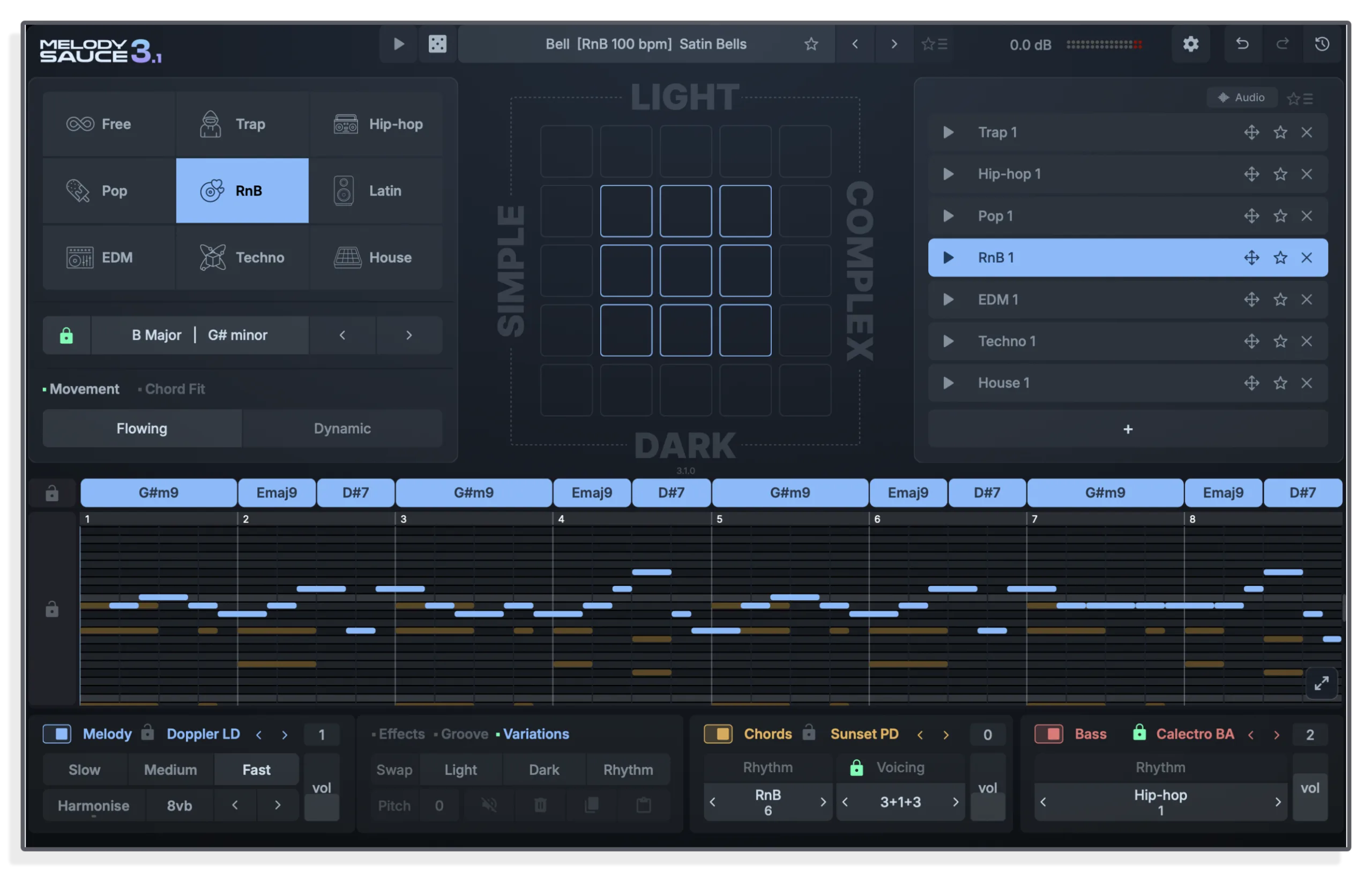
- Piano Roll Editor: View and edit melody notes directly, with drag-to-reposition pitch and timing controls built into the new interface.
- Nearly 350 Style Presets: All-new presets across genres plus a style randomiser for instant inspiration.
Evabeat
Prototyping Melody Sauce in MaxforLive appealed to us here at Isotonik greatly, with two stellar editions finally making way for the supreme Melody Sauce VST, Evabeat are at the forefront of AI Music…
View all products by EvabeatOverview
Generate melodies, chords and bass lines in your DAW
Melody Sauce 3 is a melody and chord progression generator plugin for Mac and Windows. It produces unique melodies, chord progressions and bass lines across 9 genres, with over 1,000 possible chord progressions, 300+ sounds and nearly 350 style presets ready to use.
The rebuilt AI algorithms generate natural melodic lines up to 8 bars long alongside chord progressions. A piano roll editor, MIDI chord import with automatic key detection, and new Movement and Chord Fit controls give you real creative control over every idea you generate. With the latest 3.1 update you can now also host your own plugins inside MS3 and select from 100+ chord voicings.
- Over 1,000 chord progressions across 9 genres, fully editable with expanded chord types including Maj9, sus2 and Dim7. Over 140 chord and bass rhythms to choose from, and over 100 chord voicings from simple two-note chords and tight stacks to wide-open spreads
- Upgraded AI-powered melody generation algorithms produce natural, flowing melodic lines up to 8 bars long, twice the length of previous versions, with a unique result every time
- New plugin hosting makes it easy for MS3 to play your plugins. Load your own synths and instruments onto the melody, chord and bass layers and MS3 plays through them instantly, no need for any routing.
- Three independent Melody, Chord and Bass layers generated simultaneously, each with dedicated internal sounds and rhythms
- Over 300 sounds across melody, chords and bass, with upgraded effects including the new Wobble effect
- Nearly 350 all-new style presets across genres, plus a style randomiser for instant inspiration
- MIDI chord import with automatic key and chord detection, so you can generate melodies to fit your own progressions
- Built-in expandable piano roll editor for viewing and adjusting melody notes. Lock part of the melody and generate a new melody around it.
- Movement and Chord Fit controls for shaping melodic character, setting how smoothly melodies flow and how closely they follow the chords
- Melody Bank stores every generated clip in the session, with favouriting, deletion and direct MIDI or Audio drag-out to your DAW timeline
- Tooltips on every control to help you understand each function
- Serial key (emailed on purchase)
- Mac installer
- Windows installer
- Presets / patches
- User manual (PDF)
Reviews
No reviews yet. Be the first to review this product.
Important Information
INSTALLATION
Our Products are generally provided as Zip file downloads which in all cases will need to be extracted and saved to your hard drive prior to installation. Details on the different file type provided and what to do with them are below.
.alp Files – These are Ableton Live Packs and will either install directly into the Packs Section of the browser of Ableton Live or ask you to save them to your hard drive. For packs that install to the library, when you double click on them you will see a pop up window asking you to confirm that installation is ok as the files are described as “Legacy”. This is fine and you are ok to proceed, the packs are created using the format for an earlier version of Live and so remain compatible with the current version.
.amxd files – These are individual MaxforLive Devices and can be stored anywhere on your hard drive. We’d advise creating a folder for them and then adding that folder as a location within the Places section of Lives Browser.
LICENSE
END-USER LICENSE AGREEMENT FOR ISOTONIK STUDIOS SOFTWARE PRODUCTS.
PLEASE READ THE TERMS AND CONDITIONS OF THIS LICENSE AGREEMENT CAREFULLY BEFORE CONTINUING WITH THIS PROGRAM INSTALL.
This End-User License Agreement (referred to as “EULA”) is a legal agreement between an individual or a single entity (referred to as “LICENSEE”) and Isotonik Studios for the Isotonik Studios software product(s) which may include associated software components, media, printed materials, and “online” or electronic documentation (referred to as “SOFTWARE PRODUCT”). By installing, copying, or otherwise using the SOFTWARE PRODUCT, the LICENSEE agrees to be bound by the terms of this EULA.
This EULA represents the entire agreement concerning the program between the LICENSEE and Isotonik Studios and it supersedes any prior proposal, representation, or understanding between the parties. If the LICENSEE does not agree to the terms of this EULA, the LICENSEE should not install or use the SOFTWARE PRODUCT.
The SOFTWARE PRODUCT is protected by copyright laws and international copyright treaties, as well as other intellectual property laws and treaties. The SOFTWARE PRODUCT is licensed, not sold.
- GRANT OF LICENSE.
The SOFTWARE PRODUCT is licensed as follows:
(a) Installation and Use. Providing that the LICENSEE has paid any applicable license fees, Isotonik Studios grants the LICENSEE the right to install and use copies of the SOFTWARE PRODUCT on up to two computers in the LICENSEE’s possession that are running a validly licensed copy of the operating system for which the SOFTWARE PRODUCT was designed [e.g., Windows 10, macOS]. The computer(s) must be owned by the LICENSEE.
(b) Backup Copies. The LICENSEE may also make copies of the SOFTWARE PRODUCT as may be necessary for backup and archival purposes.
- DESCRIPTION OF OTHER RIGHTS AND LIMITATIONS.
(a) Maintenance of Copyright Notices. The LICENSEE must not remove or alter any copyright notices on any and all copies of the SOFTWARE PRODUCT.
(b) Distribution. The LICENSEE may not distribute registered copies of the SOFTWARE PRODUCT to third parties.
(c) Prohibition on Reverse Engineering, Decompilation, and Disassembly. The LICENSEE may not reverse engineer, decompile, or disassemble the SOFTWARE PRODUCT, except and only to the extent that such activity is expressly permitted by applicable law notwithstanding this limitation.
(d) Rental. The LICENSEE may not rent, lease, or lend the SOFTWARE PRODUCT.
(e) License transfer The LICENSEE may not transfer their license to the SOFTWARE PRODUCT to any third party. Any attempt to do so will be considered a violation of this EULA.
(f) Support Services. Isotonik Studios may provide the LICENSEE with support services related to the SOFTWARE PRODUCT for a period of 12 months following the date of purchase. Any supplemental software code provided to the LICENSEE as part of the Support Services shall be considered part of the SOFTWARE PRODUCT and subject to the terms and conditions of this EULA.
(g) Compliance with Applicable Laws. The LICENSEE must comply with all applicable laws regarding use of the SOFTWARE PRODUCT.
- TERMINATION Without prejudice to any other rights, Isotonik Studios may terminate this EULA if the LICENSEE fails to comply with the terms and conditions of this EULA. In such event, the LICENSEE must destroy all copies of the SOFTWARE PRODUCT in the LICENSEE’s possession.
- COPYRIGHT All title, including but not limited to copyrights, in and to the SOFTWARE PRODUCT and any copies thereof are owned by Isotonik Studios or its suppliers. All title and intellectual property rights in and to the content which may be accessed through use of the SOFTWARE PRODUCT is the property of the respective content owner and may be protected by applicable copyright or other intellectual property laws and treaties. This EULA grants the LICENSEE no rights to use such content. All rights not expressly granted are reserved by Isotonik Studios.
- NO WARRANTIES Isotonik Studios expressly disclaims any warranty for the SOFTWARE PRODUCT. The SOFTWARE PRODUCT is provided ‘As Is’ without any express or implied warranty of any kind, including but not limited to any warranties of merchantability, noninfringement, or fitness of a particular purpose. Isotonik Studios does not warrant or assume responsibility for the accuracy or completeness of any information, text, graphics, links or other items contained within the SOFTWARE PRODUCT. Isotonik Studios makes no warranties respecting any harm that may be caused by the transmission of a computer virus, worm, time bomb, logic bomb, or other such computer program. Isotonik Studios further expressly disclaims any warranty or representation to the LICENSEE or to any third party.
- LIMITATION OF LIABILITY In no event shall Isotonik Studios be liable for any damages (including, without limitation, lost profits, business interruption, or lost information) arising out of the LICENSEE’s use of or inability to use the SOFTWARE PRODUCT, even if Isotonik Studios has been advised of the possibility of such damages. In no event will Isotonik Studios be liable for loss of data or for indirect, special, incidental, consequential (including lost profit), or other damages based in contract, tort or otherwise. Isotonik Studios shall have no liability with respect to the content of the SOFTWARE PRODUCT or any part thereof, including but not limited to errors or omissions contained therein, libel, infringements of rights of publicity, privacy, trademark rights, business interruption, personal injury, loss of privacy, moral rights or the disclosure of confidential information.
CHANGELOG
v3.1.0 · 30 September 2026
Plugin hosting: load your other plugins inside MS3 and play melody, chords and bass directly through them.
Chord voicing: change the feel of chords with over 100 voicings from simple 2-note chords to wide-open spreads.
Phrase lock: lock part of the melody and generate a new melody around it.
Audio export: render WAV stems, with optional audio tail.
Improved piano roll: with expanded view and more editing features.
Better generation: improved algorithms and more chord progressions (over 1,000 chord progressions).
Plus: chord and sound locking across styles and various UI improvements.
Frequently Asked Questions
What is Melody Sauce 3?
Melody Sauce 3 is a melody and chord progression generator plugin for Mac and Windows. It generates unique melodies, chord progressions and bass lines directly in your DAW. Capable of generating millions of melodies, it features over 1,000 possible chord progressions, upgraded generative melody algorithms, nearly 350 style presets, 300+ internal sounds, and the ability to load your own software instruments inside the plugin.
Which DAWs and plugin formats does Melody Sauce 3 support?
On Mac it supports VST3, AU and AU MIDI FX formats and works with any DAW that supports those formats, including Ableton Live, Logic Pro, FL Studio, Cubase, Studio One, Bitwig, Reaper and Reason. On Windows it supports VST3 and works with any DAW that supports VST plugins, including the same DAWs listed above (Logic Pro is Mac only). Pro Tools not currently supported.
What are the system requirements?
Mac: macOS 10.14 or higher, native Apple Silicon and Intel supported, 1.5 GB free disk space, 4 GB RAM minimum (8 GB recommended). Windows: Windows 10 or higher (64-bit only), 1.5 GB free disk space, 4 GB RAM minimum (8 GB recommended). An internet connection is required for licence activation.
Can I import my own chord progressions?
Yes. Drag a MIDI chord file into the Melody Sauce 3 piano roll and the plugin automatically detects the key and chord progression. You can then generate melodies to fit, with Chord Lock keeping the imported progression in place while you cycle through new melody ideas.
How many devices can I install Melody Sauce 3 on?
Each licence allows Melody Sauce 3 to be installed on up to 4 devices. Use the De-Authorize This Computer option in the Settings menu before transferring to a new machine.
In Depth
Melody Sauce 3: The Ultimate Ideas Generator for Melody, Chords and Bass
Melody Sauce 3 is a melody and chord progression generator plugin for Mac and Windows, compatible with all major DAWs. It is a complete rebuild of the previous version and is designed to give you an unlimited supply of high-quality musical ideas that you can control in detail. Where earlier versions focused on quick melodic inspiration, version 3 adds a full chord progression engine, a piano roll editor, MIDI import with automatic key and chord detection, and a redesigned interface that puts you front and centre of the creative process.
Chord Progressions, Now Built In
The biggest addition in Melody Sauce 3 is chord generation. Nearly 1,000 chord progressions are possible across 9 genres, and every time you hit a pad a new progression is generated alongside your melody, matched musically. Chord progressions are fully editable: drag region edges to change chord length, right-click to split or delete, and click any region to open the chord selection menu. Expanded chord types including Maj9, sus2 and Dim7 give you real harmonic depth. Over 140 chord and bass rhythms let you shape the feel of your progression further.
Upgraded Melody Algorithms
The AI-powered melody generation algorithms have been rebuilt to produce more natural, flowing melodic lines. Generated melodies are now up to 8 bars long, twice the length of previous versions, which means more developed, usable ideas arrive in your session straight away. Every generation is unique, giving you a world of melodic possibilities without repetition.
Three Independent Layers
Melody Sauce 3 works across three independent layers: Melody, Chord and Bass. Each layer has its own dedicated internal sounds and rhythms, and all three are generated together so the results are musically coherent from the start. Over 300 sounds are included across the three layers, with upgraded effects including the new Wobble effect, so what you hear straight out of the plugin is polished and ready to use.
New Controls: Movement and Chord Fit
Two new controls give you fine-grained shaping of melodic character. Movement sets whether melodies flow smoothly between phrases or leap more dramatically. Chord Fit controls how closely the melody follows the underlying chord progression. Together they let you dial in exactly the feel you are after without touching a single note manually.
MIDI Chord Import and the Piano Roll Editor
Already have a chord progression you love? Drag a MIDI chord file into the piano roll and Melody Sauce 3 automatically detects the key and chord progression, then lets you generate melodies to fit. The built-in piano roll editor lets you view and adjust melody notes directly, dragging to reposition both pitch and timing. Use Chord Lock to keep your progression locked while you cycle through new melody ideas, or Key Lock to fix the key across your whole session.
Nearly 350 Style Presets and a Style Randomiser
Melody Sauce 3 ships with nearly 350 all-new style presets across genres, each one instantly configuring all generation settings to match a particular musical character. A style randomiser lets you discover unexpected combinations at the click of a button. Tooltips are included on every control to help you understand what each one does.
The Melody Bank
Every melody you generate is stored as a clip in the Melody Bank, so you can build up a collection of ideas during a session without losing anything. Favourite the clips you like, delete the ones you do not, and drag any clip straight into your DAW timeline as MIDI. It is a genuinely fast, non-destructive workflow from first idea to finished part.