

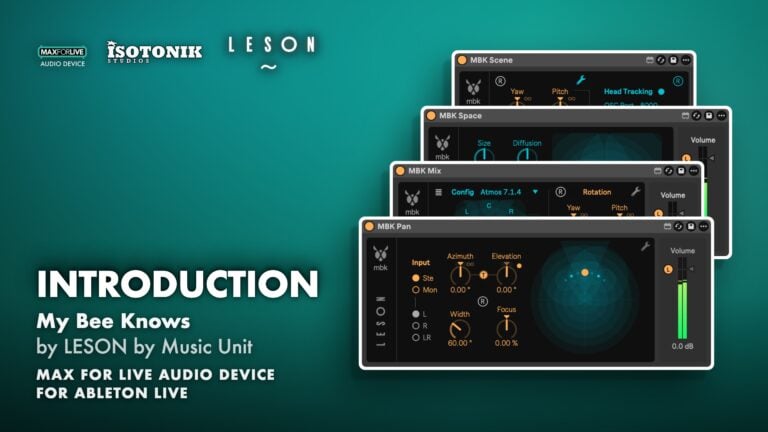
My Bee Knows by LESON by Music Unit
REAL-TIME BINAURAL MIXING SUITE FOR ABLETON LIVE My Bee Knows brings true 3D spatial audio into your Ableton Live session, without complex routing or heavy CPU load. Four complementary Max for Live devices cover panning, monitoring, reverb and scene control, so you can compose, mix and perform in binaural from start to finish. Built on research co-developed with École Polytechnique de Paris and the Conservatoire National Supérieur de Musique et Danse de Paris. • MBK Pan: Place mono or stereo sources in a full 3D binaural space, with automatable spatial movement and optional early reflections. • MBK Mix: Monitor multichannel and ambisonic mixes binaurally inside Live, supporting formats up to 32-channel surround and 4th-order ambisonics. • MBK Space: A binaural reverberator that collects early reflections from MBK Pan and MBK Mix devices and distributes them in a coherent 3D room, placed on a return track like a classic reverb. • MBK Scene: Rotate the full 3D soundstage in real time across all MBK devices, with optional OSC headtracking input for dynamic spatial monitoring. • MBK EzPan: A simplified minimum version of MBK Pan for straightforward binaural panning. • Universal HRTF rendering: Consistent spatial translation from headphones to speakers, with transparent audio rendering across all devices.
LESON by Music Unit
LESON by Music Unit is the technology division of Music Unit, a professional audio company founded in 2004 and based in France.
View all products by LESON by Music UnitOverview
Real-time binaural spatial audio for Ableton Live
My Bee Knows turns your Ableton Live session into a full 3D mixing environment. Place sources in space, monitor immersive mixes, shape a binaural room, and rotate the entire soundstage, all inside Live via Max for Live, with no external software required.
The suite handles mono, stereo, multichannel and high-order ambisonic signals using universal HRTF-based rendering. Processing is ultra-efficient and the audio rendering is transparent, which means binaural mixes translate reliably from headphones to speakers. It works equally well for composition, mixing, post-production and live performance.
- Four complementary Max for Live devices: MBK Pan, MBK Mix, MBK Space and MBK Scene, plus MBK EzPan for simplified binaural panning
- MBK Pan places mono or stereo sources in a full 3D binaural space, with automatable spatial movement and optional early reflections that improve source localisation
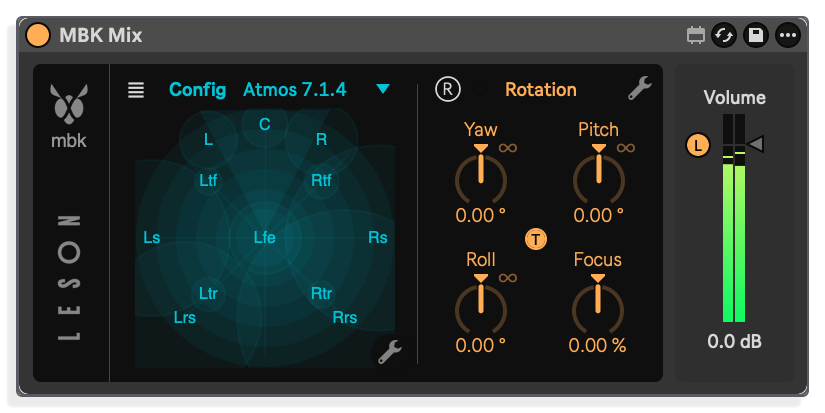
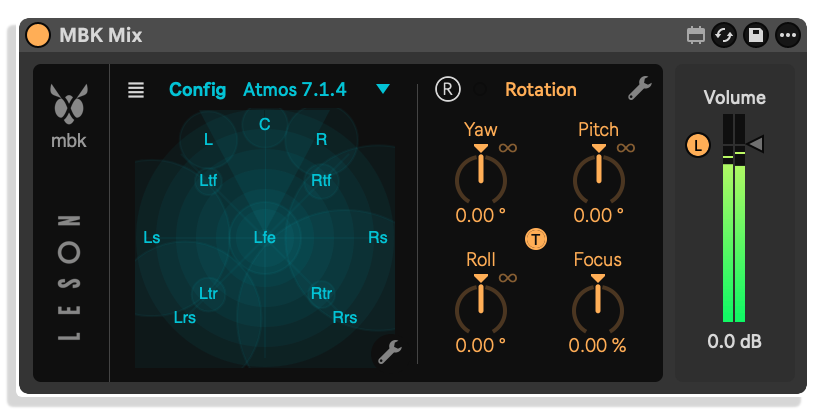
- MBK Mix monitors channel-based multichannel streams up to 32 channels (5.1, 7.1, 7.1.4 and custom formats) and ambisonic streams up to 4th order (25 channels) in binaural
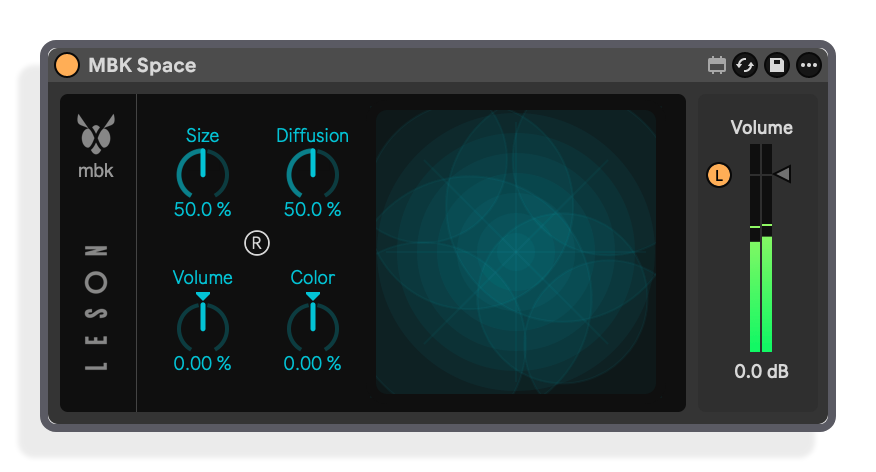
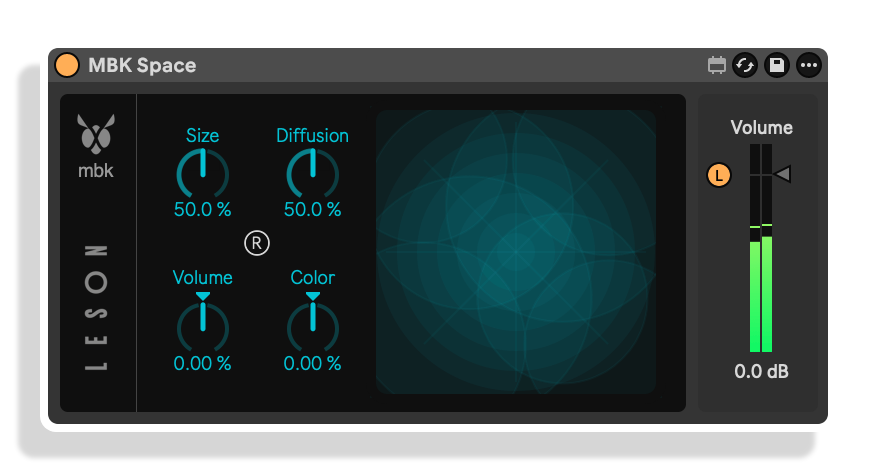
- MBK Space is a binaural reverberator placed on a return track; it collects early reflections from MBK Pan and MBK Mix devices and distributes them in a coherent resonant 3D space, with additional audio inputs for non-binaural tracks
- MBK Scene rotates the full 3D soundstage in real time across all MBK Pan and MBK Mix devices, with optional OSC headtracking input for dynamic spatial monitoring
- Universal HRTF-based rendering processes mono, stereo, multichannel and high-order ambisonic signals with consistent spatial translation from headphones to speakers
- Ultra-efficient processing with no complex routing, everything runs internally inside Ableton Live
- Five example Ableton Live sessions included, covering binaural stem mixing and multichannel downmix workflows
- Developed by Leson in collaboration with École Polytechnique de Paris and the Conservatoire National Supérieur de Musique et Danse de Paris
- Designed for composition, mixing, post-production and real-time live performance
- Max for Live Audio Effect .amxd device
- Ableton Live .als demo set
- User manual (PDF)
Reviews
No reviews yet. Be the first to review this product.
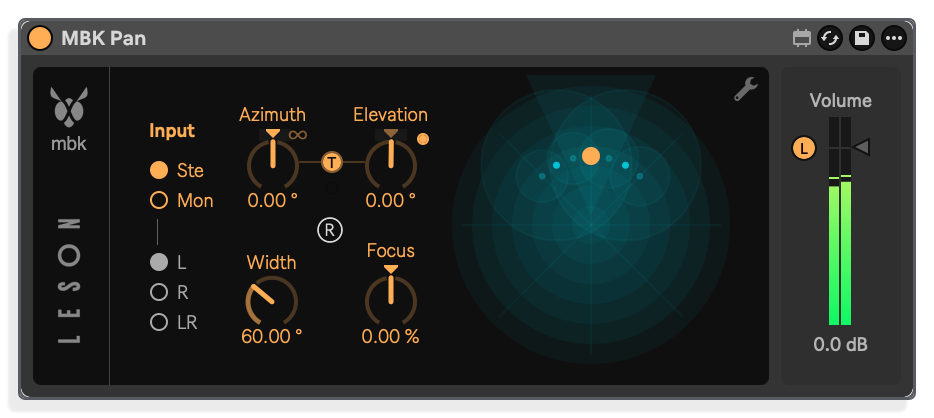
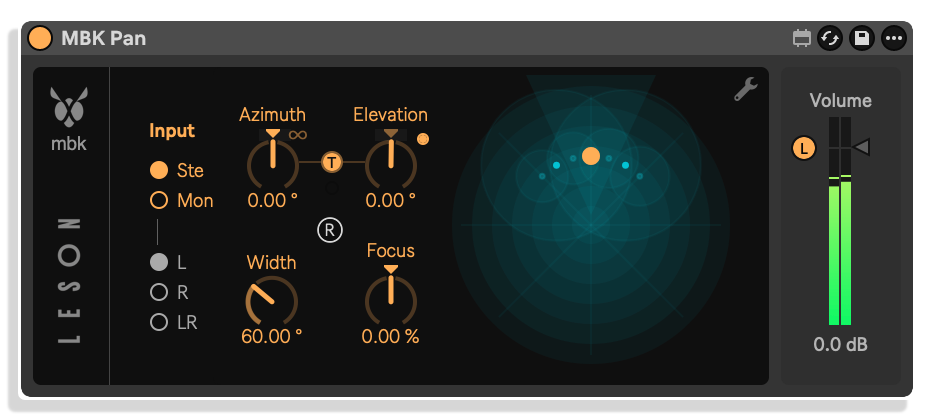
MBK Pan
MBK Pan places mono or stereo sources in a full 3D binaural space, with automatable spatial movement and optional early reflections that improve source localisation
MBK Mix
MBK Mix monitors channel-based multichannel streams up to 32 channels (5.1, 7.1, 7.1.4 and custom formats) and ambisonic streams up to 4th order (25 channels) in binaural
MBK Space
MBK Space is a binaural reverberator placed on a return track; it collects early reflections from MBK Pan and MBK Mix devices and distributes them in a coherent resonant 3D space, with additional audio inputs for non-binaural tracks
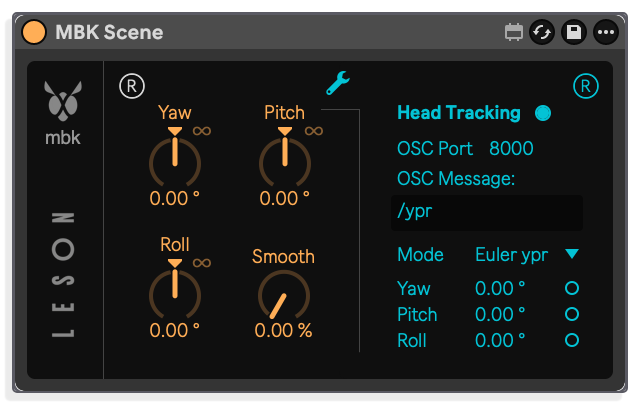
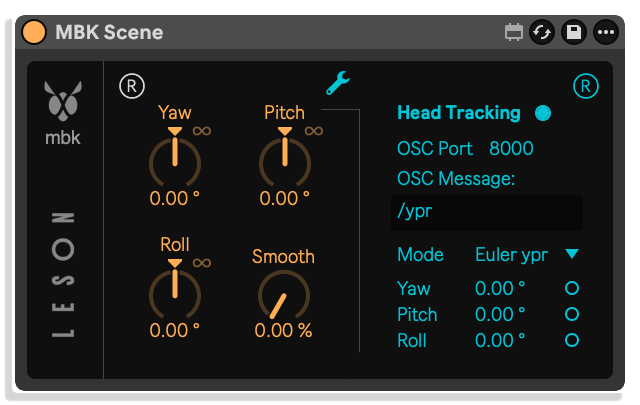
MBK Scene
MBK Scene rotates the full 3D soundstage in real time across all MBK Pan and MBK Mix devices, with optional OSC headtracking input for dynamic spatial monitoring
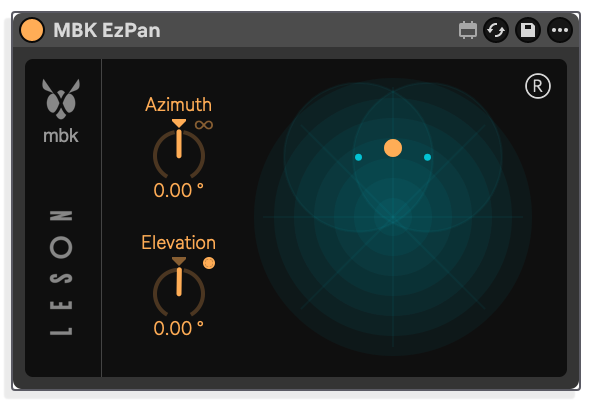
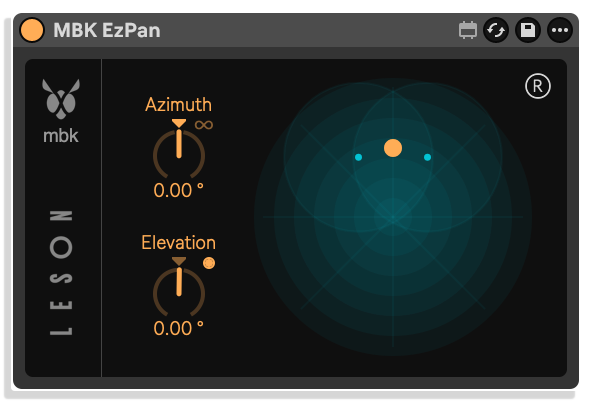
MBK EzPan
Simplified binaural panning, a streamlined one-control version of MBK Pan.
Important Information
INSTALLATION
Our Products are generally provided as Zip file downloads which in all cases will need to be extracted and saved to your hard drive prior to installation. Details on the different file type provided and what to do with them are below.
.alp Files – These are Ableton Live Packs and will either install directly into the Packs Section of the browser of Ableton Live or ask you to save them to your hard drive. For packs that install to the library, when you double click on them you will see a pop up window asking you to confirm that installation is ok as the files are described as “Legacy”. This is fine and you are ok to proceed, the packs are created using the format for an earlier version of Live and so remain compatible with the current version.
.amxd files – These are individual MaxforLive Devices and can be stored anywhere on your hard drive. We’d advise creating a folder for them and then adding that folder as a location within the Places section of Lives Browser.
LICENSE
END-USER LICENSE AGREEMENT FOR ISOTONIK STUDIOS SOFTWARE PRODUCTS.
PLEASE READ THE TERMS AND CONDITIONS OF THIS LICENSE AGREEMENT CAREFULLY BEFORE CONTINUING WITH THIS PROGRAM INSTALL.
This End-User License Agreement (referred to as “EULA”) is a legal agreement between an individual or a single entity (referred to as “LICENSEE”) and Isotonik Studios for the Isotonik Studios software product(s) which may include associated software components, media, printed materials, and “online” or electronic documentation (referred to as “SOFTWARE PRODUCT”). By installing, copying, or otherwise using the SOFTWARE PRODUCT, the LICENSEE agrees to be bound by the terms of this EULA.
This EULA represents the entire agreement concerning the program between the LICENSEE and Isotonik Studios and it supersedes any prior proposal, representation, or understanding between the parties. If the LICENSEE does not agree to the terms of this EULA, the LICENSEE should not install or use the SOFTWARE PRODUCT.
The SOFTWARE PRODUCT is protected by copyright laws and international copyright treaties, as well as other intellectual property laws and treaties. The SOFTWARE PRODUCT is licensed, not sold.
- GRANT OF LICENSE.
The SOFTWARE PRODUCT is licensed as follows:
(a) Installation and Use. Providing that the LICENSEE has paid any applicable license fees, Isotonik Studios grants the LICENSEE the right to install and use copies of the SOFTWARE PRODUCT on up to two computers in the LICENSEE’s possession that are running a validly licensed copy of the operating system for which the SOFTWARE PRODUCT was designed [e.g., Windows 10, macOS]. The computer(s) must be owned by the LICENSEE.
(b) Backup Copies. The LICENSEE may also make copies of the SOFTWARE PRODUCT as may be necessary for backup and archival purposes.
- DESCRIPTION OF OTHER RIGHTS AND LIMITATIONS.
(a) Maintenance of Copyright Notices. The LICENSEE must not remove or alter any copyright notices on any and all copies of the SOFTWARE PRODUCT.
(b) Distribution. The LICENSEE may not distribute registered copies of the SOFTWARE PRODUCT to third parties.
(c) Prohibition on Reverse Engineering, Decompilation, and Disassembly. The LICENSEE may not reverse engineer, decompile, or disassemble the SOFTWARE PRODUCT, except and only to the extent that such activity is expressly permitted by applicable law notwithstanding this limitation.
(d) Rental. The LICENSEE may not rent, lease, or lend the SOFTWARE PRODUCT.
(e) License transfer The LICENSEE may not transfer their license to the SOFTWARE PRODUCT to any third party. Any attempt to do so will be considered a violation of this EULA.
(f) Support Services. Isotonik Studios may provide the LICENSEE with support services related to the SOFTWARE PRODUCT for a period of 12 months following the date of purchase. Any supplemental software code provided to the LICENSEE as part of the Support Services shall be considered part of the SOFTWARE PRODUCT and subject to the terms and conditions of this EULA.
(g) Compliance with Applicable Laws. The LICENSEE must comply with all applicable laws regarding use of the SOFTWARE PRODUCT.
- TERMINATION Without prejudice to any other rights, Isotonik Studios may terminate this EULA if the LICENSEE fails to comply with the terms and conditions of this EULA. In such event, the LICENSEE must destroy all copies of the SOFTWARE PRODUCT in the LICENSEE’s possession.
- COPYRIGHT All title, including but not limited to copyrights, in and to the SOFTWARE PRODUCT and any copies thereof are owned by Isotonik Studios or its suppliers. All title and intellectual property rights in and to the content which may be accessed through use of the SOFTWARE PRODUCT is the property of the respective content owner and may be protected by applicable copyright or other intellectual property laws and treaties. This EULA grants the LICENSEE no rights to use such content. All rights not expressly granted are reserved by Isotonik Studios.
- NO WARRANTIES Isotonik Studios expressly disclaims any warranty for the SOFTWARE PRODUCT. The SOFTWARE PRODUCT is provided ‘As Is’ without any express or implied warranty of any kind, including but not limited to any warranties of merchantability, noninfringement, or fitness of a particular purpose. Isotonik Studios does not warrant or assume responsibility for the accuracy or completeness of any information, text, graphics, links or other items contained within the SOFTWARE PRODUCT. Isotonik Studios makes no warranties respecting any harm that may be caused by the transmission of a computer virus, worm, time bomb, logic bomb, or other such computer program. Isotonik Studios further expressly disclaims any warranty or representation to the LICENSEE or to any third party.
- LIMITATION OF LIABILITY In no event shall Isotonik Studios be liable for any damages (including, without limitation, lost profits, business interruption, or lost information) arising out of the LICENSEE’s use of or inability to use the SOFTWARE PRODUCT, even if Isotonik Studios has been advised of the possibility of such damages. In no event will Isotonik Studios be liable for loss of data or for indirect, special, incidental, consequential (including lost profit), or other damages based in contract, tort or otherwise. Isotonik Studios shall have no liability with respect to the content of the SOFTWARE PRODUCT or any part thereof, including but not limited to errors or omissions contained therein, libel, infringements of rights of publicity, privacy, trademark rights, business interruption, personal injury, loss of privacy, moral rights or the disclosure of confidential information.
Frequently Asked Questions
What is My Bee Knows for Live?
My Bee Knows (MBK) is a suite of five Max for Live audio devices that bring real-time binaural spatial audio into Ableton Live. It uses universal HRTF-based rendering to place sounds in a 3D space, monitor multichannel and ambisonic mixes, add a binaural room effect, and control the full soundstage, all without leaving Live.
Which version of Ableton Live do I need?
My Bee Knows requires Ableton Live 12.4 Standard with Max for Live, or Live Suite. Max for Live must be active. It is compatible with both Mac and Windows.
Do I need special hardware, external routing or additional software?
No. Everything runs internally inside Ableton Live using the Max for Live devices. No external software, complex routing or dedicated audio interfaces are required. Headphones are recommended for binaural monitoring, though the rendering also translates to studio monitors for checking spatial balance.
What audio formats does My Bee Knows support?
MBK processes mono, stereo, multichannel channel-based streams up to 32 channels (including 5.1, 7.1 and 7.1.4 formats), and high-order ambisonic signals up to 4th order (25 channels).
Can I use My Bee Knows for live performance?
Yes. MBK is designed for real-time spatial performance and can be used on stage. MBK Pan supports real-time automation of spatial movement, and MBK Scene can rotate the entire soundstage in real time.
Is headtracking required to use MBK Scene?
No. Headtracking is optional. MBK Scene works without it and controls the global 3D rotation of your soundstage across all MBK devices. If you have a compatible headtracker, it can be connected via OSC input for dynamic spatial monitoring.
In Depth
Real-time binaural mixing inside Ableton Live
Most binaural tools are built for research labs or post-production suites, which means they sit outside the creative tools producers actually use. My Bee Knows (MBK) is different. It is a real-time binaural synthesis engine built specifically for music creation, running entirely inside Ableton Live as a suite of Max for Live devices. Place sounds in a full 3D space, monitor immersive mixes, shape a binaural room, and rotate the entire soundstage, all without leaving your session.
What it does
MBK uses a universal set of HRTFs (Head-Related Transfer Functions) to process mono, stereo, multichannel and high-order ambisonic signals and render them binaurally in real time. The rendering is transparent enough to translate from headphones to speakers, because a mix that only works on one playback system is a mix you cannot fully trust. No external software, no complex routing, no heavy CPU overhead.
The four devices
MBK Pan is the starting point for most sessions. Drop it onto any track you want to spatialise and position that source anywhere in a virtual 3D space. Azimuth, elevation, distance and radiation are all adjustable. Early reflections move with the source, which improves localisation and feeds directly into MBK Space. Spatial movement can be automated or performed live.
MBK Space sits on a Return track the same way a classic reverb would. It collects early reflections from every MBK Pan and MBK Mix device in the session and distributes them into a coherent binaural room. A set of simple controls shapes the character of that room. Non-binaural tracks can reach it through standard Send routing, so the whole mix breathes in the same space.
MBK Mix is designed for monitoring existing multichannel material binaurally. It can project channel-based formats up to 32 channels (5.1, 7.1, 7.1.4, Atmos bed and custom layouts) and ambisonic streams up to 25 channels (4th order) into headphones. That means you can continue a multichannel mixing session outside a studio, or validate an immersive mix on headphones before committing to a full speaker setup. Standard Live track routing gets signals into MBK Mix inputs.
MBK Scene controls the full 3D soundstage globally. A single 3D rotation control shifts the orientation of every MBK Pan and MBK Mix device at once, which means broad spatial moves take one gesture rather than many. It also accepts OSC input from an external headtracker, so the soundstage compensates in real time as your head moves. Head tracking is optional, not required.
A fifth simplified device, MBK EzPan, is included as a minimum version of MBK Pan for quick binaural panning without the full parameter set.
Built on research, made for artists
My Bee Knows is developed by Leson, a French sound creation and research studio. The underlying technology is co-developed with École Polytechnique de Paris and the Conservatoire National Supérieur de Musique et de Danse de Paris. That academic foundation is what gives the HRTF rendering its consistency and transparency across playback systems.
What you need
My Bee Knows requires Ableton Live 12.4 Standard with Max for Live or Suite, on Mac or Windows. Headphones are recommended for binaural monitoring, though the rendering also translates to studio monitors for checking spatial balance. No special audio hardware is required beyond your standard interface.