


audiopack by darkInteger
YOUR AUDIO TOOLKIT, SUPERCHARGED.
A powerful suite of Max for Live audio processing devices from debut Isotonik developer darkInteger — built to reshape, sculpt, and transform sound in ways Ableton’s native tools simply can’t. If you’re serious about your signal chain, audiopack belongs in it.
- Multi-device bundle: A curated collection of complementary audio processing tools in one pack
- Max for Live powered: Deep integration with Ableton Live’s signal flow and automation
- Creative processing: Go beyond standard EQ and compression into genuinely expressive territory
- Performance-ready: Designed for live use as much as studio production
- Intuitive interfaces: Clean, focused layouts that keep your workflow moving
- Broad genre application: From electronic and techno to experimental and ambient
- Debut release: The first Isotonik Studios release from darkInteger — a developer to watch
USER GUIDE:
Audiopack Operation Manual
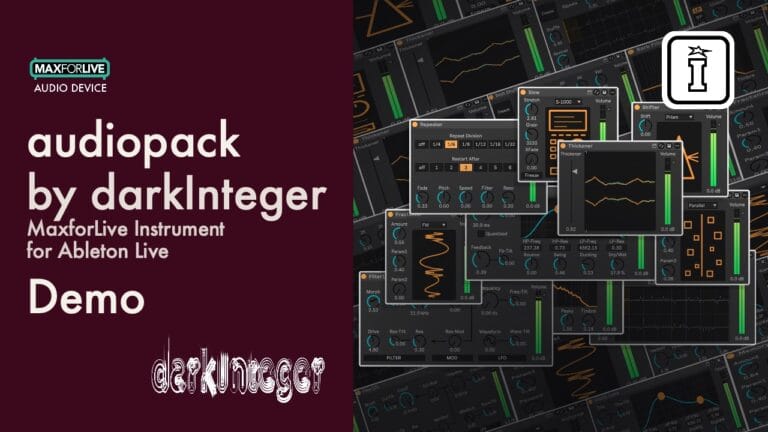
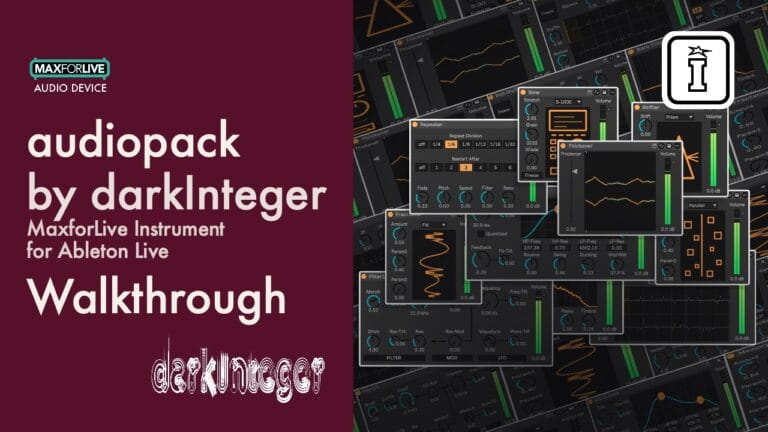
audiopack by darkInteger
YOUR AUDIO TOOLKIT, SUPERCHARGED.
A powerful suite of Max for Live audio processing devices from debut Isotonik developer darkInteger — built to reshape, sculpt, and transform sound in ways Ableton’s native tools simply can’t. If you’re serious about your signal chain, audiopack belongs in it.
- Multi-device bundle: A curated collection of complementary audio processing tools in one pack
- Max for Live powered: Deep integration with Ableton Live’s signal flow and automation
- Creative processing: Go beyond standard EQ and compression into genuinely expressive territory
- Performance-ready: Designed for live use as much as studio production
- Intuitive interfaces: Clean, focused layouts that keep your workflow moving
- Broad genre application: From electronic and techno to experimental and ambient
- Debut release: The first Isotonik Studios release from darkInteger — a developer to watch
USER GUIDE:
Audiopack Operation Manual
Buying for someone?Send a gift card →
Additional information
| MaxforLive | Audio Devices |
|---|---|
| OS | Mac, Windows |
| Ableton Live Compatibility | Ableton Live 11 Suite, Ableton Live 12 Suite |
| Min. Requirements | Ableton Live 11 Suite or Ableton Live 11 Standard with Max for Live add-on |
PRICE: £20.00







Product reviews
5 out of 5
11 reviews
How item rating is calculated
We show the average based on reviews. Only genuine reviews are displayed.
Sort by
September 27, 2026
This reviewer bought this product from our store.
Very easy to use, yet delivers amazing results. Also perfect for the Push Standalone.
I recommend this product
August 10, 2026
This reviewer bought this product from our store.
IDM in one minute
A set of really cool devices
They allow me to create IDM and do amazing things with my rhythms, glitches to my heart's content
Beat Shuffler rules
nothing
I recommend this product
August 4, 2026
This reviewer bought this product from our store.
Bought for Barb Filter alone. All the other Max4Live plugins are as useful as well. Simple/easy to use. Can't wait for the developer to make more.
I recommend this product
August 4, 2026
This reviewer bought this product from our store.
Bought for Barb Filter alone. All the other Max4Live plugins are as useful as well. Simple/easy to use. Can't wait for the developer to make more.
July 11, 2026
This reviewer bought this product from our store.
Useful and good value.
I also own an earlier pack by Dark Integer and this is just as useful for creative play.
Straightforward, well designed, easy to use
I recommend this product
audiopack by darkInteger
There’s no shortage of audio devices out there — but most of them want you to work around their limitations. audiopack, the debut Isotonik Studios release from darkInteger, is built differently. This is a collection of Max for Live audio tools conceived as a coherent system: devices that think the way producers think, respond the way producers need, and open up signal-chain possibilities that standard Ableton processing simply doesn’t offer.
Whether you’re chasing tightly sculpted sound design, expressive real-time manipulation, or the kind of deeply personal processing chain that makes your tracks sound unmistakably yours — audiopack is the toolkit you’ll keep reaching for. It’s not about replacing what you have. It’s about finally having the right tools to go further.
What’s Inside
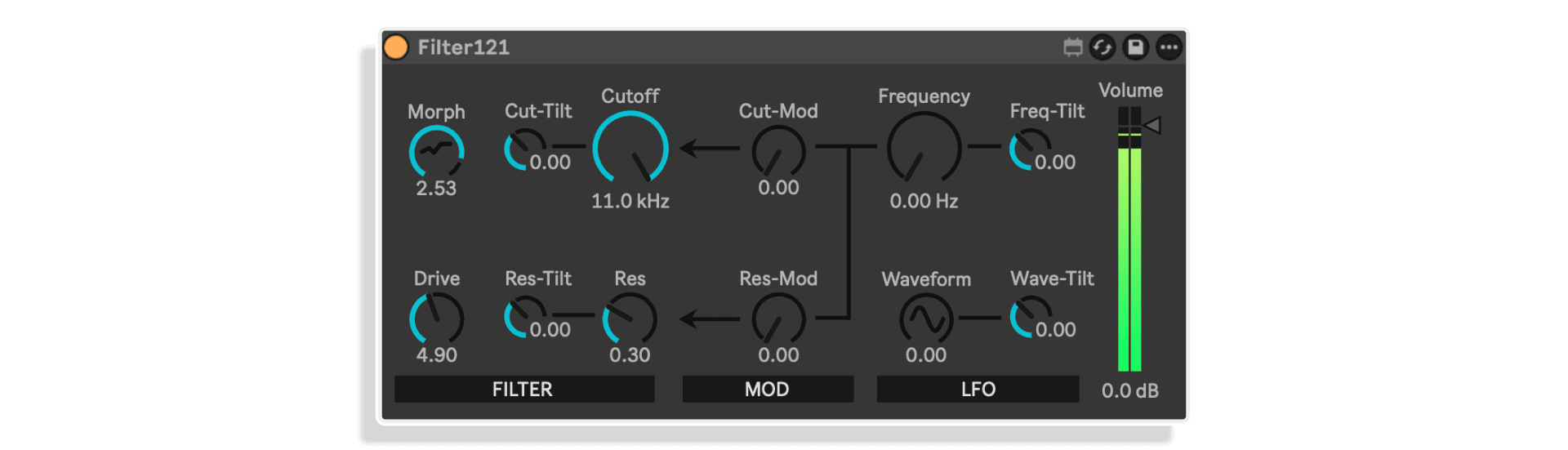
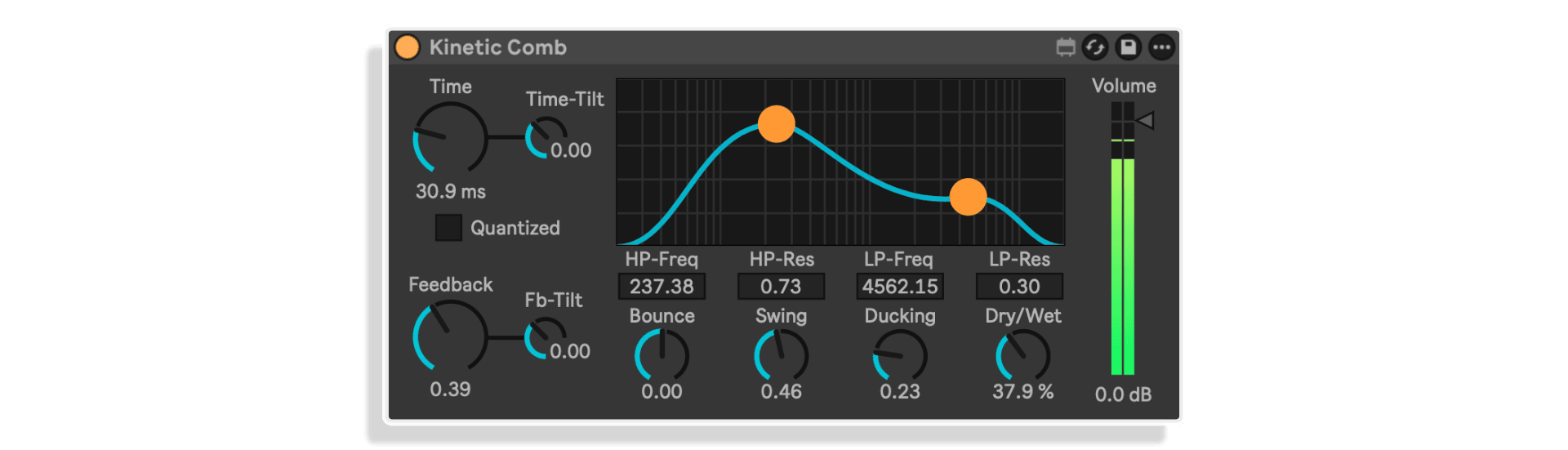
audiopack brings together a set of Max for Live audio devices, each designed to address a specific area of the signal chain with precision and musical intelligence. The devices are built to complement each other — drop them across your channels, layer their effects, and build a processing architecture that evolves with your session. From subtle character shaping to full-on sonic transformation, the pack covers serious ground.
darkIntger has approached each device with a clear philosophy: give producers genuine control without overwhelming them with parameters that don’t matter. The interfaces are clean and deliberate. Every knob, button, and modulation target has been considered. The result is a set of tools that feel immediately familiar but open up new creative directions the moment you start pushing them.
Key Features
- Cohesive multi-device suite: A carefully curated collection of audio processing Max for Live devices built to work together as a unified toolkit
- Deep Ableton Live integration: Full compatibility with Live’s automation, modulation, and session workflow — automate parameters, map to Push, or drive with M4L LFOs
- Performance and studio ready: Each device is optimised for both live performance scenarios and detailed studio production work
- Focused, musical interfaces: Clean layouts designed to keep you in creative flow — no menu-diving, no unnecessary complexity
- Broad signal-chain application: Suitable across a wide range of use cases including dynamics, colouration, spatial processing, and creative effects
- Genre-versatile processing: At home in techno, house, ambient, experimental, and beyond — tools built for how electronic music is actually made
- Debut release from darkIntger: The very first Isotonik Studios release from a developer with a sharp, considered approach to audio toolmaking
- Full user guide included: Comprehensive documentation to get up and running quickly and explore every device in depth
How It Works
Each device in audiopack slots directly into Ableton Live’s audio effect chain. Open your browser, drag a device from the pack onto any audio track, instrument return, or master channel, and you’re immediately inside a purpose-built Max for Live environment. Parameters respond to MIDI mapping, Push control, and clip-based automation just like any native Live device — because under the hood, that deep integration is exactly what Max for Live is built for.
The devices are designed to be used individually or in combination. Build a processing chain across a drum bus using two or three devices from the pack, and you’ll quickly discover how their character interacts — each one contributing its specific function whilst leaving headroom for the others to do their work. This kind of intentional, stackable design is what separates audiopack from a loose collection of effects and makes it a genuine production workflow upgrade.
The Vibe
If your production tends toward the meticulous — careful layering, considered sound design, processing choices that serve the track rather than just adding colour for its own sake — audiopack will feel like it was made for you. This is a toolkit for producers who know what they want from their signal chain and are tired of workarounds. darkIntger clearly makes tools they want to use themselves, and that shows in every detail of the pack.
Equally, if you produce live or perform in a hybrid setup, the performance-ready design of each device means audiopack earns its place on stage as much as in the studio. Map parameters to a controller, set up clip-launched automation, or simply reach for a knob mid-set — these devices respond with the immediacy that live performance demands.
Technical Details
audiopack requires Ableton Live 11 Suite or higher, or Ableton Live 11 Standard with the Max for Live add-on. Compatible with both Mac and Windows. Full documentation is available in the included user guide — recommended reading before your first session to get the most from every device in the pack.
Frequently Asked Questions
A: audiopack is a suite of Max for Live audio processing devices created by darkInteger. It’s the developer’s debut release on Isotonik Studios — a collection of purposefully designed audio tools that integrate deeply with Ableton Live’s signal chain and workflow.
A: audiopack requires Ableton Live 11 Suite or higher. If you’re on Ableton Live 11 or 12 Standard, you’ll also need the Max for Live add-on. It is compatible with both Mac and Windows.
A: No. Max for Live is bundled with Ableton Live Suite, and all devices in audiopack run natively within that environment. You do not need a standalone Max or Max/MSP licence.
A: Absolutely. Each device in the pack has been designed with performance in mind — parameters can be MIDI mapped, controlled via Ableton Push, or driven by clip automation, making them fully viable for hybrid live setups and stage performance.
A: Yes. A comprehensive user guide is available for audiopack. You can view it here: https://isotonikstudios.com/wp-content/uploads/audiopack-operation-manual.pdf — we recommend reading it before your first session to get the most from every device.
A: Yes. Like all Max for Live devices, parameters exposed in audiopack can be automated in the Ableton Live arrangement view, mapped to MIDI controllers or Push, and modulated using other Max for Live tools such as LFOs or envelope followers.
A: While audiopack is built with electronic music producers in mind, the audio processing tools within it are genre-agnostic. Producers working in experimental, sound design, post-production, or any genre that runs through Ableton Live will find genuinely useful tools in the pack.
A: darkInteger is an independent Max for Live developer making their debut on Isotonik Studios with audiopack. The developer’s approach is characterised by clean, focused device design and a clear understanding of what producers actually need from their signal chain. Watch this space — audiopack is just the beginning.
Important Information
v1.0.0 – Initial Release
Our Products are generally provided as Zip file downloads which in all cases will need to be extracted before use. For Max for Live Devices please place the extracted device in your User Library. For Ableton Live Packs please double click the extracted .alp file to install. For Ableton Live Projects please place in your projects folder.
END-USER LICENSE AGREEMENT FOR ISOTONIK STUDIOS SOFTWARE PRODUCTS.
PLEASE READ THE TERMS AND CONDITIONS OF THIS LICENSE AGREEMENT CAREFULLY BEFORE CONTINUING WITH THIS PROGRAM INSTALL.
This End-User License Agreement (referred to as “EULA”) is a legal agreement between an individual or a single entity (referred to as “LICENSEE”) and Isotonik Studios for the Isotonik Studios software product(s) which may include associated software components, media, printed materials, and “online” or electronic documentation (referred to as “SOFTWARE PRODUCT”). By installing, copying, or otherwise using the SOFTWARE PRODUCT, the LICENSEE agrees to be bound by the terms of this EULA.
This EULA represents the entire agreement concerning the program between the LICENSEE and Isotonik Studios and it supersedes any prior proposal, representation, or understanding between the parties. If the LICENSEE does not agree to the terms of this EULA, the LICENSEE should not install or use the SOFTWARE PRODUCT.
The SOFTWARE PRODUCT is protected by copyright laws and international copyright treaties, as well as other intellectual property laws and treaties. The SOFTWARE PRODUCT is licensed, not sold.
- GRANT OF LICENSE.
The SOFTWARE PRODUCT is licensed as follows:
(a) Installation and Use. Providing that the LICENSEE has paid any applicable license fees, Isotonik Studios grants the LICENSEE the right to install and use copies of the SOFTWARE PRODUCT on up to two computers in the LICENSEE’s possession that are running a validly licensed copy of the operating system for which the SOFTWARE PRODUCT was designed [e.g., Windows 10, macOS]. The computer(s) must be owned by the LICENSEE.
(b) Backup Copies. The LICENSEE may also make copies of the SOFTWARE PRODUCT as may be necessary for backup and archival purposes.
- DESCRIPTION OF OTHER RIGHTS AND LIMITATIONS.
(a) Maintenance of Copyright Notices. The LICENSEE must not remove or alter any copyright notices on any and all copies of the SOFTWARE PRODUCT.
(b) Distribution. The LICENSEE may not distribute registered copies of the SOFTWARE PRODUCT to third parties.
(c) Prohibition on Reverse Engineering, Decompilation, and Disassembly. The LICENSEE may not reverse engineer, decompile, or disassemble the SOFTWARE PRODUCT, except and only to the extent that such activity is expressly permitted by applicable law notwithstanding this limitation.
(d) Rental. The LICENSEE may not rent, lease, or lend the SOFTWARE PRODUCT.
(e) License transfer The LICENSEE may not transfer their license to the SOFTWARE PRODUCT to any third party. Any attempt to do so will be considered a violation of this EULA.
(f) Support Services. Isotonik Studios may provide the LICENSEE with support services related to the SOFTWARE PRODUCT for a period of 12 months following the date of purchase. Any supplemental software code provided to the LICENSEE as part of the Support Services shall be considered part of the SOFTWARE PRODUCT and subject to the terms and conditions of this EULA.
(g) Compliance with Applicable Laws. The LICENSEE must comply with all applicable laws regarding use of the SOFTWARE PRODUCT.
- TERMINATION Without prejudice to any other rights, Isotonik Studios may terminate this EULA if the LICENSEE fails to comply with the terms and conditions of this EULA. In such event, the LICENSEE must destroy all copies of the SOFTWARE PRODUCT in the LICENSEE’s possession.
- COPYRIGHT All title, including but not limited to copyrights, in and to the SOFTWARE PRODUCT and any copies thereof are owned by Isotonik Studios or its suppliers. All title and intellectual property rights in and to the content which may be accessed through use of the SOFTWARE PRODUCT is the property of the respective content owner and may be protected by applicable copyright or other intellectual property laws and treaties. This EULA grants the LICENSEE no rights to use such content. All rights not expressly granted are reserved by Isotonik Studios.
- NO WARRANTIES Isotonik Studios expressly disclaims any warranty for the SOFTWARE PRODUCT. The SOFTWARE PRODUCT is provided ‘As Is’ without any express or implied warranty of any kind, including but not limited to any warranties of merchantability, noninfringement, or fitness of a particular purpose. Isotonik Studios does not warrant or assume responsibility for the accuracy or completeness of any information, text, graphics, links or other items contained within the SOFTWARE PRODUCT. Isotonik Studios makes no warranties respecting any harm that may be caused by the transmission of a computer virus, worm, time bomb, logic bomb, or other such computer program. Isotonik Studios further expressly disclaims any warranty or representation to the LICENSEE or to any third party.
- LIMITATION OF LIABILITY In no event shall Isotonik Studios be liable for any damages (including, without limitation, lost profits, business interruption, or lost information) arising out of the LICENSEE’s use of or inability to use the SOFTWARE PRODUCT, even if Isotonik Studios has been advised of the possibility of such damages. In no event will Isotonik Studios be liable for loss of data or for indirect, special, incidental, consequential (including lost profit), or other damages based in contract, tort or otherwise. Isotonik Studios shall have no liability with respect to the content of the SOFTWARE PRODUCT or any part thereof, including but not limited to errors or omissions contained therein, libel, infringements of rights of publicity, privacy, trademark rights, business interruption, personal injury, loss of privacy, moral rights or the disclosure of confidential information.