

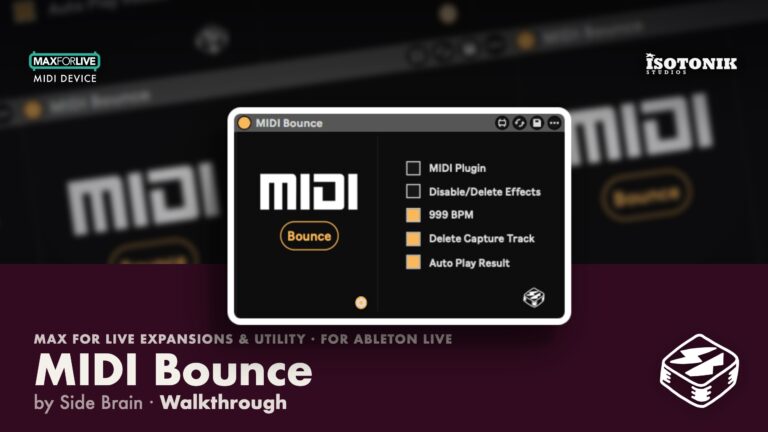
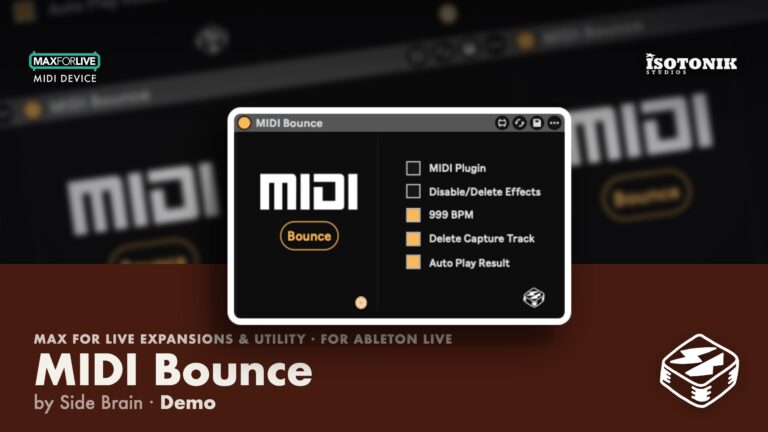
MIDI Bounce von Side Brain
EIN KLICK. REINES MIDI. KEINE WARTEZEIT
„MIDI Bounce“ von Side Brain ist ein unkompliziertes Max-for-Live-Dienstprogramm, das den Prozess des Ausgebens von MIDI-Daten aus Effekten und Plugins radikal vereinfacht. Egal, ob du mit MIDI-Effekten oder externen MIDI-Generatoren wie Cthulhu oder Scaler arbeitest – dieses Gerät automatisiert alles: vom Erstellen einer neuen Spur über das Routing und die Aufnahme bis hin zum Deaktivieren von Effekten und dem Aufräumen der temporären Spur.
Es wurde entwickelt, um sich nahtlos in Ihren Workflow zu integrieren, und beschleunigt Ihre Kreativität mit einem einzigen Knopfdruck.
Wichtigste Funktionen:
- MIDI-Bounce mit einem Klick
- Automatisches Routing und Aufnehmen bei 999 BPM
- Funktioniert mit MIDI-Effekten, Max-Geräten und Plugins
- Löscht oder deaktiviert MIDI-Effekte nach dem Bounce
- Kompatibel mit der Arrangement- und Session-Ansicht
- Automatisches Löschen der temporären Spur (nur in der Session-Ansicht)
Konzentrieren Sie sich wieder auf das Musikmachen – MIDI Bounce übernimmt die Routinearbeit.
BENUTZERHANDBUCH: MIDI Bounce-Benutzerhandbuch

Nebenhirn
MIDI Bounce optimiert das Ausgeben von MIDI-Daten aus MIDI-Effekten und Plugins – ein Klick, reines MIDI, keine Wartezeit.
View all products by NebenhirnOverview
MIDI-Druck per Klick, direkt zurück in dein Projekt
MIDI-Routing einrichten, eine Aufnahme starten und danach das Chaos entwirren – das reißt einen mitten aus der Musik. MIDI Bounce reduziert all das auf einen einzigen Tastendruck, denn das Setup sollte niemals lauter sein als die Idee. Einfach in ein beliebiges Template einfügen und MIDI-Effekte sowie Plugins sauber zurück ins Projekt drucken – genau dort, wo sie hingehören.
Ob unquantisierte Strums, Arpeggios oder komplexe Plugin-Ausgaben – MIDI Bounce übernimmt Routing, Aufnahme und Aufräumen automatisch, sodass du vom ersten bis zum letzten Ton im kreativen Fluss bleibst. Funktioniert in Arrangement- und Session View, mit flexiblen Optionen zum Ersetzen von Originalen, Sichern von Backups oder spontanem Starten offener Aufnahmen.
- MIDI-Bounce per Mausklick - vollautomatische Erstellung von Spuren, Routing, Aufnahme, Effektbereinigung und Löschen von Temp-Spuren
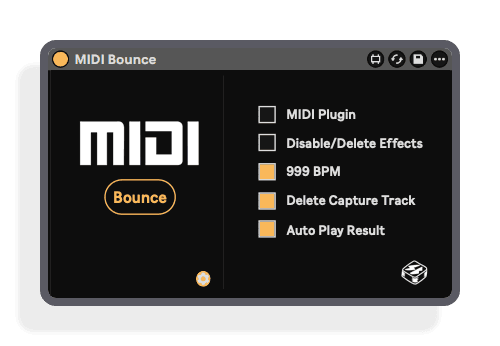
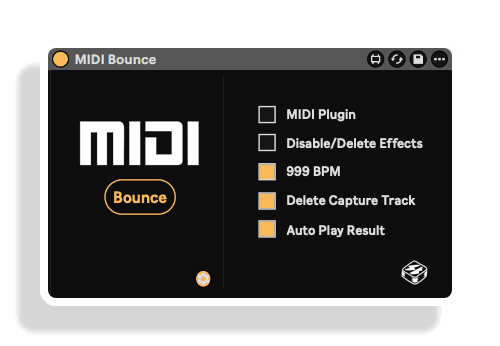
- Zeichnet mit 999 BPM für hochpräzise Erfassung von nicht-quantisierten oder dynamischen Daten wie Strums und Arpeggios auf
- Funktioniert mit MIDI FX, Max-Geräten und MIDI-Plugins von Drittanbietern, darunter Cthulhu und Scaler
- Löscht oder deaktiviert MIDI-Effekte nach dem Bounce - mit einem Plugin-Mode-Schalter für Generator-Plugins von Drittanbietern
- Session View: Gebouncte Clips erscheinen im ersten freien Slot unterhalb des Quell-Clips, mit automatischer Scene-Erstellung, optionaler Auto-Wiedergabe und offenem Aufnahmemodus (erneutes Drücken von Bounce stoppt die Aufnahme)
- Session View: Startet einen ausgewählten Quell-Clip automatisch, falls er noch nicht läuft, und stoppt ihn nach der Aufnahme nur dann, wenn MIDI Bounce ihn gestartet hat
- Arrangement View: Bounces beginnen an der tatsächlichen Arrangement-Position des ausgewählten Clips und verwenden dessen genaue Start- und Endzeiten; der Abspielkopf kehrt nach Abschluss zum gebouncten Clip zurück
- Modi „Original ersetzen" und „Original-Backup behalten" - Letzterer dupliziert und stummt die vollständige Originalspur einschließlich Clips, Geräten und Routing
- Safety Tail erfasst abschließende Noten und Note-Offs und schneidet physisch über die ursprünglichen Loop-Grenzen hinaus zu
- Eine einzige belegbare Taste passt in jeden individuellen Workflow oder jedes Template; eine vollständige PDF-Bedienungsanleitung ist enthalten
- Installation Guide
- Max for Live Audio Effect + MIDI Device .amxd device
Reviews
Alles ist in Ordnung, alles läuft reibungslos. Bei VST-Plugins musst du nur darauf achten, dass das Kontrollkästchen „MIDI-Plugin“ aktiviert ist – mehr musst du nicht wissen, hier ist ein zufriedener Nutzer :)
Important Information
ÄNDERUNGSPROTOKOLL
## v1.6 – 11. September 2026
Session-Ansicht
– Ausgegebene Clips erscheinen nun im ersten verfügbaren Slot unterhalb des Quellclips.
– Es wird automatisch eine neue Szene erstellt, wenn kein darunterliegender Clip-Slot verfügbar ist.
– Es wurde ein Sicherheits-Tail hinzugefügt, um die letzten Noten und Note-Offs zuverlässig zu erfassen.
– Der Sicherheitsansatz wird physisch beschnitten, wodurch Noten außerhalb der ursprünglichen Loop-Grenzen verhindert werden.
– Es wurde behoben, dass beim Bounce nur die erste Note erfasst oder spätere Noten abgeschnitten wurden.
– Die Verzögerung vor der Rückübertragung des fertigen Clips wurde entfernt.
– Eine optionale automatische Wiedergabe des gebounceten Clips wurde hinzugefügt.
– Startet automatisch einen ausgewählten Quellclip, sofern dieser nicht bereits abgespielt wird, synchronisiert mit dem erfassten Clip.
– Löst bereits abgespielte Quellclips nicht erneut aus.
– Stoppt den Quellclip nach der Erfassung nur dann, wenn er durch „MIDI Bounce“ gestartet wurde.
– Aufnahme ohne Zeitbegrenzung hinzugefügt, wenn kein Session-Clip ausgewählt ist. Drücken Sie „Bounce“ erneut, um die Aufnahme zu beenden.
Arrangement-Ansicht
– Bounces beginnen nun an der tatsächlichen Position des ausgewählten Clips im Arrangement statt bei Takt 1.
– Verwendet die genauen Start- und Endzeiten des ausgewählten Clips.
– Es wurde behoben, dass die Wiedergabe gelegentlich zu Takt 1 sprang und nach einem Schlag stoppte.
– Beendet die Aufnahme und den Transport automatisch am Ende des ausgewählten Clips.
– Versetzt den gebounceten Clip an die ursprüngliche Timeline-Position des Quellclips zurück.
– Setzt den Abspielkopf nach Abschluss an den Anfang des gebounceten Clips.
– Die Modi „Original ersetzen“ und „Original-Backup behalten“ wurden hinzugefügt.
– „Original-Backup behalten“ dupliziert die gesamte Originalspur und schaltet sie stumm, wobei Clips, Geräte, Routing, Automationen und der Aktivierungsstatus der Clips erhalten bleiben.
– Verhindert wiederholte „Pre-Bounce“-Suffixe in den Namen der Backup-Spuren.
– Die Option „Capture-Spur löschen“ wurde für die Bereinigung des Arrangements verfügbar gemacht.
– Wählt automatisch den fertigen Arrangement-Clip aus.
– Behält die Farbe des Quellclips bei.
– Stellt anschließend die Einstellungen für Loop, Punch, Aufnahme und Transport im Arrangement wieder her.
Allgemeines und Zuverlässigkeit
– Verbesserte Erkennung von Quellspuren und fokussierten Clips.
– Bei fertigen, gebounchten Clips wird die Loop-Funktion nun sowohl in der Session- als auch in der Arrangement-Ansicht automatisch aktiviert.
– Deaktivierte Quellclips werden vorübergehend aktiviert, damit ihre MIDI-Daten erfasst werden.
– Bewahrte Quellclips werden in ihren vorherigen Aktivierungsstatus zurückgesetzt.
– Überprüft, ob der exportierte Clip erfolgreich kopiert wurde, bevor die Aufnahmespur gelöscht wird.
– Behält eine abgeschlossene Aufnahmespur bei, wenn das Zurückkopieren nicht bestätigt werden kann.
– Stellt nach dem Exportieren die ursprünglichen Track-Arm-Zustände wieder her.
– Stellt nach einem Bounce mit 999 BPM das ursprüngliche Tempo und die globale Quantisierung wieder her.
– Verbesserte Bereinigung temporärer Szenen nach fehlgeschlagenen oder unvollständigen Bounces.
– Verhindert doppelte Namen wie „MIDI-Bounce MIDI-Bounce MIDI-Bounce“.
– Die Geräte- und JavaScript-Versionsangabe wurde auf 1.6 aktualisiert.
Erstveröffentlichung – August 2025
INSTALLATION
Unsere Produkte werden in der Regel als ZIP-Dateien zum Herunterladen bereitgestellt, die in jedem Fall vor der Installation entpackt und auf Ihrer Festplatte gespeichert werden müssen. Nachstehend finden Sie Einzelheiten zu den verschiedenen Dateitypen und deren Verwendung.
.alp-Dateien – Hierbei handelt es sich um Ableton Live-Packs, die entweder direkt im Bereich „Packs“ des Ableton Live-Browsers installiert werden oder bei denen Sie aufgefordert werden, sie auf Ihrer Festplatte zu speichern. Bei Packs, die in die Bibliothek installiert werden, erscheint beim Doppelklick ein Popup-Fenster, in dem Sie aufgefordert werden, die Installation zu bestätigen, da die Dateien als „Legacy“ gekennzeichnet sind. Das ist in Ordnung und Sie können fortfahren. Die Packs wurden im Format einer früheren Live-Version erstellt und sind daher weiterhin mit der aktuellen Version kompatibel.
.amxd-Dateien – Hierbei handelt es sich um einzelne MaxforLive-Geräte, die an beliebiger Stelle auf Ihrer Festplatte gespeichert werden können. Wir empfehlen, einen eigenen Ordner dafür anzulegen und diesen Ordner dann als Speicherort im Bereich „Places“ des Live-Browsers hinzuzufügen.
LIZENZ
ENDBENUTZER-LIZENZVEREINBARUNG FÜR SOFTWAREPRODUKTE VON ISOTONIK STUDIOS.
BITTE LESEN SIE DIE BEDINGUNGEN DIESER LIZENZVEREINBARUNG SORGFÄLTIG DURCH, BEVOR SIE MIT DER INSTALLATION DIESES PROGRAMMS FORTFAHREN.
Diese Endbenutzer-Lizenzvereinbarung (im Folgenden als „EULA“ bezeichnet) ist eine rechtliche Vereinbarung zwischen einer natürlichen Person oder einer einzelnen juristischen Person (im Folgenden als „LIZENZNEHMER“ bezeichnet) und Isotonik Studios über die Softwareprodukte von Isotonik Studios, die zugehörige Softwarekomponenten, Datenträger, gedruckte Materialien, sowie „Online“- oder elektronische Dokumentation umfassen können (im Folgenden als „SOFTWAREPRODUKT“ bezeichnet). Durch die Installation, das Kopieren oder die anderweitige Nutzung des SOFTWAREPRODUKTS erklärt sich der LIZENZNEHMER mit den Bedingungen dieser EULA einverstanden.
Diese EULA stellt die gesamte Vereinbarung zwischen dem LIZENZNEHMER und Isotonik Studios bezüglich des Programms dar und ersetzt alle früheren Vorschläge, Zusicherungen oder Absprachen zwischen den Parteien. Wenn der LIZENZNEHMER den Bedingungen dieser EULA nicht zustimmt, darf er das SOFTWAREPRODUKT nicht installieren oder nutzen.
Das SOFTWAREPRODUKT ist durch Urheberrechtsgesetze und internationale Urheberrechtsabkommen sowie durch andere Gesetze und Abkommen zum Schutz geistigen Eigentums geschützt. Das SOFTWAREPRODUKT wird lizenziert, nicht verkauft.
- LIZENZVERGABE.
Das SOFTWAREPRODUKT wird wie folgt lizenziert:
(a) Installation und Nutzung. Sofern der LIZENZNEHMER alle anfallenden Lizenzgebühren entrichtet hat, gewährt Isotonik Studios dem LIZENZNEHMER das Recht, Kopien des SOFTWAREPRODUKTS auf bis zu zwei Computern in seinem Besitz zu installieren und zu nutzen, auf denen eine gültig lizenzierte Kopie des Betriebssystems läuft, für das das SOFTWAREPRODUKT entwickelt wurde [z. B. Windows 10, macOS]. Der/die Computer muss/müssen Eigentum des LIZENZNEHMERS sein.
(b) Sicherungskopien. Der LIZENZNEHMER darf außerdem Kopien des SOFTWAREPRODUKTS anfertigen, soweit dies für Sicherungs- und Archivierungszwecke erforderlich ist.
- BESCHREIBUNG WEITERER RECHTE UND EINSCHRÄNKUNGEN.
(a) Beibehaltung von Urheberrechtsvermerken. Der LIZENZNEHMER darf keine Urheberrechtsvermerke auf irgendeiner der Kopien des SOFTWAREPRODUKTS entfernen oder verändern.
(b) Weitergabe. Der LIZENZNEHMER darf registrierte Kopien des SOFTWAREPRODUKTS nicht an Dritte weitergeben.
(c) Verbot von Reverse Engineering, Dekompilierung und Disassemblierung. Der LIZENZNEHMER darf das SOFTWAREPRODUKT nicht rückentwickeln, dekompilieren oder disassemblieren, es sei denn, dies ist ungeachtet dieser Einschränkung durch geltendes Recht ausdrücklich gestattet.
(d) Vermietung. Der LIZENZNEHMER darf das SOFTWAREPRODUKT nicht vermieten, verleasen oder verleihen.
(e) Lizenzübertragung. Der LIZENZNEHMER darf seine Lizenz für das SOFTWAREPRODUKT nicht an Dritte übertragen. Jeder Versuch, dies zu tun, gilt als Verstoß gegen diese EULA.
(f) Supportleistungen. Isotonik Studios kann dem LIZENZNEHMER für einen Zeitraum von 12 Monaten ab dem Kaufdatum Supportleistungen im Zusammenhang mit dem SOFTWAREPRODUKT bereitstellen. Jeder zusätzliche Softwarecode, der dem LIZENZNEHMER im Rahmen der Supportleistungen zur Verfügung gestellt wird, gilt als Teil des SOFTWAREPRODUKTS und unterliegt den Bestimmungen dieser EULA.
(g) Einhaltung geltender Gesetze. Der LIZENZNEHMER muss alle geltenden Gesetze bezüglich der Nutzung des SOFTWAREPRODUKTS einhalten.
- KÜNDIGUNG Unbeschadet sonstiger Rechte ist Isotonik Studios berechtigt, diese EULA zu kündigen, wenn der LIZENZNEHMER die Bestimmungen dieser EULA nicht einhält. In diesem Fall muss der LIZENZNEHMER alle in seinem Besitz befindlichen Kopien des SOFTWAREPRODUKTS vernichten.
- URHEBERRECHT Sämtliche Rechte, einschließlich, aber nicht beschränkt auf Urheberrechte, an dem SOFTWAREPRODUKT und allen Kopien davon liegen bei Isotonik Studios oder seinen Lieferanten. Alle Eigentums- und geistigen Eigentumsrechte an den Inhalten, auf die durch die Nutzung des SOFTWAREPRODUKTS zugegriffen werden kann, sind Eigentum der jeweiligen Inhaltseigentümer und können durch geltende Urheberrechtsgesetze oder andere Gesetze und Verträge zum Schutz geistigen Eigentums geschützt sein. Diese EULA gewährt dem LIZENZNEHMER keine Rechte zur Nutzung solcher Inhalte. Alle nicht ausdrücklich gewährten Rechte bleiben Isotonik Studios vorbehalten.
- KEINE GEWÄHRLEISTUNGEN Isotonik Studios lehnt ausdrücklich jegliche Gewährleistung für das SOFTWAREPRODUKT ab. Das SOFTWAREPRODUKT wird „wie besehen“ ohne jegliche ausdrückliche oder stillschweigende Gewährleistung jeglicher Art bereitgestellt, einschließlich, aber nicht beschränkt auf Gewährleistungen der Marktgängigkeit, der Nichtverletzung von Rechten Dritter oder der Eignung für einen bestimmten Zweck. Isotonik Studios übernimmt keine Gewährleistung oder Verantwortung für die Richtigkeit oder Vollständigkeit von Informationen, Texten, Grafiken, Links oder anderen im SOFTWAREPRODUKT enthaltenen Elementen. Isotonik Studios übernimmt keine Gewährleistung in Bezug auf Schäden, die durch die Übertragung von Computerviren, Würmern, Zeitbomben, Logikbomben oder ähnlichen Computerprogrammen verursacht werden könnten. Isotonik Studios schließt ferner ausdrücklich jegliche Gewährleistung oder Zusicherung gegenüber dem LIZENZNEHMER oder Dritten aus.
- HAFTUNGSBESCHRÄNKUNG Isotonik Studios haftet in keinem Fall für Schäden (einschließlich, aber nicht beschränkt auf entgangenen Gewinn, Betriebsunterbrechungen oder Informationsverluste), die sich aus der Nutzung oder der Unmöglichkeit der Nutzung des SOFTWAREPRODUKTS durch den LIZENZNEHMER ergeben, selbst wenn Isotonik Studios auf die Möglichkeit solcher Schäden hingewiesen wurde. In keinem Fall haftet Isotonik Studios für Datenverluste oder für indirekte, besondere, zufällige, Folge- (einschließlich entgangener Gewinne) oder sonstige Schäden, die auf Vertrag, unerlaubter Handlung oder anderweitig beruhen. Isotonik Studios übernimmt keine Haftung in Bezug auf den Inhalt des SOFTWAREPRODUKTS oder eines Teils davon, einschließlich, aber nicht beschränkt auf darin enthaltene Fehler oder Auslassungen, Verleumdung, Verletzungen von Persönlichkeitsrechten, Datenschutzrechten, Markenrechten, Betriebsunterbrechungen, Personenschäden, Verlust der Privatsphäre, Urheberpersönlichkeitsrechte oder die Offenlegung vertraulicher Informationen.
Frequently Asked Questions
Was ist MIDI Bounce von Side Brain?
MIDI Bounce ist ein MaxforLive-Gerät, das MIDI von Effekten und Plugins in Ableton Live erfasst und aufzeichnet und dabei Track-Routing, Aufnahme und Bereinigung automatisiert.
Erfordert dieses Produkt Max for Live?
Ja, MIDI Bounce erfordert MaxforLive.
Was ist MaxforLive?
MaxforLive ist eine Plattform, die die visuelle Programmierumgebung Max mit Ableton Live integriert und es Nutzern ermöglicht, eigene Audio-, MIDI- und Steuergeräte zu erstellen und zu verwenden.
Welche Version von Ableton Live benötige ich?
Du benötigst Ableton Live 10 oder neuer, mit Max for Live (in der Suite enthalten oder als Add-on erhältlich).
Wo finde ich weitere Produkte von Side Brain?
Weitere Tools und Devices von Side Brain findest du hier: SIDE BRAIN
In Depth
Optimieren Sie Ihren kreativen Prozess mit MIDI Bounce – dem ultimativen Workflow-Optimierer für Max for Live von Side Brain. Anstatt Routing manuell einzurichten, Spuren aufzunehmen oder Effekte zu deaktivieren, erledigt MIDI Bounce all das für Sie mit einem einzigen Klick. Egal, ob du mit MIDI-Effekten jammst oder komplexe MIDI-Plugins verwendest – dieses Device erfasst deine Performance sofort und speichert sie zurück in dein Projekt, ohne deinen Flow zu unterbrechen.
Schnelle MIDI-Erfassung bei 999 BPM
Das Gerät erhöht vorübergehend die Tempo-Einstellung von Ableton Live auf 999 BPM, um Ihre MIDI-Daten mit hoher Präzision zu quantisieren. Dies ist besonders nützlich für nicht quantisierte oder dynamische Daten wie Akkordanschläge oder Arpeggios.
Hands-Free-Routing & Bereinigung
MIDI Bounce erstellt automatisch eine Spur, leitet Ein- und Ausgänge weiter, startet die Aufnahme mit der richtigen Länge und deaktiviert oder löscht anschließend die Effekte – sauber und effizient. Nutzer der Session-Ansicht profitieren sogar von der automatischen Wiedereinfügung von Clips und dem Löschen temporärer Spuren.
Einfache Bedienung, große Wirkung
Mit nur einer zuweisbaren Taste lässt es sich problemlos in jeden benutzerdefinierten Workflow oder jede Vorlage integrieren. Schalten Sie Optionen wie „Effekte löschen“ oder den „Plugin-Modus“ über das Einstellungsmenü um, um das Verhalten genau an Ihr Setup anzupassen.
Flexibel und kompatibel
Funktioniert mit den Live-Suite-Versionen 10–12, sowohl unter Windows als auch unter Mac. Egal, ob Sie MIDI-Daten aus Max-MIDI-Effekten oder MIDI-Plugins von Drittanbietern erfassen – MIDI Bounce hat alles im Griff.
Ideal für Produzenten, Sounddesigner und Live-Musiker, die sich auf das Musikmachen konzentrieren möchten – und nicht auf die technische Einrichtung. Fügen Sie MIDI Bounce in Ihre Vorlage ein und machen Sie das Bouncen von MIDI so einfach wie einen Knopfdruck.
Frequently Bought Together
 ★ Popular