Strokes by Cong Burn
ALL-IN-ONE WORKSTATION FOR SEQUENCING, SAMPLING AND SYNTHESIS
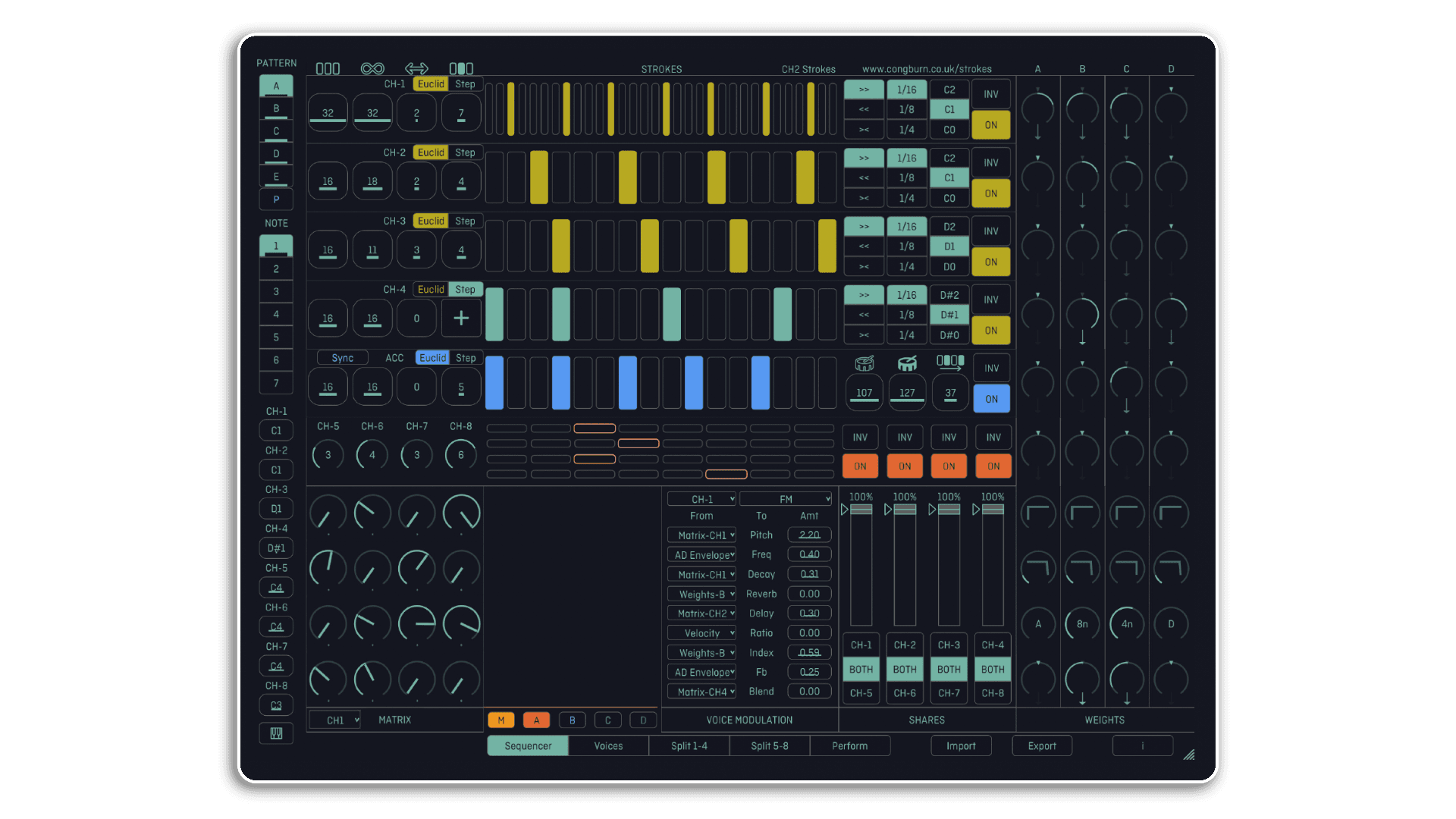
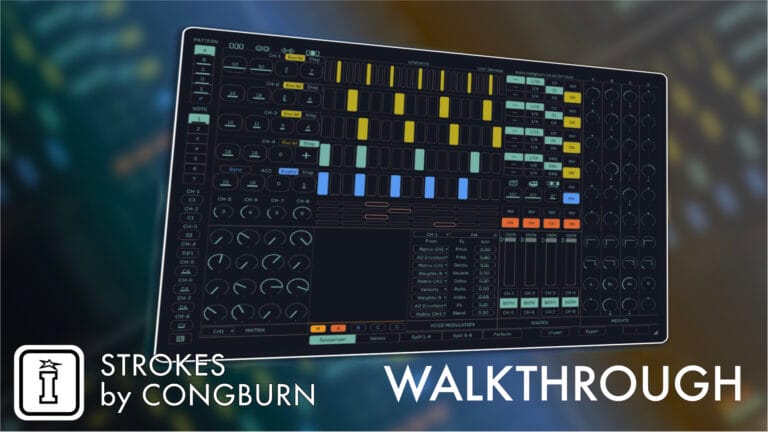
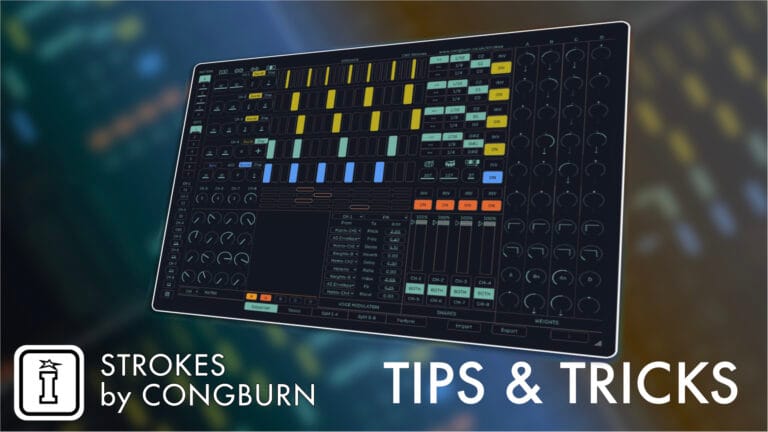
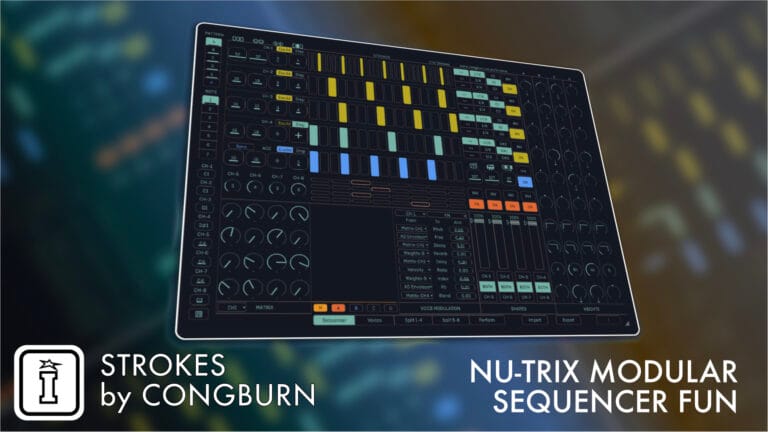
Strokes is a versatile, all-in-one workstation designed for sequencing, sampling, and synthesis. Its architecture encourages free-flow experimentation, enabling users of all skill levels to explore rhythm and modulation with ease. Key features include:
- Sequencing: Eight channels, with four user-defined and four logic-driven, for dynamic and interconnected rhythmic patterns.
- Sound Design: Choose from 24 oscillator types or custom samples, with built-in filters, reverb, and delay for in-depth sound customization.
- Modulation: Matrix and Weights systems offer deep, responsive modulation possibilities across all elements.
- Live Performance Tools: Pattern blending, crossfaders, and intuitive XY pads ensure seamless transitions and engaging performances.
Compatible as a VST3/AU plugin or a standalone app, Strokes offers a powerful creative toolset for music producers and performers.
USER GUIDE: Strokes v3.13 Manual Mobile
Strokes by Cong Burn
ALL-IN-ONE WORKSTATION FOR SEQUENCING, SAMPLING AND SYNTHESIS
Strokes is a versatile, all-in-one workstation designed for sequencing, sampling, and synthesis. Its architecture encourages free-flow experimentation, enabling users of all skill levels to explore rhythm and modulation with ease. Key features include:
- Sequencing: Eight channels, with four user-defined and four logic-driven, for dynamic and interconnected rhythmic patterns.
- Sound Design: Choose from 24 oscillator types or custom samples, with built-in filters, reverb, and delay for in-depth sound customization.
- Modulation: Matrix and Weights systems offer deep, responsive modulation possibilities across all elements.
- Live Performance Tools: Pattern blending, crossfaders, and intuitive XY pads ensure seamless transitions and engaging performances.
Compatible as a VST3/AU plugin or a standalone app, Strokes offers a powerful creative toolset for music producers and performers.
USER GUIDE: Strokes v3.13 Manual Mobile
Out of stock
Additional information
| Ableton Live Compatibility | Ableton Live 10 Standard with MaxforLive, Ableton Live 10 Suite, Ableton Live 11 Standard with MaxforLive, Ableton Live 11 Suite, Ableton Live 12 Standard with MaxforLive, Ableton Live 12 Suite |
|---|---|
| Min. Requirements | Quickstart guides for Ableton Live, Bitwig, VCV Rack, Cubase, FL Studio & Logic, Supports Intel Macs and runs natively on Apple Silicon, VST3 / AU compatible. Not iOS compatible. |
| OS | Windows 10/11, MacOS 10.11 (or later) |
PRICE: £50.00
Product reviews
No reviews yet. Be the first to review this product.
Strokes by Cong Burn
“There’s creative potential, open-endedness and aliveness here that few other plug-ins and apps can match” – Sound On Sound
“Strokes is an amazing device for rhythmic inspiration. Its a lot of fun to play with and can lead to some very cool unexpected patterns and combinations” – Tom Rowlands [Chemical Brothers]
“DJs and producers wanting to create intricate sequencer patterns should look at Strokes” – DJ Mag
“An instant inspiration generator” – MusicRadar
The idea of this device is to encourage free-flow experimentation and exploration of rhythm and modulation. The architecture behind Strokes is complex, but on the surface it’s designed to be intuitive no matter what your experience level is. By setting up some sounds and turning the dials, anyone can create interesting and unique results.
The sequencing and modulation are cross-patched, meaning the actions of one part impact on another – in this way, the patterns all form part of the greater whole, moving in symbiosis to create cohesive results.
The first four sequencer channels can be set according to your wishes, while the other four behave in various ways according to those settings. Each channel can be assigned one of 24 oscillators based on open-source code from a popular Eurorack module. Alternatively, they can each be assigned to samples of your choice with various sound design options, or the on- board sounds can be bypassed and you can use Strokes to control your own choice of hardware or software synths and drum machines.
There are probability options to add semi-random changes to the sequencers, and on-board reverb and delay add effects processing to the sounds being generated. Various modulation options allow these sounds and effects to be changed in subtle or significant ways, always in response to the other rhythmic behaviour taking place in the project.
Rather than relying on methodical programming of patterns or computer-defined ‘randomness’, Strokes offers a way to create surprising music with an emphasis on fun. Nothing happens by accident, but you never quite know where a jam will take you. With the means to store patterns and melodic information within a project, one set up can produce different results every time.
Strokes can run as a VST3 or AU plug-in within all major DAW environments, meaning the MIDI information generated can also be assigned to your own software and hardware instruments.
Frequently Asked Questions
Important Information
Please see the associated guide for your DAW
V3.15 – Released April 2025
- Add push 2 support
V3.13
Microtonality / Alternate tunings
– Import a 7 or 12 note scala file
– Edit the tuning from within the app, save a copy under a new name
– Imported scalas are saved in the plugin/app, so you can optionally delete your .scl files once imported
– When you load a project, the tuning you were using for that project will be loaded up
– The last tuning you use is carried over next time you open the app/plugin. So if you like a scl file you can set it and forget it
There’s an interesting discussion on tuning here -> https://cdm.link/2022/03/ableton-releases-free-microtuner-but-tuning-is-more-than-spaces-between-12-semitones/
8 new synth engines ported from Plaits v1.2
– Classic waveshapes with filter
– Phase distortion and modulation
– 3 x 6-operator FM synth with 32 presets
– Wave terrain synthesis
– String machine
– Chiptune
Matrix / Weights randomizers
Hit the “i” button to find these. Use a fader to morph between the value in the pattern, and the random value. So you can dial in a touch of random, or roll the dice. When you close the info view your changes are stored in the pattern.
Other changes
– 3 new themes/skins
– Mute / Solo / Inv are all accessible from the performance page
– You can edit the modulation sources for each voice from the performance page (use the samples dropdown to display this)
– You can edit the tuning from the performance page (FX dropdown)
– Replaced one of the demo projects
– Lower the reverb/delay levels for a default pattern
V3.12
- Added the Performance View – this page provides a high level overview of your jam where you can smoothly interpolate (or crossfade) between patterns, sounds and project files.
- Samplers upgraded. Each has 5 sub-samplers enabling you to use different samples per pattern. If a slot is empty when switching pattern, it auto-fills with the current sample.
- Bus saturator & glue compressor and main stereo outs
- Hit the channel label on the voices page to copy settings between patterns/voices
- Sync button added to accent section. After hitting sync, when the accent reaches the end of it’s loop all the grid channels will realign/reset to 0
- Keyboard modal for note selects and root notes only appears on a tap (600ms hold)
- Kit/pattern separation is deprecated. Patterns now contain all necessary data making patterns interchangeable between project files
V3.11.2
- Redesigned, higher quality A/D amplitude envelopes. They now function as an AD rather than ADSR. What this means is that the entire attack & decay stages will play on each note event. If another note trigger occurs during the attack stage, it won’t reset to the beginning of the attack. If a note trigger occurs during the decay phase, it’ll reset to the start of the decay stage. This might sound a little weird with your existing projects but the benefits are worth imo : less clicks, full attack phase if you leave some room between trigs, and you can go nearly full drone with long attack & decay. Still working on making the envelope a modulation source…
- Load a sample button now asks for confirmation if you have a sample already loaded
- When changing from euclidean to step mode, copy the euclidean rhythm to step mode if steps are blank.
- Fixed an issue where setting decay high and adding modulation would destroy all the synth voices.
- Keyboard modals display current note / root note.
- Change naming of voice modulation params for Matrix.
- Tutorial overlay play button displays at correct resolution.
V3.11
- Strokes is now a multi output VST3/AU/AUV3, each voice (synth or sampler) can be routed to an individual audio channel for further processing & recording.
- Added a built in tutorial to help you create your first rhythm, melody and pattern variation. Access this on the info “i” menu.
- Hovering over / tapping a parameter on the sequencer page will display the parameter’s name in the header.
- Weights delays are now sample accurate.
- Matrix sequencer only advances a single step when on ⅛ or ¼ clock rates.
- Fix sync when looping in Cubase & Studio One.
- Fix AU/VST3 project export.
- Fix an issue where outgoing MIDI notes would get stuck at slow bpms / clock rates.
V3.10
– Adds 16 internal synth engines, derived from Mutable Instruments’ Plaits (C. 2016 Emilie Gillet, https://github.com/pichenettes/eurorack, https://www.congburn.co.uk/eula)
– Pitch sequencing and a quantizer, per channel
– Fully customisable modulation matrix, any modulation source can connect to any sound parameter
– Bit crushing & sample rate reduction added to sampler, as well as start/loop point modulation
– Panning & fine tune
– Improved stability & performance
V3.9.4
– Make the scope visible
– Display filename correctly after switching from sampler->sequencer->sampler views
V3.9.2
– Note offs are now sent on the correct channel
– Modulation buses for some sampler voices are connected to the correct modulation sources, as labelled
– Fixed some occasional drop outs and crash when tweaking sample start/end/loop
– Note learn no longer requires the keyboard modal to be open
– Use responsive thickness for line drawing, hide euclid/step buttons based on active mode
– Double clicking weights dials resets them to center, rather than their default value
– Logic now has separate MIDI FX and instrument builds
V3.9
– Added 8 x samplers, each sampler consists of:
– Attack/decay amplitude envelope
– Sample start/end/loop controls (drag top/bottom of waveform)
– Root note for setting pitch of sample
– Multi mode resonant filter LP/HP/BP
– Two FX sends
– 4 mod buses to receive modulation from the sequencer
– Added a reverb and delay, both with their own mod buses (and nice animations!).
– Implemented Ableton Link.
– Added cross platform file sharing.
– Created over 100 factory samples that you are free to use in your tracks. Sampled from my Machinedrum, Monomachine, Nord Drum 2 & more. Processed with Bugbrand Stereo Compress & Elektron Analog Heat.
V3.8
– Fixed a few bugs relating to notes & pattern save/recall
– Matrix XY modes now reference the correct logic modes
– Fixed a bug on some devices where the plugin window would fail to load
V3.7
- Fixed logic section
V3.6
iOS!
V3.5
NOTE LEARN
Very excited about this!
The NOTE LEARN button is next to Patterns section. When this is enabled, the last clicked seq channel is selected (and underlined), sending in a midi note to strokes via midi kb/midi clip will reassign the strokes channel to the incoming MIDI note.
When you’ve assigned the first strokes channel, the next strokes channel is selected, so you can hit CH1, press a midi key, it’ll auto switch to CH2, press another key etc.. This works really well with synths where it functions like a mega-arpeggiator – leave NOTE LEARN enabled and go wild on some chords and it’ll cycle channel/notes like a korg monopoly
CONFIG VIEW
– Added min/max CC ranges so we can fine tune modulation. These work pattern changes so imagine you are tweaking the amp decay of a drum using CC, pattern A can have short decay, pattern B can have long decay.
– Added a scrollbar to the MIDI input section to handle MIDI interfaces with loads of inputs
PATTERN / NOTE SELECT
– Added copy/clear functionality to Notes (just like patterns)
– Added progress bars for clearing notes / patterns, hold down a pattern/note slot to clear
– Added indicators to Notes that display whether there is data in the note slot
– When clearing a Note slot, you’ll notice all of the channels are set to BLANK. When you change into a new note slot, any blank notes are overwritten by the previous note slot. This lets you copy/paste individual channels between note slots
TRANSPORT / STANDALONE
– Added MIDI clock out. There is some jitter in the clock which I’m still solving (only in standalone)
– Added a progress bar for the stop button
STEP MODE
– Added an MPC pad style button for CH1-4 & accent so you can fingerdrum rhythms by hand
– Swapped the position of the strokes/shift dials. The MPC pad needs some room to stop any accidental taps, had I added the pad in the old strokes position there’s a risk of misclicking and switching back to euclid mode which would suck. I am willing to sacrifice 3yrs muscle memory for this, apologies in advance.
MISC FIXES
– Fixed an issue where sometimes notes wouldn’t swing. Changed the swing range to a more useful/musical range
– Matrix/Weights dials reworked and less CPU intensive
– new app icon
Frequently Bought Together
 -20%
-20%Brian FunkADM Orchestral by Brian FunkLive 11 & 12 Original price was: £40.00.£32.00Current price is: £32.00.