If you’ve ever felt like your music is stuck going nowhere — looping endlessly without energy or direction — you’re not alone. Making exciting music from loops is one of the biggest challenges producers face, whether they’re just starting out or have years of experience under their belt. Brian Funk, one of the most trusted voices in Ableton Live education, has built a reputation for breaking down complex ideas into practical, actionable techniques. In this video, he tackles the loop problem head-on and shares the secret to turning repetitive patterns into tracks that actually move people.
Why Loops Sound Boring — And Why It’s Not Your Fault
Here’s the truth: loops are supposed to repeat. That’s literally what they do. But the human ear is wired to notice change, and when nothing changes, attention drifts fast. A four-bar loop that sounded exciting on the first play starts to feel flat by the third or fourth repeat.
The problem isn’t that you’re using loops. Every genre of electronic music is built on them. The problem is that most producers treat the loop as the finished idea rather than the starting point. The magic in a great track doesn’t come from one perfect loop — it comes from everything that happens around that loop and to that loop over time.
Brian Funk’s approach addresses this mindset shift directly. Once you stop thinking of loops as static building blocks and start treating them as living, breathing material you can shape and transform, everything changes. Your sessions stop feeling like a collection of cool ideas that go nowhere and start feeling like actual songs with momentum.
The Secret to Exciting Music: Variation and Movement
So what is the secret? At its core, it comes down to variation — but not random, chaotic variation. Structured, intentional change that gives listeners a sense of journey without losing the groove they locked into at the start.
There are several layers to this. The first is rhythmic variation. Even small tweaks to a drum pattern — removing a hi-hat hit, adding a ghost note on the snare, or dropping out the kick for a beat — create tension and release that keeps ears engaged. These micro-changes signal to the listener that something is happening, even when the overall loop is essentially the same.
The second layer is melodic and harmonic movement. Introducing subtle pitch shifts, chord extensions, or counter-melodies over your main loop adds depth without abandoning the core hook. This is where Ableton Live’s MIDI tools become genuinely powerful. Features like MIDI clips with varying note lengths, velocity automation, and follow actions can breathe life into even the most basic sequences.
The third layer is textural evolution. Think of it as the sonic environment around your loop changing while the loop itself stays relatively constant. Reverb tails that grow longer, filters that slowly open, or a pad that swells in the background — these details make your track feel like it’s building toward something.
Practical Techniques for Ableton Live Producers
Brian Funk’s teaching style has always been about getting hands-on with the tools in front of you, and Ableton Live is one of the most capable environments for applying these ideas. Here are some specific approaches worth exploring in your own sessions.
Use Clip Automation Heavily — Inside each MIDI or audio clip in Ableton, you can draw automation that affects parameters within just that clip. Use this to automate filter cutoff, volume, or effect sends so that even a single repeated clip sounds different from bar to bar.
Embrace Follow Actions — Ableton’s Follow Actions feature allows clips to trigger other clips in a sequence or at random after a set number of bars. This is one of the most underused tools for creating evolving loop-based music. You can set up a group of rhythmic variations that cycle through automatically, giving your session an organic, ever-changing quality.
Layer and Subtract — Instead of always adding elements to build energy, try removing them. Stripping a loop down to just a kick and bass for a bar or two before the full arrangement crashes back in is a classic tension-building move that works every time. In Ableton’s Session View or Arrangement View, this is straightforward to set up using mute automation or clip gaps.
Transpose and Pitch-Shift Mid-Track — Take a loop you love and introduce a version that’s been pitched up or down slightly. Even a semitone shift on a synth part can feel like a key change to a listener, adding harmonic interest without rebuilding the whole loop from scratch.
How Exciting Music Comes From Intentional Arrangement
One of the most important lessons Brian Funk returns to again and again is that arrangement is not an afterthought — it is the music. Two producers can take exactly the same loop and produce completely different results based purely on how they arrange and evolve it over time.
Think about your favourite electronic tracks. Chances are, the loop itself is relatively simple. What makes the track work is the arc — the way energy is withheld and then released, the way elements disappear and reappear with fresh context, the way the drop lands harder because of everything that came before it.
This is the real secret behind exciting music. It’s not about having the best samples, the most expensive plugins, or the cleverest sound design (though none of those things hurt). It’s about understanding how listeners experience time and using that understanding to guide them through your track.
In Ableton Live, this kind of intentional arrangement is accessible to anyone. The Arrangement View is your timeline, and every clip, automation lane, and return track is a tool for creating that journey. Even if you primarily work in Session View, developing the habit of thinking about your loops in terms of evolution and arc will transform your productions.
Taking Your Loop-Based Music to the Next Level
Beyond the core techniques, there are a few additional habits that separate producers who make exciting music from those who stay stuck in loop purgatory.
Record your jam sessions. Sometimes the best variations happen when you’re playing around live — tweaking a filter, muting a track, hitting a different note. Record everything and mine those moments for gold. Ableton’s ability to record in both Session and Arrangement View makes this easy.
Study transitions obsessively. The moments between sections — verse to chorus, build to drop, verse to bridge — are where the real skill in arrangement lives. Listen to tracks in your genre and pay close attention to exactly what changes and when. Then bring those ideas back into your own work.
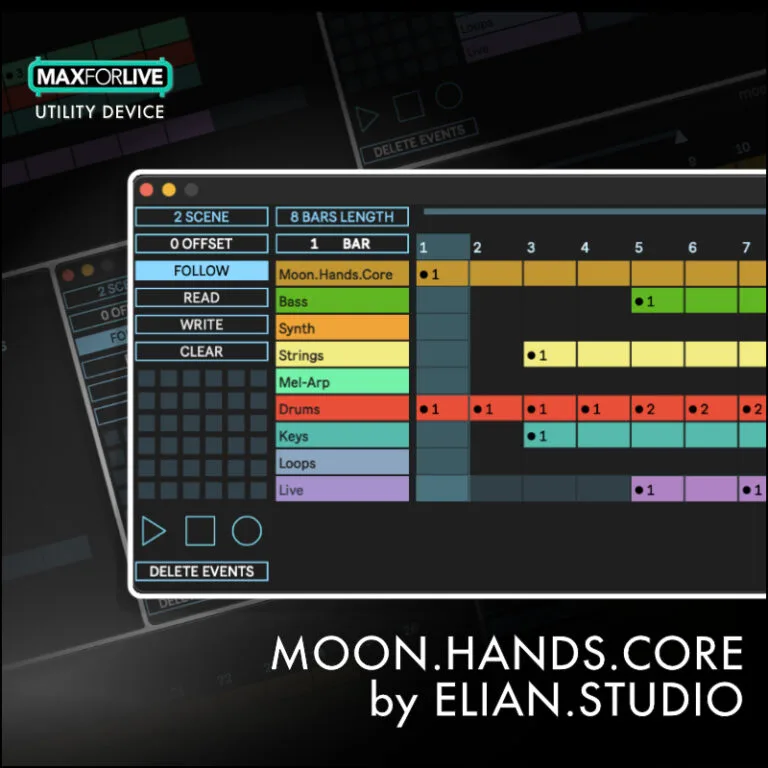
Use Max for Live devices to add intelligent variation. Tools like probability-based MIDI devices, generative sequencers, and randomisation tools available through Max for Live can introduce variation that would take hours to program manually. Devices like MIDI tools from the Ableton Live suite or third-party Max for Live devices from developers like Isotonik Studios give you powerful options for making loops that evolve on their own.
Give yourself constraints. It might sound counterintuitive, but limiting yourself — one loop, four bars, three instruments — forces creative decisions that often lead to better music. Brian Funk is a big advocate for constraints as a creativity tool, and it’s advice worth taking seriously.
Key Takeaways: Making Every Loop Count
The path from boring loops to exciting music is paved with intentional decisions. Every time you return to a loop in your session, ask yourself: what can I change? What can I remove? What can I add just long enough to create tension before taking it away again?
Brian Funk’s message is ultimately an optimistic one. You don’t need to start over from scratch. You don’t need better sounds or a bigger plugin library. The material you already have is probably more than enough — you just need to learn how to work with it over time, rather than expecting a single loop to do all the heavy lifting on its own.
Whether you’re building your first track in Ableton Live or you’ve been producing for years, these ideas are worth revisiting regularly. The secret to exciting music was never really a secret — it’s been in your DAW all along.