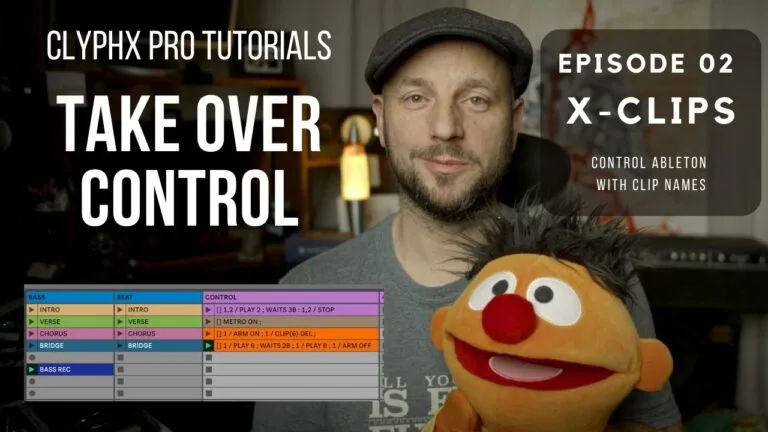
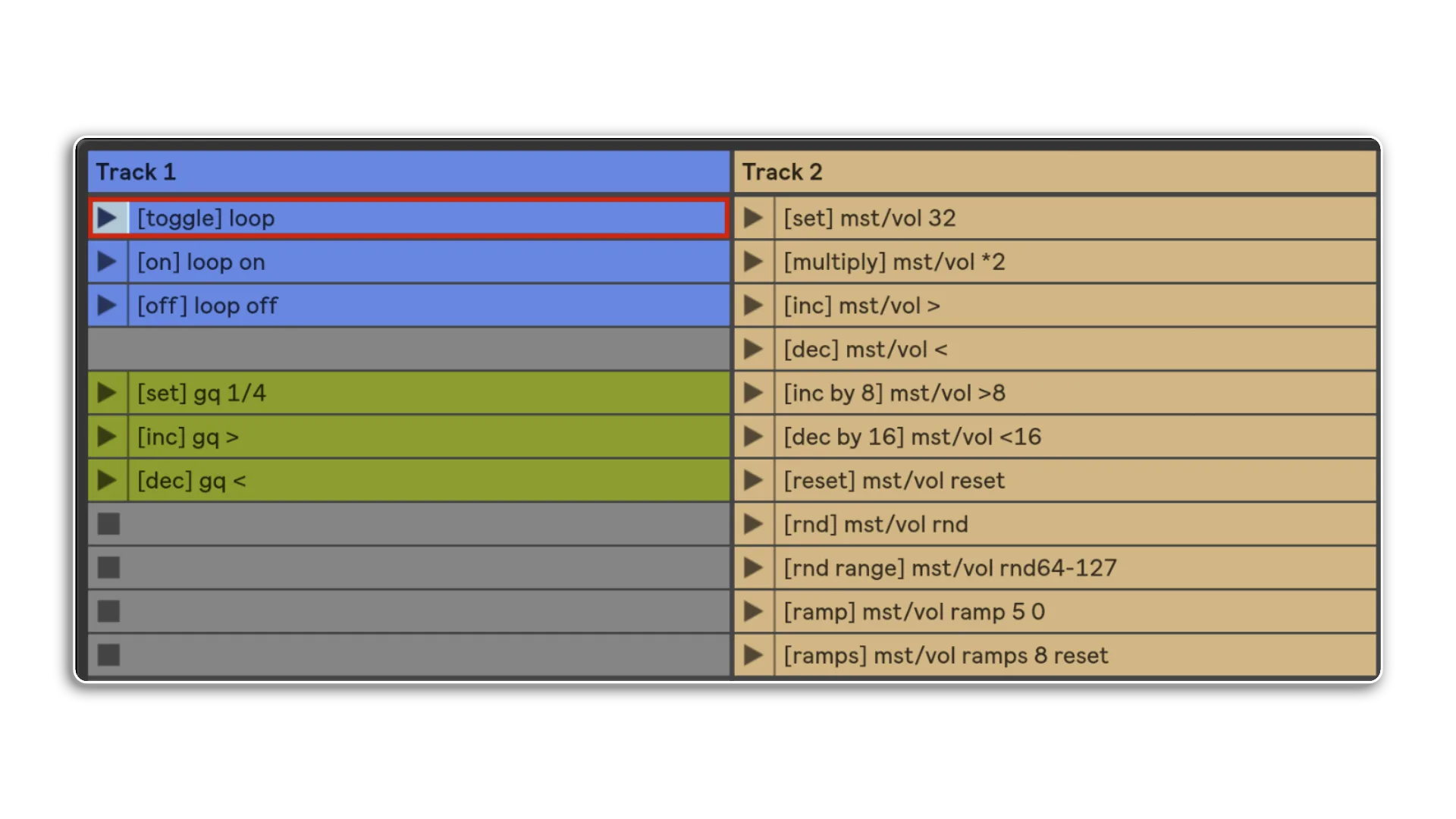
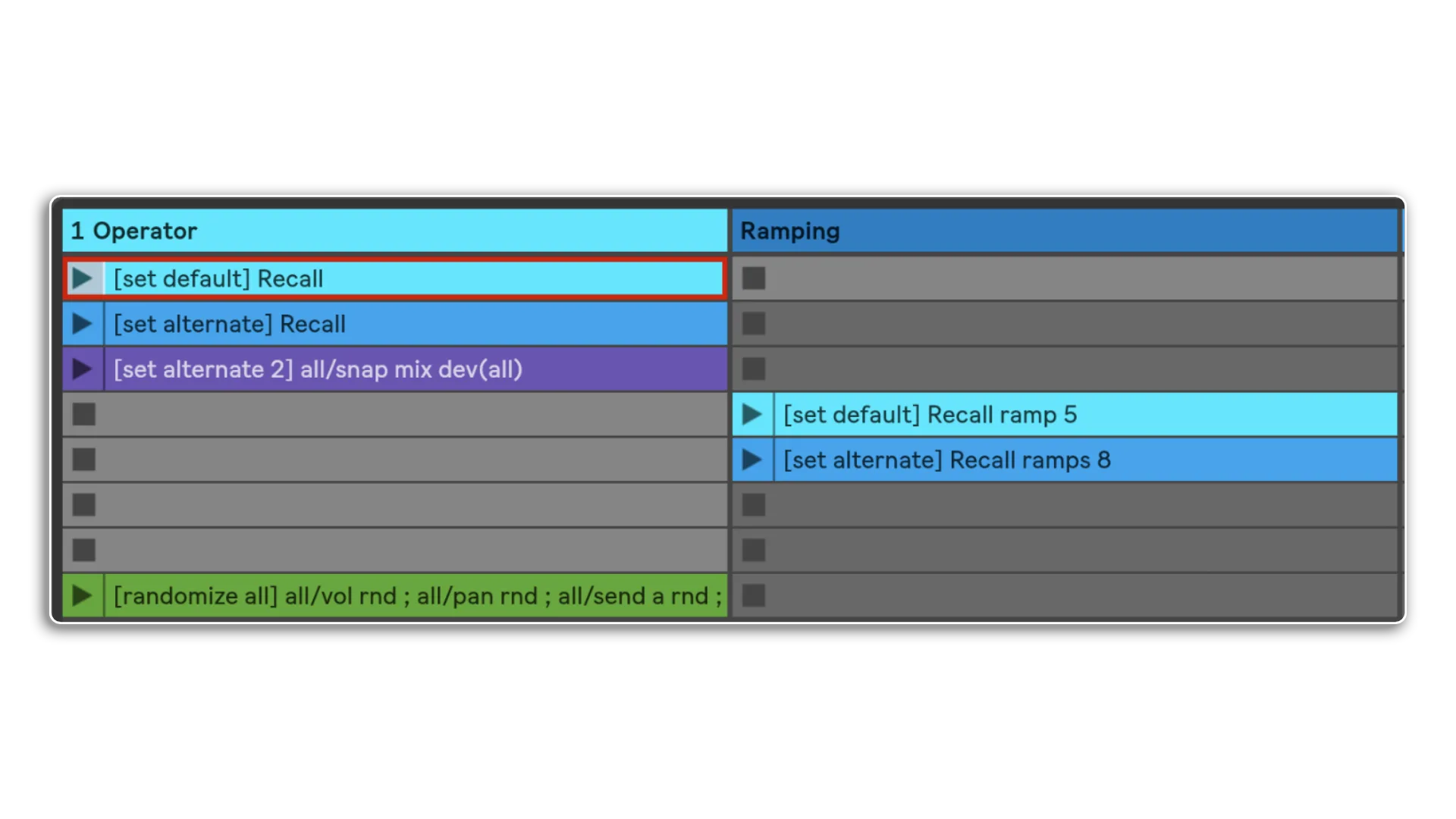
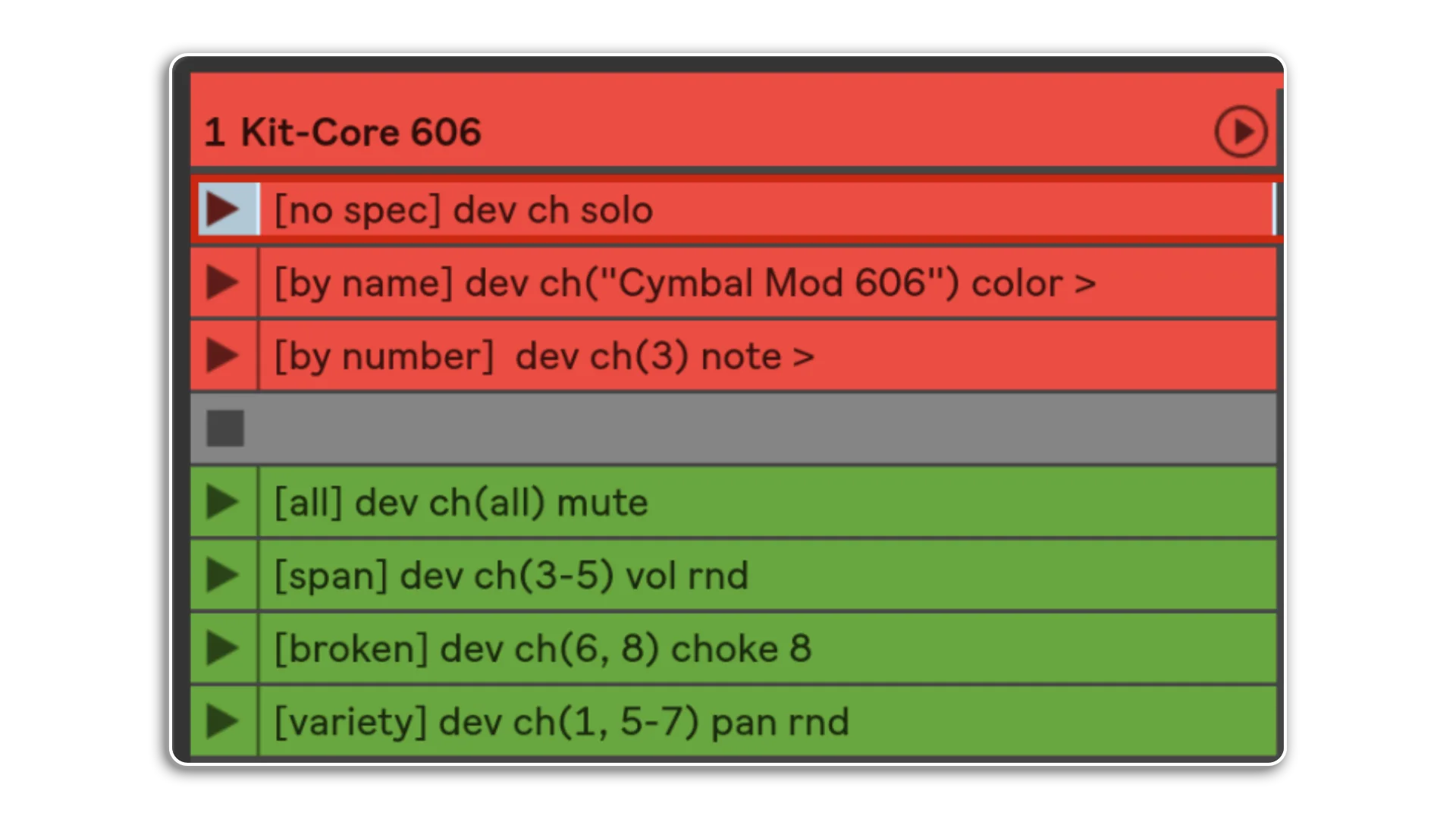
X-Clips are just one of the ways of triggeringactions via ClyphX Pro. You simply name a clip and launch it to trigger its actions. They're simple to create and follow a robust& simple to understand pattern

Here we see examples of controlling parameters via specific values or releative adjustments, when ramping between values you can choose between beats of Milliseconds
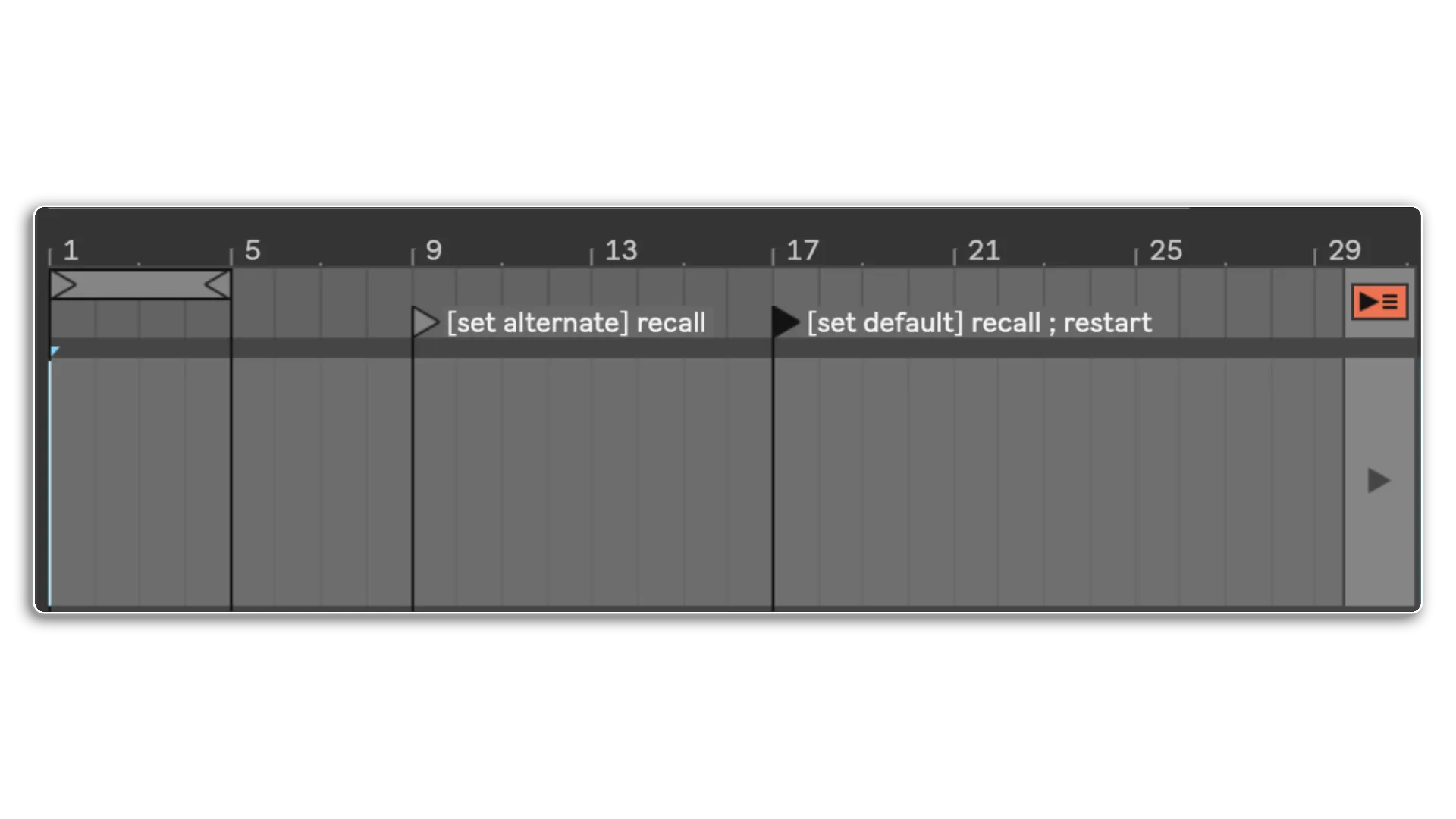
In addition to X-Clips we have X-Locators which will trigger actions when the playhead passes them in Arrangement View
The two listed above are snap actions so will recall states of parameters when the playhead passes them
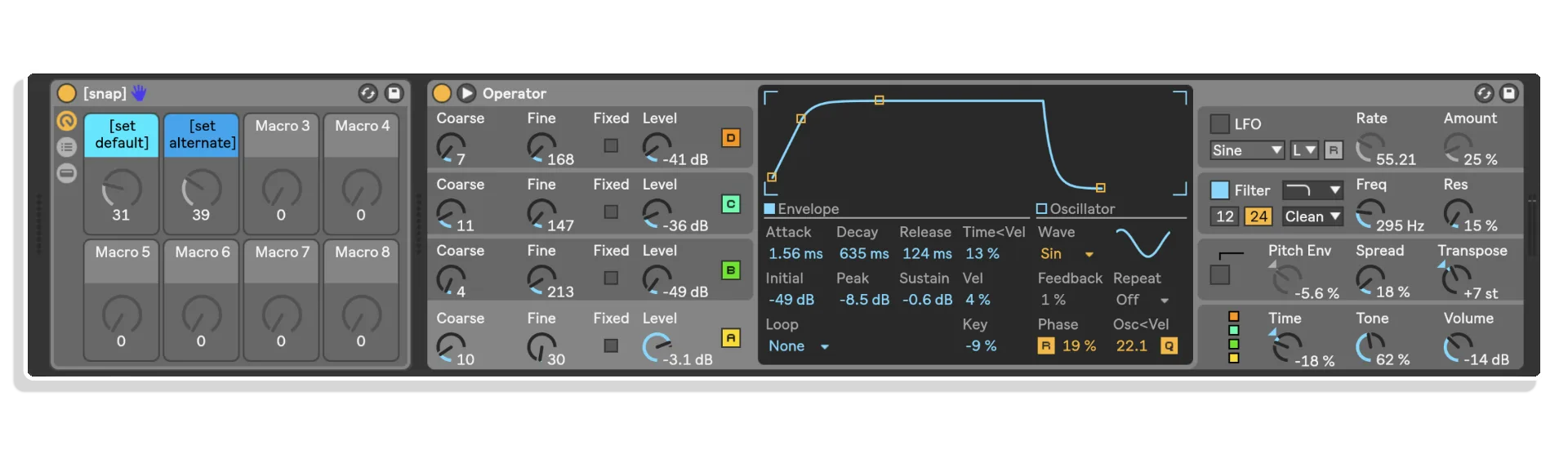
Snap Actions are one of the most powerful features of ClyphX Pro, it isn't just the storing and recall of parameters, you can morph between them as well
You can store snapshots within your set & recall them on the fly, with the ramping option you can morph between snaps in beats or MS
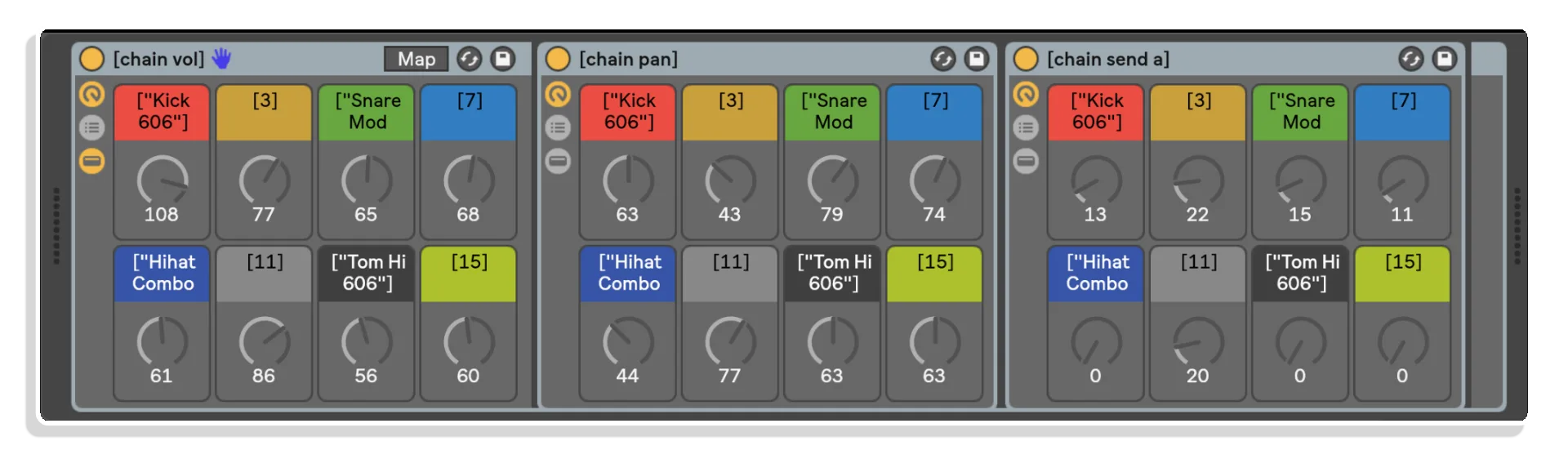
Part of Clyph Pro is Macrobat (Macro + Acrobat = Acrobat) you can then use these to map to any parameter. The difference to standard macros is what you can control by MAcrobat Macros doesn't have to be contained within the rack
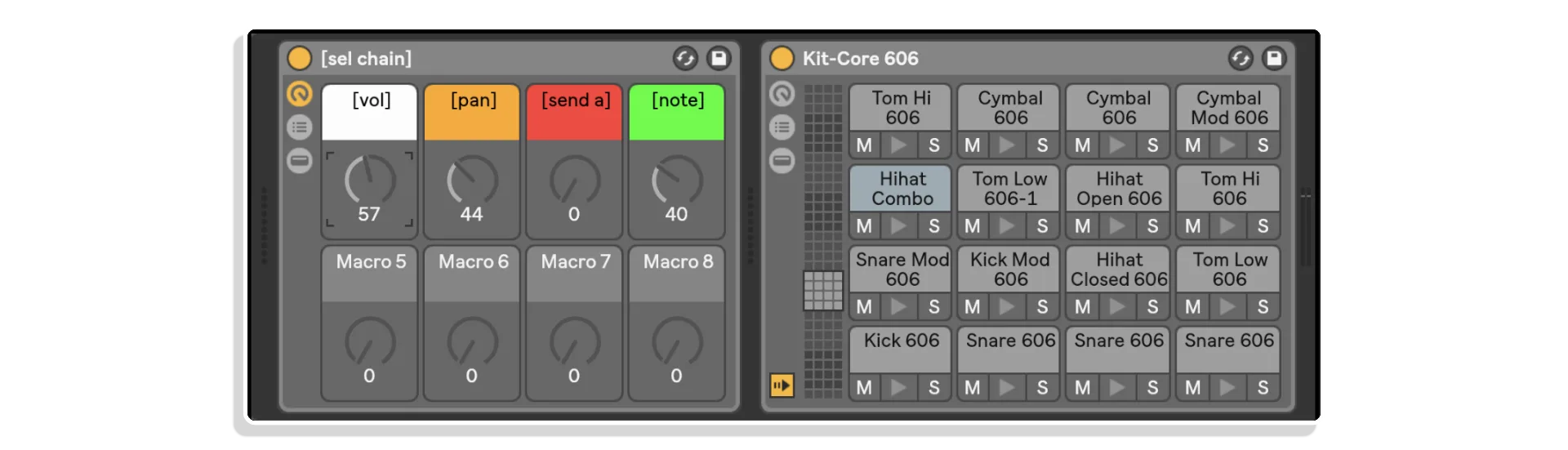
The above rack is focused on a Drum Rack & looks after the Pan, Volume and Send of the Chains within the rack. Imagien controlling this set of three rack with the Ableton Push, they take seconds to set up and will save you hours in workflow!
Combine Snap Actions with Macrobat & you can dial in the morph between snaps by hand!
Which as this is done by Macro's can be saved as automation within your track
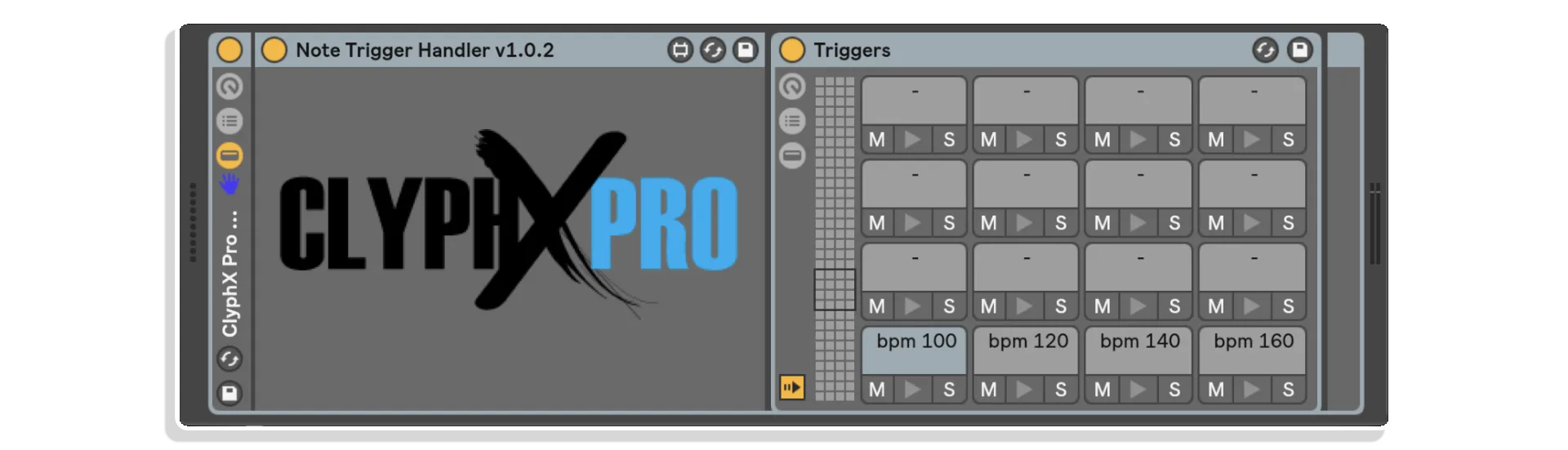
With MaxforLive we've extended the available trigger options to be able to trigger by MIDI notes
The drum rack shown here simply has its actions listed as the names of each Drum cell, these can be ClyphX Pro Macros as well...
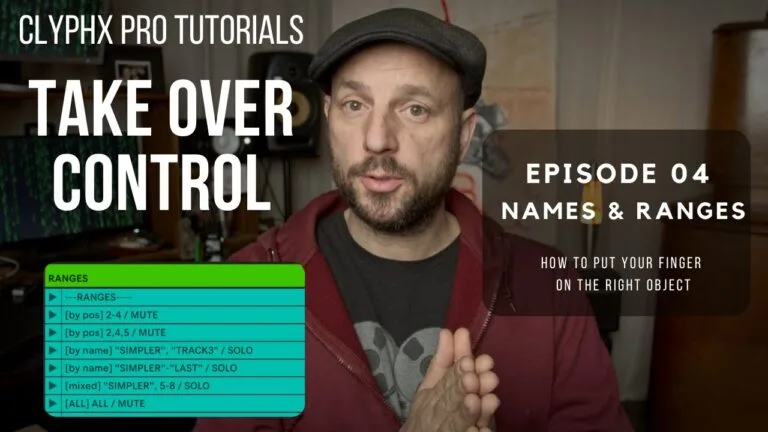
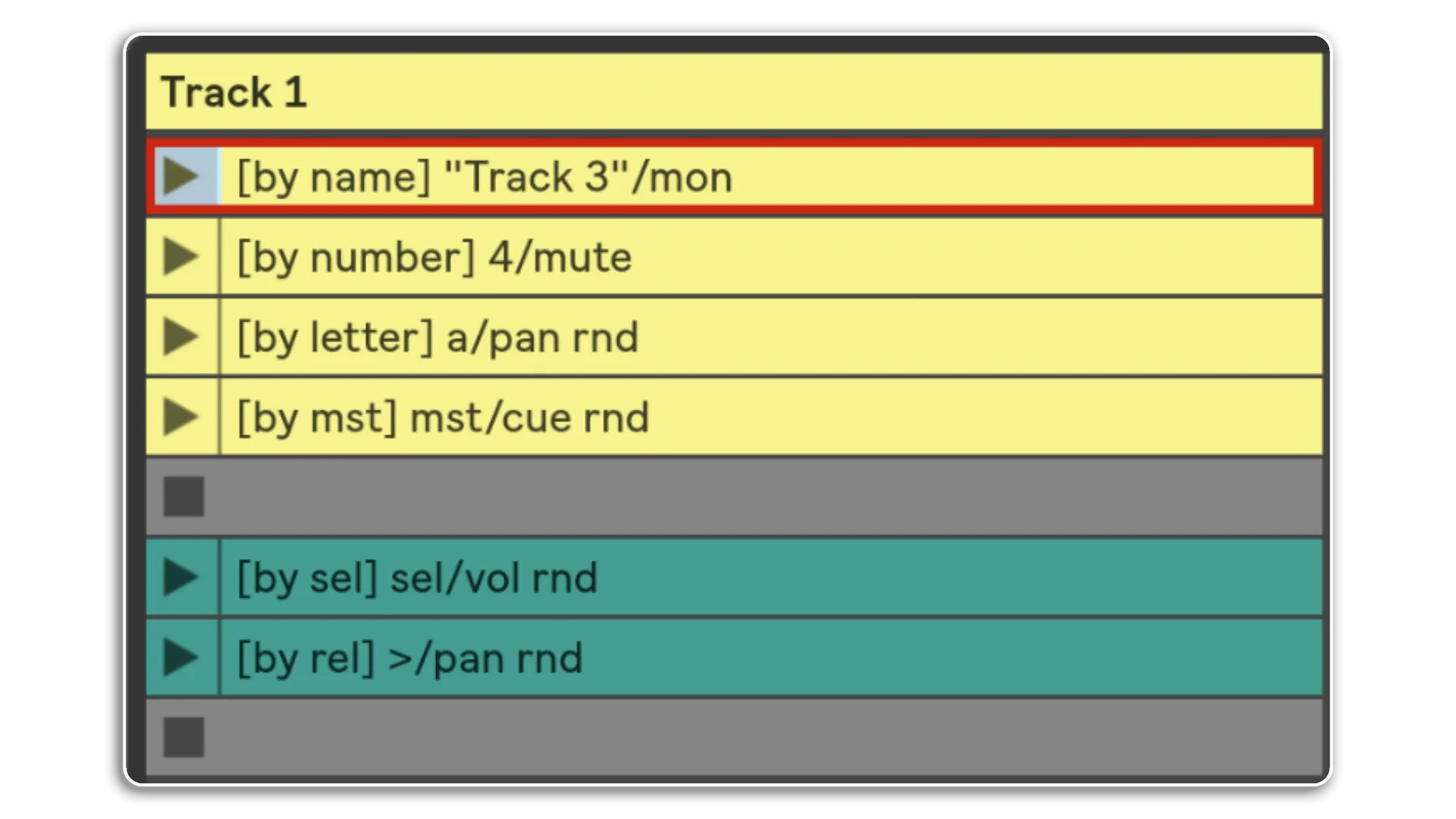
You can target Track Actions by name, number, letter for return tracks or MST for the Main track
& you can apply actions to the selected track or relative to the selected track left or right
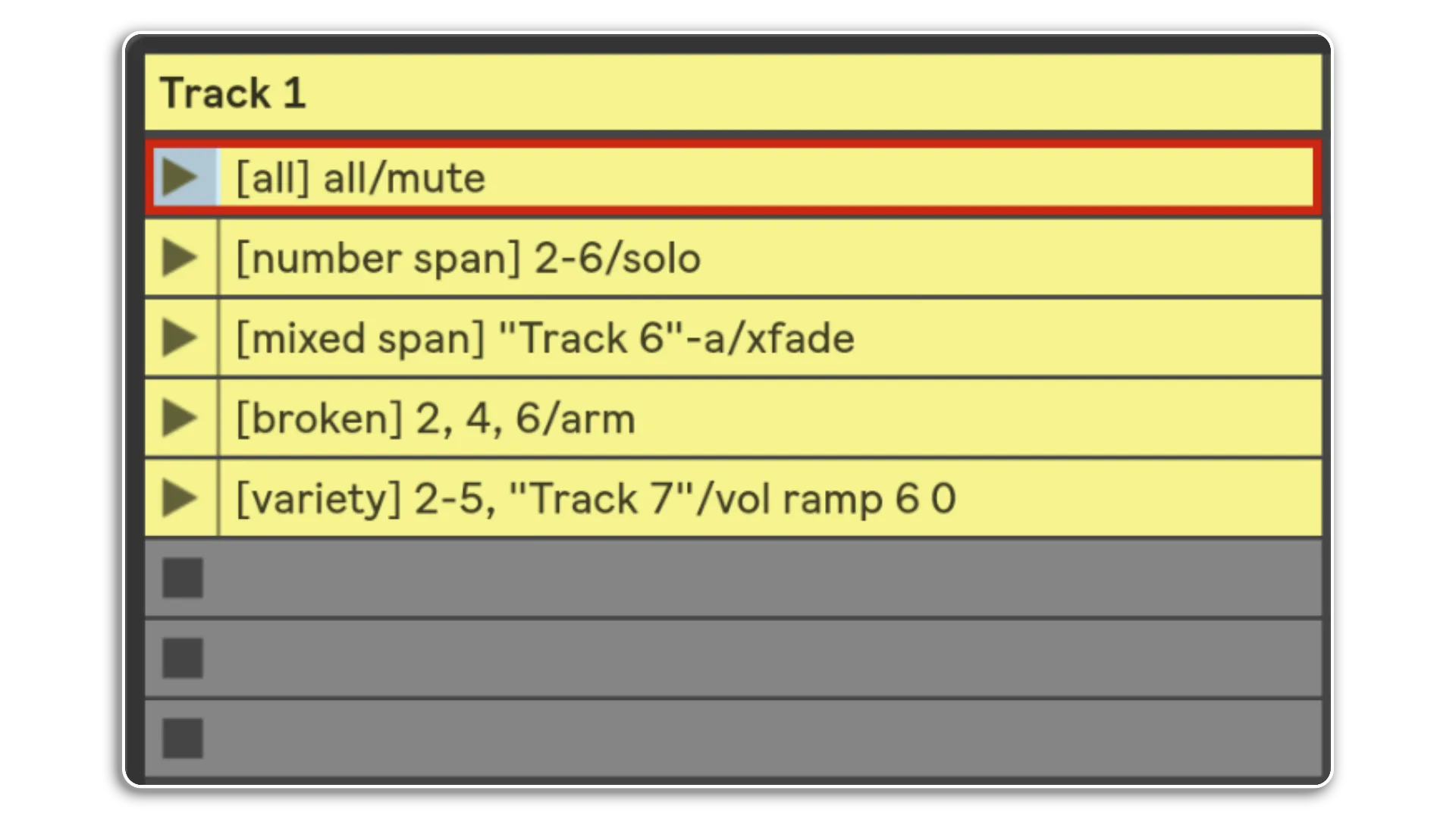
Track Actions can also be applied to a span of tracks or to all tracks
Using the broken and variety options you can even set a particular setof tracks to apply the actions to...
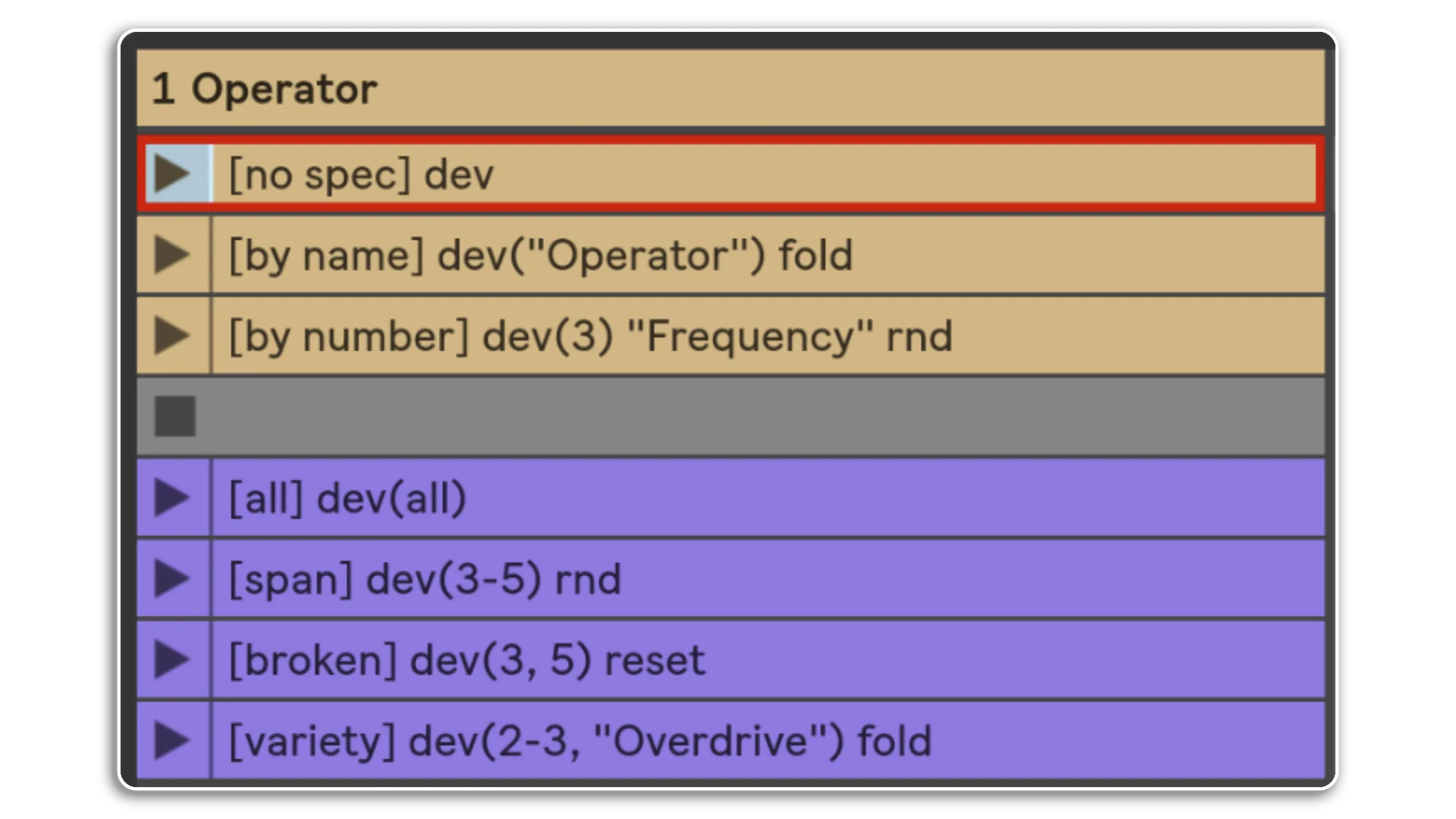
Working with Devices is the same. You can target the selected device or target devices by name or number
The options for a range of devices is consistent. All or a span or a chosen set of devices defined by name & / or number
Here we see a Drum Rack group, it then makes sense that you'd be able to target your chosen actions to chains
With all of the previous options, the depth of ClyphX Pro is impressive!
Macrobat also provides for some automap magic too! Here the four macros are automatically mapped to the Drum Rack
Changing the name of the [vol] macro to [vol 0db] will limit the volume to zero decibels. How easy is that?
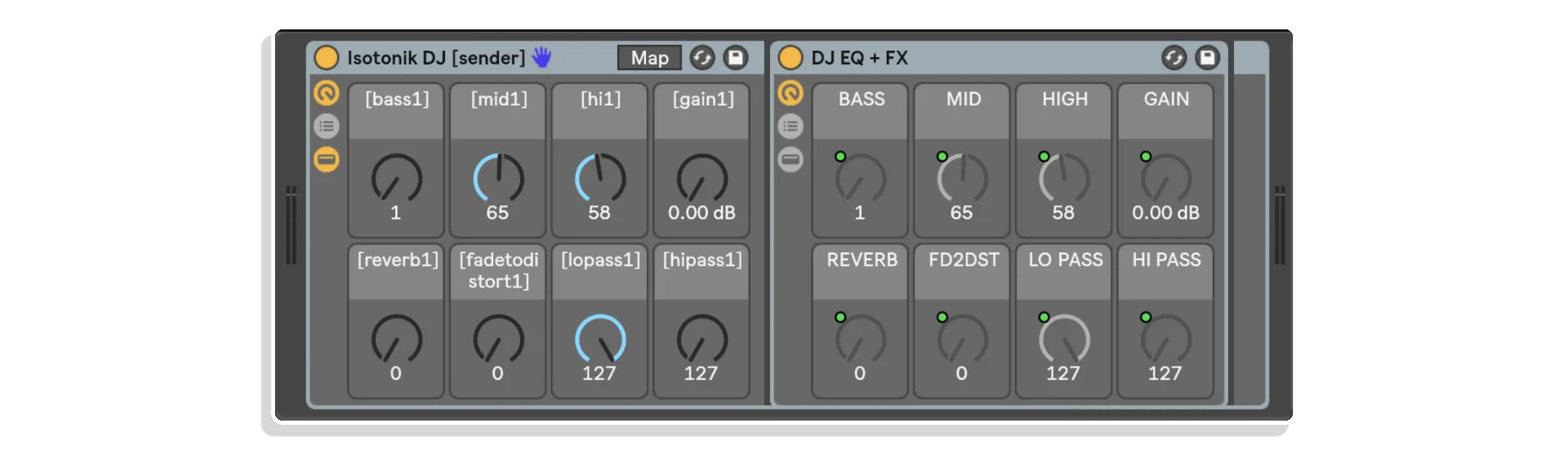
This Macrobat rack is part of the extra goodies lesson. Its core purpose is to allow you to DJ with the Ableton Push. This is a Dj Rack that is controlled by the Macrobat Rack to the left. This grouped rack is then placed in each of 8 Tracks
Selecting the Main Track in the Live set then presents you with the choice of 8 reciever MAcrobat racks to choose from. Each one will give you controil of one of the effects across all 8 tracks at the same time!
And finally in addition to the core trigger types its also possible to trigger actions from MaxforLive Devices. Included within the lessons is this example device that can easily be edited to include it's contents within your own devices.
The text area allows you to type in any action you want and clicking on the trigger button will perform what you've typed!