Emphasizers by PerforModule
CONTROL ANY AUDIO EFFECT WITH MORE PRECISION THAN EVER BEFORE
The Emphasizers Ableton Live pack will help you control any audio effect with more precision than ever before. Drop any nonlinear FX plugins into them and have the ability to alter the signal they are reacting to.Emphasizers by PerforModule
CONTROL ANY AUDIO EFFECT WITH MORE PRECISION THAN EVER BEFORE
The Emphasizers Ableton Live pack will help you control any audio effect with more precision than ever before. Drop any nonlinear FX plugins into them and have the ability to alter the signal they are reacting to.Additional information
| Ableton Live Compatibility | Ableton Live 11 Standard with MaxforLive, Ableton Live 11 Suite, Ableton Live 12 Standard with MaxforLive, Ableton Live 12 Suite |
|---|---|
| Min. Requirements | Ableton Live 11 Standard with MaxforLive Installed or Ableton Live 11 Suite |
| OS | Mac, Windows |
Product reviews
4.5 out of 5
2 reviews
How item rating is calculated
We show the average based on reviews. Only genuine reviews are displayed.
Sort by
February 12, 2026
This reviewer bought this product from our store.
great racks
hell yeah
very good
no cons
I recommend this product
September 26, 2024
This reviewer bought this product from our store.
I really like it, I can use the effects and control them with more safty like before!
Emphasizers by PerforModule
Control any audio effect with more precision than ever before.
Drop any nonlinear FX plugins into them and have the ability to alter the signal they are reacting to.
EMPHASIZERS CONTENTS
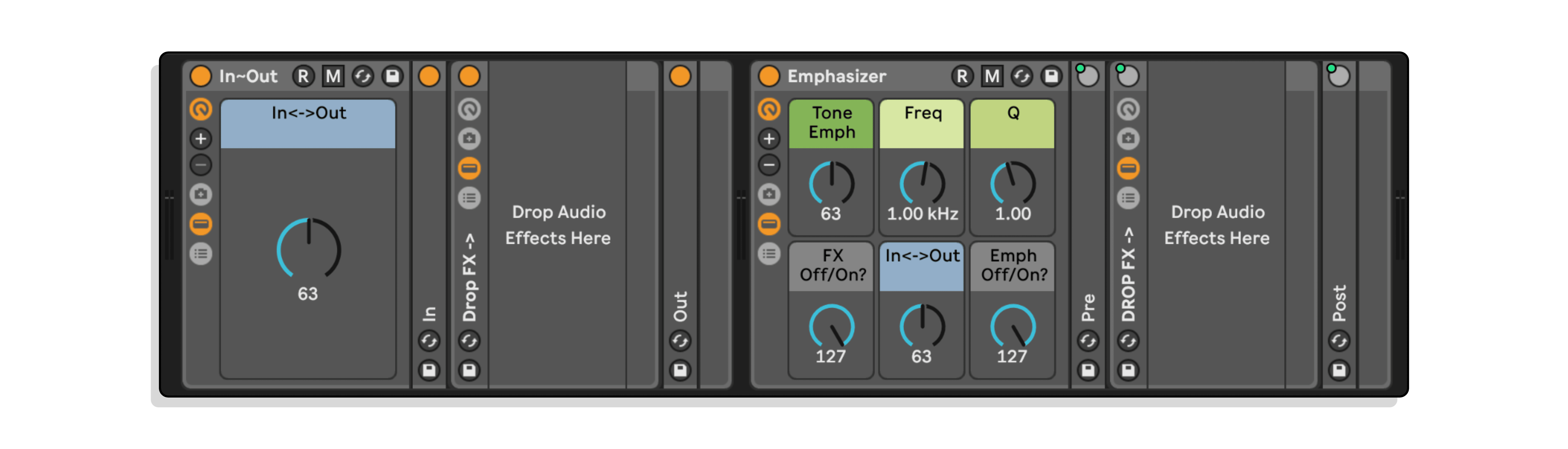
•In~Out
Provides basic input gain, compensated by an opposite amount of output level. Super simple and super useful for fine-tuning any nonlinear effect.
For example, use it on a saturator to make that saturator drive harder or softer, expanding its usual working range.
Same idea for any threshold-based effect like a compressor — you can use In~Out to fine-tune the onset or expand the range of any built-in threshold.
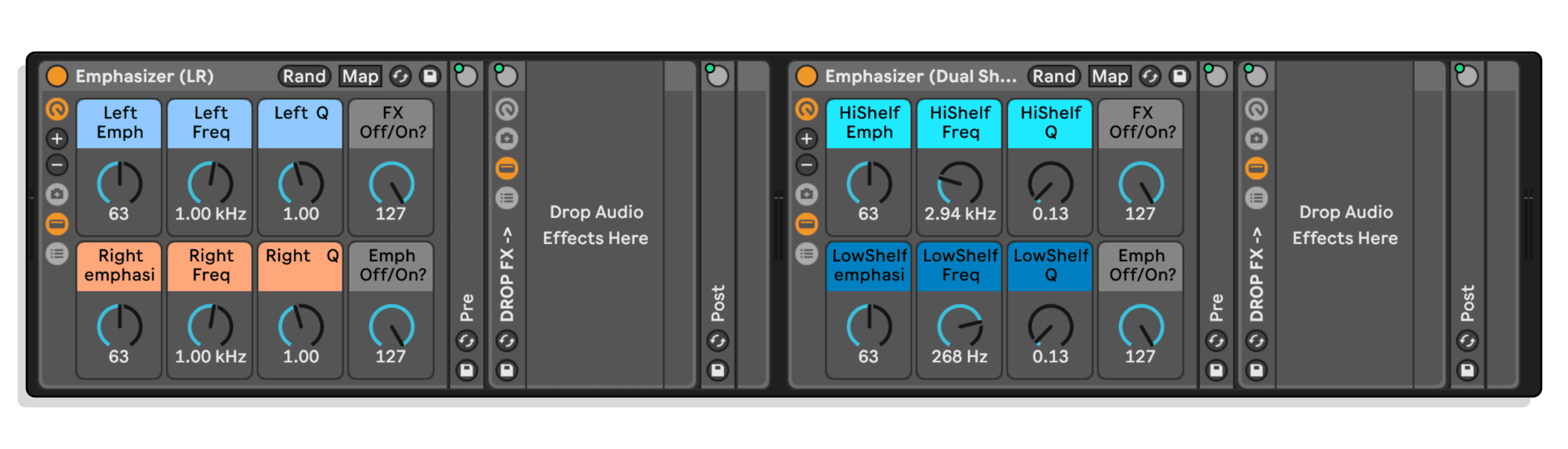
•Emphasizer
•Emphasizer (LR)
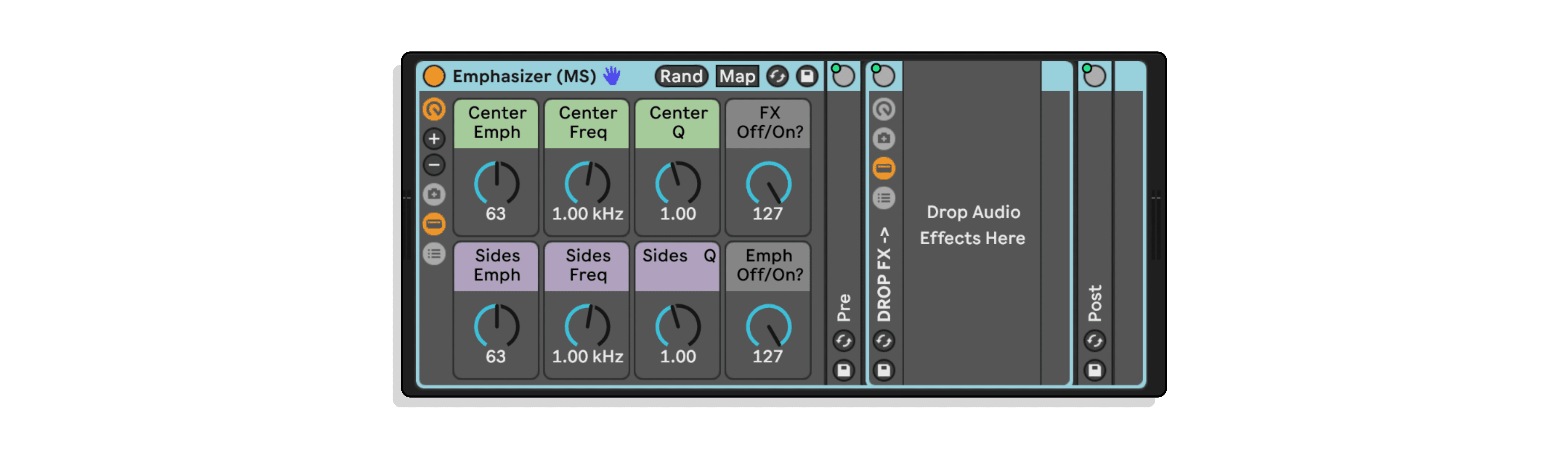
•Emphasizer (MS)
•Emphasizer (Dual Shelf)
Boost a certain frequency or frequencies to hit nonlinear FX differently, output-compensated by exactly opposite curvature, leading to a totally neutral sound (other than the reactivity of the dropped-in FX).
For example, you could push more midrange (say…2.5kHz) into a saturator, without directly affecting the overall clip gain. This greatly expands the capability of normally non-adjustable distortion processors by a great deal, if you think about it.
Want to crunch up only the highs or the bass more than other frequencies? Go for it!
It’s especially great for guitar distortion and amp plugins whose tone controls tend to be quite limited.
Same for compressors and the like. You can make a compressor plugin that has no built-in sidechain EQ effectively have one. Effin’ sweet.
Think about gating and noise reduction. Preserve certain frequencies by boosting them in the sidechain, or ignore frequencies you don’t care about.
(inspired by this excellent tutorial video by Dan Worrall)
Frequently Asked Questions
Emphasizers lets you shape the signal going into a nonlinear effect independently of what comes out, so you can make a compressor, saturator, or distortion react to specific frequencies or levels without altering your overall mix balance. The output compensation is precisely opposite to the input adjustment, meaning the effect hears a different signal but your gain staging stays intact. It gives you a level of surgical control that simply chaining a standard EQ before a plugin doesn’t provide.
Any nonlinear or threshold-based processor will benefit, including saturators, distortion units, compressors, transient shapers, and tape emulations. If an effect responds differently depending on the level or frequency content it receives, Emphasizers gives you direct control over exactly what that effect is reacting to.
The pack includes In~Out for compensated input and output gain, plus several Emphasizer variants covering standard stereo, left/right independent processing, mid/side processing, and a dual shelf option for targeting multiple frequency areas. Each device is designed to be dropped into your signal chain directly before your chosen plugin.
Emphasizers is an Ableton Live pack, so you will need a compatible version of Ableton Live installed on your system. Ableton Live Suite or a version supporting Max for Live is recommended to ensure full compatibility with all devices in the pack.
Yes, as this is a PerforModule Max for Live pack you will need Max for Live to run the devices, which is included with Ableton Live Suite or available as an add-on for Ableton Live Standard.
Download the pack file from your Isotonik Studios account, then drag it into Ableton Live or double-click to install it directly. The devices will then appear in your Ableton Live browser ready to drag onto any audio track.
You can use Emphasizers with any audio effect, including third-party VST and AU plugins. Simply drop your chosen plugin after the Emphasizer device in your signal chain and the input shaping will directly influence how that plugin responds.