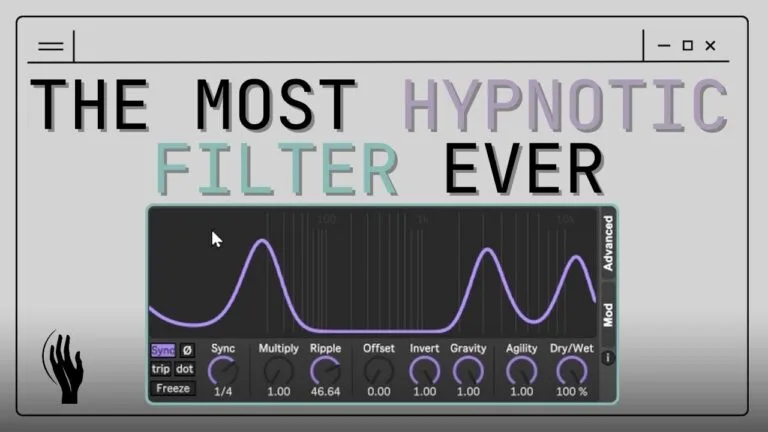
Discover 3 creative techniques for shaping sound in Ableton Live using the Slink Filter. Mordio shows how to add motion, randomness, and life to your tracks.
Make Your Tracks Flow with Water-Inspired Modulation
Looking to take your Ableton sound design into deeper, more fluid territory? In this quick-fire tutorial, Mordio reveals three creative tricks for using the Slink Filter — part of the water-inspired Slink Pack by Hypnus Records — to shape your sounds with motion, randomness, and life. Whether you’re into ambient, techno, or experimental sound design, these tips will help you unlock the true power of this Max for Live gem.
Watch the video below for the full breakdown, then read on for a written walkthrough with tips and context.
Trick 1: Static Shaping with Manual Modulation
Most users leave the Slink Filter’s rate running — assuming it always needs to move. But Mordio flips the script by turning the rate all the way down. Suddenly, the filter becomes static, allowing you to shape your sound manually using LFOs, envelopes, or even envelope followers.
In his example:
An Operator synth feeds into a Slink Filter.
The filter shape is modulated with both an LFO and envelope follower, giving it dynamic movement based on the incoming signal.
Turning gravity all the way down allows for clean control using offset and invert, creating pronounced shaping effects.
Ripples are subtly modulated for nuanced timbral changes.
The result is a dynamic, evolving sound with sculpted highs and mids — and all from a simple source.
“Make your own shapes… Something I didn’t know in the beginning.” – Mordio
Trick 2: Randomized Filter Openings for Drones and Textures
For a second trick, Mordio embraces the randomness. He uses the Slink Filter synced to a 2-beat rate with minimal ripples and high gravity — creating random filter openings that let frequencies peek through in unexpected ways.
Here’s how it’s set up:
An Operator sequence generates harmonics.
Chorus in Tube mode adds rich distortion and warmth.
Slink Filter lets the sound pulse unpredictably through the mix.
Reverbs and sidechaining smooth it out and tie it to the beat.
This technique is perfect for creating ambient drones, noisy beds, or background atmospheres that feel alive but never static.
Trick 3: Adding Motion to Short Sounds
Short sounds feeling too flat or lifeless? The Slink Filter’s sync modes offer a quick fix. Mordio shows how different rate syncs (e.g., 1/2, 1/4, 1/14) can dramatically shift the groove and feeling of a loop.
The chain:
A short Operator sound with chorus for tonal character.
Slink Filter set to Techno4 mode adds a consistent pulse synced to the beat.
A touch of reverb and distortion finalizes the texture.
By changing the sync rate, you can go from subtle groove enhancement to head-banging rhythmic modulation.
You can even stack the Slink Filter with other devices like Phaser or Slink LFO for advanced shaping.
Why the Slink Filter is a No-Brainer
Inspired by fluid dynamics, the Slink Filter isn’t just another Max for Live device — it’s a full toolkit in one. With built-in modulation, panning, and visual feedback, it offers immense creative control.
As Mordio puts it:
“The filter for me was always the no-brainer… You get everything in one device.”
If you’re using Ableton Live and haven’t tried the Slink Pack yet, it’s well worth exploring. The Slink LFO expands the concept further, giving you even more water-shaped modulation possibilities.
Final Thoughts & Call to Action
This isn’t just about one cool filter — it’s about approaching modulation creatively and using visual feedback to shape your sound in new ways. Mordio’s tricks are all about hands-on control, making your sequences breathe and evolve.
Want more tips like this?
Subscribe to our blog and YouTube for regular Max for Live tutorials, creative workflow ideas, and artist spotlights from the Isotonik Studios family.
And if you’re ready to dive in:
Check out the Slink Pack by Hypnus Records on our site — the filter, the LFO, the full bundle.