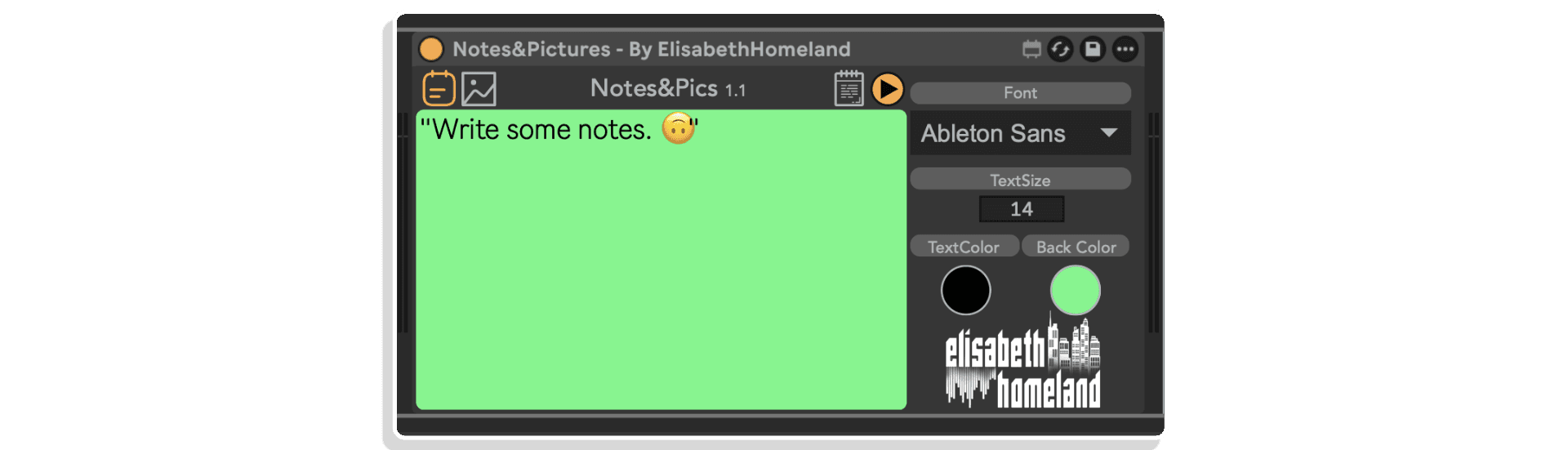
In its simplest form you can use it to record notes about your Live Set


Hinweis: Produkte von Elisabeth Homeland sind bei Isotonik Studios nicht mehr erhältlich. Diese Seite steht bestehenden Kunden weiterhin zur Verfügung, die Produktinformationen und Support-Ressourcen benötigen.
Hinweis: Produkte von Elisabeth Homeland sind bei Isotonik Studios nicht mehr erhältlich. Diese Seite steht bestehenden Kunden weiterhin zur Verfügung, die Produktinformationen und Support-Ressourcen benötigen.
Nicht vorrätig
| MaxforLive | Control Devices |
|---|---|
| Ableton Live Compatibility | Ableton Live 10 Standard with MaxforLive, Ableton Live 10 Suite, Ableton Live 11 Standard with MaxforLive, Ableton Live 11 Suite, Ableton Live 12 Standard with MaxforLive, Ableton Live 12 Suite |
| Min. Requirements | Ableton Live 10 Standard with MaxforLive Installed or Ableton Live 10 Suite |
| OS | Mac, Windows |


No reviews yet. Be the first to review this product.
Übersicht & Inspiration
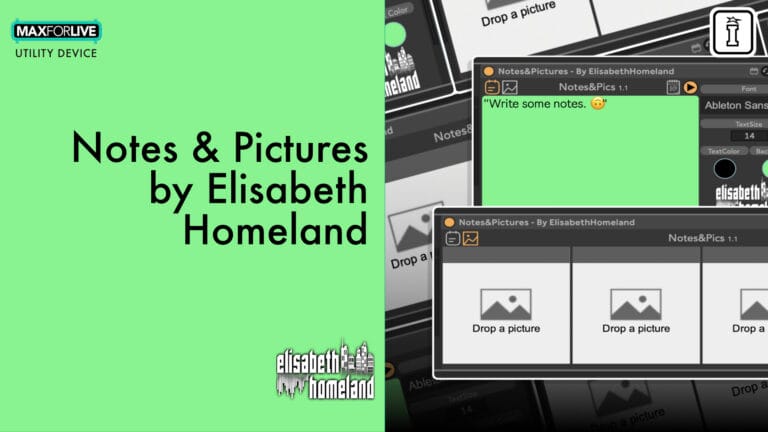
Ist es dir schon einmal passiert, dass du nach einer Aufnahmesession vergessen hast, welches Mikrofon du verwendet hast, wo du es platziert hast oder welche Einstellungen zu dieser perfekten Aufnahme geführt haben? „Notes & Pictures“ ist ein MaxforLive-Dokumentationswerkzeug, das direkt in deiner Ableton Live-Session integriert ist und während der Arbeit die wichtigen Details erfasst.
Machen Sie sich Notizen zu Mikrofontypen, Platzierung, Hardware-Einstellungen und Entscheidungen bei der Aufnahme. Fügen Sie bis zu vier Bilder hinzu, um Mikrofonpositionen, Hardware-Konfigurationen oder alles andere zu dokumentieren, was Ihnen hilft, Ihren Sound nachzustellen. Alles bleibt in Ihrem Projekt übersichtlich organisiert und ist genau dann verfügbar, wenn Sie es brauchen.
Funktionen & Highlights
Bereich für schriftliche Notizen – Dokumentiere wichtige Aufnahmeinformationen direkt im Gerät. Halte Mikrofonauswahl, Details zur Platzierung, Vorverstärkereinstellungen, Anmerkungen zu Instrumenten oder technische Entscheidungen fest, an die du dich später erinnern möchtest. Der gesamte Text wird automatisch in deinem Live-Set gespeichert.
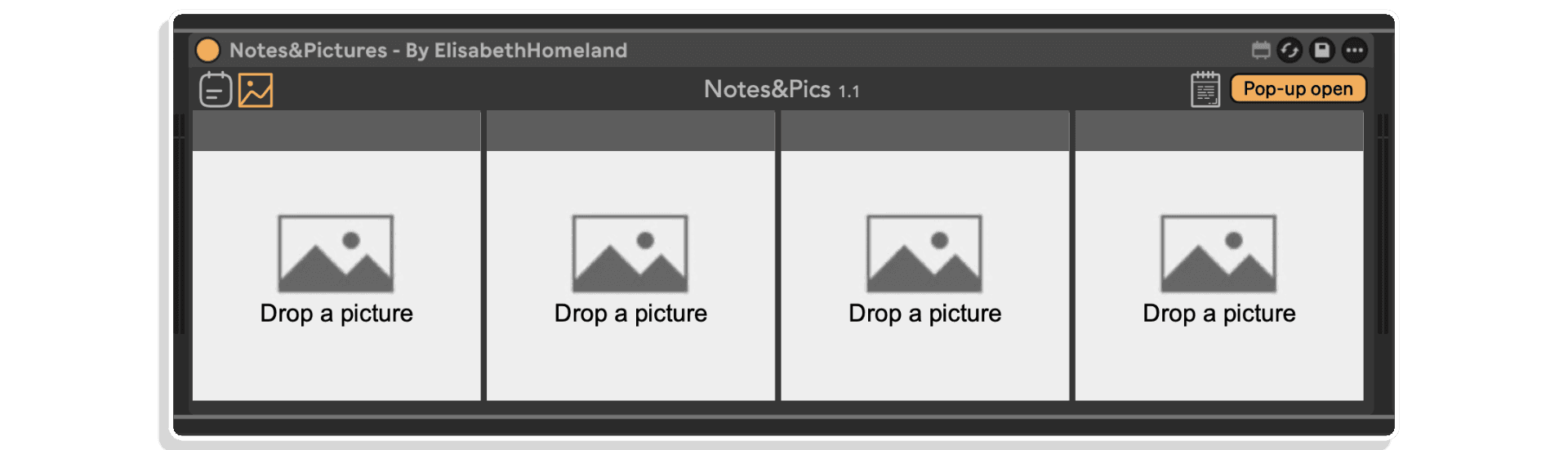
Vier Bildplätze – Ziehe Bilder per Drag & Drop direkt in „Notes & Pictures“, um visuelle Dokumentation zu erstellen. Fotografiere Mikrofonpositionen, Hardware-Einstellungen, Kabelverlegung oder alles, was dir hilft, dein Setup nachzubilden. Unterstützt gängige Bildformate und sorgt dafür, dass alles in deinem Projekt übersichtlich bleibt.
Schwebendes Fenster – Öffne deine Notizen und Bilder mit einem einzigen Klick oder einem Tastaturbefehl in einem in der Größe anpassbaren, fixierten schwebenden Fenster. Halten Sie die Dokumentation während der Arbeit im Blick oder lassen Sie das Fenster automatisch an bestimmten Stellen Ihres Arrangements erscheinen.
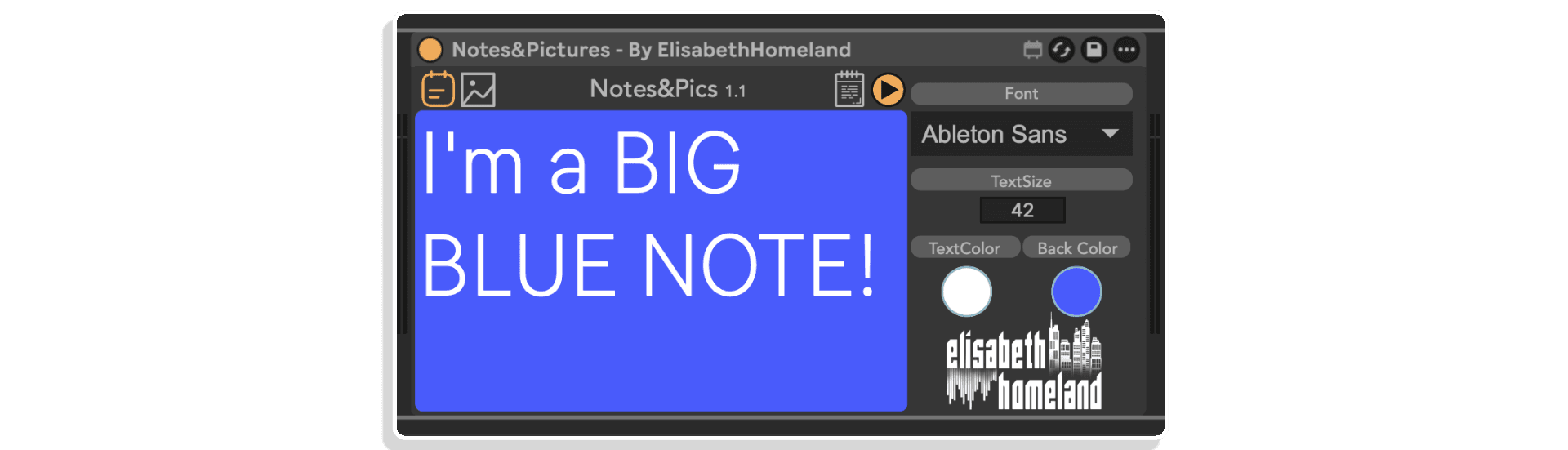
Vollständig anpassbares Erscheinungsbild – Passen Sie Schriftart, Textgröße, Textfarbe und Hintergrundfarbe an Ihre Arbeitsabläufe oder visuellen Anforderungen an. Gestalten Sie die Dokumentation so auffällig oder dezent, wie Sie es wünschen.
Tastatur- und MIDI-zuweisbar – Weisen Sie Tastenkombinationen zu, um das schwebende Fenster sofort zu öffnen, oder automatisieren Sie die Anzeige so, dass sie an bestimmten Stellen der Zeitleiste erscheint. Perfekt für Live-Szenarien oder die Navigation in komplexen Sessions.
Projektintegrierter Speicher – Erstellen Sie einen Ordner „Bilder“ in Ihrem Live-Set-Verzeichnis, um sicherzustellen, dass die Bilder mit Ihrem Projekt zusammenbleiben. Keine defekten Links, keine verlorenen Dateien – alles wird mitgenommen, wenn Sie Sessions verschieben oder archivieren.
So funktioniert es
Ziehe „Notes & Pictures“ auf eine beliebige MIDI- oder Audiospur in deiner Ableton Live-Session. Beginne, in den Notizbereich zu tippen, um Equipment, Einstellungen oder Entscheidungen bei der Aufnahme zu dokumentieren. Das Gerät speichert automatisch alles zusammen mit deinem Live-Set.
Für Bilder erstelle einen Ordner „Bilder“ im Projektordner deines aktuellen Live-Sets (sichtbar im Live-Browser). Lege deine Fotos dort ab und ziehe sie dann per Drag & Drop direkt in einen der vier Bildplätze in „Notizen & Bilder“. So bleibt sichergestellt, dass die Bilder auch beim Verschieben oder Archivieren von Sessions mit deinem Projekt verknüpft bleiben.
Klicke auf das Notizsymbol (oder verwende eine zugewiesene Tastenkombination), um ein schwebendes, in der Größe anpassbares Fenster mit deiner Dokumentation zu öffnen. Das Fenster bleibt über anderen Fenstern liegen, sodass du während der Arbeit in anderen Bereichen von Live auf Notizen zurückgreifen kannst. Du kannst das Fenster auch so automatisieren, dass es in bestimmten Abschnitten deines Arrangements erscheint – nützlich, um Aufnahmedetails an exakten Zeitachsenpositionen abzurufen.
Rufen Sie das Fenster „Notiz-Einstellungen“ auf, um das Erscheinungsbild anzupassen: Wählen Sie Ihre bevorzugte Schriftart, passen Sie die Textgröße für bessere Lesbarkeit an und legen Sie Text- und Hintergrundfarben fest, die zu Ihrem visuellen Arbeitsablauf passen.
Ideal für
Was ist enthalten
Systemvoraussetzungen
ENTDECKEN SIE MEHR VON ELISABETH HOMELAND:
Re-Record | Track Presets | Ground Control | Varispeed | Toggle Suite
A: Notes & Pictures is a MaxforLive device that lets you document your recording process inside Ableton Live. Write notes about equipment and settings, add up to four images of mic positions or hardware configurations, and access everything through a customizable floating window.
A: Yes, Notes & Pictures is a MaxforLive device.
A: MaxforLive ist eine Plattform, die die visuelle Programmierumgebung Max mit Ableton Live verbindet und es Nutzern ermöglicht, eigene Audio-, MIDI- und Steuergeräte zu erstellen und zu verwenden.
A: Yes. Notes & Pictures supports up to four image slots. You can drag and drop images directly into the device. For best organization, create a “Pictures” folder inside your Live set’s project folder and store images there first—this ensures they stay with your project.
A: Weitere Tools und Geräte von Elisabeth Homeland findest du hier: ELISABETH HOMELAND
V1.0.0 – Erstveröffentlichung – Mai 2025
Unsere Produkte werden in der Regel als ZIP-Datei zum Download bereitgestellt, die in allen Fällen entpackt und vor der Installation auf der Festplatte gespeichert werden muss. Details zu den verschiedenen bereitgestellten Dateitypen und was damit zu tun ist, findest du unten.
.alp-Dateien – Dies sind Ableton Live Packs, die entweder direkt in den Packs-Bereich des Browsers von Ableton Live installiert werden oder dich auffordern, sie auf deiner Festplatte zu speichern. Bei Packs, die in die Library installiert werden, erscheint beim Doppelklick ein Pop-up-Fenster, das dich bittet zu bestätigen, dass die Installation in Ordnung ist, da die Dateien als „Legacy“ beschrieben werden. Das ist in Ordnung und du kannst fortfahren – die Packs wurden im Format einer früheren Live-Version erstellt und bleiben daher mit der aktuellen Version kompatibel.
.amxd-Dateien – Dies sind einzelne MaxforLive-Geräte und können an beliebiger Stelle auf deiner Festplatte gespeichert werden. Wir empfehlen, einen Ordner dafür anzulegen und diesen anschließend als Speicherort im Bereich „Places“ des Browsers von Live hinzuzufügen.
END-USER LICENSE AGREEMENT FOR ISOTONIK STUDIOS SOFTWARE PRODUCTS.
PLEASE READ THE TERMS AND CONDITIONS OF THIS LICENSE AGREEMENT CAREFULLY BEFORE CONTINUING WITH THIS PROGRAM INSTALL.
This End-User License Agreement (referred to as “EULA”) is a legal agreement between an individual or a single entity (referred to as “LICENSEE”) and Isotonik Studios for the Isotonik Studios software product(s) which may include associated software components, media, printed materials, and “online” or electronic documentation (referred to as “SOFTWARE PRODUCT”). By installing, copying, or otherwise using the SOFTWARE PRODUCT, the LICENSEE agrees to be bound by the terms of this EULA.
This EULA represents the entire agreement concerning the program between the LICENSEE and Isotonik Studios and it supersedes any prior proposal, representation, or understanding between the parties. If the LICENSEE does not agree to the terms of this EULA, the LICENSEE should not install or use the SOFTWARE PRODUCT.
The SOFTWARE PRODUCT is protected by copyright laws and international copyright treaties, as well as other intellectual property laws and treaties. The SOFTWARE PRODUCT is licensed, not sold.
The SOFTWARE PRODUCT is licensed as follows:
(a) Installation and Use. Providing that the LICENSEE has paid any applicable license fees, Isotonik Studios grants the LICENSEE the right to install and use copies of the SOFTWARE PRODUCT on up to two computers in the LICENSEE’s possession that are running a validly licensed copy of the operating system for which the SOFTWARE PRODUCT was designed [e.g., Windows 10, macOS]. The computer(s) must be owned by the LICENSEE.
(b) Backup Copies. The LICENSEE may also make copies of the SOFTWARE PRODUCT as may be necessary for backup and archival purposes.
(a) Maintenance of Copyright Notices. The LICENSEE must not remove or alter any copyright notices on any and all copies of the SOFTWARE PRODUCT.
(b) Distribution. The LICENSEE may not distribute registered copies of the SOFTWARE PRODUCT to third parties.
(c) Prohibition on Reverse Engineering, Decompilation, and Disassembly. The LICENSEE may not reverse engineer, decompile, or disassemble the SOFTWARE PRODUCT, except and only to the extent that such activity is expressly permitted by applicable law notwithstanding this limitation.
(d) Rental. The LICENSEE may not rent, lease, or lend the SOFTWARE PRODUCT.
(e) License transfer The LICENSEE may not transfer their license to the SOFTWARE PRODUCT to any third party. Any attempt to do so will be considered a violation of this EULA.
(f) Support Services. Isotonik Studios may provide the LICENSEE with support services related to the SOFTWARE PRODUCT for a period of 12 months following the date of purchase. Any supplemental software code provided to the LICENSEE as part of the Support Services shall be considered part of the SOFTWARE PRODUCT and subject to the terms and conditions of this EULA.
(g) Compliance with Applicable Laws. The LICENSEE must comply with all applicable laws regarding use of the SOFTWARE PRODUCT.