DJ Waveforms by Oleksiy Khmelov
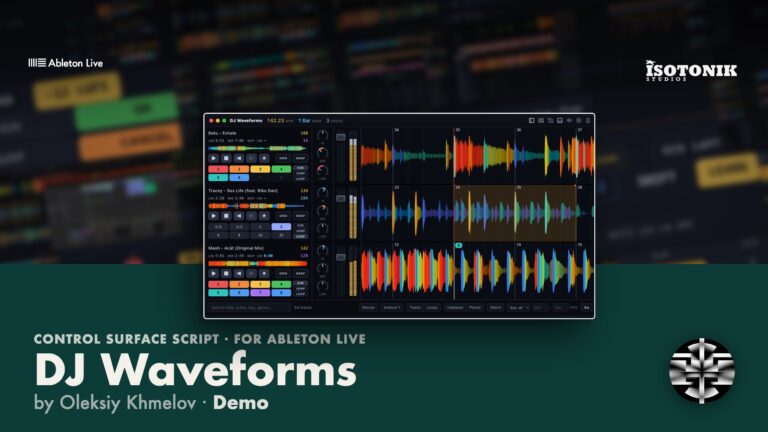
A DJ PERFORMANCE LAYER BUILT DIRECTLY INTO ABLETON LIVE DJ Waveforms turns your Ableton Live audio tracks into DJ decks with scrolling, frequency-coloured waveforms, full transport control, hot cues, loops, and a track library. Every action drives Live's own audio engine in real time, so your EQ, effects, routing and recording stay exactly as you built them. Close the app mid-set and Live keeps playing. • Scrolling Waveforms: Beat-aligned, frequency-coloured waveforms for each deck, red for bass, green for mids, blue for treble. • Deck Transport: Play, pause, cue, loop, jump and nudge controls that apply directly to Live. • Hot Cues and Loops: Pad grid with Cue, Jump and Loop modes per deck. • Track Library: Load tracks from a Library folder or drag and drop from Finder or Explorer. • Mixer Integration: Per-deck mixer strips driven by the macros of the first Audio Effect Rack on each channel. • MIDI and Keyboard Control: Full MIDI mapping mode plus editable keyboard shortcuts with Serato-style defaults.
Oleksiy Khmelov
Oleksiy is a Vancouver-based multidisciplinary artist and developer, mostly focusing on developing tools for visual art, projection mapping, lenticular printing, and music production/live performance.…
View all products by Oleksiy KhmelovOverview
Live DJ decks with real waveforms, inside Ableton Live
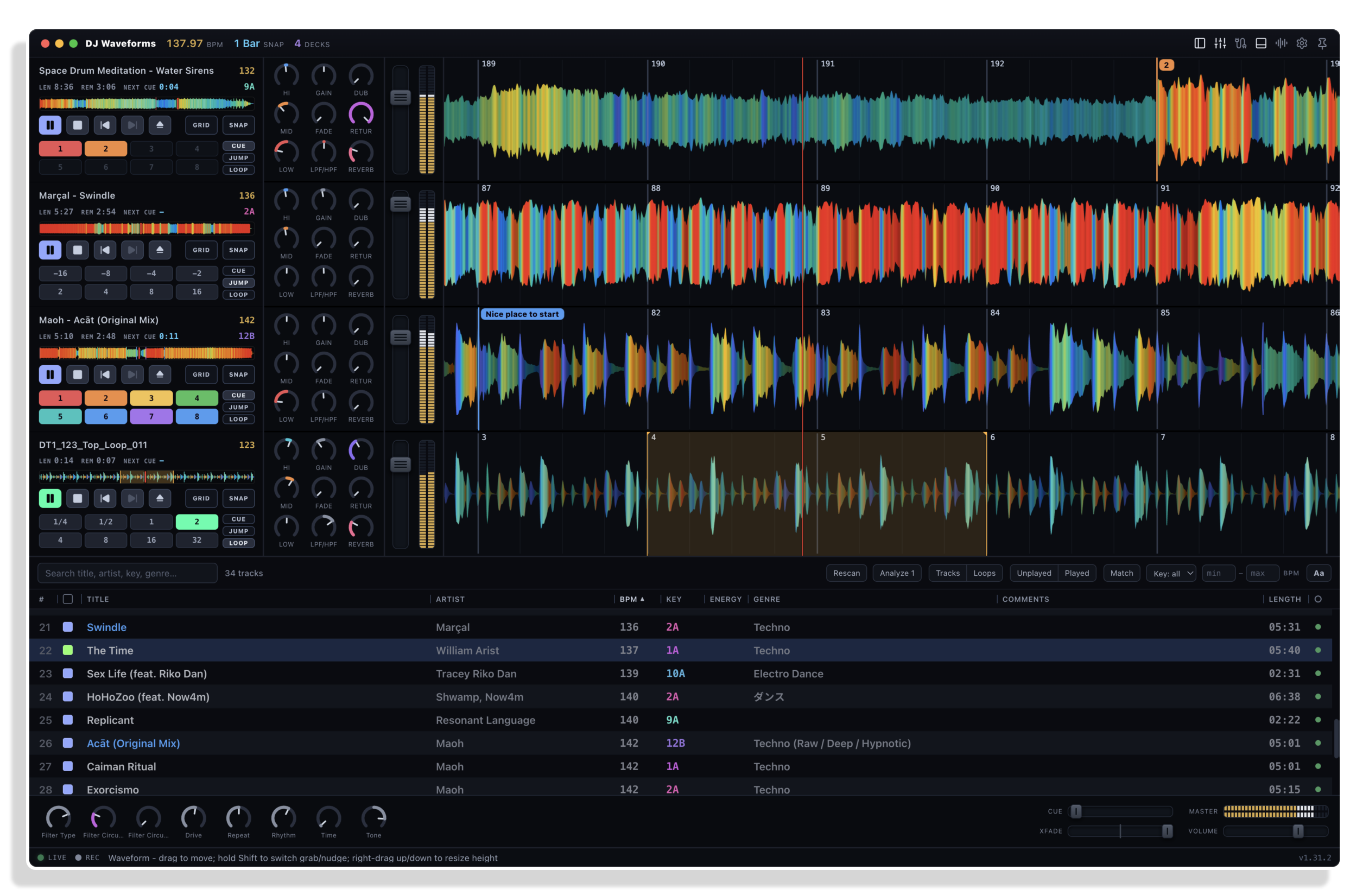
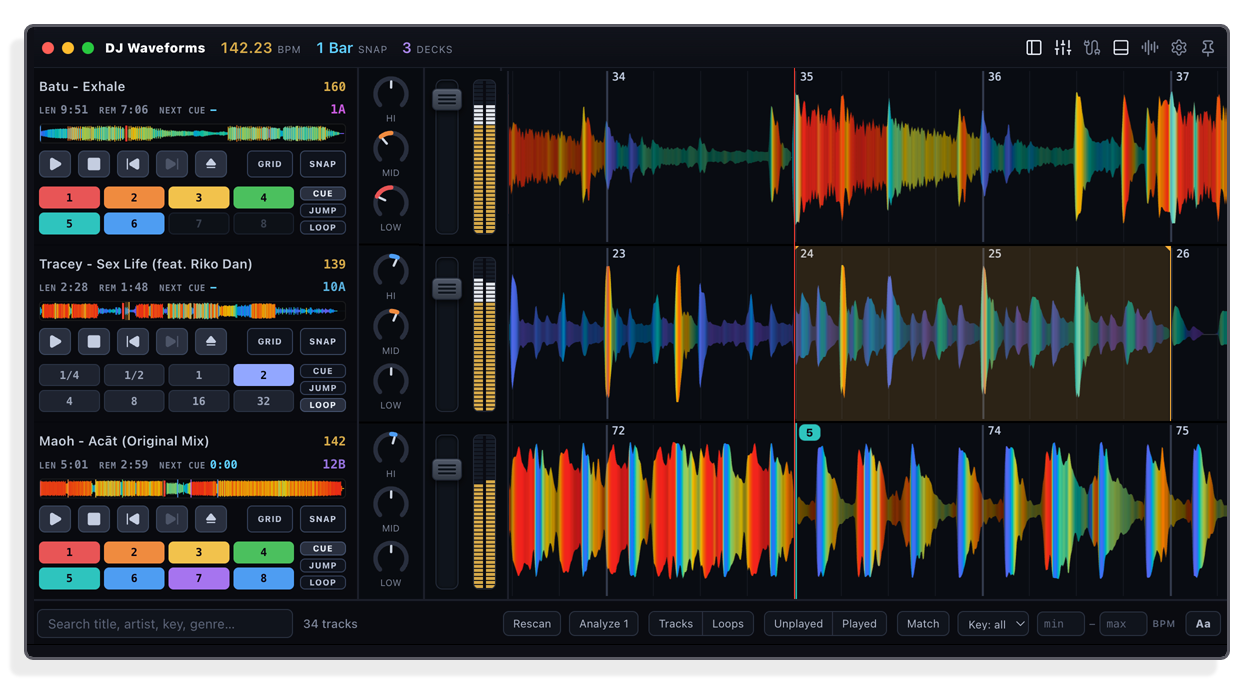
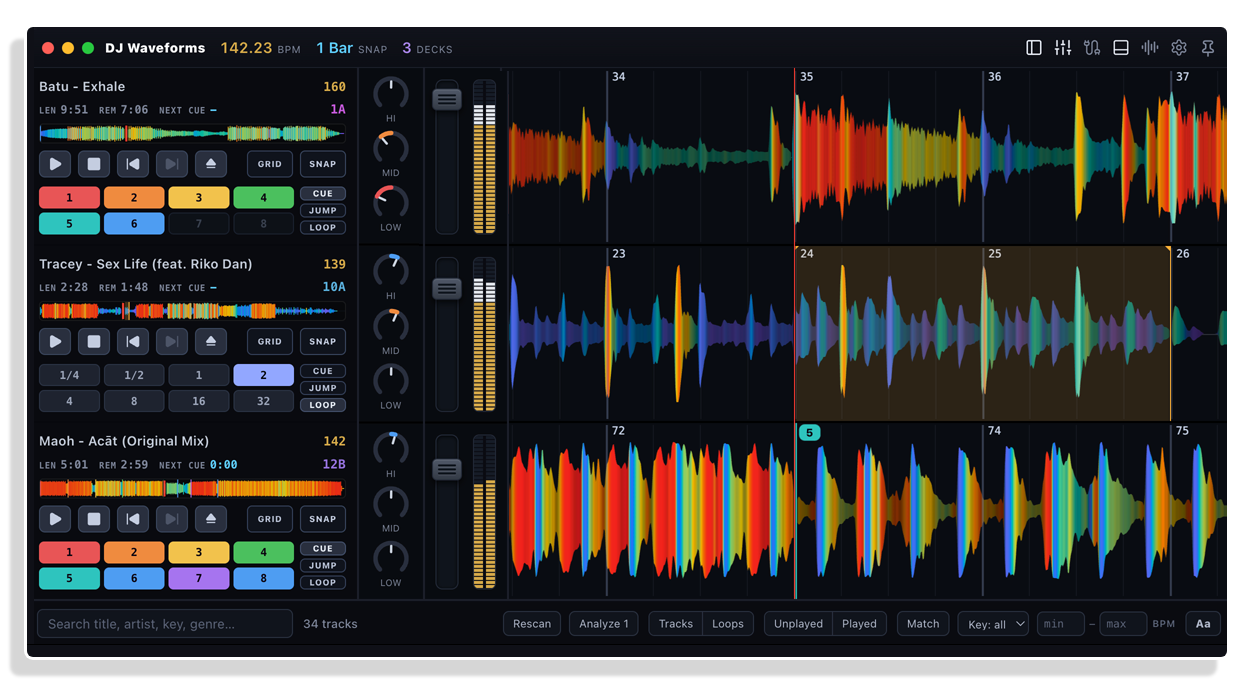
DJ Waveforms adds the performance surface Ableton Live is missing. Each audio track in your set becomes a deck with a scrolling, beat-aligned waveform coloured by frequency, so you can see the bass hit red, the mids glow green, and the highs trace blue as the music moves. Play, cue, loop, jump and nudge each deck, and every action reaches Live’s own audio engine directly, which means your effects, routing and recording stay exactly as you built them.
Live makes all the sound. The app reads positions, tempo and levels from Live and sends the same commands you could perform by hand, so warped clips stay in sync on Live’s tempo. It works with the set you already have: no template, nothing to rebuild.
- 1 to 16 decks with scrolling, beat-aligned waveforms coloured by frequency
- Eight hot cues per track with names and colours, and Serato cues read from your files
- Loops, beat jumps and rolls on pads, always on the grid
- A beatgrid editor on the deck, written as Live’s own warp markers
- Analyze: tempo, downbeat and key for a whole set in one pass, with one-click fixes
- Key shift and key sync in Camelot, without changing the tempo
- Stem decks with Acapella and Instrumental pads
- A mixer on Live’s own faders and rack macros, with snapshots and MORPH
- A Library with Match, crates and a played history
- Auto gain levels every track to one loudness
- MIDI and keyboard mapping, with Serato-style shortcuts out of the box
- Works with any Live set and any common audio format; local-only, no internet needed at a gig
- Serial key (emailed on purchase)
- User manual (PDF)
- Mac and Windows installers
Reviews
No reviews yet. Be the first to review this product.
Decks
Hands on the waveform
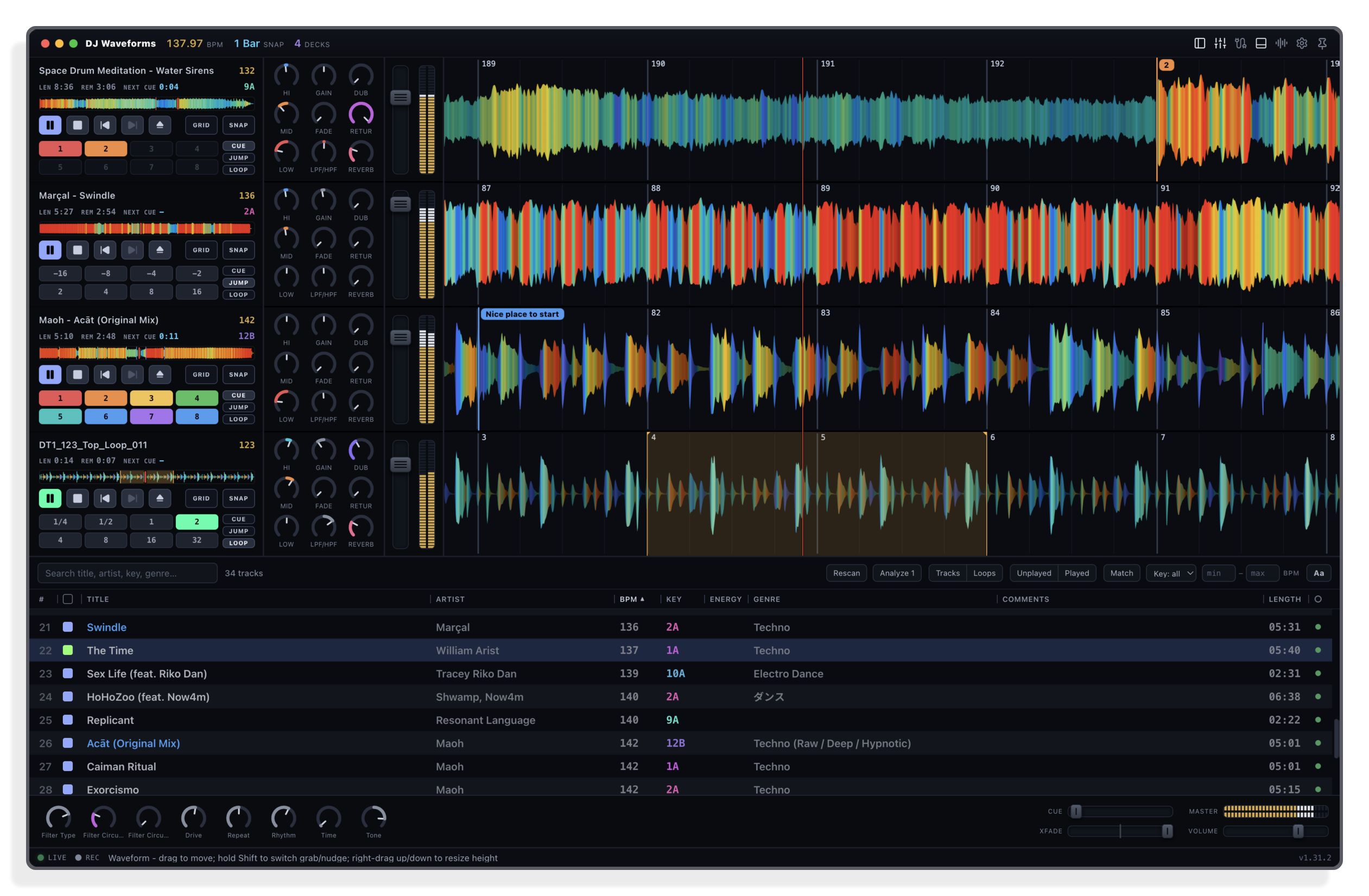
Grab a wave and carry it, nudge by ear, or fly across the track on the overview. Eight named hot cues per track (your Serato cues come along), plus grid-aligned loops, beat jumps and rolls on pads.
Mixer
The mixer you already built
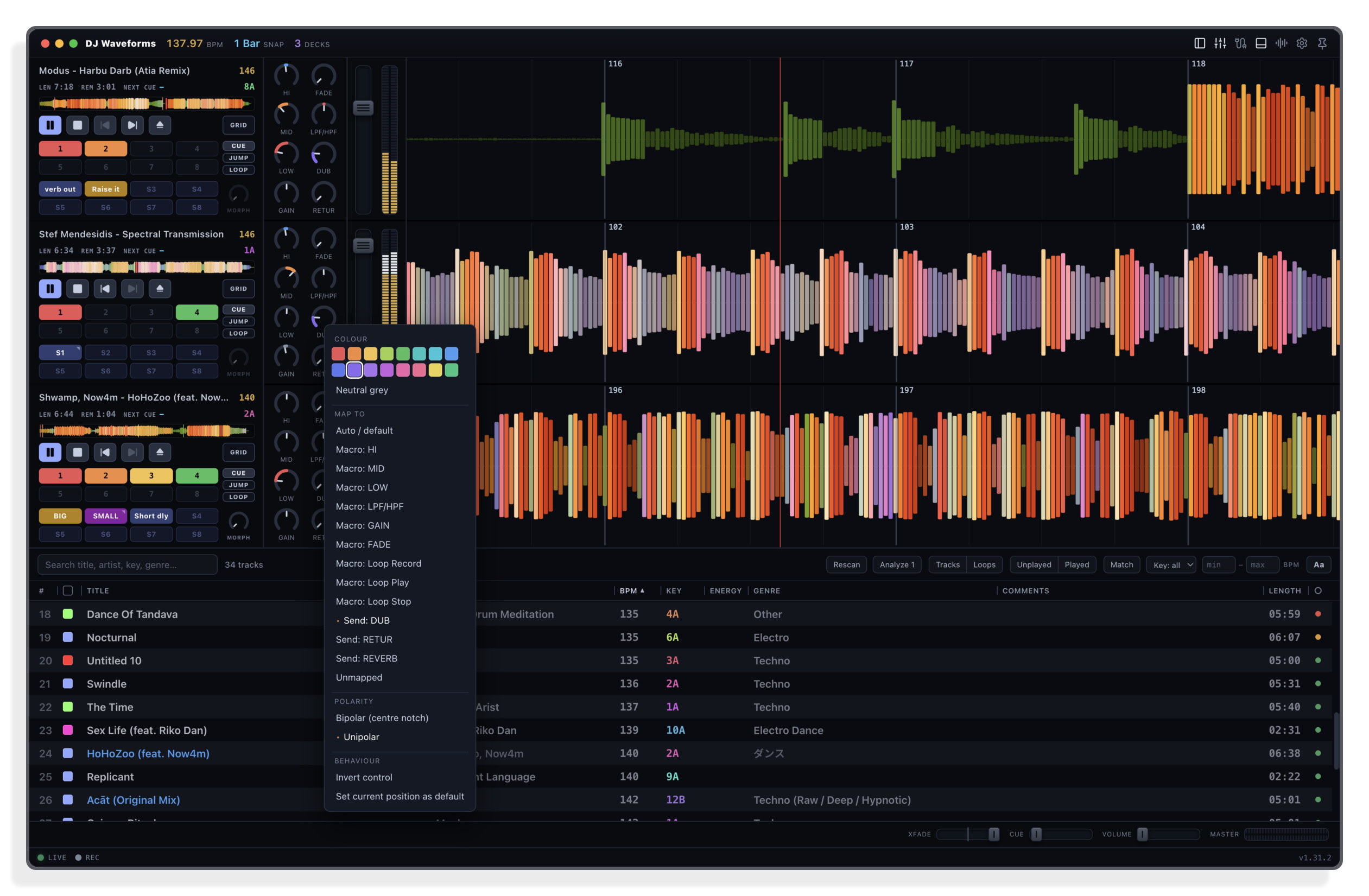
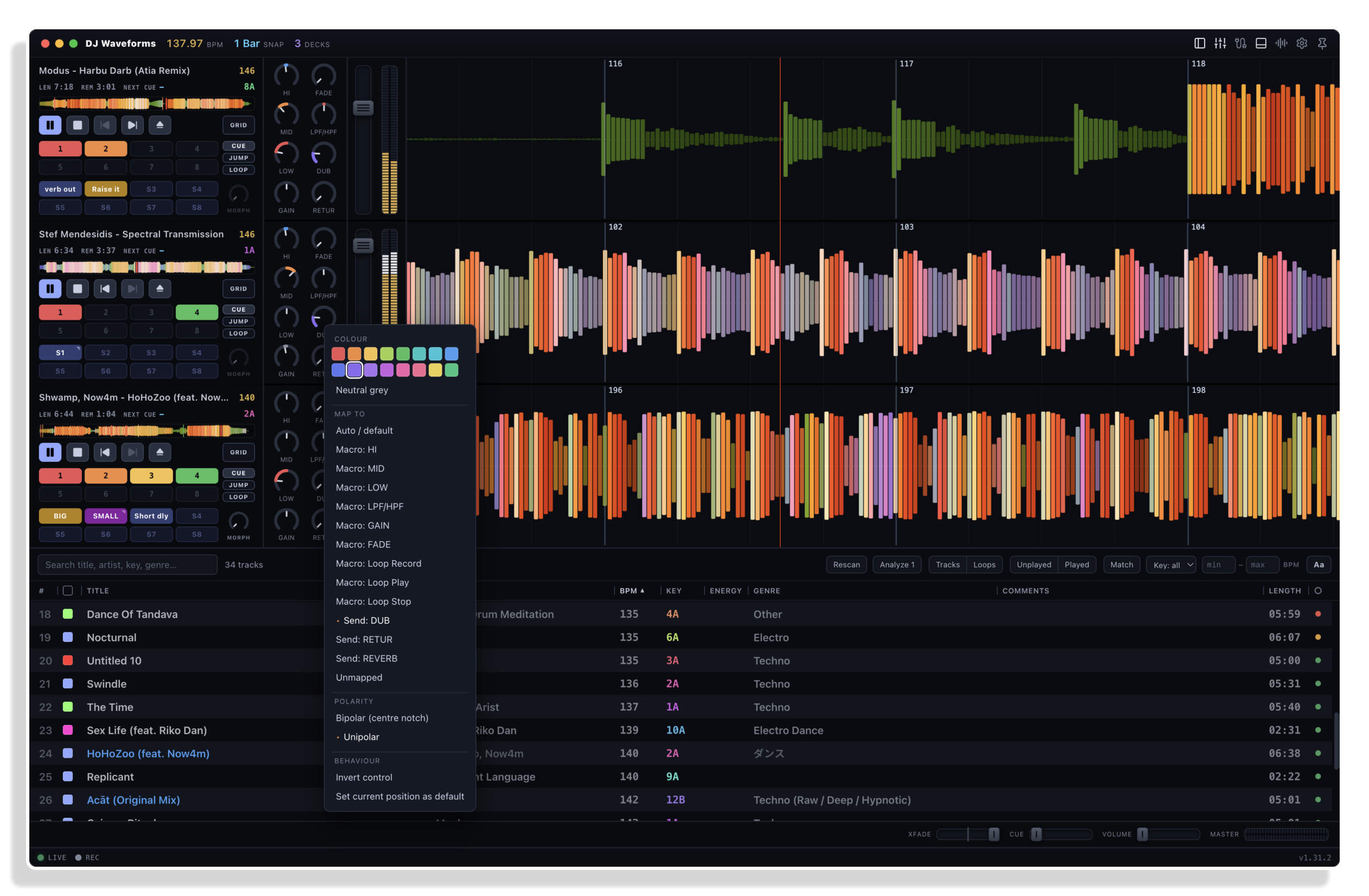
Faders, meters and knobs that drive Live's own mixer and find your rack macros by themselves. Snapshot pads recall a whole deck, instantly or as a tempo-synced glide.
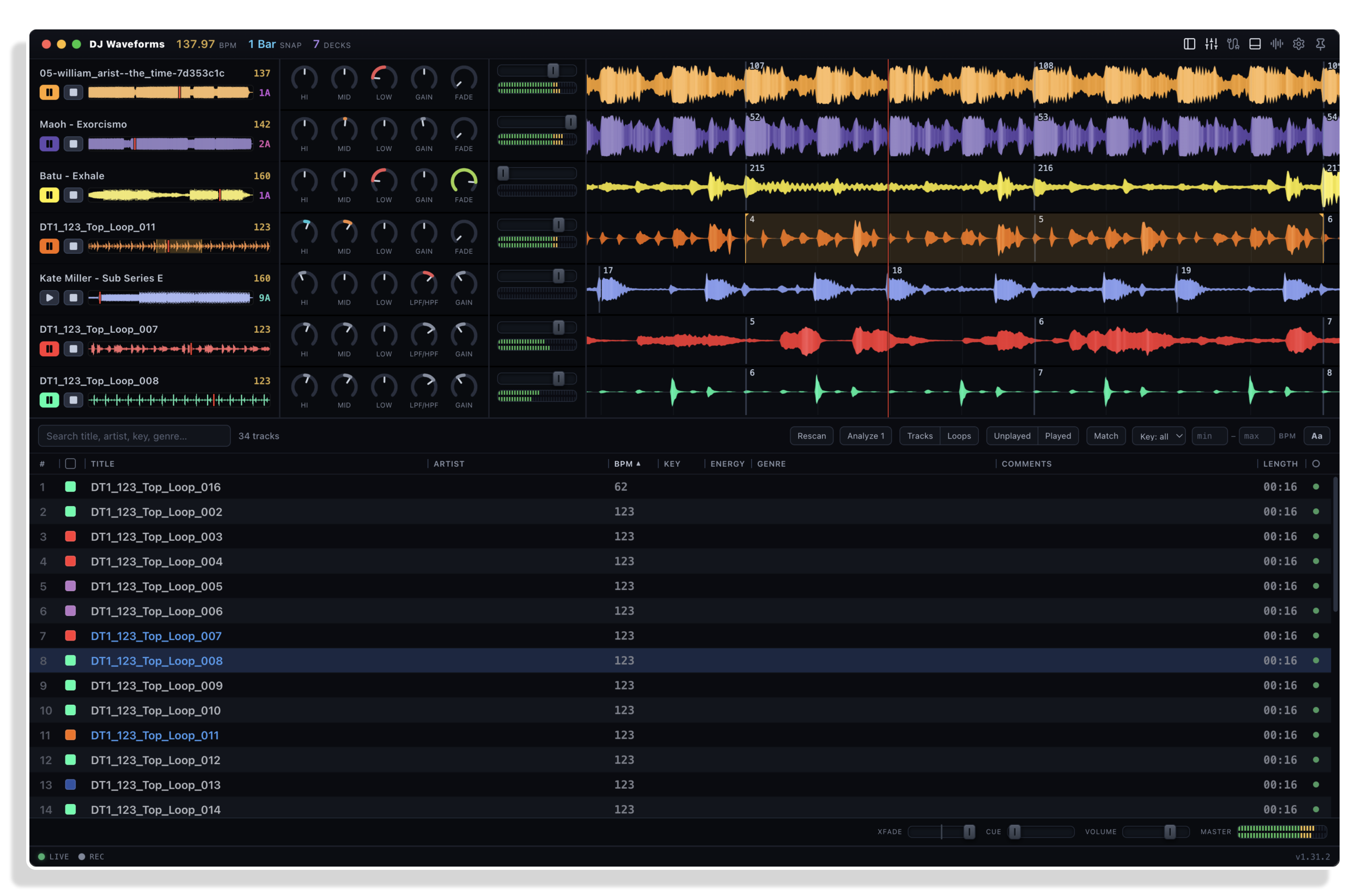
Library
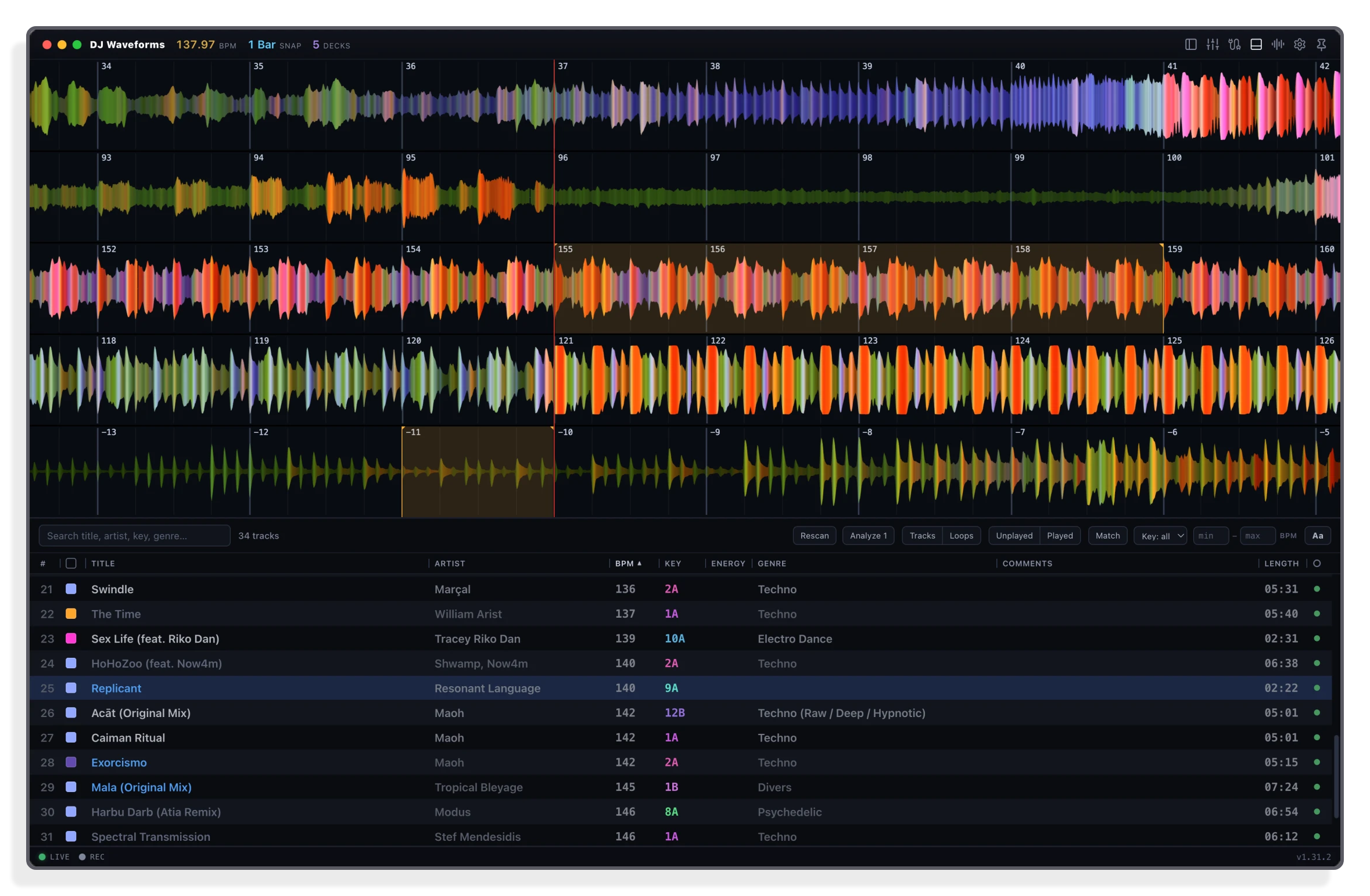
Every track you own, one list
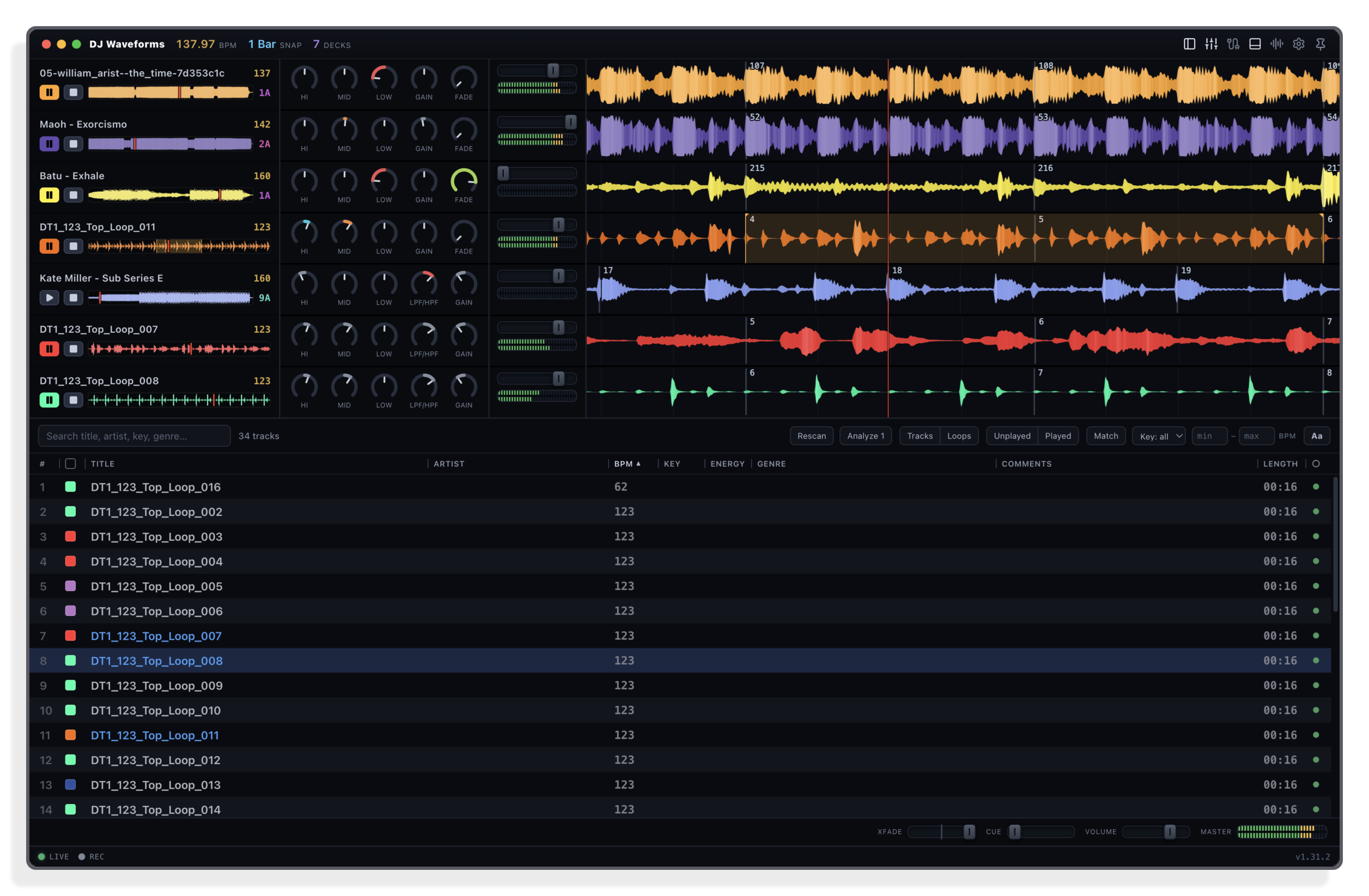
Your set and your folders in one list, with key, BPM and a ready dot. Press Match for what mixes with the playing track, build crates for the night, and drop anything on a deck: it is warped, gridded and playing on the next bar.
Stems
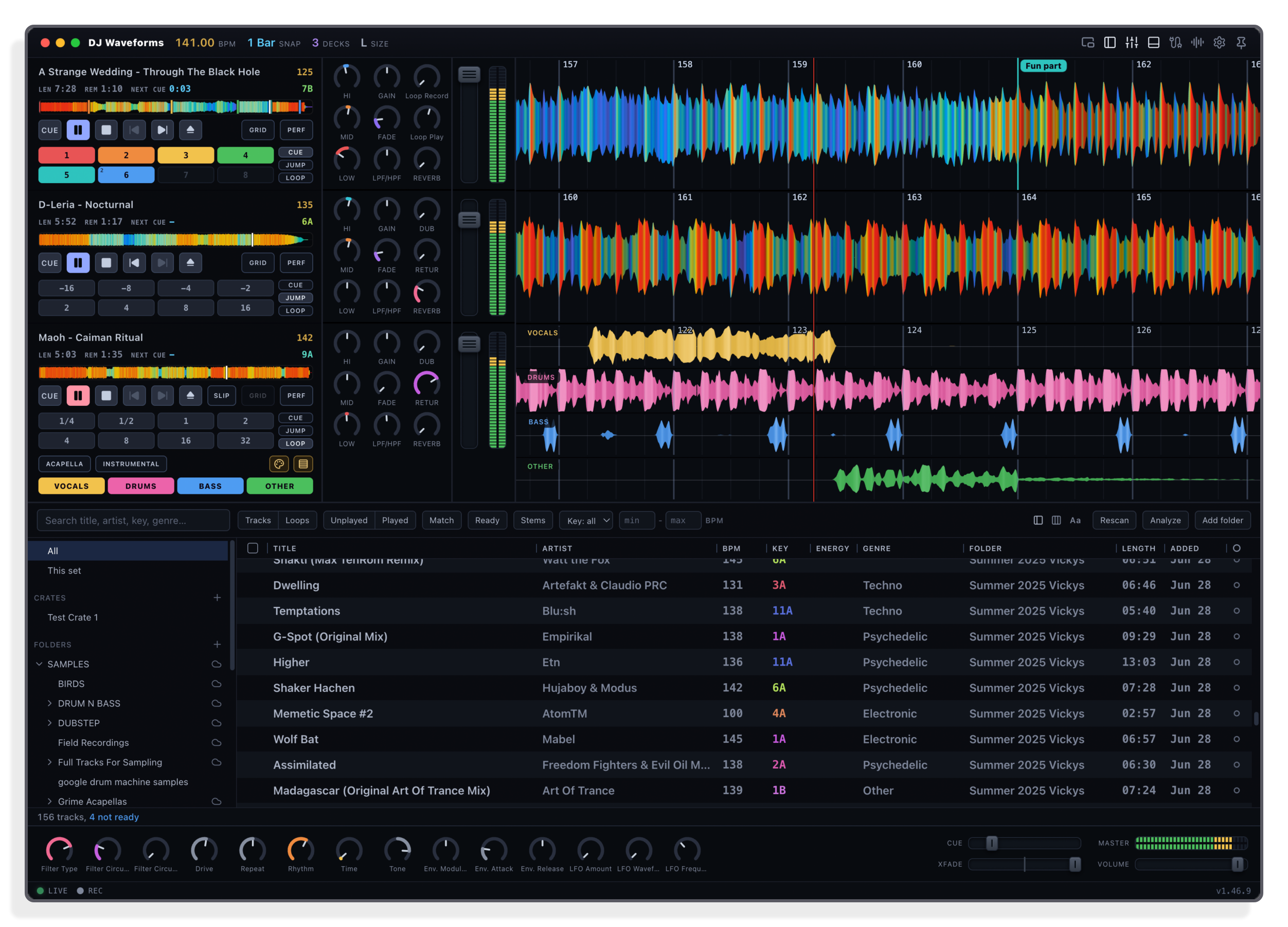
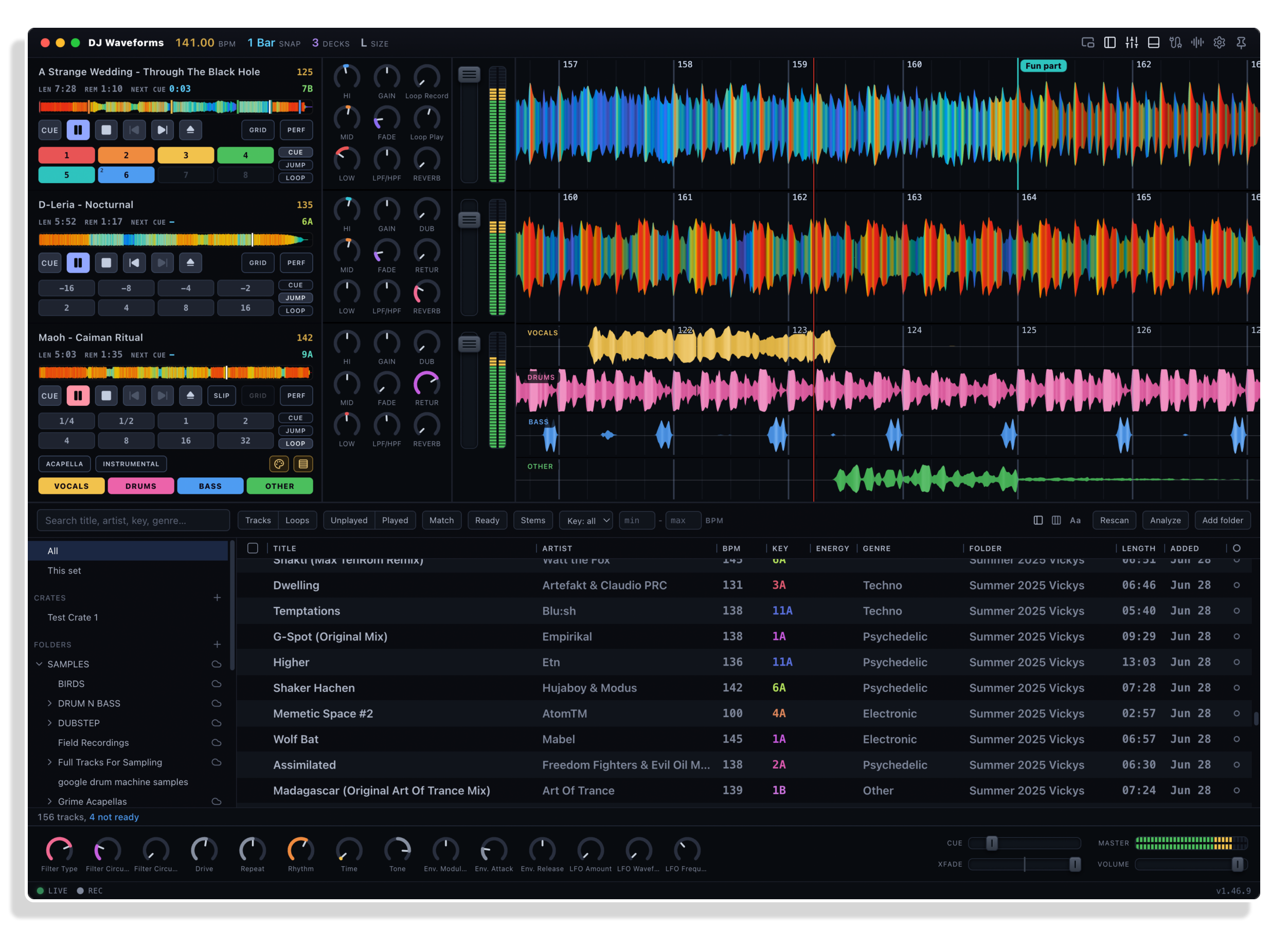
Stems, one deck
Vocals, drums, bass and other play as one deck, in lock-step. A pad per stem mutes or solos it, and Acapella or Instrumental is one press.
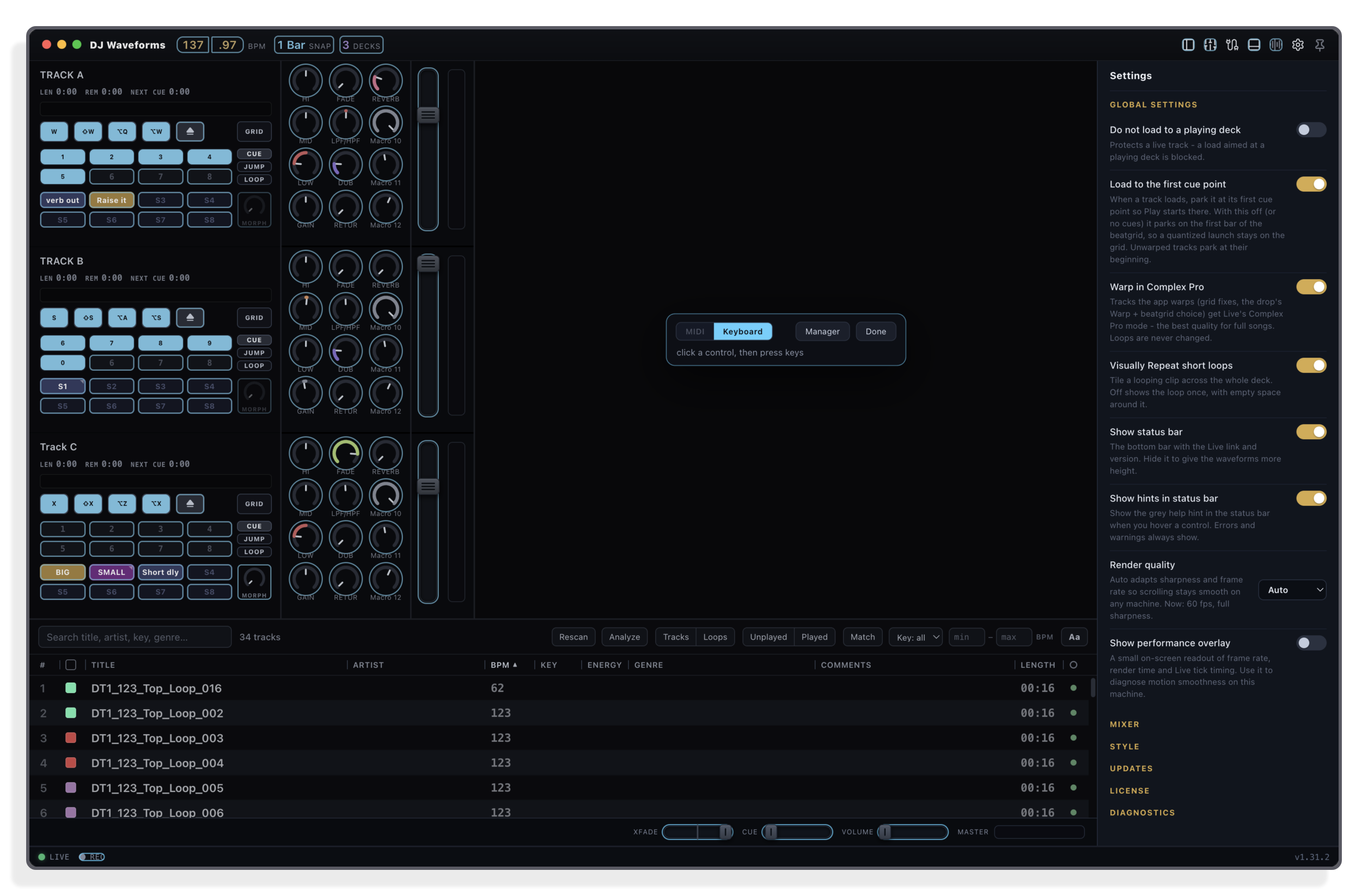
Control
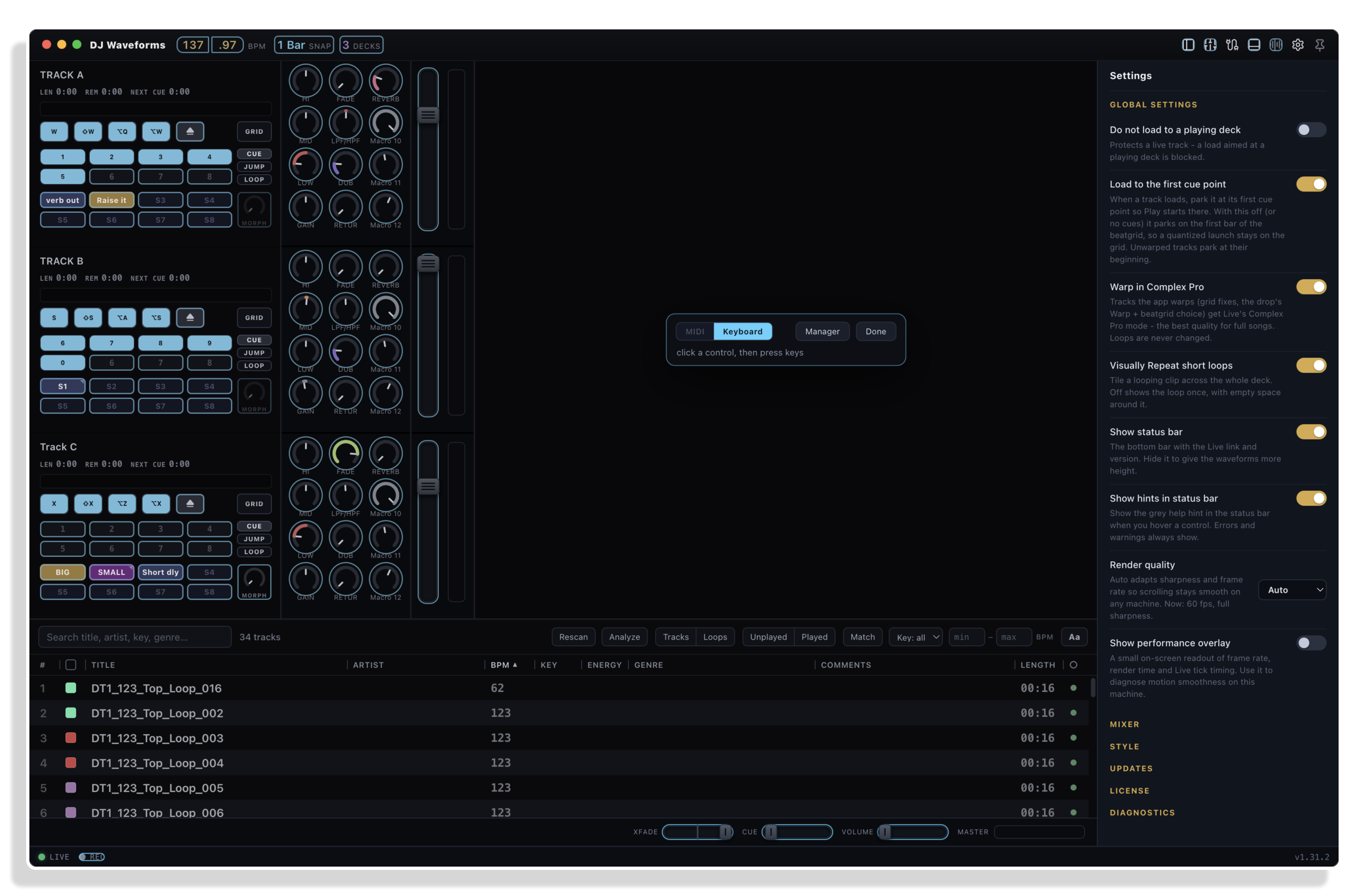
Map anything
Click a control, then press a key or touch your hardware. Serato-style keyboard shortcuts come mapped, so no controller is needed.
Layout
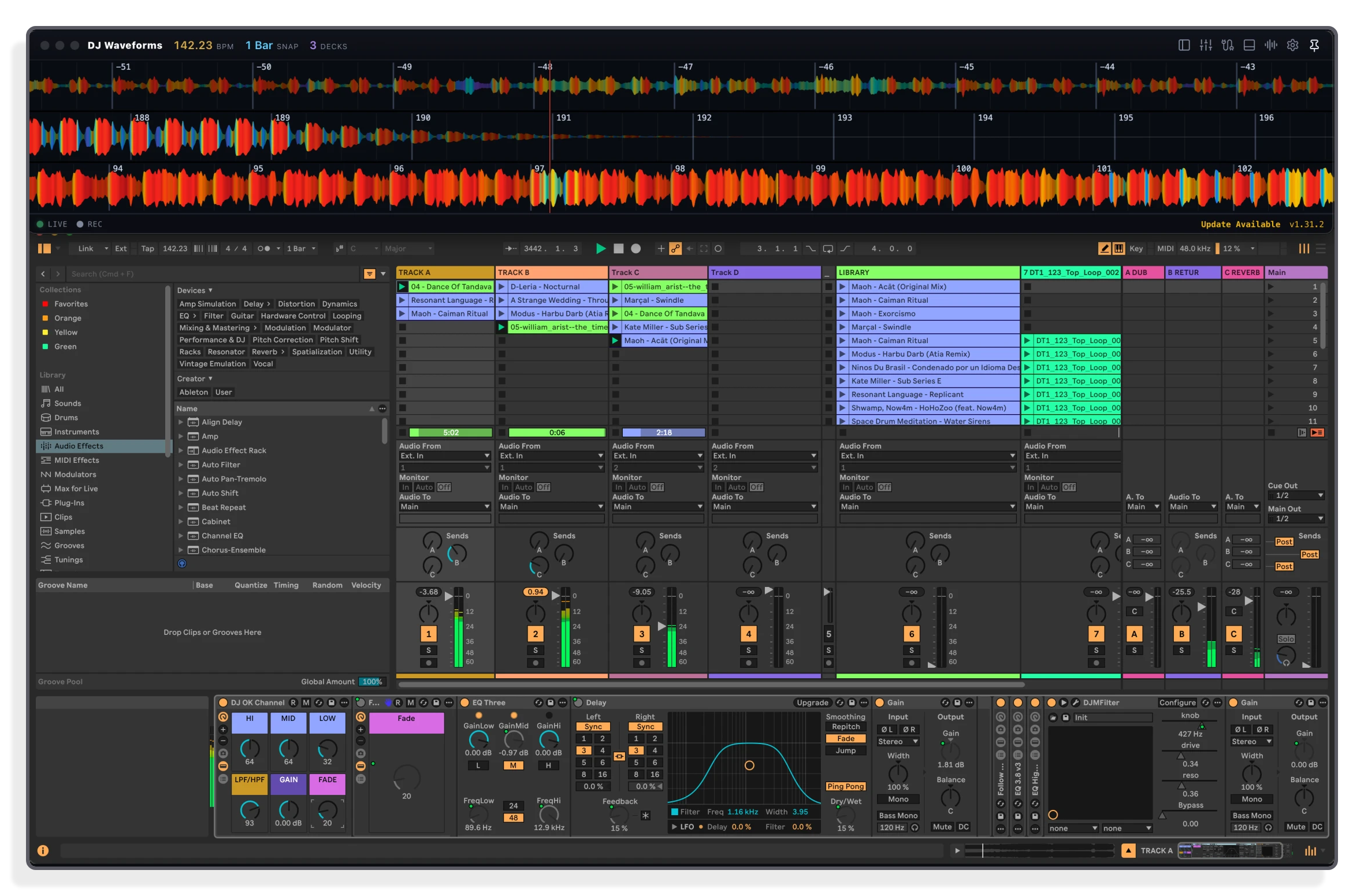
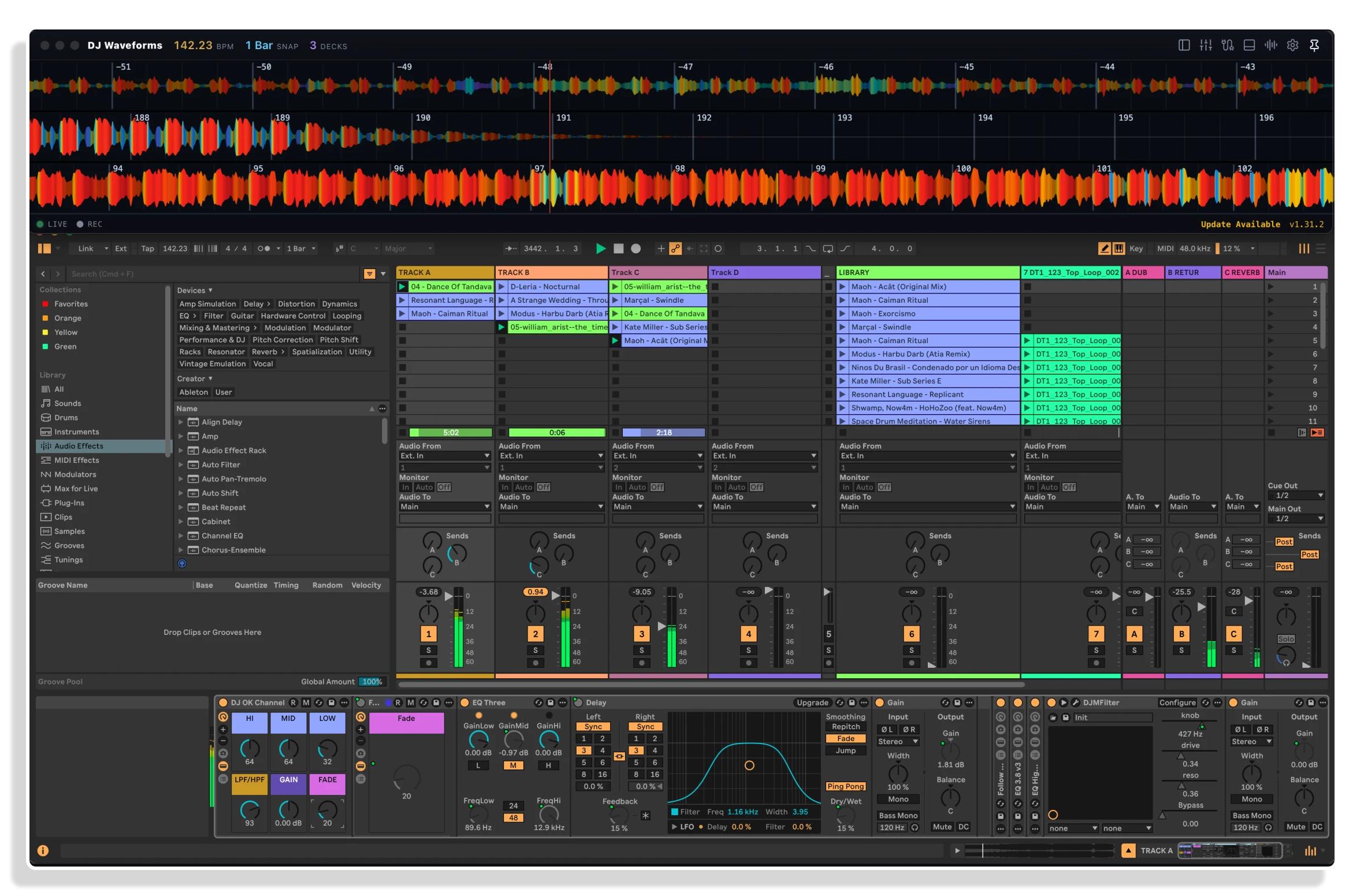
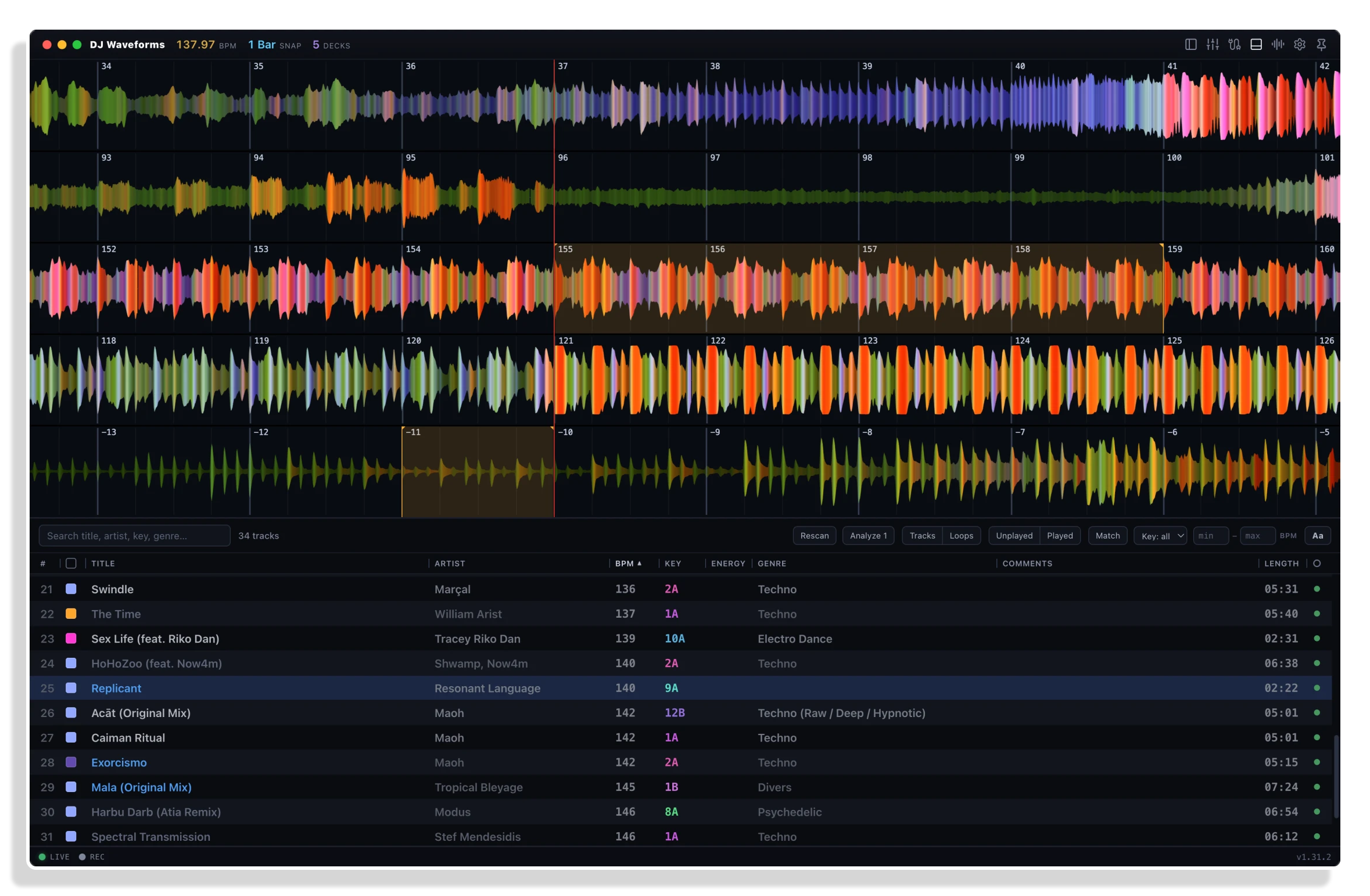
Your set, your layout
One to sixteen decks on top of your own Live set. Any audio track can be a deck, and every move lands in Live.
Important Information
INSTALLATION
1. Download the zip, extract it, then install the version for your operating system.
2. Launch DJ Waveforms. The window opens at once, even if Live is not running, and shows “Waiting for Live…”.
3. Install the bridge (first time only). If the Remote Script is not installed, after a few seconds the centre of the window offers an Install Remote Script button (also in Settings under “Live connection”). Click it. The app copies the script into your Ableton User Library.
4. Enable it in Live (first time only). Open Preferences > Link/Tempo/MIDI, set any free Control Surface slot to AbletonJS, and leave its Input and Output on None: it talks to Live over its own connection, not over MIDI. Then restart Live. Live has no way to automate this step.
5. Open your Live set. The app connects on its own: the status pill turns green (“live”) and your audio tracks appear as decks.
The manual contains more detailed information if necessary.
LICENSE
END-USER LICENSE AGREEMENT FOR ISOTONIK STUDIOS SOFTWARE PRODUCTS.
PLEASE READ THE TERMS AND CONDITIONS OF THIS LICENSE AGREEMENT CAREFULLY BEFORE CONTINUING WITH THIS PROGRAM INSTALL.
This End-User License Agreement (referred to as “EULA”) is a legal agreement between an individual or a single entity (referred to as “LICENSEE”) and Isotonik Studios for the Isotonik Studios software product(s) which may include associated software components, media, printed materials, and “online” or electronic documentation (referred to as “SOFTWARE PRODUCT”). By installing, copying, or otherwise using the SOFTWARE PRODUCT, the LICENSEE agrees to be bound by the terms of this EULA.
This EULA represents the entire agreement concerning the program between the LICENSEE and Isotonik Studios and it supersedes any prior proposal, representation, or understanding between the parties. If the LICENSEE does not agree to the terms of this EULA, the LICENSEE should not install or use the SOFTWARE PRODUCT.
The SOFTWARE PRODUCT is protected by copyright laws and international copyright treaties, as well as other intellectual property laws and treaties. The SOFTWARE PRODUCT is licensed, not sold.
- GRANT OF LICENSE.
The SOFTWARE PRODUCT is licensed as follows:
(a) Installation and Use. Providing that the LICENSEE has paid any applicable license fees, Isotonik Studios grants the LICENSEE the right to install and use copies of the SOFTWARE PRODUCT on up to two computers in the LICENSEE’s possession that are running a validly licensed copy of the operating system for which the SOFTWARE PRODUCT was designed [e.g., Windows 10, macOS]. The computer(s) must be owned by the LICENSEE.
(b) Backup Copies. The LICENSEE may also make copies of the SOFTWARE PRODUCT as may be necessary for backup and archival purposes.
- DESCRIPTION OF OTHER RIGHTS AND LIMITATIONS.
(a) Maintenance of Copyright Notices. The LICENSEE must not remove or alter any copyright notices on any and all copies of the SOFTWARE PRODUCT.
(b) Distribution. The LICENSEE may not distribute registered copies of the SOFTWARE PRODUCT to third parties.
(c) Prohibition on Reverse Engineering, Decompilation, and Disassembly. The LICENSEE may not reverse engineer, decompile, or disassemble the SOFTWARE PRODUCT, except and only to the extent that such activity is expressly permitted by applicable law notwithstanding this limitation.
(d) Rental. The LICENSEE may not rent, lease, or lend the SOFTWARE PRODUCT.
(e) License transfer The LICENSEE may not transfer their license to the SOFTWARE PRODUCT to any third party. Any attempt to do so will be considered a violation of this EULA.
(f) Support Services. Isotonik Studios may provide the LICENSEE with support services related to the SOFTWARE PRODUCT for a period of 12 months following the date of purchase. Any supplemental software code provided to the LICENSEE as part of the Support Services shall be considered part of the SOFTWARE PRODUCT and subject to the terms and conditions of this EULA.
(g) Compliance with Applicable Laws. The LICENSEE must comply with all applicable laws regarding use of the SOFTWARE PRODUCT.
- TERMINATION Without prejudice to any other rights, Isotonik Studios may terminate this EULA if the LICENSEE fails to comply with the terms and conditions of this EULA. In such event, the LICENSEE must destroy all copies of the SOFTWARE PRODUCT in the LICENSEE’s possession.
- COPYRIGHT All title, including but not limited to copyrights, in and to the SOFTWARE PRODUCT and any copies thereof are owned by Isotonik Studios or its suppliers. All title and intellectual property rights in and to the content which may be accessed through use of the SOFTWARE PRODUCT is the property of the respective content owner and may be protected by applicable copyright or other intellectual property laws and treaties. This EULA grants the LICENSEE no rights to use such content. All rights not expressly granted are reserved by Isotonik Studios.
- NO WARRANTIES Isotonik Studios expressly disclaims any warranty for the SOFTWARE PRODUCT. The SOFTWARE PRODUCT is provided ‘As Is’ without any express or implied warranty of any kind, including but not limited to any warranties of merchantability, noninfringement, or fitness of a particular purpose. Isotonik Studios does not warrant or assume responsibility for the accuracy or completeness of any information, text, graphics, links or other items contained within the SOFTWARE PRODUCT. Isotonik Studios makes no warranties respecting any harm that may be caused by the transmission of a computer virus, worm, time bomb, logic bomb, or other such computer program. Isotonik Studios further expressly disclaims any warranty or representation to the LICENSEE or to any third party.
- LIMITATION OF LIABILITY In no event shall Isotonik Studios be liable for any damages (including, without limitation, lost profits, business interruption, or lost information) arising out of the LICENSEE’s use of or inability to use the SOFTWARE PRODUCT, even if Isotonik Studios has been advised of the possibility of such damages. In no event will Isotonik Studios be liable for loss of data or for indirect, special, incidental, consequential (including lost profit), or other damages based in contract, tort or otherwise. Isotonik Studios shall have no liability with respect to the content of the SOFTWARE PRODUCT or any part thereof, including but not limited to errors or omissions contained therein, libel, infringements of rights of publicity, privacy, trademark rights, business interruption, personal injury, loss of privacy, moral rights or the disclosure of confidential information.
CHANGELOG
v1.47.34 · released 12 Nov 2026
- Knobs and saved loops fixes
v1.47.31 · released 6 Nov 2026
- First Release
Frequently Asked Questions
What exactly is DJ Waveforms?
DJ Waveforms is a standalone app and a Control Surface Script that turns the audio tracks of an Ableton Live set into DJ decks. It adds scrolling waveforms, deck transport, hot cues, loops, a track library and a mixer on top of Live, while Live’s own audio engine handles all the sound.
Which versions of Ableton Live does it work with?
DJ Waveforms works with Ableton Live 11 or 12 in any edition, including Intro, Standard and Suite, on macOS 11 or newer and Windows 10 or 11.
Does it need a special Live set or project structure?
No. It works with any Live set. Your existing templates, racks, groups, sends and routing stay exactly as they are. The app reads whatever set is open in Live and builds its decks from the first audio tracks it finds. You can then remap and re-arrange it to match your set better.
What is the AbletonJS Remote Script and how do I install it?
The Remote Script is a small bridge that lets DJ Waveforms communicate with Live. It ships inside the app and is copied into your Ableton User Library automatically on first run. You then enable it once in Live’s Preferences under Link/Tempo/MIDI by setting any free Control Surface slot to AbletonJS. After that, the app and Live connect on their own every time both are running.
Does the app process or modify my audio files?
No. DJ Waveforms never processes audio. It reads positions, tempo and levels from Live and sends launch, seek and mixer commands. Your clips and audio files are never modified. Close the app mid-set and Live keeps playing exactly as it was.
Which audio file formats are supported for the track library?
Any file Live can play: WAV, AIFF, FLAC, Ogg Vorbis, MP3 and M4A/MP4 (AAC and Apple Lossless). Files decode using the same codec Live uses on your system, so the waveform sits exactly on the sound.
In Depth
What DJ Waveforms is
DJ Waveforms is a control surface script for Ableton Live 12 (and Live 11) that turns your existing audio tracks into a full DJ performance layer. From dry session clips sitting in Session view, to scrolling, beat-aligned waveforms with transport, hot cues, loops, a track library and a mixer, all running through Live’s own audio engine in real time. Nothing is processed outside Live. Close the app mid-set and Live keeps playing, because every action it sends is the same launch, seek or mixer command you could perform by hand.
How it works
The app connects to Live through the AbletonJS Remote Script, which ships inside DJ Waveforms and installs itself into your Ableton User Library with one click. Enable it once in Live’s preferences, restart Live, and from that point on the two connect automatically whenever either one is running. The app reads Live’s tempo, playback position and levels directly, which means every warped clip across every deck stays in sync to Live’s single master tempo. Your EQ, effects, routing, recording and racks remain exactly as you built them in Live. DJ Waveforms adds the performance surface; Live supplies everything underneath.
The waveform display
Each deck shows a scrolling waveform coloured by frequency: red for bass, green for mids, blue for treble. Watch the low end pull through the red layer, hear the mid-range opening up in the green, and feel where the next phrase lands before it arrives. The waveform is beat-aligned and carries hot cue markers, a loop brace and a bar grid. A whole-track overview strip beneath the waveform acts as a minimap you can drag to scrub. Hot cues are marked on the overview in their own colours, so the shape of an entire track is readable at a glance.
Decks and tracks
The first audio tracks in your set become the decks, left to right, up to the deck count you set in the header (3 by default, 1 to 16). MIDI, group and return tracks are skipped automatically. Right-click any deck’s name to reassign it to any audio track in the set, including stem decks created by Live’s Separate Stems. Swapping two decks never stops playback: the playing track keeps playing and appears on whichever deck now follows it, with its waveform, position and hot cues intact. Hot cues and beatgrids travel with the track file; mixer mappings, colours, snapshots and controller assignments stay with the deck slot, which means your hardware deck 2 is always deck 2.
Transport and pads
Each deck has CUE, Play, Pause, Stop, Headphone Cue, Previous track, Next track and Unload buttons. Right-click any transport button to choose which controls are shown across all decks. Hiding a button never disables it: its MIDI action and keyboard shortcut keep working. The pad grid switches between Cue, Jump and Loop modes. Remaining time turns yellow under 60 seconds and red under 30 seconds, because you need to see that warning before you hear the silence.
Mixer
Each deck’s mixer strip shows the macros of the first Audio Effect Rack on that channel. A channel without a rack shows a fader and a meter. Your existing racks, sends, groups and routing are untouched; DJ Waveforms reads and controls whatever you have already built.
Library and file loading
Files that are not already in your set can be loaded from a Library folder or dropped in from Finder or Explorer. On Live 11.3.25 or 12.0.5 and newer, files load from any folder. On older versions they load from a folder that is a Place in Live’s browser, the User Library or the current project. The Library’s Status column warns about unwarped or messily warped clips before you load them into a set.
MIDI and keyboard control
Keyboard shortcuts work out of the box. The first run installs an editable Keyboard Shortcuts mapping with Serato-style defaults. MIDI mapping mode is available from the icon row in the header. Mapping a hardware controller to DJ Waveforms is separate from Live’s own MIDI Remote and does not use Live’s MIDI Remote at all, which keeps Live’s own mappings clean and prevents unwanted triggers.
What the app never does
DJ Waveforms never modifies your clips or audio files. To play a track it makes a temporary copy of the clip on the deck’s track and removes it once the deck has moved on. It deletes only copies it made itself, and never the last copy of a song. Nothing is written to the .als file on disk until you save in Live. The app is local-only, talking to Live on your machine over a connection that only accepts requests from that same machine (127.0.0.1, port 39031). No internet is needed at a gig; the manual opens in your browser from Settings at any time.
Requirements
Ableton Live 11 or 12, any edition, on macOS 11 or newer, or Windows 10 or 11. Any audio file Live can play is supported: WAV, AIFF, FLAC, Ogg Vorbis, MP3 and M4A/MP4 (AAC and Apple Lossless). The AbletonJS Remote Script is included and installs itself.