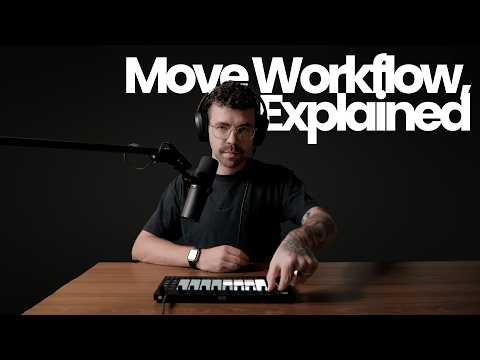
The Ableton Move offers a surprisingly capable platform for complete track production, from melodic house to ambient soundscapes. This breakdown examines two finished tracks created entirely on the Move, revealing techniques for drum programming, polyrhythmic sequencing, pad layering, and performance-focused workflow decisions.
These tracks demonstrate that hardware limitations can inspire creative solutions. Working with odd bar lengths, layering velocity-sensitive patterns, and using master effects as performance tools all emerge from understanding what the Move does well and building workflows around those strengths.
Melodic House Drum Programming with 808 Kits
The foundation of the melodic house track uses a straightforward four-to-the-floor kick pattern, but the sound selection and processing make the difference. The kick comes from the Marsh Samples pack, which provides 808 sounds with more punch and character than typical raw 808 samples.
For melodic house and melodic techno production, 808 drum kits work exceptionally well. The Move includes a stock 808 kit that provides a solid starting point. However, sample packs with pre-processed 808 sounds offer more immediate impact. The key is finding kicks that already have the weight and presence needed for these genres without requiring extensive additional processing.
The kick plays a consistent four-to-the-floor pattern across two bars, providing the rhythmic foundation. This simplicity in the kick pattern allows more complex elements to develop in other layers without cluttering the groove.
Layering Dry and Wet Claps for Groove Variation
The clap pattern demonstrates a technique used by artists like Stephan Bodzin: layering identical clap sounds with different processing. The first clap is completely dry with no reverb or delay. The second clap has both reverb and delay applied, creating depth and space.
This approach adds subtle variation to the groove. Some claps sit tightly in the mix with immediate presence, while others bloom with ambience and trail off with delay repeats. The contrast between dry and wet claps creates movement and prevents the pattern from feeling static.
When sequencing these layered claps, alternate which version plays on different hits. The pattern might place a dry clap on beat two, followed by a wet clap on beat four. This creates rhythmic interest without changing the actual timing of the claps.
Creating Human Feel with Velocity-Sensitive Shakers
Rather than programming perfectly quantized hi-hats and shakers, the track uses the Move’s repeat function to introduce velocity variation. The repeat button allows you to play notes repeatedly, with volume responding to how hard you press the pad.
Two different shaker sounds layer on top of each other, both recorded with velocity variation. The result is a hi-hat pattern that breathes and shifts dynamically rather than hitting at a constant volume. This mimics the way a human performer would naturally vary their playing intensity.
The rhythmic variation in these shakers adds a sense of live performance to programmed beats. Even small changes in velocity from hit to hit create a more organic feel that contrasts nicely with the rigidly quantized kick and claps.
Using Toms as Bass Elements in Melodic Techno
One of the track’s most effective techniques involves using a tom sound as a bass element. The tom plays in the gaps between kick drum hits, filling out the low end and adding rhythmic counterpoint to the four-to-the-floor pattern.
The Move’s sample pitch layout makes this approach straightforward. You can play drum samples at different pitches across the pads, treating percussive sounds like melodic instruments. The tom functions almost like a simple bassline, hitting root notes and following the track’s harmonic structure.
This technique keeps the low end active without requiring a separate bass track. The tom and kick work together to create a fuller, more complex bass presence than either element would provide alone. You could extend this pattern to include more notes and create a more elaborate bassline, but keeping it simple maintains clarity and punch.
Crafting Polyrhythmic Arpeggios with Three-Bar Loops
The melodic element uses a custom arp sound called App Glitchy from an upcoming Move sound pack. Rather than following the typical four-bar loop structure, the arp pattern spans three bars, creating a polyrhythmic feel against the drums.
The sequencing pattern leaves two gaps between different notes, establishing a three-two-four rhythm. This means the arp plays in a different rhythmic relationship to the drums each time through the loop. When a three-bar pattern repeats over a two-bar drum pattern, they only align at the six-bar mark.
This creates seamless repetition without an obvious loop point. The pattern flows continuously, with the last note of bar three connecting naturally to the first note of bar one. There is no disruption or obvious seam where the loop restarts. To the listener, the arp seems to evolve continuously rather than looping in a predictable way.
Developing Patterns Through Progressive Complexity
The track uses three variations of the main arp pattern, each adding more notes and complexity. The first pattern is sparse, establishing the basic three-bar polyrhythmic structure. The second pattern introduces fill notes that outline a descending melody, adding more movement while maintaining the underlying three-bar framework.
The third pattern becomes even more active, with additional notes filling out the arp sequence. This progressive approach builds energy across the track. The first section feels restrained and hypnotic, the second introduces melodic development, and the third reaches full complexity.
During performance, the Move’s macro controls allow real-time manipulation of the arp sound. You can open and close the filter, adjust resonance, modify oscillator characteristics, change LFO rate, and alter envelope attack times. These controls transform the sound substantially without changing the underlying note pattern.
Ambient Track Foundation with Layered Pads
The ambient track takes a different approach, building textures from multiple layered pads playing the same chord at different octaves. The first pad uses a custom Drift-based sound that provides the harmonic foundation. Even with the chord progression sequenced, you can play additional notes on top during performance, adding improvisation to the recorded parts.
The second pad, called Echo Pad, plays the same chord one octave higher. Layering pads at different octaves creates harmonic richness without adding new harmonic content. The pads reinforce each other, building a fuller sound that remains cohesive.
The Echo Pad includes automation on oscillator one’s gain parameter, introducing subtle volume shifts that add movement to the sustained texture. These gain changes prevent the pad from feeling completely static, creating gentle swells and fades that guide the listener’s attention.
Using Odd Bar Lengths to Avoid Predictable Loops
Both pads in the ambient track use five-bar patterns instead of the typical four bars. This keeps the track interesting over extended listening. When loops repeat every four bars, listeners quickly internalize the pattern and anticipate the loop point. Five-bar patterns break this expectation.
The piano layer uses a three-bar pattern, adding another layer of rhythmic complexity. With the pads looping every five bars and the piano every three bars, they align differently each time through. The first pad reaches its loop point at bar five while the piano is only on bar three of its second repetition.
This creates constantly shifting relationships between the layers. Even though each individual part loops, the combination never quite repeats in the same way. The piano might emphasize different harmonics in the pad chord depending on where in its own pattern it happens to land.
The sub-bass uses a four-bar pattern, adding yet another layer of complexity. Now you have elements looping at three, four, and five bar intervals, all playing together. The result is a texture that evolves over long periods without obvious repetition.
Expanding Patterns in Ambient Arrangements
The second section of the ambient track extends to eight-bar patterns for the pads, introducing more space for harmonic development. A chord change appears midway through the eight bars before returning to the original harmony. This creates a question-and-answer structure within the longer phrase.
The piano shifts to playing single notes with long delay times rather than chords. This section uses a ten-bar pattern, further extending the non-repetitive interplay between layers. Because all patterns remain in the same key, you can trigger them in any combination and they harmonize correctly.
This modularity enables live performance. You can jump between different sections of each track, mixing early and late patterns, without creating harmonic clashes. The constraint of staying in one key provides the freedom to recombine patterns spontaneously.
Master Effects as Performance Tools
The Move includes two effect slots on the master channel that can function as performance elements. Load effects like delay and auto filter onto the master, configure them with extreme settings, then set their dry/wet controls to zero percent. During performance, gradually increase the dry/wet amount to introduce these effects across the entire mix.
For example, set a delay to very high feedback with modulation on both the filter and time parameters. With dry/wet at zero, this has no effect on the sound. Slowly increase dry/wet during a section and the entire mix begins feeding back into itself, creating builds and transitions. Return dry/wet to zero to restore the normal mix.
The same approach works with auto filter using a comb filter setting. Start with resonance and frequency set to interesting positions but dry/wet at zero. Increase dry/wet to introduce phasing and filtering across all tracks simultaneously. Adjust frequency and resonance in real time for additional movement.
This technique compensates for some of the Move’s performance limitations. While individual track automation and effects are constrained, using master effects allows broad sonic changes that affect everything at once. It becomes a macro-level performance tool for transitions, builds, and textural shifts.
Sound Design Workflow on Ableton Move
The custom sounds in these tracks come from experimenting with the Move’s synthesis engines and sampling capabilities. The glitchy arp uses careful macro mapping to put essential parameters within immediate reach during performance. Filter cutoff, resonance, oscillator timbre, LFO rate, and envelope times all map to the macro controls.
The custom high hat sound originates from recorded white noise processed into a percussive texture. This demonstrates that the Move supports bringing external samples into projects, not just using the built-in library. Recording your own sounds and importing them expands the sonic palette substantially.
For the pads, Drift provides a starting point that gets shaped through parameter tweaking and automation. The gritty character comes from pushing certain parameters to extreme values and using gain automation to add movement. Sound design on the Move requires working within constraints, but those constraints can inspire focused creative decisions.
Workflow Considerations for Move Production
Creating complete tracks on the Move requires adapting typical production workflows to fit the hardware’s design. The limited screen size and simplified interface mean you spend more time listening and less time looking at visual representations of your music.
Working with odd bar lengths becomes easier on the Move than in a DAW because you focus on when patterns feel right rather than conforming to visual grid expectations. You listen for the moment when a pattern naturally completes, which might be five bars instead of four.
The macro control system encourages performance-oriented sound design. Rather than automating dozens of parameters, you map the most expressive controls to macros and manipulate them in real time. This shifts the creative process toward live interaction rather than detailed programming.
Recording patterns with velocity variation using the repeat button feels more immediate than drawing velocity curves on a computer screen. The Move’s hands-on approach to capturing human-feeling performances removes a layer of abstraction between intention and result.
These tracks demonstrate that the Ableton Move supports serious music production when you work with its strengths rather than against its limitations. Understanding where the Move excels and building production techniques around those capabilities yields results that feel finished and performance-ready.
What production techniques have you developed for portable hardware like the Move? Do you use odd bar lengths or polyrhythmic patterns in your tracks? Share your workflow discoveries in the comments below.
For more Ableton Move tutorials and portable production techniques, subscribe to our channel. We post new videos every week covering everything from sound design to complete track breakdowns.