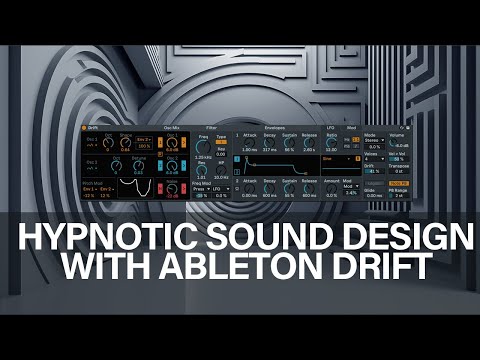
Discover how to shape hypnotic ambient textures with Drift, Ableton Live 12’s analog-style synth. Mordio breaks down modulation, effects, and sound design tips in this video.
Exploring analog-style oscillator drift, noise shaping, and rhythmic modulation in a unique new synth device
Drift is a new subtractive synth introduced in Ableton Live 12, and it’s quickly becoming a favorite for experimental and ambient producers. In this tutorial, Mordio walks us through how he uses Drift to sculpt hypnotic textures, layering oscillators, adding rhythmic modulation, and pushing subtle analog imperfections into musical character.
If you’re into lo-fi atmospheres, eerie leads, or psychedelic pads, this walkthrough reveals how to bend Drift into your next sonic weapon.
Getting to Know Drift
Drift is designed to emulate the natural “imperfections” of analog synths — particularly the way two oscillators can drift slightly in pitch or phase, creating lush, organic modulations. Mordio starts the patch with a single MIDI note and brings the following elements into play:
- Oscillator Shape & Envelope: Using Drift’s built-in shape control and a minimal envelope, Mordio creates a base tone.
- Noise Injection: Dialing in just the right amount of noise adds edge and overtones.
- Filter & Amp: The signal is then sculpted through Drift’s filter before being thickened with Ableton’s Amp device.
“The key is to overdrive a bit, then let it breathe with a filter — gives that hypnotic character,” Mordio notes.
Enhancing with Modulation & Movement
To push the sound beyond static synthesis, Mordio layers a range of effects and modulation tools:
- Sling Filter: Adds rhythmic resonance and motion, especially when used with subtle feedback and stereo modulation.
- LFO Mapping: Multiple LFOs are assigned to parameters like Ripple, Decay, and Detune — helping evolve the tone over time.
- Advanced Stereo Processing: The drifted signal is spread out using phase tools and stereo enhancements to widen the sound.
Building a Track-Ready Element
With modulation and spatial effects in place, the sound becomes a rich, flowing layer. Mordio then:
- Uses Valhalla Delay with feedback and filtering for depth
- Adds reverb and phasing to soften transients
- Applies multiple compressors and a limiter to control dynamics
- Creates a loop-ready, mixable layer ready to be dropped into a session
The result? A fully playable element that feels both raw and polished — ideal for cinematic builds, ambient intros, or even glitchy breakdowns.
Why Drift Stands Out
According to Mordio, Drift fills a unique space:
- It’s fast to program.
- It produces pleasing analog-style artifacts.
- It works well with aggressive modulation and effects chaining.
“If I need a quick synth, I’d just use Drift. Boom. I’m in love with it.”
Final Thoughts
This video isn’t just about Drift — it’s about mindset. Mordio demonstrates how a simple note, when filtered, shaped, and modulated, can morph into a captivating soundscape. Whether you’re designing pads, drones, or leads, this new device offers warmth, instability, and character in a simple package.
Have you used Drift yet? Let us know how it’s working in your projects.