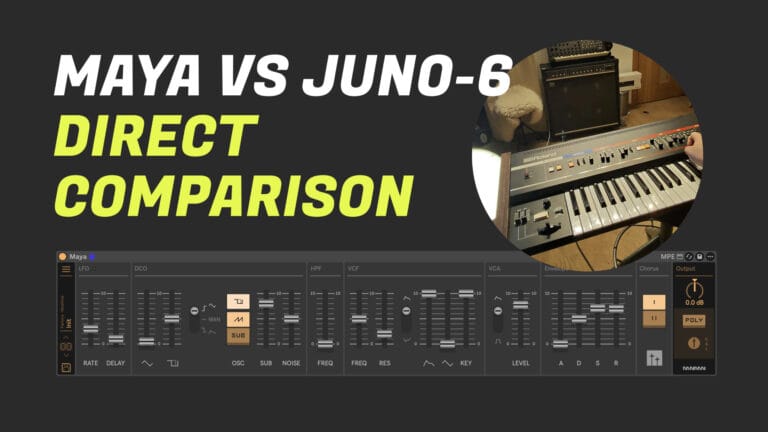
Monomono puts Maya side by side with a real Juno-6 to test how faithfully the Max for Live synth captures the hardware. The results speak for themselves.
How close can a Max for Live instrument get to the real thing? Monomono puts Maya to the test in a straight side-by-side comparison with an actual Juno-6, matching fader positions and running through a thorough set of scenarios to let the audio do the talking.
What the comparison covers
The video works through Maya’s core features systematically, with the hardware Juno-6 playing the same patch at each stage so you can judge the resemblance yourself. Rather than relying on processed audio clips or cherry-picked presets, the developer matches the physical fader positions on the hardware to the corresponding parameters in Maya, then records both sources so the VU meters tell you which is playing at any given moment.
One detail worth noting: the Juno-6 used here has been carefully calibrated, and recent updates to Maya addressed sub-oscillator phase accuracy and envelope behaviour to bring the emulation even closer to the hardware. If you are moving from an earlier version of Maya, saving your projects with the new version and making small parameter adjustments will keep your existing sounds consistent.
The comparison also highlights one area where the digital instrument has a clear practical advantage. Filter self-oscillation on the hardware Juno-6 tracks the keyboard imprecisely and requires external calibration, whereas Maya’s self-oscillating filter produces a clean, tuneable sine wave that responds accurately across the keyboard with no additional setup.
What each section demonstrates
- Init preset: Both instruments are set to the same starting point and played in alternation to establish a baseline.
- Chorus II: The full-width stereo chorus is compared directly, with the developer noting that any small differences are likely down to fader matching rather than the emulation itself.
- Chorus off: Dry oscillator tones are compared to isolate the core waveform character without any modulation colouring the result.
- PWM with LFO modulation: The pulse width is swept by an LFO on both instruments simultaneously, testing how Maya handles dynamic timbral movement.
- PWM with envelope: The envelope is routed to pulse width to compare transient shaping and how the duty cycle responds over time.
- PWM plus sawtooth with both chorus modes: Combining oscillators and stacking both chorus modes reveals how the phasing behaviour collapses to near-mono vibrato, matching the known characteristic of the hardware.
- Filter resonance: Resonance is pushed hard to compare the character of the filter peak and its interaction with the envelope.
- Filter self-oscillation: Oscillators are removed entirely so the filter resonates on its own, producing a sine wave that can be played melodically via key tracking.
- All oscillators together: The full oscillator stack is opened up with the filter raised to compare overall density and harmonic content.
- Sub oscillator solo: The sub is isolated to compare low-end weight and tuning accuracy between the two sources.
- High-pass filter: The HPF is swept on both instruments to compare how each thins out the low end as the cutoff rises.
- Chorus I, II, and both modes: Each chorus configuration is revisited with longer listening time to give a clear sense of the stereo width and modulation depth differences.
Why this matters
Comparison videos are only useful when the methodology is honest. By matching physical fader positions to parameter values, using a recently calibrated hardware unit, and letting both sources play unedited in the same session, this walkthrough gives you a realistic picture of what Maya actually sounds like against the instrument it is modelled on. If you own a Juno-6 or Juno-60, your specific unit will have its own quirks and calibration state, so some variation is always part of the hardware experience. What Maya offers is consistency, precision, and the practical benefits of a fully integrated Max for Live instrument alongside that analogue character.