A: LDM ROLI Blocks Pack is a collection of 5 Littlefoot apps that transform the ROLI Lightpad M hardware controller into specialized musical interfaces. The pack includes BoingBlock (polymetric rhythm sequencer), ChordSet (Major/Minor chord triggering with extensions and inversions), FretPad (6-string guitar layout), ModCC (custom MIDI CC controller builder with 12 slots), and PressureCafe (5-pattern sequencer). These apps run natively on the Lightpad M hardware, leveraging its pressure-sensitive LED grid, MPE capabilities, and portable battery-powered operation for chord performance, rhythmic sequencing, guitar-style playing, flexible MIDI control, and expressive pattern triggering.
LDM ROLI Blocks Pack
YOU MAY JUST WANT TO BUY SOME BLOCKS!
BUILD YOUR BUNDLE: Select three or more LDM Design products and unlock an instant 20% discount – applied automatically when you check out.
Five Littlefoot apps transform the ROLI Lightpad M into specialized musical interfaces for chord performance, polymetric sequencing, guitar-style playing, custom MIDI control, and pattern-based triggering. Install via ROLI Dashboard, switch between apps instantly, and leverage the Lightpad’s pressure-sensitive LED grid for expressive, portable music-making.
Inside you’ll find:
- BoingBlock: Polymetric rhythm sequencer based on monome bouncing ball – vertical position sets sequence length, direction modes include single or bounce, internal/external clock or C-2 note triggering
- ChordSet: Major/Minor chord triggering with 7th/9th extensions and root/1st/2nd inversions – pressure controls velocity, slide adds expression, color-coded harmonic function display
- FretPad: 6-string, 5-fret guitar layout with hammer-on/pull-off, slide techniques, MPE pressure and slide per string – intuitive for guitarists, expressive for electronic playing
- ModCC: Custom MIDI controller builder with 12 programmable slots (switch/pressure/button) and 4 sliders – save multiple Mode configurations, visual color feedback
- PressureCafe: 5 editable rhythm patterns – Y-axis finger position selects pattern, pressure controls velocity, on-device pattern editing, graphical sequence display
- Portable battery-powered operation via Lightpad M hardware
- MPE expression with pressure and slide response across all apps
- Visual LED feedback with color coding and animation
- On-device parameter control via side button menus
- Flexible clocking: internal, MIDI sync, or note-triggered
- Works with any MIDI software or hardware via USB or Bluetooth
- Installed via ROLI Dashboard (Mac/Windows)
Turn one compact, tactile controller into five specialized interfaces. Trigger complex chords with one touch. Sequence interlocking polyrhythms visually. Play melodies with guitar-style techniques. Build custom control layouts. Perform pattern-based sequences expressively. All from a portable, battery-powered device.
Requires: ROLI Lightpad M hardware controller | ROLI Dashboard software (Mac/Windows)
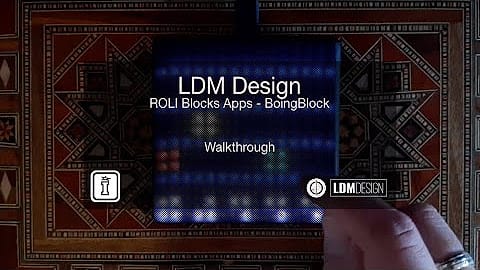
USER GUIDE: BoingBlock
LDM ROLI Blocks Pack
YOU MAY JUST WANT TO BUY SOME BLOCKS!
BUILD YOUR BUNDLE: Select three or more LDM Design products and unlock an instant 20% discount – applied automatically when you check out.
Five Littlefoot apps transform the ROLI Lightpad M into specialized musical interfaces for chord performance, polymetric sequencing, guitar-style playing, custom MIDI control, and pattern-based triggering. Install via ROLI Dashboard, switch between apps instantly, and leverage the Lightpad’s pressure-sensitive LED grid for expressive, portable music-making.
Inside you’ll find:
- BoingBlock: Polymetric rhythm sequencer based on monome bouncing ball – vertical position sets sequence length, direction modes include single or bounce, internal/external clock or C-2 note triggering
- ChordSet: Major/Minor chord triggering with 7th/9th extensions and root/1st/2nd inversions – pressure controls velocity, slide adds expression, color-coded harmonic function display
- FretPad: 6-string, 5-fret guitar layout with hammer-on/pull-off, slide techniques, MPE pressure and slide per string – intuitive for guitarists, expressive for electronic playing
- ModCC: Custom MIDI controller builder with 12 programmable slots (switch/pressure/button) and 4 sliders – save multiple Mode configurations, visual color feedback
- PressureCafe: 5 editable rhythm patterns – Y-axis finger position selects pattern, pressure controls velocity, on-device pattern editing, graphical sequence display
- Portable battery-powered operation via Lightpad M hardware
- MPE expression with pressure and slide response across all apps
- Visual LED feedback with color coding and animation
- On-device parameter control via side button menus
- Flexible clocking: internal, MIDI sync, or note-triggered
- Works with any MIDI software or hardware via USB or Bluetooth
- Installed via ROLI Dashboard (Mac/Windows)
Turn one compact, tactile controller into five specialized interfaces. Trigger complex chords with one touch. Sequence interlocking polyrhythms visually. Play melodies with guitar-style techniques. Build custom control layouts. Perform pattern-based sequences expressively. All from a portable, battery-powered device.
Requires: ROLI Lightpad M hardware controller | ROLI Dashboard software (Mac/Windows)
USER GUIDE: BoingBlock
Additional information
| Synth Compatibility | LightPad M |
|---|---|
| Min. Requirements | ROLI Dashboard to update your BLOCK |
| OS | Mac, Windows |
PRICE: £35.00
Product reviews
No reviews yet. Be the first to review this product.
LDM ROLI Blocks Pack
Overview & The Lightpad Transformed
LDM ROLI Blocks Pack bundles five Littlefoot apps that transform the ROLI Lightpad M into specialized musical interfaces. Each app reimagines the Lightpad’s touch-sensitive grid for specific creative tasks – triggering chords with inversions and extensions, sequencing polymetric rhythms, playing guitar-style fretboard layouts, building custom MIDI controllers, or performing pattern-based sequences with pressure and slide expression.
The Lightpad M is a portable, battery-powered MPE controller with a pressure-sensitive LED grid. These five apps unlock its potential beyond standard note layouts, providing interfaces optimized for chord performance, rhythmic sequencing, expressive melodic playing, flexible MIDI control, and pattern triggering. Install via ROLI Dashboard, switch between apps instantly on the hardware, and integrate the Lightpad into DAWs, hardware setups, or standalone performances.
This pack represents the first wave of LDM Design apps for ROLI Blocks, establishing interfaces that leverage the Lightpad’s unique capabilities – pressure sensitivity for dynamic control, slide for pitch bend and modulation, visual LED feedback for pattern visualization, and compact portability for mobile music-making. Whether performing chords on stage, sequencing polyrhythms in the studio, or controlling software parameters with tactile feedback, these five apps expand the Lightpad’s role in electronic music production and performance.
BoingBlock: Polymetric Rhythm Sequencer
Based on the monome bouncing ball sequencer, BoingBlock creates polymetric rhythms through an intuitive visual interface where sequence length is determined by vertical position and direction is set along the bottom row. Strike any row above the direction selectors – the distance from the bottom dictates sequence length, velocity comes from strike pressure, and the animated square moves like a bouncing ball, triggering notes when hitting the bottom position.
Direction modes include single direction (ascending or descending, functionally identical with the square moving linearly) and bouncing ball mode where the square travels down then back up before retriggering, doubling the sequence length. Press in the top row with descending mode for a 5-step sequence. Switch to bounce mode and the same position creates an 8-step sequence as the marker travels down and returns. This simple position-based interface generates complex polymetric patterns – run multiple columns simultaneously with different lengths and directions for interlocking rhythmic cycles.
Clocking options include the Lightpad’s internal clock (arbitrary speeds without precise BPM), external MIDI clock sync for tempo-locked patterns, or C-2 note triggering where each incoming C-2 advances one step, enabling irregular timing and rhythmic experimentation. Dashboard settings provide scale selection for constraining notes to musical keys, fixed velocity mode for consistent dynamics, velocity randomization for humanization, and root note selection. The side button opens an on-device menu for quick root note changes during performance.
ChordSet: Major and Minor Chord Triggering
ChordSet arranges the seven diatonic chords of Major or Minor scales across the Lightpad’s grid, responding to pressure for velocity and slide for expression. Modifier buttons add 7th extensions, 9th extensions, or switch between root, 1st, and 2nd inversions. Hold the 7th or 9th modifier while striking a chord to add the extension. Select inversion mode to change voicing without altering the underlying harmony.
The interface displays chords with color coding – blue for tonic family (I, III, VI in Major), cyan for subdominant family (II, IV in Major), and pink for diminished seventh (VII). Major and Minor modes are toggled via the side button’s base note page, shown visually as green for Major and pink for Minor. This color system provides instant visual feedback for harmonic function, useful for composition and live performance where quick chord changes require immediate recognition.
Dashboard settings map pressure and slide to CC numbers for software and hardware that don’t support MPE, enable MPE mode for multi-channel expression, and configure MIDI channel routing. The side button menu allows on-device root note changes and Major/Minor mode switching without accessing Dashboard, essential for live performance key changes. ChordSet works with any MIDI-capable instrument, from software synths to hardware modules, providing a chord performance interface more intuitive than keyboard-based voicings.
FretPad: Guitar String Layout Interface
FretPad models guitar string layout and techniques across the Lightpad’s grid, displaying 6 strings vertically with 5 frets horizontally. Slide up and down strings for pitch changes, hammer-on and pull-off between notes, and leverage MPE pressure and slide features for expressive playing. For musicians more comfortable with guitar than keyboards, this interface provides an immediately familiar playing surface with electronic music production’s flexibility.
The last note pressed on any string sends that string’s pressure and slide values, enabling polyphonic expression where each string responds independently to touch dynamics and lateral movement. This mimics guitar’s per-string string bending and vibrato while adding pressure-based dynamics impossible on acoustic guitar. Dashboard options include MPE or single-channel mode, pressure type selection, pitch bend range configuration, CC mapping for pressure and slide (for non-MPE software/hardware), alternate tuning selection, and color customization.
The side button opens a menu for root note selection, adjusting the fretboard’s pitch range on the fly. Combined with alternate tunings in Dashboard, FretPad accommodates various playing styles from standard guitar layouts to experimental open tunings. The interface works with guitar amp simulators, synthesizers, samplers, and any MIDI instrument, providing tactile string-based control over electronic sound sources. Particularly effective for slide guitar-style playing where continuous pitch control via lateral movement creates smooth glissandos unavailable on traditional MIDI keyboards.
ModCC: Custom MIDI Controller Builder
ModCC transforms the Lightpad into a customizable MIDI CC controller with 12 programmable slots and 4 vertical sliders. Each slot holds a switch (on/off toggle sending 0 or 127), pressure pad (pressure determines CC value), or momentary button (hold to activate, release to deactivate). The bottom row contains 4 buttons that open corresponding vertical sliders – press to reveal, adjust value, press again to hide. When hidden, button color reflects slider value from green (low) to red (high), providing visual feedback without occupying screen space.
Dashboard configuration sets CC number and control type for each slot, with setups saved as Modes for instant recall. Build custom controller layouts for specific software, hardware, or performance scenarios. Map slots to filter cutoff, resonance, reverb send, delay feedback, LFO rate, or any CC-addressable parameter. The pressure pad mode enables dynamic control where harder presses send higher values, useful for parameters requiring performance expression like filter modulation or effect wet/dry balance.
The visual feedback system aids performance – glance at closed slider buttons to see parameter states via color coding, open sliders for precise adjustment, and arrange switches/buttons/pressure pads in ergonomic layouts. Multiple saved Modes support different songs, software instruments, or hardware setups, switching between controller configurations without rewiring or remapping. ModCC turns the portable Lightpad into a compact, battery-powered tactile control surface for studio and stage applications.
PressureCafe: Pattern-Based Sequencer
Based on the monome Press Cafe, PressureCafe provides 5 editable rhythm patterns assigned to 5 notes. When holding any column, vertical finger position (Y-axis) selects which pattern plays for that note. Pressure controls note velocity (or can map to aftertouch), slide up/down sends MIDI CC 74 for expression, and the column displays a graphical representation of the active sequence while fingers touch the surface.
Each of the 5 patterns can be customized with different sequence lengths up to 12 steps. Edit patterns by holding the side button and pressing one of the Y-axis position squares, opening a page showing that pattern’s steps. Toggle steps on or off by pressing them. Set sequence length by holding the first step and pressing the desired end step. Return to playing by pressing the side button again. This on-device editing enables quick pattern variations during performance or composition without interrupting workflow.
Dashboard settings include MIDI mode and channel configuration, slide CC number assignment, scale selection for melodic constraint, and clock mode switching between internal Lightpad clock or external MIDI clock sync. Like BoingBlock, it advances one step per C-2 note, enabling irregular timing and experimental sequencing. The side button’s base note page allows root note changes on the fly. PressureCafe excels at percussive pattern triggering where different finger positions across the Y-axis fire different rhythmic patterns for the same pitch, creating dynamic, performance-driven drum programming or melodic sequences.
Installation and Workflow
Install apps via ROLI Dashboard software (Mac/Windows) by opening File > Open and selecting the Littlefoot script files, or drag-and-drop files onto the Lightpad image in Dashboard (Mac only). Apps save to ~/Documents/ROLI/Littlefoot and appear in Dashboard’s app library for one-click loading to the Lightpad hardware. Switch between apps on the device by selecting them in Dashboard – the Lightpad’s LED grid updates to display the active app’s interface.
Each app integrates into MIDI workflows identically to hardware MIDI controllers – the Lightpad connects via USB or Bluetooth, sends MIDI notes and CC messages, and appears as a MIDI device in DAWs and standalone software. Route Lightpad MIDI to tracks, assign CC messages to parameters, and record MIDI output like any controller. The apps work with Ableton Live, Logic Pro, FL Studio, Bitwig, hardware synthesizers, drum machines, and any MIDI-capable device.
The portability advantage: Lightpad M runs on battery power with Bluetooth MIDI connectivity, enabling mobile music-making without computer tethers. Use it with iOS music apps, standalone hardware setups, or laptop-based mobile studios. The compact size fits in bags alongside other portable gear. Five specialized apps in one device provide chord playing, sequencing, fretboard layout, MIDI control, and pattern triggering from a single piece of hardware smaller than most MIDI keyboards.
Features & Highlights
Five Specialized Interfaces: Chord triggering, polymetric sequencing, guitar fretboard, custom MIDI controller, pattern-based performance – each optimized for specific creative tasks.
MPE Expression Throughout: Pressure and slide response on Lightpad hardware translates to dynamic velocity control, CC modulation, aftertouch, and pitch bend depending on app and settings.
Visual LED Feedback: Color-coded interfaces provide instant recognition of chord functions, active patterns, controller states, and sequence playback positions.
Portable Battery-Powered Operation: Lightpad M runs untethered via battery and Bluetooth MIDI, enabling mobile production and performance setups.
On-Device Parameter Control: Side button menus allow root note changes, Major/Minor switching, and pattern editing without accessing Dashboard software.
Flexible Clocking Options: Internal clock, external MIDI sync, or note-triggered advancement (C-2) provide tempo-locked or experimental timing modes.
Customizable Controller Layouts: ModCC saves multiple Mode configurations for different software, hardware, or performance scenarios.
Editable Patterns and Sequences: On-device editing for PressureCafe patterns and BoingBlock configuration changes during performance.
Universal MIDI Compatibility: Works with any MIDI-capable software or hardware via USB or Bluetooth connections.
Compact All-In-One Solution: Five apps in one small hardware device replace multiple dedicated controllers.
Ideal For
- Electronic musicians who want specialized controller interfaces beyond standard keyboard layouts
- Guitarists transitioning to electronic production who prefer fretboard-based playing
- Live performers needing chord triggering with quick inversion and extension changes
- Producers creating polymetric and generative rhythmic patterns
- Mobile musicians requiring portable, battery-powered MIDI control
- Hardware enthusiasts integrating tactile control surfaces into modular and synthesizer setups
- Performers who value visual feedback and expressive pressure/slide response
What’s Included
- BoingBlock – Polymetric rhythm sequencer (.littlefoot)
- ChordSet – Major/Minor chord trigger with extensions and inversions (.littlefoot)
- FretPad – 6-string, 5-fret guitar layout interface (.littlefoot)
- ModCC – Custom MIDI CC controller with 12 slots and 4 sliders (.littlefoot)
- PressureCafe – 5-pattern sequencer with editable rhythms (.littlefoot)
- Comprehensive PDF user guides for each app
- Mac and Windows compatible (via ROLI Dashboard)
- Requires ROLI Lightpad M hardware controller
Technical Notes
All five apps are Littlefoot scripts that run natively on ROLI Lightpad M hardware. They do not require computer connection after installation – the Lightpad operates standalone via battery power with Bluetooth MIDI or tethered via USB MIDI. Dashboard software (free from ROLI) is required for initial installation and configuration but not for performance use. Apps switch instantly on the hardware by selecting them in Dashboard when connected.
MPE mode enables per-note expression where each touch sends pressure and slide data on independent MIDI channels. Single-channel mode consolidates all notes to one channel for compatibility with non-MPE instruments. CC mapping options provide control for software and hardware without MPE or aftertouch support. The Lightpad’s 15×15 LED grid provides visual feedback with color coding and animation for pattern playback, chord types, and controller states.
Explore More from LDM Design
Chance Pack FOUR | LP Pack | FRAKTOR | ADD | View All LDM Design Products
Frequently Asked Questions
A: The ROLI Lightpad M is a portable, battery-powered MIDI controller featuring a 15×15 pressure-sensitive LED grid that supports MPE (MIDI Polyphonic Expression). It connects via USB or Bluetooth MIDI. The Lightpad M hardware is required to use these apps and must be purchased separately from ROLI. The LDM ROLI Blocks Pack contains only the software apps (Littlefoot scripts) that run on the Lightpad M hardware.
A: Install apps using the free ROLI Dashboard software (available for Mac and Windows from ROLI’s website). In Dashboard, go to File > Open and select the Littlefoot script files. On Mac, you can also drag-and-drop the files onto the Lightpad image in Dashboard. Apps save to ~/Documents/ROLI/Littlefoot and appear in Dashboard’s library. Connect your Lightpad M via USB or Bluetooth, select an app in Dashboard, and it loads instantly to the hardware. Once installed, apps run on the Lightpad without requiring computer connection.
A: Yes. After initial installation via ROLI Dashboard, the apps run natively on the Lightpad M hardware without computer connection. The Lightpad operates on battery power and sends MIDI via Bluetooth to iOS devices, hardware synthesizers, or any Bluetooth MIDI-capable equipment. You can also use USB MIDI for direct hardware connections. Dashboard is only needed for initial installation and configuration changes.
A: MPE (MIDI Polyphonic Expression) allows each note to have independent expression control on separate MIDI channels. When you press multiple points on the Lightpad, each touch can send its own pressure (aftertouch) and slide (pitch bend/CC) data. For example, in ChordSet, each note in a chord can have individual expression. In FretPad, each string responds independently to pressure and slide. The apps also support single-channel mode for compatibility with non-MPE instruments, where pressure and slide can be mapped to standard CC numbers.
A: Yes. The Lightpad M appears as a standard MIDI device that works with any MIDI-capable software (Ableton Live, Logic Pro, FL Studio, Bitwig, etc.) or hardware (synthesizers, drum machines, samplers). The apps send standard MIDI notes and CC messages. Route the Lightpad’s MIDI output to tracks in your DAW or to hardware MIDI inputs, just like any MIDI controller. MPE mode works with MPE-compatible instruments, while single-channel mode provides universal compatibility.
A: You can explore more of LDM Design’s tools and devices here: LDM Design
Important Information
V1.0.0 – Initial Release – May 2020
Our Products are generally provided as Zip file downloads which in all cases will need to be extracted and saved to your hard drive prior to installation. Details on the different file type provided and what to do with them are below.
.alp Files – These are Ableton Live Packs and will install directly into the Packs Section of the browser of Ableton Live. When you double click on them you will see a pop up window asking you to confirm that installation is ok as the files are described as “Legacy”. This is fine and you are ok to proceed, the packs are created using the format for an earlier version of Live and so remain compatible with the current version.
.amxd files – These are individual MaxforLive Devices and can be stored anywhere on your hard drive. We’d advise creating a folder for them and then adding that folder as a location within the Places section of Lives Browser.
Control Surface Scripts – Please refer to the individual User Guides provided with your download, an abridged version of the installation will be shown further down this page.
ClyphX Pro – Please refer directly to the manual and installation video for this specific product.
Novation Circuit Packs – These are provided as individual Sysex Files and as a complete bank file. All are to be installed using a version of the Circuit Editor and not via Novations Components back up utility.
ROLI Apps – Open the ROLI Dashboard and connect your BLOCKS controller, then drag the .littlefoot file onto the image of the BLOCK.
END-USER LICENSE AGREEMENT FOR ISOTONIK STUDIOS SOFTWARE PRODUCTS.
PLEASE READ THE TERMS AND CONDITIONS OF THIS LICENSE AGREEMENT CAREFULLY BEFORE CONTINUING WITH THIS PROGRAM INSTALL.
This End-User License Agreement (referred to as “EULA”) is a legal agreement between an individual or a single entity (referred to as “LICENSEE”) and Isotonik Studios for the Isotonik Studios software product(s) which may include associated software components, media, printed materials, and “online” or electronic documentation (referred to as “SOFTWARE PRODUCT”). By installing, copying, or otherwise using the SOFTWARE PRODUCT, the LICENSEE agrees to be bound by the terms of this EULA.
This EULA represents the entire agreement concerning the program between the LICENSEE and Isotonik Studios and it supersedes any prior proposal, representation, or understanding between the parties. If the LICENSEE does not agree to the terms of this EULA, the LICENSEE should not install or use the SOFTWARE PRODUCT.
The SOFTWARE PRODUCT is protected by copyright laws and international copyright treaties, as well as other intellectual property laws and treaties. The SOFTWARE PRODUCT is licensed, not sold.
- GRANT OF LICENSE.
The SOFTWARE PRODUCT is licensed as follows:
(a) Installation and Use. Providing that the LICENSEE has paid any applicable license fees, Isotonik Studios grants the LICENSEE the right to install and use copies of the SOFTWARE PRODUCT on up to two computers in the LICENSEE’s possession that are running a validly licensed copy of the operating system for which the SOFTWARE PRODUCT was designed [e.g., Windows 10, macOS]. The computer(s) must be owned by the LICENSEE.
(b) Backup Copies. The LICENSEE may also make copies of the SOFTWARE PRODUCT as may be necessary for backup and archival purposes.
- DESCRIPTION OF OTHER RIGHTS AND LIMITATIONS.
(a) Maintenance of Copyright Notices. The LICENSEE must not remove or alter any copyright notices on any and all copies of the SOFTWARE PRODUCT.
(b) Distribution. The LICENSEE may not distribute registered copies of the SOFTWARE PRODUCT to third parties.
(c) Prohibition on Reverse Engineering, Decompilation, and Disassembly. The LICENSEE may not reverse engineer, decompile, or disassemble the SOFTWARE PRODUCT, except and only to the extent that such activity is expressly permitted by applicable law notwithstanding this limitation.
(d) Rental. The LICENSEE may not rent, lease, or lend the SOFTWARE PRODUCT.
(e) License transfer The LICENSEE may not transfer their license to the SOFTWARE PRODUCT to any third party. Any attempt to do so will be considered a violation of this EULA.
(f) Support Services. Isotonik Studios may provide the LICENSEE with support services related to the SOFTWARE PRODUCT for a period of 12 months following the date of purchase. Any supplemental software code provided to the LICENSEE as part of the Support Services shall be considered part of the SOFTWARE PRODUCT and subject to the terms and conditions of this EULA.
(g) Compliance with Applicable Laws. The LICENSEE must comply with all applicable laws regarding use of the SOFTWARE PRODUCT.
- TERMINATION Without prejudice to any other rights, Isotonik Studios may terminate this EULA if the LICENSEE fails to comply with the terms and conditions of this EULA. In such event, the LICENSEE must destroy all copies of the SOFTWARE PRODUCT in the LICENSEE’s possession.
- COPYRIGHT All title, including but not limited to copyrights, in and to the SOFTWARE PRODUCT and any copies thereof are owned by Isotonik Studios or its suppliers. All title and intellectual property rights in and to the content which may be accessed through use of the SOFTWARE PRODUCT is the property of the respective content owner and may be protected by applicable copyright or other intellectual property laws and treaties. This EULA grants the LICENSEE no rights to use such content. All rights not expressly granted are reserved by Isotonik Studios.
- NO WARRANTIES Isotonik Studios expressly disclaims any warranty for the SOFTWARE PRODUCT. The SOFTWARE PRODUCT is provided ‘As Is’ without any express or implied warranty of any kind, including but not limited to any warranties of merchantability, noninfringement, or fitness of a particular purpose. Isotonik Studios does not warrant or assume responsibility for the accuracy or completeness of any information, text, graphics, links or other items contained within the SOFTWARE PRODUCT. Isotonik Studios makes no warranties respecting any harm that may be caused by the transmission of a computer virus, worm, time bomb, logic bomb, or other such computer program. Isotonik Studios further expressly disclaims any warranty or representation to the LICENSEE or to any third party.
- LIMITATION OF LIABILITY In no event shall Isotonik Studios be liable for any damages (including, without limitation, lost profits, business interruption, or lost information) arising out of the LICENSEE’s use of or inability to use the SOFTWARE PRODUCT, even if Isotonik Studios has been advised of the possibility of such damages. In no event will Isotonik Studios be liable for loss of data or for indirect, special, incidental, consequential (including lost profit), or other damages based in contract, tort or otherwise. Isotonik Studios shall have no liability with respect to the content of the SOFTWARE PRODUCT or any part thereof, including but not limited to errors or omissions contained therein, libel, infringements of rights of publicity, privacy, trademark rights, business interruption, personal injury, loss of privacy, moral rights or the disclosure of confidential information.
MORE FROM LDM Design...
£18.00