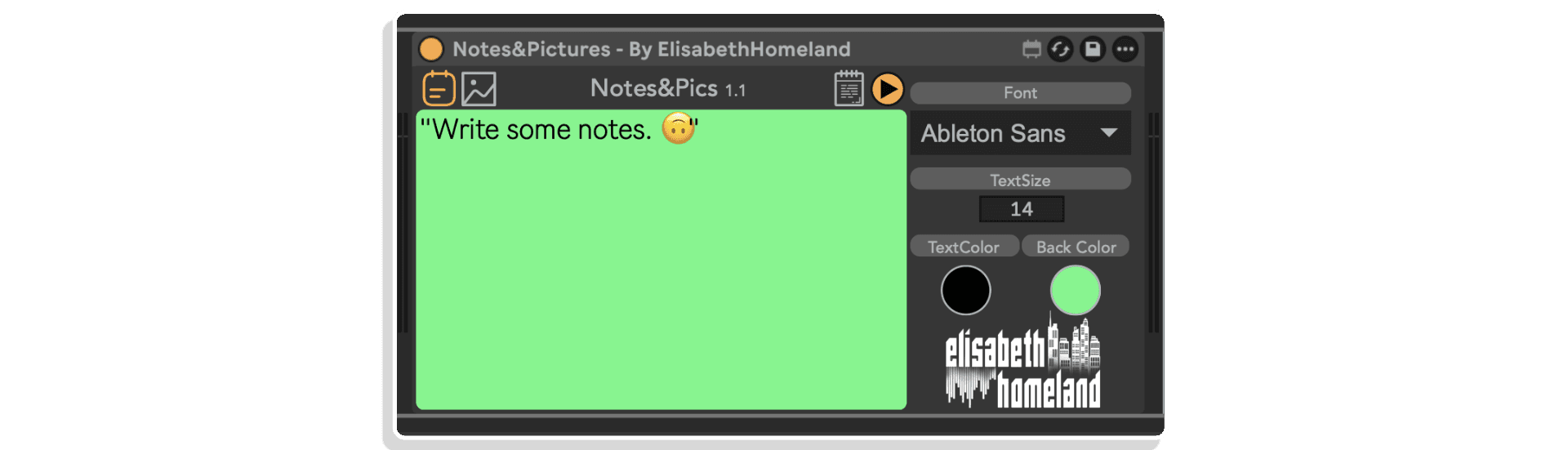
In its simplest form you can use it to record notes about your Live Set


Notice: Elisabeth Homeland products are no longer available for purchase on Isotonik Studios. This page remains available for existing customers who need product information and support resources.
Notice: Elisabeth Homeland products are no longer available for purchase on Isotonik Studios. This page remains available for existing customers who need product information and support resources.
Out of stock
| MaxforLive | Control Devices |
|---|---|
| Ableton Live Compatibility | Ableton Live 10 Standard with MaxforLive, Ableton Live 10 Suite, Ableton Live 11 Standard with MaxforLive, Ableton Live 11 Suite, Ableton Live 12 Standard with MaxforLive, Ableton Live 12 Suite |
| Min. Requirements | Ableton Live 10 Standard with MaxforLive Installed or Ableton Live 10 Suite |
| OS | Mac, Windows |


No reviews yet. Be the first to review this product.
Overview & Inspiration
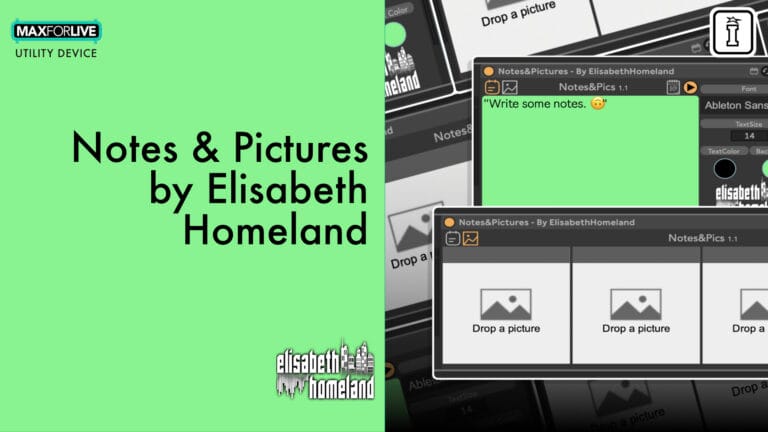
Ever finish a recording session and forget which mic you used, where you placed it, or what settings delivered that perfect take? Notes & Pictures is a MaxforLive documentation device that lives inside your Ableton Live session—capturing the details that matter while you work.
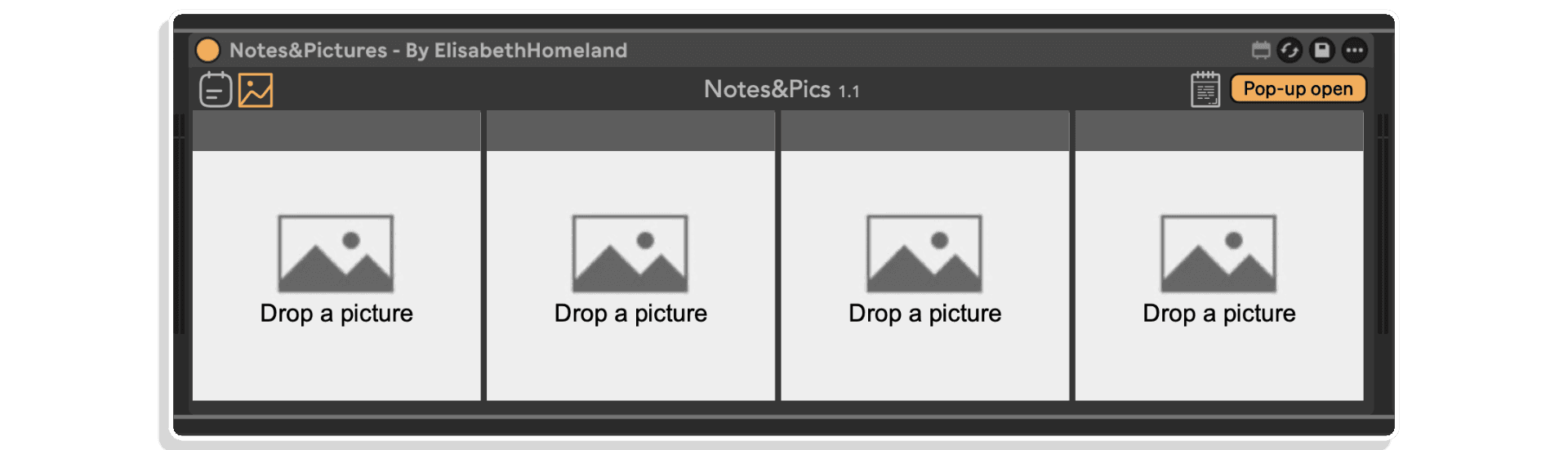
Write notes about microphone types, placement, hardware settings, and recording decisions. Add up to four images to document mic positions, hardware configurations, or anything visual that helps you recreate your sound. Everything stays organized within your project, accessible exactly when you need it.
Features & Highlights
Written Notes Section – Document essential recording information directly in the device. Record microphone choices, placement details, preamp settings, instrument notes, or any technical decisions you’ll want to remember later. All text is saved automatically within your Live set.
Four Image Slots – Drag and drop images directly into Notes & Pictures to capture visual documentation. Photograph mic positioning, hardware settings, cable routing, or anything that helps you recreate your setup. Supports standard image formats and keeps everything organized within your project.
Floating Window View – Open your notes and images in a resizable, pinned floating window with a single click or keyboard shortcut. Keep documentation visible while you work, or automate the window to appear during specific sections of your arrangement.
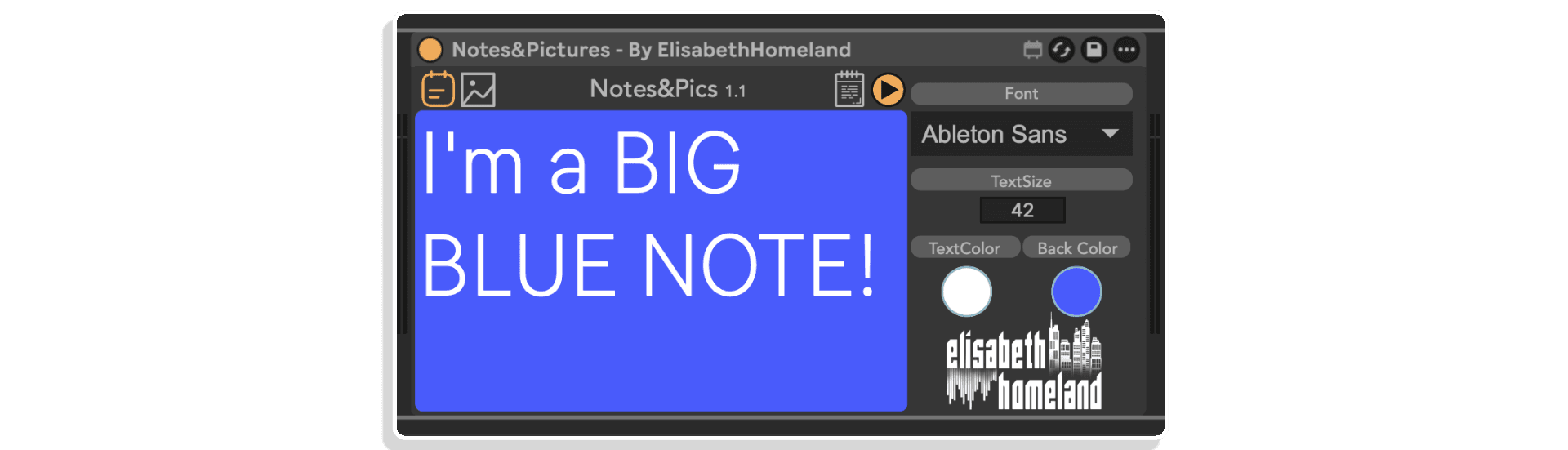
Fully Customizable Appearance – Adjust font type, text size, text color, and background color to match your workflow preferences or visual needs. Make documentation as prominent or subtle as you prefer.
Keyboard and MIDI Mappable – Assign shortcuts to instantly open the floating window, or automate the display to appear at specific timeline locations. Perfect for live scenarios or complex session navigation.
Project-Integrated Storage – Create a “Pictures” folder within your Live set directory to ensure images stay with your project. No broken links, no lost files—everything travels together when you move or archive sessions.
How to Use
Drop Notes & Pictures onto any MIDI or audio track in your Ableton Live session. Start typing in the notes section to document equipment, settings, or recording decisions. The device automatically saves everything with your Live set.
For images, create a “Pictures” folder inside your current Live set’s project folder (visible in the Live browser). Place your photos there, then drag and drop them directly into any of the four image slots in Notes & Pictures. This ensures images remain linked to your project even when moving or archiving sessions.
Click the note icon (or use an assigned keyboard shortcut) to open a floating, resizable window showing your documentation. The window stays on top of other windows, letting you reference notes while working in other parts of Live. You can also automate the window to appear during specific sections of your arrangement—useful for recalling recording details at exact timeline positions.
Access the “notes settings” panel to customize appearance: choose your preferred font, adjust text size for readability, and set text and background colors to match your visual workflow.
Ideal For
What’s Included
Requirements
EXPLORE MORE FROM ELISABETH HOMELAND:
Re-Record | Track Presets | Ground Control | Varispeed | Toggle Suite
A: Notes & Pictures is a MaxforLive device that lets you document your recording process inside Ableton Live. Write notes about equipment and settings, add up to four images of mic positions or hardware configurations, and access everything through a customizable floating window.
A: Yes, Notes & Pictures is a MaxforLive device.
A: MaxforLive is a platform that integrates the visual programming environment Max with Ableton Live, allowing users to create and use custom audio, MIDI, and control devices.
A: Yes. Notes & Pictures supports up to four image slots. You can drag and drop images directly into the device. For best organization, create a “Pictures” folder inside your Live set’s project folder and store images there first—this ensures they stay with your project.
A: You can explore more of Elisabeth Homeland’s tools and devices here: ELISABETH HOMELAND
V1.0.0 – Initial Release – May 2025
Our Products are generally provided as Zip file downloads which in all cases will need to be extracted and saved to your hard drive prior to installation. Details on the different file type provided and what to do with them are below.
.alp Files – These are Ableton Live Packs and will either install directly into the Packs Section of the browser of Ableton Live or ask you to save them to your hard drive. For packs that install to the library, when you double click on them you will see a pop up window asking you to confirm that installation is ok as the files are described as “Legacy”. This is fine and you are ok to proceed, the packs are created using the format for an earlier version of Live and so remain compatible with the current version.
.amxd files – These are individual MaxforLive Devices and can be stored anywhere on your hard drive. We’d advise creating a folder for them and then adding that folder as a location within the Places section of Lives Browser.
END-USER LICENSE AGREEMENT FOR ISOTONIK STUDIOS SOFTWARE PRODUCTS.
PLEASE READ THE TERMS AND CONDITIONS OF THIS LICENSE AGREEMENT CAREFULLY BEFORE CONTINUING WITH THIS PROGRAM INSTALL.
This End-User License Agreement (referred to as “EULA”) is a legal agreement between an individual or a single entity (referred to as “LICENSEE”) and Isotonik Studios for the Isotonik Studios software product(s) which may include associated software components, media, printed materials, and “online” or electronic documentation (referred to as “SOFTWARE PRODUCT”). By installing, copying, or otherwise using the SOFTWARE PRODUCT, the LICENSEE agrees to be bound by the terms of this EULA.
This EULA represents the entire agreement concerning the program between the LICENSEE and Isotonik Studios and it supersedes any prior proposal, representation, or understanding between the parties. If the LICENSEE does not agree to the terms of this EULA, the LICENSEE should not install or use the SOFTWARE PRODUCT.
The SOFTWARE PRODUCT is protected by copyright laws and international copyright treaties, as well as other intellectual property laws and treaties. The SOFTWARE PRODUCT is licensed, not sold.
The SOFTWARE PRODUCT is licensed as follows:
(a) Installation and Use. Providing that the LICENSEE has paid any applicable license fees, Isotonik Studios grants the LICENSEE the right to install and use copies of the SOFTWARE PRODUCT on up to two computers in the LICENSEE’s possession that are running a validly licensed copy of the operating system for which the SOFTWARE PRODUCT was designed [e.g., Windows 10, macOS]. The computer(s) must be owned by the LICENSEE.
(b) Backup Copies. The LICENSEE may also make copies of the SOFTWARE PRODUCT as may be necessary for backup and archival purposes.
(a) Maintenance of Copyright Notices. The LICENSEE must not remove or alter any copyright notices on any and all copies of the SOFTWARE PRODUCT.
(b) Distribution. The LICENSEE may not distribute registered copies of the SOFTWARE PRODUCT to third parties.
(c) Prohibition on Reverse Engineering, Decompilation, and Disassembly. The LICENSEE may not reverse engineer, decompile, or disassemble the SOFTWARE PRODUCT, except and only to the extent that such activity is expressly permitted by applicable law notwithstanding this limitation.
(d) Rental. The LICENSEE may not rent, lease, or lend the SOFTWARE PRODUCT.
(e) License transfer The LICENSEE may not transfer their license to the SOFTWARE PRODUCT to any third party. Any attempt to do so will be considered a violation of this EULA.
(f) Support Services. Isotonik Studios may provide the LICENSEE with support services related to the SOFTWARE PRODUCT for a period of 12 months following the date of purchase. Any supplemental software code provided to the LICENSEE as part of the Support Services shall be considered part of the SOFTWARE PRODUCT and subject to the terms and conditions of this EULA.
(g) Compliance with Applicable Laws. The LICENSEE must comply with all applicable laws regarding use of the SOFTWARE PRODUCT.