A: No — you only need one or the other. Ambient Atelier works independently on Push 3 Standalone or inside Ableton Live. Run it on the hardware without a laptop, use it in the DAW, or move freely between both. It’s the same template either way.
Ambient Atelier by KVNDRA
LOAD IT. PLAY IT. GET LOST IN IT.
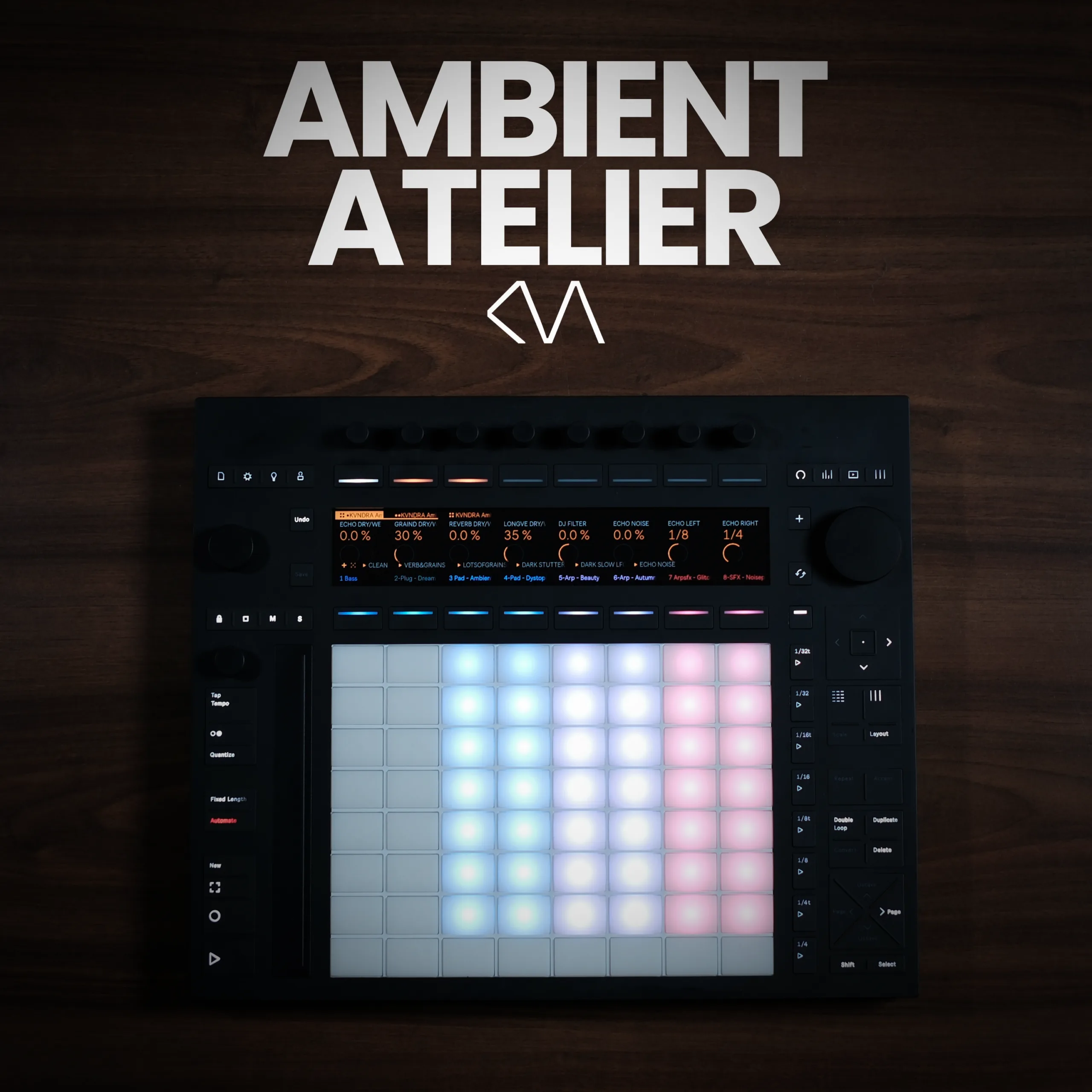
Ambient Atelier by KVNDRA is a fully performance-ready ambient template built for Ableton Push 3 Standalone and Ableton Live. Twelve playable sounds, 40 presets, combinable MIDI sequences, and a reworked 16-macro performance effect rack, all tuned and ready the moment you hit play.
- Twelve playable sounds: eight core (Bass, Pluck Keys, two Pads, two Arps, two Sound FX) plus four swap-in sounds - Lead Bass, an extra Keys, and the new Arp – Filter Delay and Pad – Chant - all swappable on the fly
- 40 snapshot presets: Switch moods with a single tap across every instrument channel
- Combinable MIDI sequences: Mix and match seven clips across Pads, Arps and SFX - and, new in 1.1, all eight stock sounds now carry MIDI, so the whole set plays the moment you hit play
- Reworked Performance FX Rack 2.0 (new in 1.1): 16 hands-on macros over a morphable filter, a new Phaser, Reverb, Grain Delay, Echo and more - with ten snapshots including a CLEAN reset
- Ambient Mastering Rack: Keeps all channels balanced and cohesive without over-compressing
- Safety-net design: Every sound has a DEFAULT button and the FX rack a CLEAN button; nothing you do can break the template
- Push 3 Standalone optimised: Perform the entire set without a laptop - or use it fully inside Ableton Live
- Beginner friendly: C Phrygian at 80 BPM out of the box, fully adjustable to your own style
USER GUIDE:
Ambient Atelier User Guide V1.1
Ambient Atelier by KVNDRA
LOAD IT. PLAY IT. GET LOST IN IT.
Ambient Atelier by KVNDRA is a fully performance-ready ambient template built for Ableton Push 3 Standalone and Ableton Live. Twelve playable sounds, 40 presets, combinable MIDI sequences, and a reworked 16-macro performance effect rack, all tuned and ready the moment you hit play.
- Twelve playable sounds: eight core (Bass, Pluck Keys, two Pads, two Arps, two Sound FX) plus four swap-in sounds - Lead Bass, an extra Keys, and the new Arp – Filter Delay and Pad – Chant - all swappable on the fly
- 40 snapshot presets: Switch moods with a single tap across every instrument channel
- Combinable MIDI sequences: Mix and match seven clips across Pads, Arps and SFX - and, new in 1.1, all eight stock sounds now carry MIDI, so the whole set plays the moment you hit play
- Reworked Performance FX Rack 2.0 (new in 1.1): 16 hands-on macros over a morphable filter, a new Phaser, Reverb, Grain Delay, Echo and more - with ten snapshots including a CLEAN reset
- Ambient Mastering Rack: Keeps all channels balanced and cohesive without over-compressing
- Safety-net design: Every sound has a DEFAULT button and the FX rack a CLEAN button; nothing you do can break the template
- Push 3 Standalone optimised: Perform the entire set without a laptop - or use it fully inside Ableton Live
- Beginner friendly: C Phrygian at 80 BPM out of the box, fully adjustable to your own style
USER GUIDE:
Ambient Atelier User Guide V1.1
Demo ONE
Unknown Artist
0:00
0:00
Playlist
4 tracks
1
Demo ONE
Unknown Artist
2
Demo TWO
Unknown Artist
3
Demo THREE
Unknown Artist
4
Demo FOUR
Unknown Artist
Product reviews
5 out of 5
8 reviews
How item rating is calculated
We show the average based on reviews. Only genuine reviews are displayed.
Sort by
September 13, 2026
This reviewer bought this product from our store.
Not had much time to really go in deep, but first quick play shows its potential. Made some cool sounding stuff 'straight from the box'
I recommend this product
Reply from Kvndra
September 14, 2026
September 4, 2026
This reviewer bought this product from our store.
learning the ropes while testing the waters
This reminds me in a certain way at AUM on ipados
good for live improvisations in real time and experiments
Even for learning how to build a set
I recommend this product
Reply from Kvndra
September 4, 2026
August 21, 2026
This reviewer bought this product from our store.
We need more of these Templates! Love it
I recommend this product
Reply from Kvndra
August 21, 2026
August 2, 2026
This reviewer bought this product from our store.
Intriguing
Atelier is a wonderful tool for creating ambient foundations for tracks. It's a also hypnotic to play with!
Beautiful sounds, well thought out device/macro controls
More patterns and variations to see how KVNDRA uses it would be nice, but, overall it's an inspiring Push device.
I recommend this product
July 30, 2026
This reviewer bought this product from our store.
Excellent setup that really showcases the power of Push 3. Great way to dig in and start to understand how all of the pieces fit together and sounds great to boot.
I recommend this product
Reply from Kvndra
July 31, 2026
Ambient Atelier by KVNDRA
Most ambient templates hand you a pile of sounds and leave you to figure out the rest. Ambient Atelier does something different – it hands you a complete, performance-ready instrument that sounds stunning the moment you press play, and then quietly invites you to reshape every part of it.
Built by KVNDRA and optimised for both Ableton Push 3 Standalone and Ableton Live, Ambient Atelier is a full-ecosystem ambient performance template – now in version 1.1. Twelve playable instrument channels, 40 snapshot presets, seven combinable MIDI sequences, a reworked 16-macro performance effect rack, and a dedicated mastering rack – all dialled in, all connected, all ready to explore. Whether you’re playing a live set without a laptop or deep in the DAW building a track from scratch, this template meets you exactly where you are.
A Complete Ambient Performance Instrument
At the heart of Ambient Atelier are eight core playable sounds: one Bass, one Pluck Keys, two Pads, two Arps, and two Sound FX channels. Alongside these, four swap-in sounds sit ready to drop into any of the eight core slots – a Lead Bass, an additional Keys sound, and, new in 1.1, an Arp – Filter Delay and a Pad – Chant – instantly reshaping the character of the whole set with a single move. Every sound has been carefully tuned to sit in the same harmonic space, so anything you play against anything else simply works.
Every instrument channel comes with at least three presets stored as snapshots directly inside the instrument rack. Tap once, and the sound shifts mood – darker, brighter, more textured. The Pads, Arps, and Sound FX channels each carry seven MIDI sequences that can be freely combined across scenes, opening up harmonic combinations you wouldn’t have thought to write yourself. And as of version 1.1, all eight stock sounds now carry MIDI data, so you can hit play in any scene and have the entire set playing straight away. If inspiration strikes, recording your own sequences on top is just as immediate.
The Performance Effect Rack
What makes Ambient Atelier genuinely special as a live performance tool is the Ambient Performance Effect Rack sitting on the Main channel – and in version 1.1 it has been completely reworked. Every instrument runs through it, which means a new morphable filter, a new Phaser, two Reverbs, Grain Delay and Echo are shared across all sounds simultaneously. The new filter morphs from low-pass to band-pass to high-pass with a single control, while the new Phaser adds slow, evolving movement – push its feedback and it drifts into whale-like tones. Push one macro and the entire mix responds. Pull back the grain delay and your arps snap into focus. Morph the filter and the whole texture breathes. The 16 macros are mapped for intuitive, hands-on experimentation – not set-and-forget tweaking, but real-time shaping of the full sound.
Ten snapshots are stored in the rack itself, letting you jump between radically different effect characters with one tap. And when you want to return to a clean starting point, the dedicated CLEAN snapshot resets all effects instantly – no diving into parameters, no guessing what you changed.
Built to Explore – Impossible to Break
Ambient Atelier was designed with one core philosophy: take away the fear. Every instrument channel has a DEFAULT snapshot button that snaps the sound back to its original tone in one tap. The Performance Effect Rack has its CLEAN snapshot. No matter how far you push the parameters, how many macros you twist, or how aggressively you experiment, you are always one tap away from something that sounds great. This makes it equally accessible whether you’re producing ambient music for the first time or performing a full live set in front of an audience.
The template ships in C Phrygian at 80 BPM – an evocative, slightly dark tonality that suits ambient and cinematic music beautifully – but both the key and tempo are fully adjustable. The included MIDI clips are all recorded in C Phrygian, so transposing them or recording your own sequences in a new key is straightforward. Or lean into the unexpected: play two keys against each other and hear what happens.
Push 3 Standalone Ready
Ambient Atelier is optimised specifically for Push 3 Standalone operation. Load the project folder onto your Push, hit play, and the full template runs entirely on the hardware – no laptop required. Use the Mixing page to fade channels in and out, record automation live, switch between MIDI clips, and dial in the performance effect macros, all from the Push surface. Move back to Ableton Live and the exact same template opens in Session View, giving you full DAW access to every sound, sequence, and rack. One template. Two worlds. Zero compromise.
Key Features
- Twelve playable instrument channels: eight core (Bass, Pluck Keys, two Pads, two Arps, two Sound FX) plus four swap-in sounds – Lead Bass, Keys, and the new Arp – Filter Delay and Pad – Chant
- 40 snapshot presets: At least three per instrument, instantly accessible with a single tap
- Seven MIDI sequences per track: Freely combinable across scenes
- Reworked 16-macro Ambient Performance Effect Rack 2.0: Shared across all channels – a morphable filter, a new Phaser, Grain Delay, Echo and dual spatial Reverbs, with ten snapshots plus a CLEAN reset
- Ambient Mastering Rack: Balances all channels with consistent levels without over-compressing the signal
- DEFAULT & CLEAN safety nets: One-tap reset on every instrument and the main effect rack – explore freely, always return to something great
- Push 3 Standalone optimised: Run the full template on hardware without a laptop, including mixing, automation, and clip launching
- Beginner and performer friendly: Instant results, C Phrygian at 80 BPM by default, fully adjustable for your own ideas
- Comprehensive User Guide: Included to get you up and running fast on both Push 3 Standalone and Ableton Live
What’s Included
- 1x Ableton Live Project Template (.alp), Push 3 Standalone optimised
- 12x playable instrument channels with 40 total snapshot presets
- 7x MIDI sequences per Pad, Arp, and SFX channel, plus MIDI on all eight stock sounds
- 1x reworked Ambient Performance Effect Rack 2.0 (16 macros, ten snapshots incl. CLEAN)
- 1x Ambient Mastering Rack
- Comprehensive User Guide (PDF)
Technical Requirements
Ambient Atelier requires Ableton Live 12 Suite or higher, or an Ableton Push 3 Standalone. Compatible with Mac and Windows. No additional plug-ins or third-party software required – everything runs natively within Ableton Live’s built-in devices.
Explore More by KVNDRA
Discover more tools and sound packs from KVNDRA at Isotonik Studios.
Frequently Asked Questions
A: You need Ableton Live 12 Suite (version 12.4 or higher) or an Ableton Push 3 Standalone. No additional plug-ins or third-party software are required — everything runs on Ableton’s built-in devices.
A: Not at all. Ambient Atelier is built for instant, hands-on results regardless of experience level. Load it, hit play, and you’re shaping evolving ambient textures within seconds — no deep production knowledge required. The included MIDI clips, snapshot presets, and safety-net DEFAULT buttons mean you’re always just one tap away from something that sounds great.
A: No. Every instrument channel has a DEFAULT snapshot button that resets the sound to its original state instantly. The Ambient Performance Effect Rack on the Main channel has a dedicated CLEAN preset that resets all 16 macros at once. Explore as aggressively as you like — you can always get back to a great sound with one tap.
A: First, double-click the included .alp file (or drag it into Ableton Live) to install the project. Once installed, drag the entire project folder — ‘KVNDRA Ambient Atelier Project’ — onto your Push 3 Standalone via the browser. Always copy the complete project folder, not just the .als file, to ensure all racks transfer correctly.
A: The default is C Phrygian at 80 BPM — a dark, evocative tonality that suits ambient and cinematic music well. Both are fully adjustable. Note that the included MIDI clips are recorded in C Phrygian, so if you work in a different key you’ll need to transpose them manually or record your own. You can also experiment with playing across two different keys simultaneously for unexpected harmonic results.
A: Yes — that’s exactly what it’s designed for. Fade sounds in and out using the Push Mixing page or Session View faders in Ableton Live, switch between MIDI clip combinations, record live automation, and use the 16-macro Performance Effect Rack to reshape the entire mix in real time. It’s built to sustain long, evolving ambient performances from start to finish.
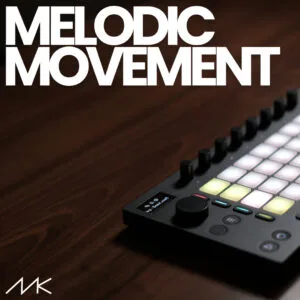
A: Not exactly. Some sounds in Ambient Atelier are inspired by presets from the Melodic Movement pack, but they’ve been re-tuned and adapted to fit the ambient aesthetic. If you already own Melodic Movement, you’re encouraged to swap the original presets into the instrument channels for new creative combinations.
Important Information
## v1.1 – 9 September 2026
Ambient Atelier 1.1 Update:
1) REWORKED Performance FX Rack 2.0
ADDED & REWORKED:
Filter (reworked):
– Replaced DJ style filter with a low pass, ladder style filter for smooth low pass of the entire signal. The filter can be morphed with the morph control (see below) for a bandpass filter at 50% setting and a high pass filter at 100% (or anything in between using % values in between)
– The filter sits at the beginning of the signal chain and affects both the dry and the wet signal path – this way it can be used to fully cut all frequencies before going into the other FX
– Added Filter resonance control to the macros
– Added Filter morph control to the macros
– Added Filter LFO amount control to the macros
– Added Filter LFO rate control to the macros
Phaser-Flanger (new):
– Added Phaser effect for slow moving, phasing of the whole wet signal path
– The Phaser effect sits at the beginning of the wet signal path so the posed signal runs through Echo, Grain Delay and Reverb, which can create some interesting results
– Added Phaser Dry/Wet control to the macros, to determine how much phasing is added to the signal. At 0%, no phasing is applied at all
– Added Phaser Frequency (Freq) control, to determine the speed of the phasing
– Added Phaser Feedback control – the more feedback, the more prominent the phasing becomes. At 90-99%, the phaser starts to oscillate and creates some nice, whale like sounds. This effect can be heard in the snapshot „No Lows Sweep“
Echo (reworked):
– The LP Filter on Echo is now wider so that the echo affects more frequencies
– Echo behavior changed from „synced“ to „dotted“ for more interesting results
– Removed 2 separate Echo time controls to make space for new macros. Both echo times for the left and right channel are now controlled by one knob (Echo Time)
Snapshots (reworked & new):
– Based on the new & reworked effects, all 6 existing snapshots have been reworked
– 4 new snapshots have been added: „Slow Morph“, „Hellicopter“, „No Lows Echo“, „No Lows Sweep“
REMOVED:
– Removed Stutter Effect to make space for the new effect controls and save CPU
– Removed Macro „Longverb Tide“ Control to make space for the new effect controls. Per default, the Tide value of the Longverb is now set to 0, which creates a natural sounding and long reverb space.
2) NEW SOUND: Arp – Filter Delay (Channel 11)
– Beautiful sounding, glassy arp based on the Operator synth and the Filter Delay effect that creates interesting arp delay repets. High LFO amount can create haunted voice sweeps.
– Comes with 4 presets
3) NEW SOUND: Pad – Chant (Channel 12)
– Choir-like, chanting pad sound that fits beautifully into an ambient meditation. Slow, LFO-modulated filter movements make the chants brighter and darker over time.
– Comes with 3 presets
4) REWORKED MIDI Sequences
– Bass and Plug Dreamy now have dedicated MIDI clips for all 7 sequences as well. So you can hit play in all 7 scenes and have all 8 instruments playing
– Reworked Sequence 1 for a more melodic feel
v1.0.0 – Initial Release
Our Products are generally provided as Zip file downloads which in all cases will need to be extracted before use. For Max for Live Devices please place the extracted device in your User Library. For Ableton Live Packs please double click the extracted .alp file to install. For Ableton Live Projects please place in your projects folder.
END-USER LICENSE AGREEMENT FOR ISOTONIK STUDIOS SOFTWARE PRODUCTS.
PLEASE READ THE TERMS AND CONDITIONS OF THIS LICENSE AGREEMENT CAREFULLY BEFORE CONTINUING WITH THIS PROGRAM INSTALL.
This End-User License Agreement (referred to as “EULA”) is a legal agreement between an individual or a single entity (referred to as “LICENSEE”) and Isotonik Studios for the Isotonik Studios software product(s) which may include associated software components, media, printed materials, and “online” or electronic documentation (referred to as “SOFTWARE PRODUCT”). By installing, copying, or otherwise using the SOFTWARE PRODUCT, the LICENSEE agrees to be bound by the terms of this EULA.
This EULA represents the entire agreement concerning the program between the LICENSEE and Isotonik Studios and it supersedes any prior proposal, representation, or understanding between the parties. If the LICENSEE does not agree to the terms of this EULA, the LICENSEE should not install or use the SOFTWARE PRODUCT.
The SOFTWARE PRODUCT is protected by copyright laws and international copyright treaties, as well as other intellectual property laws and treaties. The SOFTWARE PRODUCT is licensed, not sold.
- GRANT OF LICENSE.
The SOFTWARE PRODUCT is licensed as follows:
(a) Installation and Use. Providing that the LICENSEE has paid any applicable license fees, Isotonik Studios grants the LICENSEE the right to install and use copies of the SOFTWARE PRODUCT on up to two computers in the LICENSEE’s possession that are running a validly licensed copy of the operating system for which the SOFTWARE PRODUCT was designed [e.g., Windows 10, macOS]. The computer(s) must be owned by the LICENSEE.
(b) Backup Copies. The LICENSEE may also make copies of the SOFTWARE PRODUCT as may be necessary for backup and archival purposes.
- DESCRIPTION OF OTHER RIGHTS AND LIMITATIONS.
(a) Maintenance of Copyright Notices. The LICENSEE must not remove or alter any copyright notices on any and all copies of the SOFTWARE PRODUCT.
(b) Distribution. The LICENSEE may not distribute registered copies of the SOFTWARE PRODUCT to third parties.
(c) Prohibition on Reverse Engineering, Decompilation, and Disassembly. The LICENSEE may not reverse engineer, decompile, or disassemble the SOFTWARE PRODUCT, except and only to the extent that such activity is expressly permitted by applicable law notwithstanding this limitation.
(d) Rental. The LICENSEE may not rent, lease, or lend the SOFTWARE PRODUCT.
(e) License transfer The LICENSEE may not transfer their license to the SOFTWARE PRODUCT to any third party. Any attempt to do so will be considered a violation of this EULA.
(f) Support Services. Isotonik Studios may provide the LICENSEE with support services related to the SOFTWARE PRODUCT for a period of 12 months following the date of purchase. Any supplemental software code provided to the LICENSEE as part of the Support Services shall be considered part of the SOFTWARE PRODUCT and subject to the terms and conditions of this EULA.
(g) Compliance with Applicable Laws. The LICENSEE must comply with all applicable laws regarding use of the SOFTWARE PRODUCT.
- TERMINATION Without prejudice to any other rights, Isotonik Studios may terminate this EULA if the LICENSEE fails to comply with the terms and conditions of this EULA. In such event, the LICENSEE must destroy all copies of the SOFTWARE PRODUCT in the LICENSEE’s possession.
- COPYRIGHT All title, including but not limited to copyrights, in and to the SOFTWARE PRODUCT and any copies thereof are owned by Isotonik Studios or its suppliers. All title and intellectual property rights in and to the content which may be accessed through use of the SOFTWARE PRODUCT is the property of the respective content owner and may be protected by applicable copyright or other intellectual property laws and treaties. This EULA grants the LICENSEE no rights to use such content. All rights not expressly granted are reserved by Isotonik Studios.
- NO WARRANTIES Isotonik Studios expressly disclaims any warranty for the SOFTWARE PRODUCT. The SOFTWARE PRODUCT is provided ‘As Is’ without any express or implied warranty of any kind, including but not limited to any warranties of merchantability, noninfringement, or fitness of a particular purpose. Isotonik Studios does not warrant or assume responsibility for the accuracy or completeness of any information, text, graphics, links or other items contained within the SOFTWARE PRODUCT. Isotonik Studios makes no warranties respecting any harm that may be caused by the transmission of a computer virus, worm, time bomb, logic bomb, or other such computer program. Isotonik Studios further expressly disclaims any warranty or representation to the LICENSEE or to any third party.
- LIMITATION OF LIABILITY In no event shall Isotonik Studios be liable for any damages (including, without limitation, lost profits, business interruption, or lost information) arising out of the LICENSEE’s use of or inability to use the SOFTWARE PRODUCT, even if Isotonik Studios has been advised of the possibility of such damages. In no event will Isotonik Studios be liable for loss of data or for indirect, special, incidental, consequential (including lost profit), or other damages based in contract, tort or otherwise. Isotonik Studios shall have no liability with respect to the content of the SOFTWARE PRODUCT or any part thereof, including but not limited to errors or omissions contained therein, libel, infringements of rights of publicity, privacy, trademark rights, business interruption, personal injury, loss of privacy, moral rights or the disclosure of confidential information.
More from KVNDRA