Novagrid VST by Mario Nieto
RHYTHM BEYOND EFFECTS
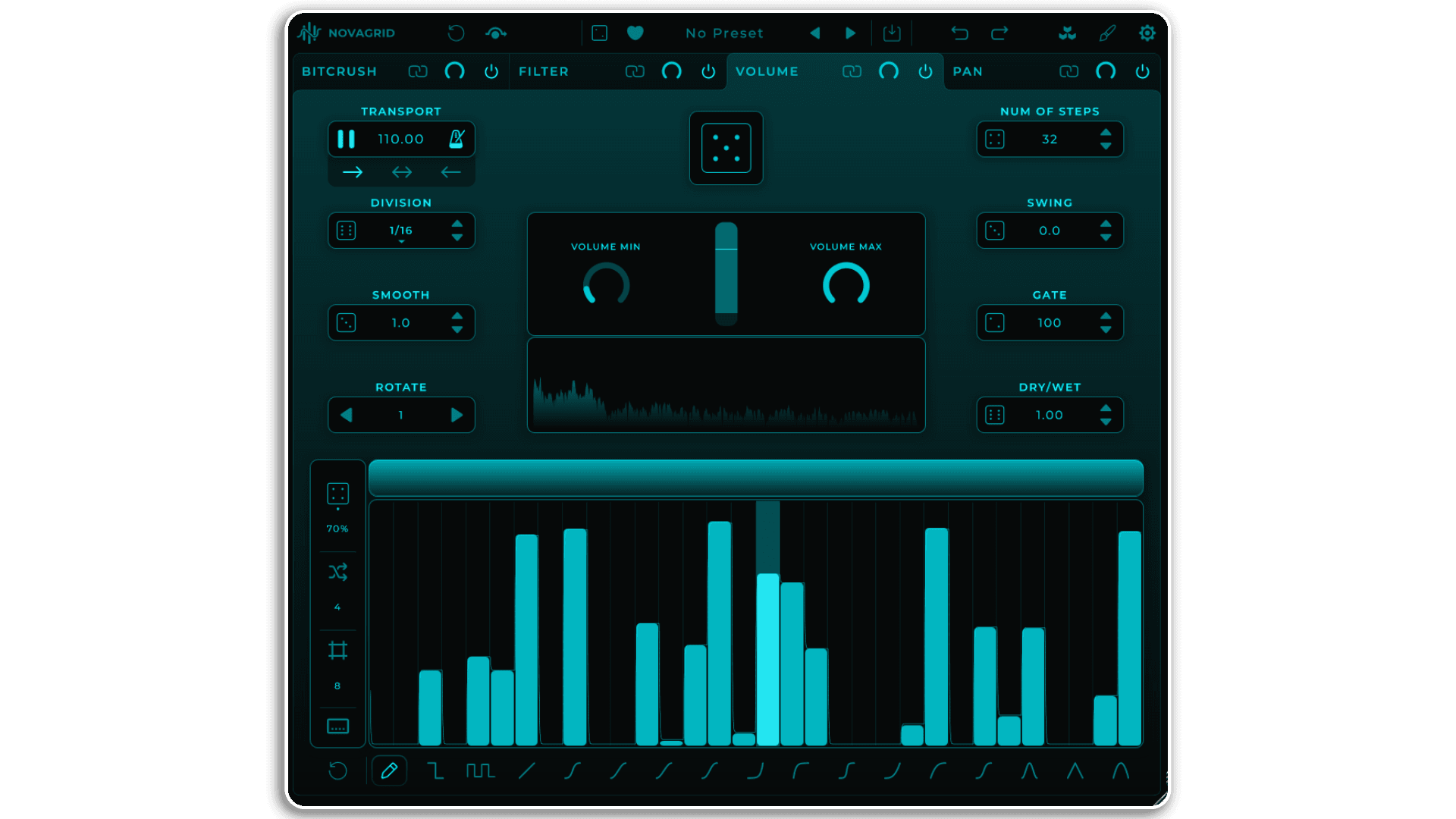
Novagrid is a multi-lane audio modulation sequencer that transforms incoming audio into evolving rhythmic textures. Four independent effect lanes—Volume, Pan, Filter, and Bitcrusher—each powered by their own step sequencer, work together to reshape any audio source in real-time.
Inside you’ll find:
- Four independent effect lanes with dedicated step sequencers (up to 128 steps)
- 14 filter types including LowPass, HighPass, BandPass, Ladder filters, and Vowel formant filter
- 16 Editor Tools for drawing curves, shapes, and patterns across sequences
- Drag-and-drop lane reordering to reshape the modulation chain
- Lane linking for unified parameter control and creative randomization
- Global randomization engine with parameter locks for controlled chaos
- Shuffle Sequence with adjustable block size for polyrhythmic patterns
- Independent Division, Smooth, Gate, Swing, and Rotate controls per lane
- Comprehensive MIDI CC mapping for hands-on control
- Customizable interface with .mnLook import/export compatibility
From subtle rhythmic gates to aggressive filter modulation, from stereo choreography to digital destruction—Novagrid turns static audio into dynamic, sequenced movement. The modular signal flow and flexible randomization system make it equally suited for surgical sound design and experimental exploration.
Available as VST3/AU plugin and standalone application for Mac and Windows
Audio modulation, reimagined as rhythm.
USER GUIDE: Novagrid 1.0.0 Manual
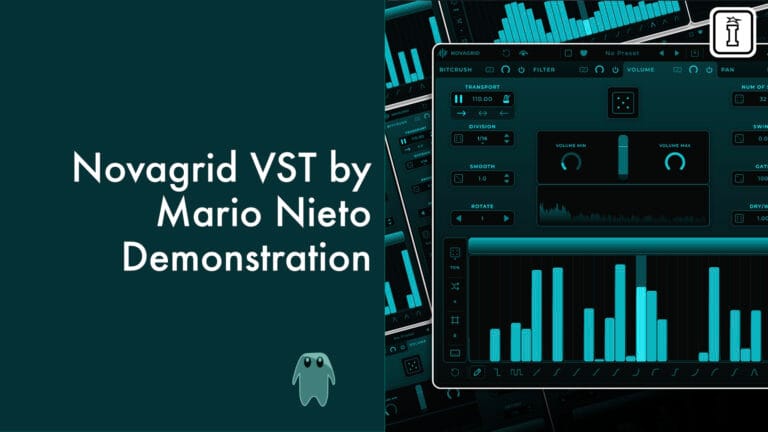
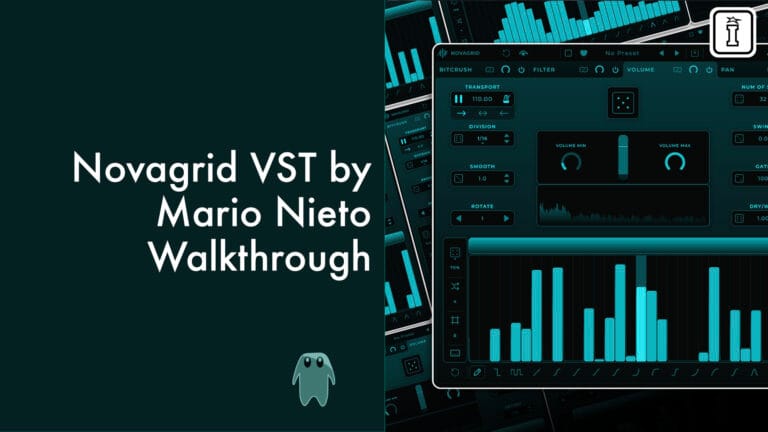
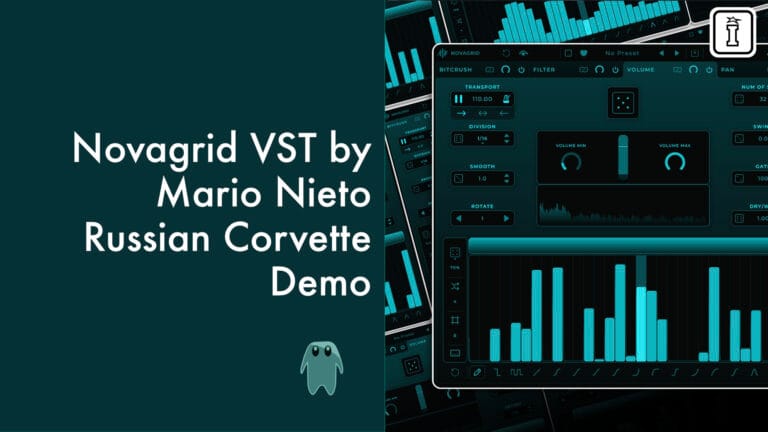
Novagrid VST by Mario Nieto
RHYTHM BEYOND EFFECTS
Novagrid is a multi-lane audio modulation sequencer that transforms incoming audio into evolving rhythmic textures. Four independent effect lanes—Volume, Pan, Filter, and Bitcrusher—each powered by their own step sequencer, work together to reshape any audio source in real-time.
Inside you’ll find:
- Four independent effect lanes with dedicated step sequencers (up to 128 steps)
- 14 filter types including LowPass, HighPass, BandPass, Ladder filters, and Vowel formant filter
- 16 Editor Tools for drawing curves, shapes, and patterns across sequences
- Drag-and-drop lane reordering to reshape the modulation chain
- Lane linking for unified parameter control and creative randomization
- Global randomization engine with parameter locks for controlled chaos
- Shuffle Sequence with adjustable block size for polyrhythmic patterns
- Independent Division, Smooth, Gate, Swing, and Rotate controls per lane
- Comprehensive MIDI CC mapping for hands-on control
- Customizable interface with .mnLook import/export compatibility
From subtle rhythmic gates to aggressive filter modulation, from stereo choreography to digital destruction—Novagrid turns static audio into dynamic, sequenced movement. The modular signal flow and flexible randomization system make it equally suited for surgical sound design and experimental exploration.
Available as VST3/AU plugin and standalone application for Mac and Windows
Audio modulation, reimagined as rhythm.
USER GUIDE: Novagrid 1.0.0 Manual
Additional information
| Ableton Live Compatibility | Ableton Live 10 Intro, Ableton Live 10 Standard, Ableton Live 10 Standard with MaxforLive, Ableton Live 10 Suite, Ableton Live 11 Intro, Ableton Live 11 Standard, Ableton Live 11 Standard with MaxforLive, Ableton Live 11 Suite, Ableton Live 12 Intro, Ableton Live 12 Standard, Ableton Live 12 Standard with MaxforLive, Ableton Live 12 Suite |
|---|---|
| Min. Requirements | A Recent DAW that can run a VST3 or AU Plugin, Processor: Intel Core i5 or equivalent. | RAM: 4GB. | Additional: Initial internet connection required for license activation. |
| OS | MacOS: Version 10.13 or higher, with native Apple Silicon support. | Windows: Windows 10 or higher. |
PRICE: £16.00
Product reviews
5 out of 5
3 reviews
How item rating is calculated
We show the average based on reviews. Only genuine reviews are displayed.
Sort by
February 4, 2026
This reviewer bought this product from our store.
Novagrid a pleasant surprise
A new Mario Nieto device is awesome , quick and easy.
Mario always make incredible devices with profesional results
I still learning Novagrid.
From my professional perspective it's a great device with a bright future within the wide range of options currently available.
Easy ,quick and super creative device
nothing at the moment
I recommend this product
February 3, 2026
This reviewer bought this product from our store.
super
Quality beyond expectations, great sounds, great pre-programmed menu and lots of options
-many and well-preprogrammed settings
- low processor usage
- easy installation
- small footprint
- great sounds, lots of options
I didn't find this
I recommend this product
February 2, 2026
This reviewer bought this product from our store.
Fun and easy to use effect plugin which can bring life and excitement to any material. It has a clean interface, sounds great and is really easy to use. Works great on individual tracks and busses or master channels.
I recommend this product
Novagrid VST by Mario Nieto
Novagrid reimagines audio modulation as a multi-lane sequencing playground where incoming audio transforms into rhythmic, evolving textures. Instead of generating sound, Novagrid takes any audio source and reshapes it through four independent effect lanes—each with its own step sequencer, its own effect, and its own creative controls—allowing you to build complex modulation patterns that react in real-time to whatever you feed it.
Whether you’re processing drums, synths, vocals, or field recordings, Novagrid turns static audio into dynamic, sequenced movement. From subtle rhythmic gating to aggressive filter sweeps, from stereo choreography to digital destruction—Novagrid bridges the gap between traditional audio effects and creative sequencing workflows.
The Four-Lane Architecture
Novagrid’s core concept revolves around four independent lanes, each dedicated to a specific audio effect: Volume, Pan, Filter (with 14 filter types), and Bitcrusher. Every lane contains its own slider-based step sequencer that defines how the effect behaves over time—controlling everything from volume gates to filter cutoff movements, stereo positioning, and bit reduction intensity.
The processing chain runs from left to right, meaning the leftmost effect processes the audio first. This order matters—and you can change it at any time via drag-and-drop lane reordering, dramatically altering the sonic result. This modular approach means Novagrid isn’t just an effect; it’s a flexible audio modulation engine where structure shapes sound.
Each lane operates independently by default, but they can also be linked to behave as a unified system. Linked lanes share parameter changes—manual edits are mirrored across all linked lanes, while randomization generates independent variations for each lane within the linked group. This balance between unified control and creative chaos makes Novagrid equally suited for precise sound design and experimental exploration.
Sequencer-Driven Modulation
At the heart of every lane is a slider-based step sequencer supporting up to 128 steps. Each sequencer controls a different parameter: Volume lane modulates amplitude, Filter lane sweeps cutoff frequency, Pan lane moves stereo position, and Bitcrusher lane adjusts bit reduction intensity. Together, they create intricate, evolving modulation patterns that transform static audio into rhythmic, pulsing movement.
The sequencer isn’t just a grid of values—it’s a creative canvas. Use the Editor Tools to draw curves, shapes, and patterns: free-hand drawing, linear ramps, exponential sweeps, sinusoidal waves, triangle patterns, smooth S-curves, bell-shaped arches, and more. The Grid mode lets you repeat these shapes across the sequence at defined intervals, creating complex polyrhythmic patterns with minimal effort.
Every lane includes independent speed control via Division settings (from 1/128 to 1/1), Smoothing to control transition curves between steps, Gate to shorten note durations for tighter rhythmic articulation, and Swing to add groove and feel. Rotate functionality shifts sequences by specific step counts, while the Sequence Range bar lets you define loop start and end points for focused modulation within larger patterns.
The Effects: Deep Dive
Volume Lane: Create rhythmic gating, dynamic volume modulation, and amplitude-based sequencing. The sequencer controls output level from complete silence to full volume, with customizable min/max range controls that define modulation boundaries. Perfect for stuttering effects, sidechain-style pumping, or intricate rhythmic gates synced to tempo.
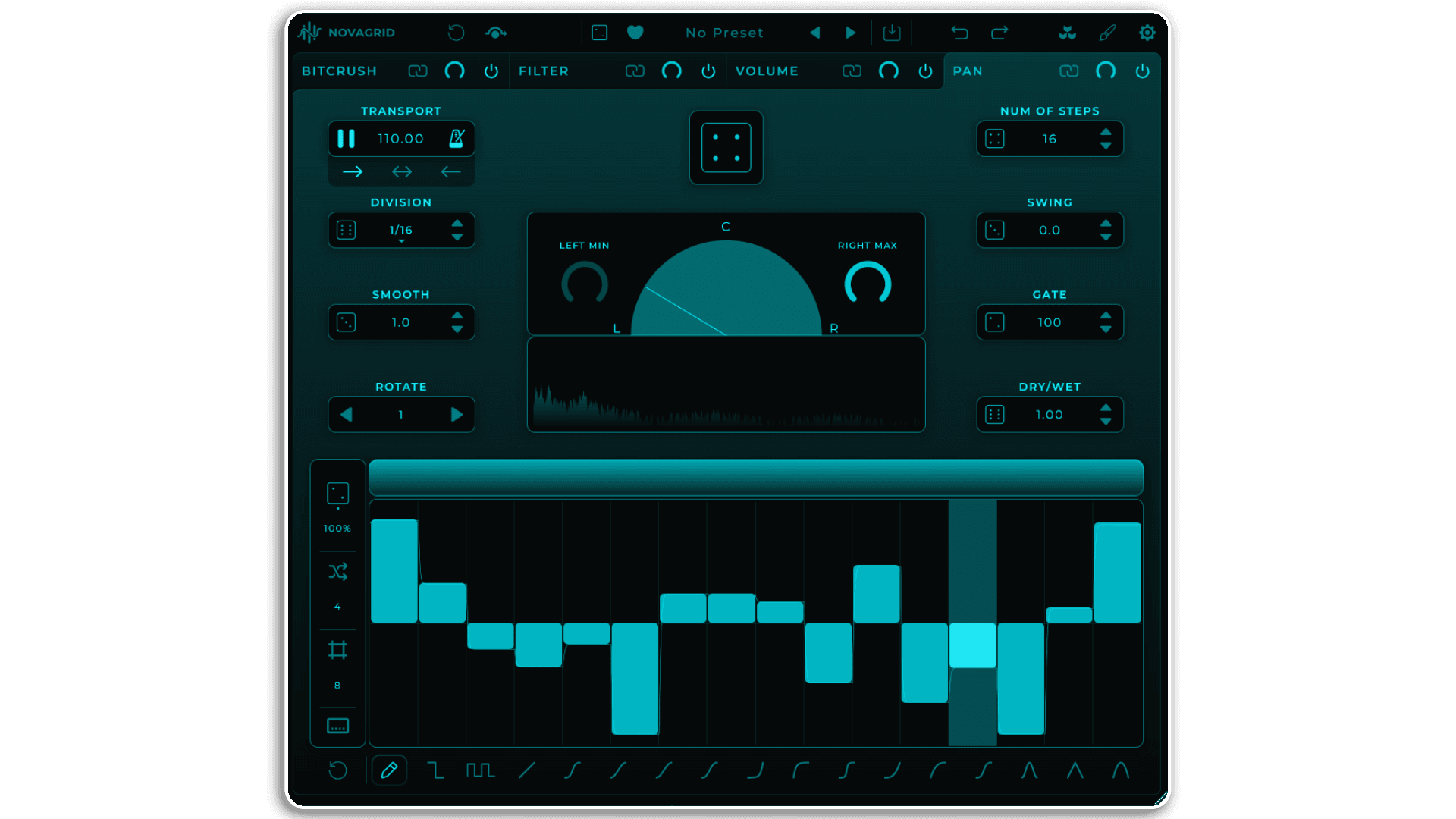
Pan Lane: Choreograph stereo movement with precision. The sequencer’s center position keeps audio centered in the stereo field; moving sliders up pans right, moving them down pans left. Create subtle stereo motion, alternating left-right patterns, or wild spatial modulation that dances across the stereo spectrum in sync with your sequence.
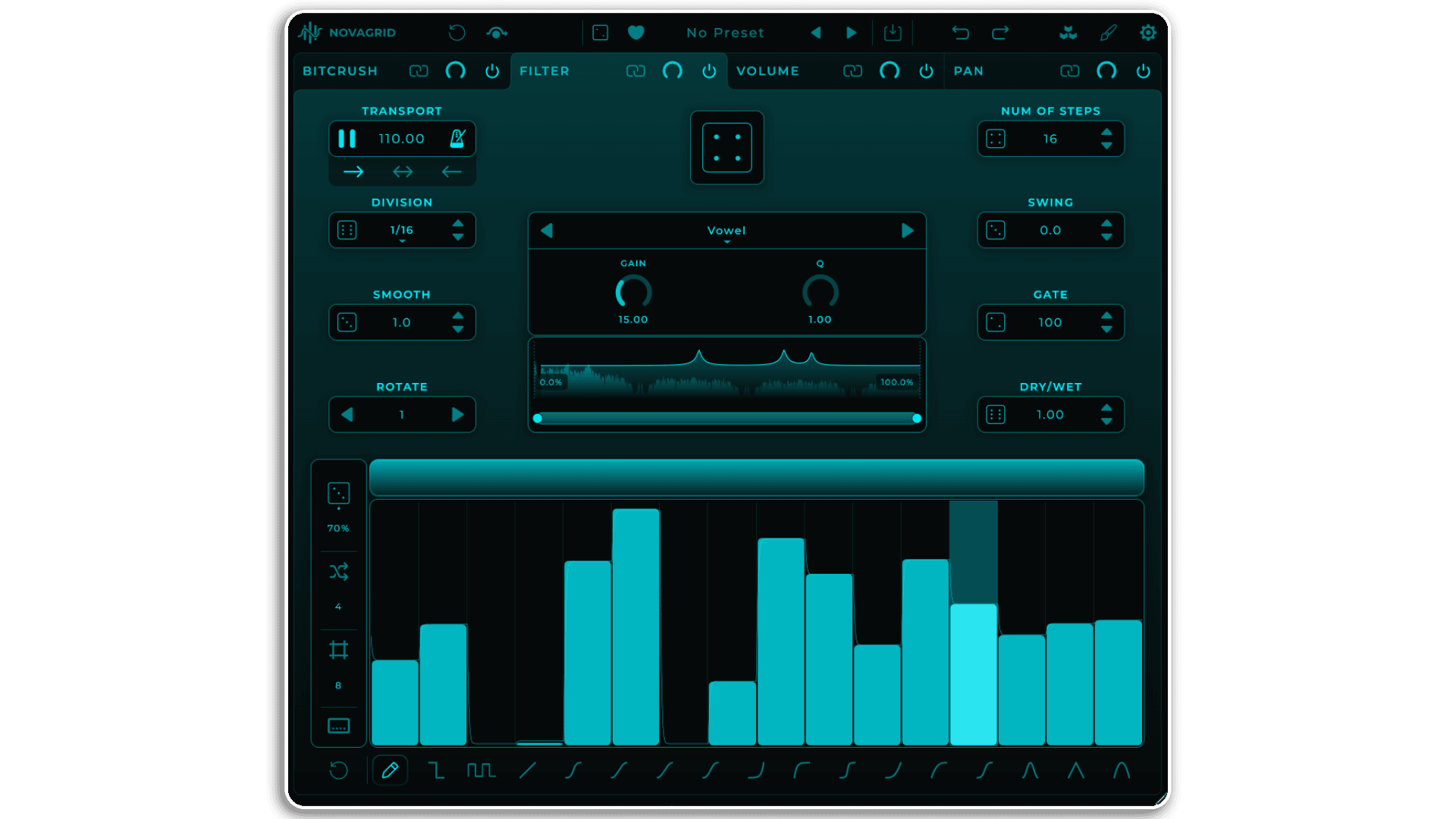
Filter Lane: Sculpt tonal character with 14 filter types including LowPass, HighPass, BandPass, Notch, Peak, LowShelf, HighShelf, and eight Ladder filter variations (LP12, LP24, BP12, BP24, HP12, HP24) plus the unique Vowel filter for formant-based vocal textures. Each filter type offers specific controls—Q/Resonance for filter emphasis, Drive for saturation, Slope for shelf steepness, Gain for vowel formant intensity. The frequency analyzer displays real-time spectrum analysis with active filter curve overlay, showing exactly how each step affects the audio.
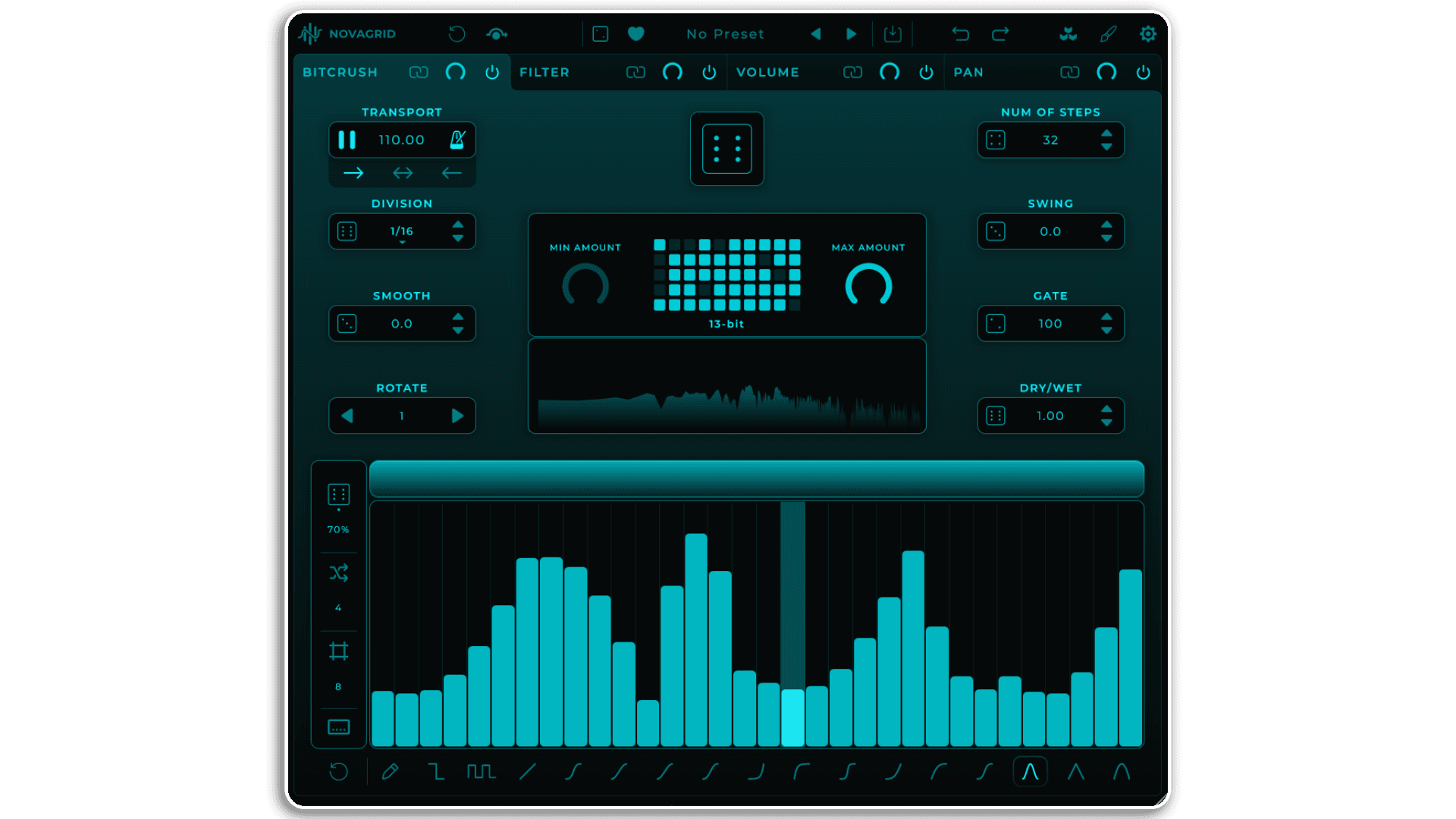
Bitcrusher Lane: Apply bit-depth reduction for digital degradation, lo-fi textures, and intentional glitching. The sequencer controls bit reduction from 4-bit to 16-bit, with visual feedback showing how much information is being removed from the signal. Create rhythmic digital destruction, subtle vintage texture, or aggressive broken electronics—all synced to your sequence.
Randomization Engine & Creative Workflow
Novagrid’s randomization system balances chaos with control. Every parameter features a local dice button for quick variation, while the Global Random button triggers all parameters added to the global randomization engine simultaneously. Parameters are added to the global engine via right-click context menu—a small dot below the dice icon indicates global inclusion.
The Shuffle Sequence function reorders steps in blocks, with Shuffle Block Size determining chunk size (1 shuffles individual steps, higher values shuffle larger segments). Random Complexity defines pattern density when randomizing sequences—lower values create simpler patterns with fewer active steps, higher values generate busier, more varied results.
Linked lanes share randomization behavior intelligently: manual changes are cloned exactly across all linked lanes, while randomization generates independent variations for each linked lane. This means you can edit multiple lanes uniformly while still creating diverse patterns when randomizing.
Parameter Locking & Preservation
Lock any parameter to protect it from preset changes, randomization, and lane copying. Locked parameters display a small lock icon and can only be changed manually. Entire sequences can be locked via the Sequence Options menu, preventing external modification while allowing direct editing.
Lane-level locking (via right-click context menu) protects the entire lane from preset loading and external changes while still allowing manual parameter adjustments. This granular control lets you preserve key elements while freely experimenting with the rest of your modulation chain.
Transport, Sync & Workflow Integration
The Transport section offers flexible tempo control. With Metronome Sync enabled, Novagrid locks to your DAW’s tempo and transport controls. With Sync disabled, Novagrid runs independently at its own BPM with manual playback control. Three playback modes define loop behavior: Forward (left to right), Ping-Pong (forward then reverse), and Reverse (right to left).
Nearly every parameter supports MIDI CC mapping via right-click assignment, allowing hands-on control from any MIDI controller. Lane selection can be MIDI-mapped, making it possible to switch between effects on-the-fly during performance. Comprehensive undo/redo functionality tracks parameter changes, preset loads, and randomization actions.
Interface Customization & Preset Management
Novagrid’s interface features complete color customization with background and main color controls. The Look Editor includes Copy/Paste functionality, randomization with automatic contrast optimization, and import/export of .mnLook files. Custom looks are fully compatible across Novagrid, Harmony Bloom, and Chord Generator, allowing consistent visual themes across all Mario Nieto World plugins.
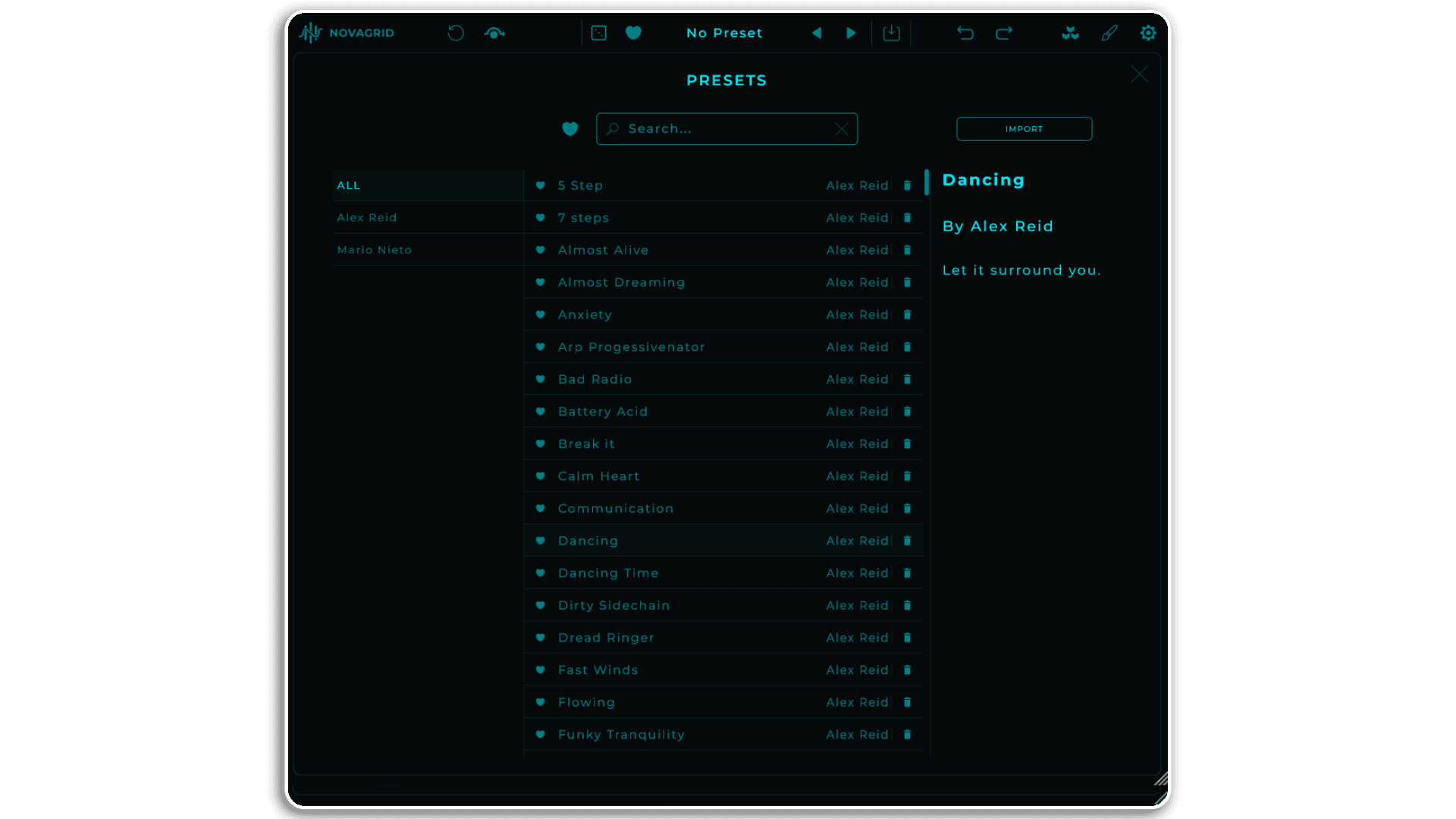
Presets are saved as .mnwnv files with author name and description metadata. The Preset Browser offers search, filtering by author, favorites system, and right-click context menu for duplicating, renaming, importing, and exporting. The Expansion Panel provides automatic access to new preset packs as they’re released, with one-click download and installation.
What’s Included
- Four independent effect lanes: Volume, Pan, Filter, Bitcrusher
- Slider-based step sequencer supporting up to 128 steps per lane
- 14 filter types including LowPass, HighPass, BandPass, Notch, Peak, Shelf, Ladder, and Vowel filters
- 16 Editor Tools for drawing curves, shapes, and patterns
- Drag-and-drop lane reordering for modular signal flow
- Lane linking for unified parameter control and randomization
- Global randomization engine with parameter inclusion control
- Shuffle Sequence with adjustable block size
- Comprehensive parameter locking system
- Independent Division, Smooth, Gate, Swing, and Rotate controls per lane
- Sequence Range control with visual loop editor
- Three playback modes: Forward, Ping-Pong, Reverse
- Metronome sync with DAW transport or independent tempo control
- Real-time frequency analyzer with filter curve display
- Extensive MIDI CC mapping support
- Customizable interface with .mnLook import/export
- Preset management with search, favorites, and metadata
- Expansion Panel for downloadable preset packs
- Undo/redo for all parameter changes and actions
- VST3 and AU plugin formats plus standalone application
System Requirements
- MacOS 10.14 (Mojave) or higher with Intel Core i5 or native Apple Silicon support
- Windows 10 or higher with Intel Core i5 processor
- 4GB RAM minimum
- VST3 or AU compatible DAW (plugin version)
- Initial internet connection required for license activation
- Three activations included per license
Novagrid transforms audio processing from static effect application to dynamic, sequenced modulation. Whether you’re creating rhythmic movement, experimental textures, or intricate polyrhythmic patterns, this multi-lane sequencer turns any audio source into evolving sonic architecture.
Chord Generator | Harmony Bloom | View All Mario Nieto Products
Frequently Asked Questions
A: Novagrid is a multi-lane audio modulation sequencer that takes incoming audio and reshapes it rhythmically through four independent effect lanes. Each lane features its own step sequencer (up to 128 steps), its own effect (Volume, Pan, Filter, or Bitcrusher), and its own controls, allowing you to build complex, evolving modulation patterns that react in real-time to any audio source.
A:
- MacOS 10.14 (Mojave) or higher with Intel Core i5 processor or native Apple Silicon support
- Windows 10 or higher with Intel Core i5 processor
- 4GB RAM
- DAW that supports VST3 or AU plugins (plugin version)
- Initial internet connection required for license activation
A: Yes! Novagrid is available both as a VST3/AU plugin and as a standalone application. The standalone version includes comprehensive audio and MIDI I/O configuration, allowing you to use Novagrid independently without a DAW.
A: Unlike traditional effects that apply static processing, Novagrid sequences your effects over time using step-based modulation. Each of the four effect lanes (Volume, Pan, Filter, Bitcrusher) has its own sequencer that defines how the effect behaves rhythmically. You can also reorder the processing chain via drag-and-drop, creating a modular signal flow where structure shapes the final sound.
A: You can explore more of Mario Nieto’s tools and devices here: Mario Nieto
Important Information
Initial Release – January 2026
1 – Download
2 – Install .exe .pkg
3 – Register [email protected]
4 -Access
5 – Route the MIDI output: If you have any questions about this process, please visit: SUPPORT – Mario Nieto World