
MIDI Tools Volume One by Philip Meyer
PHILIP MEYER LIVE 12 MIDI TOOLS
The first pack of MIDI Tools from Philip features 4 MIDI Generators:
- Blocks
- Phase Pattern
- Turing Machine
- Polyrhythm
and 8 MIDI Transformers:
- Condition Transform
- Develop
- Divs
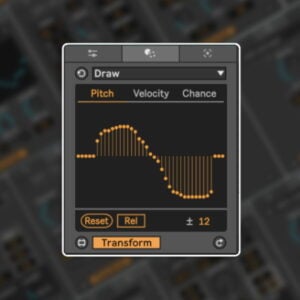
- Draw
- Pattern Transformer
- Segment
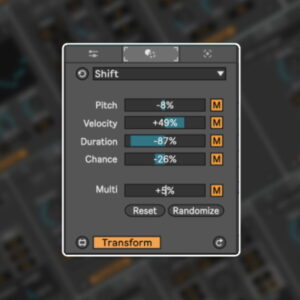
- Shift
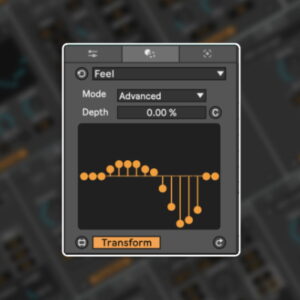
- Feel
USER GUIDE: Philip Meyer MIDI Tools Manual Isotonik
MIDI Tools Volume One by Philip Meyer
PHILIP MEYER LIVE 12 MIDI TOOLS
The first pack of MIDI Tools from Philip features 4 MIDI Generators:
- Blocks
- Phase Pattern
- Turing Machine
- Polyrhythm
and 8 MIDI Transformers:
- Condition Transform
- Develop
- Divs
- Draw
- Pattern Transformer
- Segment
- Shift
- Feel
USER GUIDE: Philip Meyer MIDI Tools Manual Isotonik
Buying for someone?Send a gift card →
Additional information
| MaxforLive | Live 12 MIDI Tools Bundles |
|---|---|
| Ableton Live Compatibility | Ableton Live 12 Standard with MaxforLive, Ableton Live 12 Suite |
| OS | Mac, Windows |
PRICE: £31.00
Product reviews
5 out of 5
3 reviews
How item rating is calculated
We show the average based on reviews. Only genuine reviews are displayed.
Sort by
August 30, 2024
This reviewer bought this product from our store.
Among all the new midi tools for Live 12 these are easily some of the most inventive and creatively inspiring. They make it easy to take simple musical ideas and transform them into something unique that you'd never think to make otherwise.
August 23, 2024
This reviewer bought this product from our store.
A new way to approach the creation of midi clips. A necessary completion for anyone. It is practically an encyclopedia of inspiration and action for the creation of complex immediate and empathetic structures. Recommended.
Walter wattabass Sguazzin Ableton CT Italia
May 3, 2024
This reviewer bought this product from our store.
The bar is high!
MIDI Tools Volume One by Philip Meyer
This is a collection of 12 devices for making rhythmic music in Ableton Live 12. They are some of the first Max for Live MIDI Tools, which is a new class of Live device that generates and transforms MIDI clips.
I’ve always liked to make complex rhythmic music, but in the past I found the piano roll in Live to be clunky and tedious to use. MIDI Tools resolve this problem by allowing us to create simple devices that automate processes that would be tedious or impossible to execute manually. Every device in this collection is designed to help you make exciting, novel rhythmic music quickly and playfully.
The “quickly and playfully” is really important to me. For me, making electronic music has always been about getting a pattern running, listening to it, then tweaking it with whatever knobs and sliders are available to me. Working this way puts you in a sort of dialog with the machine, where you’re acting, then listening, then acting, then listening, and so forth. This process works best when the cycles are fast, which means that the tools have to be fun and easy to use. They have to deliver results quickly.
I could summarize the practical value of these tools with three statements:
- They generate ideas to get my creativity flowing
- They all you to create rhythms (such as nested rhythms, rallentandos, and polyrhythms) that are very difficult to create using the piano roll interface
- They help you create variations on rhythmic and melodic ideas, to make your music varied and interesting.
I’ve also found that the power of these devices really emerges when you use them in serial workflows. By this I mean that you start with some initial MIDI (maybe from a Generator, or maybe not), then process the MIDI with several different transformers.
You can see an example of a serial process in this video, in which I create some rhythmic containers using the Blocks generator, then used the Divs transformer to subdivide those containers to create a new rhythm, then used Feel to dial in the groove. There’s tons of ways to mix and match the devices, which means lots of space to develop your own favorite approaches.
These devices all work with Ableton 12’s new Scales feature. When a scale is enabled on the MIDI clip, the device will only produce notes that are in key. If you disable the scale, then you can work chromatically. The devices are also aware of Live’s themes, so your devices will always match the look and feel of your Live set.
Philip Meyer’s MIDI TOOLS VOLUME ONE can also be purchased in smaller bundles based on requirements, or as individual tools where you can build your own bundle
Frequently Asked Questions
These devices require Ableton Live 12, as MIDI Tools is a new class of device introduced in that version. Earlier versions of Live are not supported.
Max for Live is included with Ableton Live Suite. If you are running Live Standard or Intro, you will need to either upgrade to Suite or purchase a separate Max for Live licence.
MIDI Tools are a new device type in Live 12 that work directly on MIDI clips, either generating new clip content or transforming existing notes within the clip. Unlike standard MIDI effects, which process MIDI in real time during playback, MIDI Tools operate on the clip itself before playback, giving you a more hands-on, compositional workflow.
The pack includes 12 devices in total: 4 MIDI Generators (Blocks, Phase Pattern, Turing Machine, and Polyrhythm) and 8 MIDI Transformers (Condition, Transform, Develop, Divs, Draw, Pattern Transformer, Segment Shift, and Feel).
Not at all. Philip has designed every device in this collection to be picked up quickly and used in a playful, intuitive way. The focus is on getting interesting rhythmic patterns running fast, then tweaking and exploring from there.
They are primarily designed for rhythmic and electronic music, covering anything from groove-based production to more complex polyrhythmic and generative patterns. If you work with drums, percussion, or any rhythm-driven arrangement in Live, these tools will fit right into your process.
After purchase, you will receive the pack files which can be added directly to your Ableton Live library. Once installed, the devices will appear in your browser under MIDI Tools, ready to drag onto any MIDI clip.
Important Information
V1.1 – Released Oct 2024
Philip Meyer MIDI Tools Release Notes 2024-10-09
Initial Release – April 2024
To install MIDI Tools, first double-click to decompress the ZIP archive it arrived in. !
In Live’s Browser, navigate to the User Library in Places
Then find the MIDI Tools folder located there (2). If you don’t see a folder called MIDI Tools in your User Library, simply create it yourself.
We’d advice adding two subfolders for Generators and Transformers for neatness.
Finally, drag our Generators to the Generators subfolder and our Transformers to the Transformers subfolder
Live should automatically detect them and within the next few minutes, they should appear in the dropdown chooser of Live’s Generators or Transformers in the corresponding tab of any MIDI Clip’s Note Editor.
PLEASE NOTE: Once installed MIDI Tools, since they are not Max MIDI Effects, cannot be dragged and dropped onto MIDI tracks: they can only be loaded by the Generator and Transformer tabs of the MIDI clip editor.
END-USER LICENSE AGREEMENT FOR ISOTONIK STUDIOS SOFTWARE PRODUCTS.
PLEASE READ THE TERMS AND CONDITIONS OF THIS LICENSE AGREEMENT CAREFULLY BEFORE CONTINUING WITH THIS PROGRAM INSTALL.
This End-User License Agreement (referred to as “EULA”) is a legal agreement between an individual or a single entity (referred to as “LICENSEE”) and Isotonik Studios for the Isotonik Studios software product(s) which may include associated software components, media, printed materials, and “online” or electronic documentation (referred to as “SOFTWARE PRODUCT”). By installing, copying, or otherwise using the SOFTWARE PRODUCT, the LICENSEE agrees to be bound by the terms of this EULA.
This EULA represents the entire agreement concerning the program between the LICENSEE and Isotonik Studios and it supersedes any prior proposal, representation, or understanding between the parties. If the LICENSEE does not agree to the terms of this EULA, the LICENSEE should not install or use the SOFTWARE PRODUCT.
The SOFTWARE PRODUCT is protected by copyright laws and international copyright treaties, as well as other intellectual property laws and treaties. The SOFTWARE PRODUCT is licensed, not sold.
- GRANT OF LICENSE.
The SOFTWARE PRODUCT is licensed as follows:
(a) Installation and Use. Providing that the LICENSEE has paid any applicable license fees, Isotonik Studios grants the LICENSEE the right to install and use copies of the SOFTWARE PRODUCT on up to two computers in the LICENSEE’s possession that are running a validly licensed copy of the operating system for which the SOFTWARE PRODUCT was designed [e.g., Windows 10, macOS]. The computer(s) must be owned by the LICENSEE.
(b) Backup Copies. The LICENSEE may also make copies of the SOFTWARE PRODUCT as may be necessary for backup and archival purposes.
- DESCRIPTION OF OTHER RIGHTS AND LIMITATIONS.
(a) Maintenance of Copyright Notices. The LICENSEE must not remove or alter any copyright notices on any and all copies of the SOFTWARE PRODUCT.
(b) Distribution. The LICENSEE may not distribute registered copies of the SOFTWARE PRODUCT to third parties.
(c) Prohibition on Reverse Engineering, Decompilation, and Disassembly. The LICENSEE may not reverse engineer, decompile, or disassemble the SOFTWARE PRODUCT, except and only to the extent that such activity is expressly permitted by applicable law notwithstanding this limitation.
(d) Rental. The LICENSEE may not rent, lease, or lend the SOFTWARE PRODUCT.
(e) License transfer The LICENSEE may not transfer their license to the SOFTWARE PRODUCT to any third party. Any attempt to do so will be considered a violation of this EULA.
(f) Support Services. Isotonik Studios may provide the LICENSEE with support services related to the SOFTWARE PRODUCT for a period of 12 months following the date of purchase. Any supplemental software code provided to the LICENSEE as part of the Support Services shall be considered part of the SOFTWARE PRODUCT and subject to the terms and conditions of this EULA.
(g) Compliance with Applicable Laws. The LICENSEE must comply with all applicable laws regarding use of the SOFTWARE PRODUCT.
- TERMINATION Without prejudice to any other rights, Isotonik Studios may terminate this EULA if the LICENSEE fails to comply with the terms and conditions of this EULA. In such event, the LICENSEE must destroy all copies of the SOFTWARE PRODUCT in the LICENSEE’s possession.
- COPYRIGHT All title, including but not limited to copyrights, in and to the SOFTWARE PRODUCT and any copies thereof are owned by Isotonik Studios or its suppliers. All title and intellectual property rights in and to the content which may be accessed through use of the SOFTWARE PRODUCT is the property of the respective content owner and may be protected by applicable copyright or other intellectual property laws and treaties. This EULA grants the LICENSEE no rights to use such content. All rights not expressly granted are reserved by Isotonik Studios.
- NO WARRANTIES Isotonik Studios expressly disclaims any warranty for the SOFTWARE PRODUCT. The SOFTWARE PRODUCT is provided ‘As Is’ without any express or implied warranty of any kind, including but not limited to any warranties of merchantability, noninfringement, or fitness of a particular purpose. Isotonik Studios does not warrant or assume responsibility for the accuracy or completeness of any information, text, graphics, links or other items contained within the SOFTWARE PRODUCT. Isotonik Studios makes no warranties respecting any harm that may be caused by the transmission of a computer virus, worm, time bomb, logic bomb, or other such computer program. Isotonik Studios further expressly disclaims any warranty or representation to the LICENSEE or to any third party.
- LIMITATION OF LIABILITY In no event shall Isotonik Studios be liable for any damages (including, without limitation, lost profits, business interruption, or lost information) arising out of the LICENSEE’s use of or inability to use the SOFTWARE PRODUCT, even if Isotonik Studios has been advised of the possibility of such damages. In no event will Isotonik Studios be liable for loss of data or for indirect, special, incidental, consequential (including lost profit), or other damages based in contract, tort or otherwise. Isotonik Studios shall have no liability with respect to the content of the SOFTWARE PRODUCT or any part thereof, including but not limited to errors or omissions contained therein, libel, infringements of rights of publicity, privacy, trademark rights, business interruption, personal injury, loss of privacy, moral rights or the disclosure of confidential information.
More from Philip Meyer
Frequently Bought Together