
Ableton Live Fast Item Loader by KILLIHU (Demo)
FAST ITEM LOADER
ALFIL (Ableton Live Fast Item Loader) is an application for Windows designed to speed up the workflow in Ableton Live. Allowing you to load any Live browser element from a floating window, avoiding having to navigate through browser folders. Main features:- It is activated by a hotkey that only works if the Live window is active. So it does not interfere with other open applications.
- Up to 44 buttons can be configured to load any type of element (effects, instruments, external plugins, tracks, presets…).
- Additionally, a key can be assigned to each button. So once the ALFIL window is displayed, you can use those keys to activate the corresponding buttons.
- The colors are configurable so you can adjust them to the Live theme color scheme.
- Several instances of ALFIL can be used simultaneously. For example to have one instance to load effects, another for instruments…
- It works in any of the versions of Live (Intro, Standard or Suite).
Ableton Live Fast Item Loader by KILLIHU (Demo)
FAST ITEM LOADER
ALFIL (Ableton Live Fast Item Loader) is an application for Windows designed to speed up the workflow in Ableton Live. Allowing you to load any Live browser element from a floating window, avoiding having to navigate through browser folders. Main features:- It is activated by a hotkey that only works if the Live window is active. So it does not interfere with other open applications.
- Up to 44 buttons can be configured to load any type of element (effects, instruments, external plugins, tracks, presets…).
- Additionally, a key can be assigned to each button. So once the ALFIL window is displayed, you can use those keys to activate the corresponding buttons.
- The colors are configurable so you can adjust them to the Live theme color scheme.
- Several instances of ALFIL can be used simultaneously. For example to have one instance to load effects, another for instruments…
- It works in any of the versions of Live (Intro, Standard or Suite).
Additional information
| Ableton Live Compatibility | Ableton Live 10 Intro, Ableton Live 10 Standard, Ableton Live 10 Standard with MaxforLive, Ableton Live 10 Suite, Ableton Live 11 Intro, Ableton Live 11 Standard, Ableton Live 11 Standard with MaxforLive, Ableton Live 11 Suite, Ableton Live 12 Intro, Ableton Live 12 Standard, Ableton Live 12 Standard with MaxforLive, Ableton Live 12 Suite |
|---|---|
| Min. Requirements | Ableton Live Intro 10 |
| OS | Windows |
Product reviews
No reviews yet. Be the first to review this product.
Ableton Live Fast Item Loader by KILLIHU (Demo)
ALFIL (Ableton Live Fast Item Loader) is an application for Windows designed to speed up the workflow in Ableton Live. Allows you to load any Live browser element from a floating window, avoiding having to navigate through browser folders.
Demo Limitations:
- The hotkey for displaying ALFIL cannot be changed.
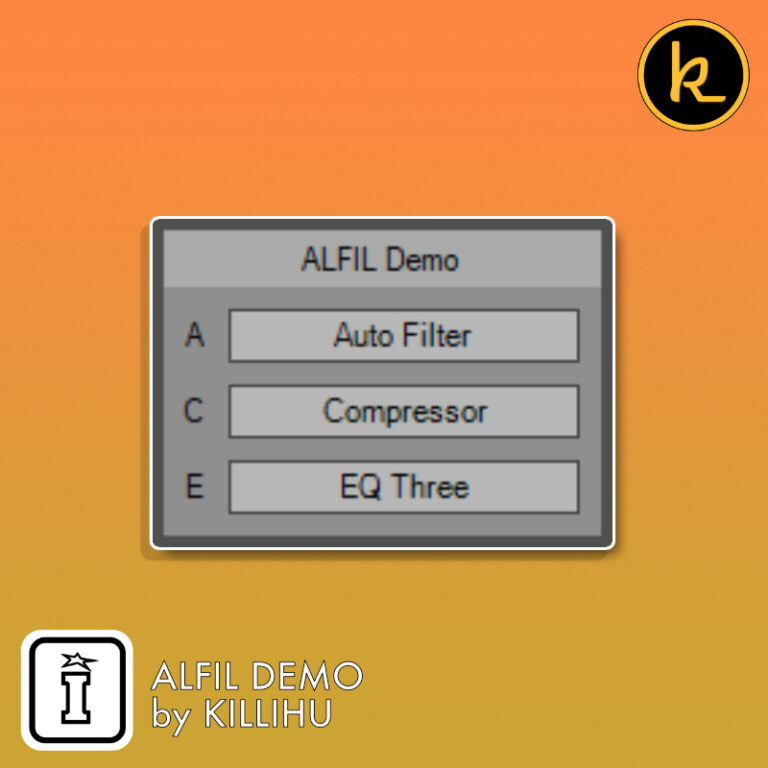
- Only 3 buttons available.
Main Application features:
- It is activated by a hotkey that only works if the Live window is active. So it does not interfere with other open applications.
- Up to 44 buttons can be configured to load any type of element (effects, instruments, external plugins, tracks, presets…).
- Additionally, a key can be assigned to each button. So once the ALFIL window is displayed, you can use those keys to activate the corresponding buttons.
- The colors are configurable so you can adjust them to the Live theme color scheme.
- Several instances of ALFIL can be used simultaneously. For example to have one instance to load effects, another for instruments…
- It works in any of the versions of Live (Intro, Standard or Suite).
How does it work:
Pressing one of the ALFIL buttons activates the Live browser search box, performs a search with the button text and loads the first element found. Button text may contain file extensions. For example “Sylenth1.vst3” will load the VST3 version of the synth.
Extract the downloaded ZIP file and run the ALFIL.EXE file to start the app. An icon will appear in the system tray. To close the app, right click on the system tray icon and select Exit.
The app contains an AutoHotKey script. Years ago all antiviruses detected these scripts as viruses/trojans due to their characteristics. Currently, most antiviruses have been updated and detect that AutoHotKey is safe, although some still do not.
You can upload the exe file to virustotal.com and you will see that all the major antiviruses mark it as safe. Only a few showing it as unsafe, which is known as a false positive.
If your antivirus blocks the app from running, add the exe file to the exceptions list.
Once the app has started, and with the focus on the Live window, press the F12 key to display the ALFIL window. Click on any of the buttons to load the corresponding item. The window will close and the item will be loaded into Live. The window can also be closed using the ESC key.
To configure the app, edit the ALFIL.INI file with a text editor such as Notepad. The different elements to configure are detailed in the following sections of this help guide. Remember to restart ALFIL for the changes to take effect.
The “search_time” value sets the time between starting the search in the Live browser and loading the first item in the search result. By default it is set to 300ms. Depending on the size of the Live library and the speed of the hard drive, this value may need to be increased.
If ALFIL does not load elements, increase the value of “search_time” until the load is successful. If you have a modern PC you can probably set the “search_time” value below 300ms to get a faster loading time.
The “show_key” parameter sets the key used to display the ALFIL window. By default it is F12. You can change it to any individual key. It does not support keyboard combinations such as CTRL+Key.
The “search_time” value sets the time between starting the search in the Live browser and loading the first item in the search result. By default it is set to 300ms. Depending on the size of the Live library and the speed of the hard drive, this value may need to be increased.
If ALFIL does not load elements, increase the value of “search_time” until the load is successful. If you have a modern PC you can probably set the “search_time” value below 300ms to get a faster loading time.
The “show_key” parameter sets the key used to display the ALFIL window. By default it is F12. You can change it to any individual key. It does not support keyboard combinations such as CTRL+Key.
This section of the INI file indicates the elements to load into Live. Since ALFIL loads the first search result in the Live browser, before writing the names of the elements it is advisable to perform a manual search in Live to ensure that the desired element is in the first position of the search result. File extensions can be written in the name of elements.
For each element it is possible to assign a key so that when the ALFIL window is visible it is not necessary to click on the buttons. By using the assigned keys you can speed up the process of loading elements in Live. Individual keys can be set, not keyboard combinations such as CTRL+Key. The assigned keys will be displayed to the left of the corresponding buttons in the ALFIL window.
The last section of the INI file allows you to configure the colors of the ALFIL window. Several INI files are included in the ZIP file with the colors of the themes included in Live. But if you want to use custom colors, you must set them in HTML HEX code.
If you are not familiar with this code you can use a tool like Pixie(screenshot on the right) to find out the colors of your Live theme. Pixie displays a floating window that indicates the color at the position of the mouse pointer.The image below provides the location of each color parameter.

It is possible to use multiple instances of ALFIL simultaneously. To do this, simply change the name of the executable.
An example:
- Duplicate “ALFIL.EXE” and rename it “Effects.EXE”.
- Run “Effects.EXE” and a file called “Effects.INI” will be created.
- Edit “Effects.INI” to change the “show_key” and configure the elements you want to load into Live.
- Restart “Effects.EXE”.
You will see that the new copy (Effects.EXE) will display the text “Effects” as the window title.
This way it is possible to use as many instances of ALFIL as you want, just remember to configure a different “show_key” for each of them.
Since the hotkey to show ALFIL only interacts with Live and does not interfere when working with other programs, you can choose to start it automatically when Windows starts.
In the following How To Geek article you have a small guide explaining how to do it.
Items not loading in Live
If by pressing one of the ALFIL buttons the search in Live starts but the corresponding element is not loaded, the “search_time” value of the INI file must be increased. After modifying the INI file, restart ALFIL.
An incorrect item is loaded
ALFIL loads the first element found in the Live browser search result. Perform a manual search in Live to ensure that the element you are trying to load appears in the first position of the search result. To do this press CTRL+F in Live.
Focus returns to another window
When launching ALFIL from a File Explorer window, after loading an item in Live there may be a case where the focus returns to the File Explorer window instead of Live.
Tabbing between windows usually fixes this, or simply close the File Explorer window. The best way to avoid this is by starting ALFIL from the Desktop or starting it automatically with Windows.
Frequently Asked Questions
No, ALFIL is a Windows-only application. It is not currently compatible with macOS, so Mac users will not be able to run it.
ALFIL is designed to work alongside Ableton Live on Windows. Check the product page for specific version compatibility, but it is built to integrate with Live’s browser system broadly.
In the demo version, the hotkey used to display the ALFIL window cannot be changed, and you are limited to configuring only 3 buttons rather than the full 44 available in the main application.
You can assign buttons to load virtually any Ableton Live browser element, including effects, instruments, external plugins, tracks, and presets. It is designed to cover the full range of items you would normally browse for manually.
No, the hotkey is designed to only activate when the Ableton Live window is in focus, so it will not trigger or conflict with any other software you have running at the same time.
ALFIL is a standalone Windows application, so installation involves running the provided installer rather than loading anything into Ableton Live itself. Once installed, you configure your buttons and hotkeys within the ALFIL interface and it runs alongside Live.
Yes, button colours are configurable, and in the full version you can assign individual keys to each button so you can trigger them quickly once the ALFIL window is open, keeping your hands off the mouse.
Important Information
v1.1.1 Bugfixes:
- Fixed a bug introduced in the 12.1 Live update that sometimes displayed a prompt to delete the inserted item.
v1.1 New features and improvements:
- Added support for Live 12.
- New icon for the application and system tray.
v1.0 – Initial release
END-USER LICENSE AGREEMENT FOR ISOTONIK STUDIOS SOFTWARE PRODUCTS.
PLEASE READ THE TERMS AND CONDITIONS OF THIS LICENSE AGREEMENT CAREFULLY BEFORE CONTINUING WITH THIS PROGRAM INSTALL.
This End-User License Agreement (referred to as “EULA”) is a legal agreement between an individual or a single entity (referred to as “LICENSEE”) and Isotonik Studios for the Isotonik Studios software product(s) which may include associated software components, media, printed materials, and “online” or electronic documentation (referred to as “SOFTWARE PRODUCT”). By installing, copying, or otherwise using the SOFTWARE PRODUCT, the LICENSEE agrees to be bound by the terms of this EULA.
This EULA represents the entire agreement concerning the program between the LICENSEE and Isotonik Studios and it supersedes any prior proposal, representation, or understanding between the parties. If the LICENSEE does not agree to the terms of this EULA, the LICENSEE should not install or use the SOFTWARE PRODUCT.
The SOFTWARE PRODUCT is protected by copyright laws and international copyright treaties, as well as other intellectual property laws and treaties. The SOFTWARE PRODUCT is licensed, not sold.
- GRANT OF LICENSE.
The SOFTWARE PRODUCT is licensed as follows:
(a) Installation and Use. Providing that the LICENSEE has paid any applicable license fees, Isotonik Studios grants the LICENSEE the right to install and use copies of the SOFTWARE PRODUCT on up to two computers in the LICENSEE’s possession that are running a validly licensed copy of the operating system for which the SOFTWARE PRODUCT was designed [e.g., Windows 10, macOS]. The computer(s) must be owned by the LICENSEE.
(b) Backup Copies. The LICENSEE may also make copies of the SOFTWARE PRODUCT as may be necessary for backup and archival purposes.
- DESCRIPTION OF OTHER RIGHTS AND LIMITATIONS.
(a) Maintenance of Copyright Notices. The LICENSEE must not remove or alter any copyright notices on any and all copies of the SOFTWARE PRODUCT.
(b) Distribution. The LICENSEE may not distribute registered copies of the SOFTWARE PRODUCT to third parties.
(c) Prohibition on Reverse Engineering, Decompilation, and Disassembly. The LICENSEE may not reverse engineer, decompile, or disassemble the SOFTWARE PRODUCT, except and only to the extent that such activity is expressly permitted by applicable law notwithstanding this limitation.
(d) Rental. The LICENSEE may not rent, lease, or lend the SOFTWARE PRODUCT.
(e) License transfer The LICENSEE may not transfer their license to the SOFTWARE PRODUCT to any third party. Any attempt to do so will be considered a violation of this EULA.
(f) Support Services. Isotonik Studios may provide the LICENSEE with support services related to the SOFTWARE PRODUCT for a period of 12 months following the date of purchase. Any supplemental software code provided to the LICENSEE as part of the Support Services shall be considered part of the SOFTWARE PRODUCT and subject to the terms and conditions of this EULA.
(g) Compliance with Applicable Laws. The LICENSEE must comply with all applicable laws regarding use of the SOFTWARE PRODUCT.
- TERMINATION Without prejudice to any other rights, Isotonik Studios may terminate this EULA if the LICENSEE fails to comply with the terms and conditions of this EULA. In such event, the LICENSEE must destroy all copies of the SOFTWARE PRODUCT in the LICENSEE’s possession.
- COPYRIGHT All title, including but not limited to copyrights, in and to the SOFTWARE PRODUCT and any copies thereof are owned by Isotonik Studios or its suppliers. All title and intellectual property rights in and to the content which may be accessed through use of the SOFTWARE PRODUCT is the property of the respective content owner and may be protected by applicable copyright or other intellectual property laws and treaties. This EULA grants the LICENSEE no rights to use such content. All rights not expressly granted are reserved by Isotonik Studios.
- NO WARRANTIES Isotonik Studios expressly disclaims any warranty for the SOFTWARE PRODUCT. The SOFTWARE PRODUCT is provided ‘As Is’ without any express or implied warranty of any kind, including but not limited to any warranties of merchantability, noninfringement, or fitness of a particular purpose. Isotonik Studios does not warrant or assume responsibility for the accuracy or completeness of any information, text, graphics, links or other items contained within the SOFTWARE PRODUCT. Isotonik Studios makes no warranties respecting any harm that may be caused by the transmission of a computer virus, worm, time bomb, logic bomb, or other such computer program. Isotonik Studios further expressly disclaims any warranty or representation to the LICENSEE or to any third party.
- LIMITATION OF LIABILITY In no event shall Isotonik Studios be liable for any damages (including, without limitation, lost profits, business interruption, or lost information) arising out of the LICENSEE’s use of or inability to use the SOFTWARE PRODUCT, even if Isotonik Studios has been advised of the possibility of such damages. In no event will Isotonik Studios be liable for loss of data or for indirect, special, incidental, consequential (including lost profit), or other damages based in contract, tort or otherwise. Isotonik Studios shall have no liability with respect to the content of the SOFTWARE PRODUCT or any part thereof, including but not limited to errors or omissions contained therein, libel, infringements of rights of publicity, privacy, trademark rights, business interruption, personal injury, loss of privacy, moral rights or the disclosure of confidential information.