Evoking a sense of calm and tranquility. Leaning on an 80’s vibe, a memorable lead
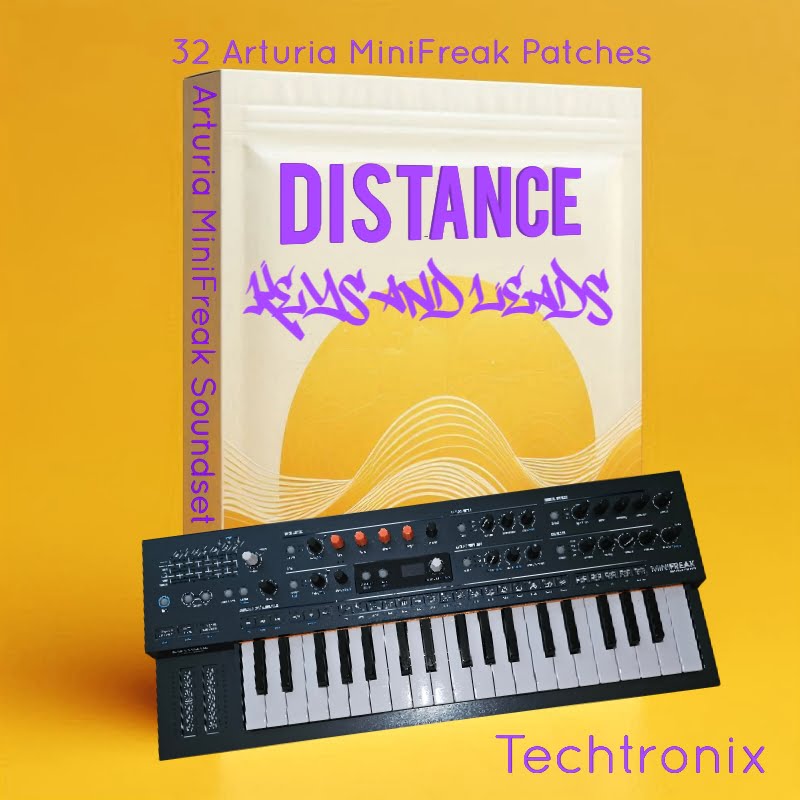
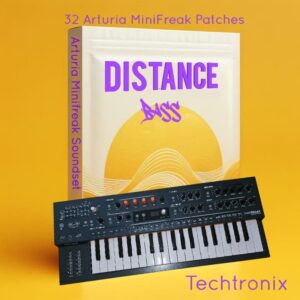
Distance Keys for the Arturia MiniFreak by Techtronix
A TRAIL OF SONIC DESTRUCTION
BUILD YOUR BUNDLE: Select three or more Techtronix products and unlock an instant 20% discount—applied automatically when you check out
Unlock the full potential of your Arturia MiniFreak with the Distance Pack. This meticulously crafted collection of 32 presets spans a diverse range of sounds, from authentic real instruments to lush, immersive soundscapes. Whether you’re producing cinematic scores, ambient tracks, or adding unique textures to your music, the Distance Pack has you covered. Distance Keys Features:- Versatile Sound Palette: Explore a wide array of sounds, including realistic pianos, strings, and brass, alongside ethereal pads and evolving textures.
- High-Quality Presets: Each preset is designed to take full advantage of the MiniFreak’s capabilities, ensuring rich, dynamic, and expressive sounds.
- Easy Integration: Seamlessly integrate these presets into your workflow, whether you’re in the studio or performing live.
- Elevate your music production with the Distance Pack and experience the true depth and versatility of the Arturia MiniFreak.
Distance Keys for the Arturia MiniFreak by Techtronix
A TRAIL OF SONIC DESTRUCTION
BUILD YOUR BUNDLE: Select three or more Techtronix products and unlock an instant 20% discount—applied automatically when you check out
Unlock the full potential of your Arturia MiniFreak with the Distance Pack. This meticulously crafted collection of 32 presets spans a diverse range of sounds, from authentic real instruments to lush, immersive soundscapes. Whether you’re producing cinematic scores, ambient tracks, or adding unique textures to your music, the Distance Pack has you covered. Distance Keys Features:- Versatile Sound Palette: Explore a wide array of sounds, including realistic pianos, strings, and brass, alongside ethereal pads and evolving textures.
- High-Quality Presets: Each preset is designed to take full advantage of the MiniFreak’s capabilities, ensuring rich, dynamic, and expressive sounds.
- Easy Integration: Seamlessly integrate these presets into your workflow, whether you’re in the studio or performing live.
- Elevate your music production with the Distance Pack and experience the true depth and versatility of the Arturia MiniFreak.
Distance Keys Demo
Unknown Artist
0:00
0:00
Additional information
| Synth Compatibility | Arturia MiniFreak |
|---|---|
| Genre |
PRICE: £20.00
Product reviews
No reviews yet. Be the first to review this product.
Distance Keys for the Arturia MiniFreak by Techtronix
Distance “Keys” is a collection of 32 patches for the Arturia Minifreak, Inlcuding real acoustic instrument patches.
Made to draw a pool of inspiration, it’s not just about high-quality sounds. It’s about inspiring creativity. Each patch is has been crafted to spark new ideas and keep your music production both effective and innovative.
Whether you’re looking to enhance your tracks with an atmospheric soundscape, strong leads, or acoustic instruments Distance “Keys” is a must
Add depth and variety to your live sets, or experiment with new sonic landscapes,
This collection provides the tools you need to enhance both your pallet and music.
This pack can be used for a range of genres, and aims to show off the Minifreaks highly textured sound capabilities, along with classic acoustic emulations that have taken an age to both conceptualize and produce.
In summary, the Distance “Keys” collection offers a versatile and high-quality set of patches that are perfect for a wide range of applications.
With a collection of acoustic instruments, such as a Double bass, Upright piano, Kalimba, Brass and more, this collection is a valuable addition to any producer’s toolkit, ensuring that you’ll always find something right to spark your creativity and enhance your musical projects.
Distance Keys Patch Guide:
BUILD YOUR OWN BUNDLE: Buy any three packs from Techtronix at the same time and get 20% Discount applied at Checkout!
A powerful, high-energy massive pad great for suspense and thick chords
1/8th tremelo lead, with Lfo set to filter cuttoff for tremelo effect, “mess with lfo speed”
A bright and radiant sequence, with an oriental progressive type feel.
A realistic sounding brass instrument with a nice chorus on macro 1 and a release on macro 2
Deep rich and resonant, perfect for adding a dramatic impactful presence to your tracks.
Sharp and clear Lead, ideal for creating intricate, high-definition melodies that stand out with clarity and texture
Colorful and mesmorizing, yet disturbing and dissonant.
The First upright Piano patch for the Arturia MiniFreak “This one preset alone took years to perfect on the Hydrasynth and was translated accross To the Freak”
Smooth and lush, go from a plucky splash in a pool of reverb to a rich full pad, all courtesy of the Minifreaks macros. Perfect for adding depth and warmth to your tracks.
A cool, delicate and ethereal pad, with human like overtones when sustained, ideal for creating icy otherworldly atmospheres
Warm Juno Emulation where macro 1 brings in the square oscillator and 2 brings in vibrato for that classic Juno lead
A realistic kalimba patch made using using fm which can be played in reverse creating a peaceful, celestial atmosphere
Texture and tranquility. A clear night sky filled with stars.
A strong enchanting guitar type lead, ideal for an overpowering solo.
Warm and shimmering, With a eery surreal underneath, perfect for creating mirage-like atmospheres that sit in the background.
A highly textured lead with rich, warm tones, play as a pad or or lead using the macros
A classic sound made from the chord mode and the fm oscillator
This patch gets closer to that true osc sync sound, using the lfo scan the wavetable oscillator.
A warm soft lead with a wash of reverb, giving it a natural space
A 4th guitar chord patch
A guitar power chord for shredding.
Spacey and expansive, this key patch feels like the cosmos. vast and resonant, ideal for otherworldly harmonies
Cool and modern Chord Patch, perfect for creating contemporary chord progressions
A Beautifully soft lead with a natural reverb sound, creating a cavern of vibe and feeling
Massively calm and alluring pad, with hint of chordal undertone.
A Peircing lead, that can be hollowed out with the macros, making a plinky toy like lead
A Juno on heat, massive yet nostalgic
Crackle, delay, texture, space, this preset has it all. with a loopback set on the macros, listen to it spin as you play.
A thick trancy pluck, good for arpreggios
A softly spoken preset with a theramin type vibe
A drop in the ocean to a wall of distorted overtones, let the macros guide you
Frequently Asked Questions
Distance Keys is designed exclusively for the Arturia MiniFreak synthesiser. It is not compatible with other Arturia instruments or software versions of the MiniFreak.
The pack contains 32 patches, covering a wide range of sounds including acoustic instrument emulations, atmospheric soundscapes, and strong leads.
Distance Keys is designed to be genre-flexible, making it useful for ambient, electronic, cinematic, and beyond. The collection blends acoustic instrument patches with lush soundscapes and expressive leads, so it works equally well in live performance and studio production.
The presets are loaded onto the MiniFreak using Arturia’s MIDI Control Centre software. Simply import the patch files through the software and sync them to your hardware.
No additional software or plugins are required beyond Arturia’s MIDI Control Centre, which is free to download from the Arturia website. You just need the physical MiniFreak hardware.
Absolutely. The patches have been crafted with both studio production and live performance in mind, offering a varied palette that holds up well across different performance contexts.
Yes, all presets can be edited and tweaked directly on the MiniFreak itself. They are intended as a starting point for creativity, so you are encouraged to shape them to suit your own sound.
Important Information
Initial Release – September 2024
How to Install MiniFreak Presets
Follow these simple steps to install your MiniFreak presets.
Step 1: Download and Extract the Presets
Once you’ve purchased and downloaded the preset pack, the file will usually be in a compressed .zip format. First, unzip the downloaded file.
- Windows: Right-click the .zip file and choose “Extract All.”
- Mac: Double-click the .zip file to unzip it.
This will extract the presets into a folder on your computer.
Step 2: Open the MiniFreak V Software
Ensure that you have the Arturia MiniFreak V software installed. You’ll be importing the presets into this application.
- Launch the MiniFreak V software.
- Navigate to the Preset Browser by clicking the browser icon located in the top right corner of the interface.
Step 3: Import the Presets
In the Preset Browser:
- Click on the Import button located at the bottom right of the browser window.
- Browse to the folder where you extracted your preset files and select them.
- Click Open to import the presets.
Once imported, the presets will be available in the preset browser for use.
Step 4: Access Your Presets
After importing, you can find your new presets in the MiniFreak V’s User Bank or whichever category they were saved in. Simply scroll through the list or use the search function to locate them.
Troubleshooting
If you’re having issues:
- Ensure you’re using the latest version of the MiniFreak V software.
- Make sure the presets you’ve downloaded are compatible with the MiniFreak version you’re using.
- Double-check that you’ve unzipped the files properly and selected the correct preset file format (.fxp or other supported formats).
For any further assistance, consult Arturia’s official MiniFreak documentation or reach out to the preset provider for support ny using the contact button in the header of this website.
More from Techtronix
TechtronixHip-Hop Foundations Three - Circuit Rhythm or Circuit TracksFor Novation Circuit Rhythm Price range: £18.00 through £25.00
TechtronixHip-Hop Foundations TWO - Circuit Rhythm (Limited Edition)For Novation Circuit RhythmFrom £5.00
Frequently Bought Together