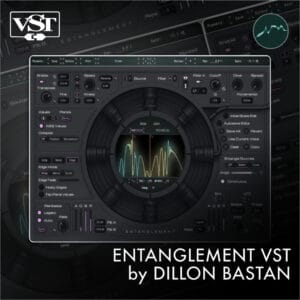
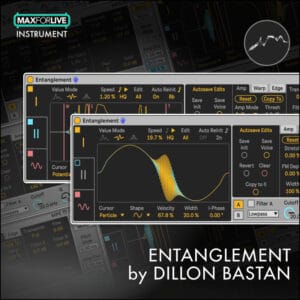
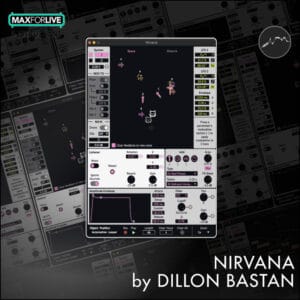
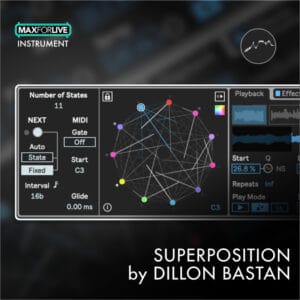
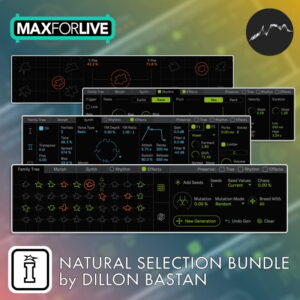
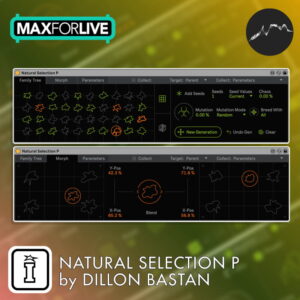
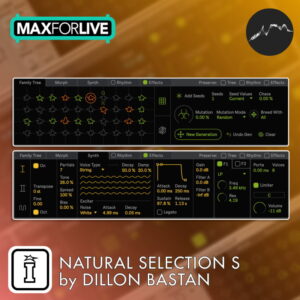
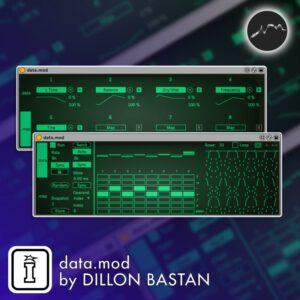
The bundle collects all of Dillon Bastan’s free Max for Live devices into one pack, including Cellular Degradation and the rest of his freely available creations. It is the most complete way to get everything in one go without hunting down individual downloads.
FREE BUNDLE by DILLON BASTAN
ALL OF DILLONS FREE DEVICES
This is the bumper pack of all of Dillon Bastans Free MaxforLive Devices for Ableton Live in one easy self installing pack!

















FREE BUNDLE by DILLON BASTAN
ALL OF DILLONS FREE DEVICES
This is the bumper pack of all of Dillon Bastans Free MaxforLive Devices for Ableton Live in one easy self installing pack! Additional information
| MaxforLive | Control Devices, Sequencers |
|---|---|
| Ableton Live Compatibility | Ableton Live 11 Standard with MaxforLive, Ableton Live 11 Suite, Ableton Live 12 Standard with MaxforLive, Ableton Live 12 Suite |
| Min. Requirements | Ableton Live 10 Standard with MaxforLive Installed or Ableton Live 10 Suite |
| OS | Mac, Windows |
Product reviews
5 out of 5
6 reviews
How item rating is calculated
We show the average based on reviews. Only genuine reviews are displayed.
Sort by
September 29, 2025
This reviewer bought this product from our store.
Great products.
August 9, 2025
This reviewer bought this product from our store.
was a bit over priced
Reply from Darren E Cowley (Admin)
August 9, 2025
July 27, 2025
This reviewer bought this product from our store.
Super tools and free ! Go download
January 10, 2025
This reviewer bought this product from our store.
A great set of very usable tools.
August 8, 2024
This reviewer bought this product from our store.
wonderful
FREE BUNDLE by DILLON BASTAN
CELLULAR DEGRADATION
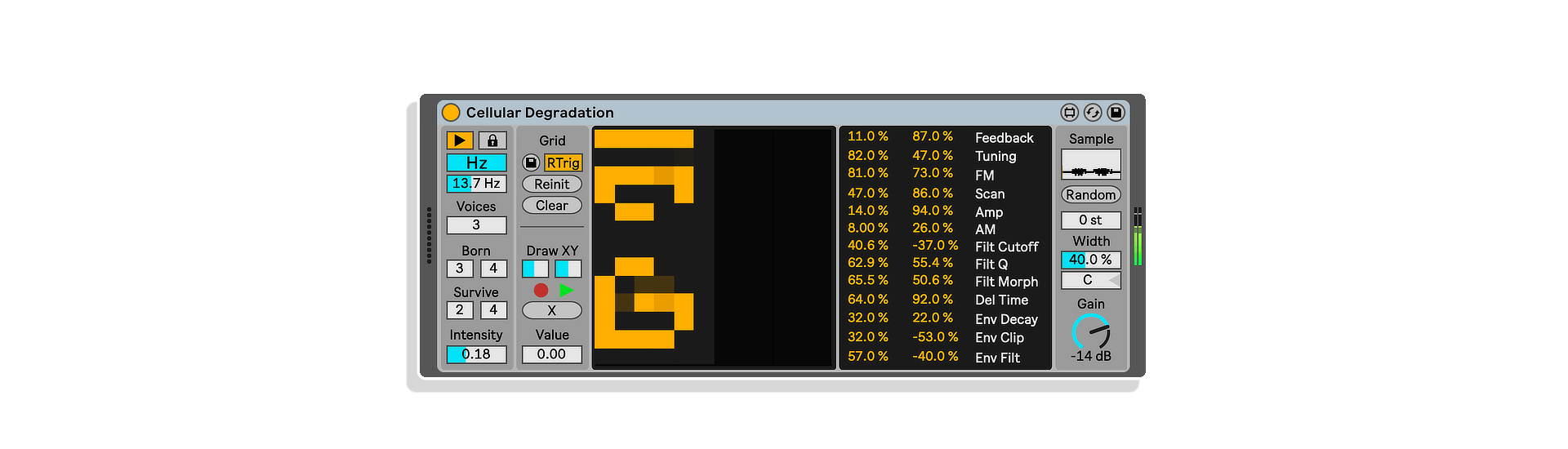
Cellular Degradation combines a cellular automaton with a polyphonic tone generator. Each stereo voice of the tone generator corresponds to each column of the cellular automaton’s grid, while each row corresponds to the associated tone generator’s audio parameters. The changing values of the cells from the cellular automata modulate the audio parameters of the tone generators.
The tone generators roughly follow this chain:
Sample playback (at a very low rate, like an LFO) >> SVF (LP/HP Morph) >> Delay Line >> Normalization via Envelope Following >> Feedback and cross-modulation (between left and right channel pair, modulates FM, AM, and sample lookup).
FEATURES:
- Cellular automata that modulates parameters of up to 6 stereo feedback oscillators
- Various rules and parameters for the cellular automata
- Ability to add cell values with mouse clicks and record and playback those clicks
- Various paramaters for the feedback oscillators and modulation amounts for each parameter
- randomize parameter function
- pitch shifting
- stereo width and gain
FRACTAL FILTERS
Fractal Filters uses a visualization of Julia Set fractals to create a set of amplitudes for a 50 band filterbank. It does so by taking a ‘slice’ of the 2D image (either a single row or column) and using that list of values as the filterbank amplitudes. Noise or input audio is sent through the filterbank.
The Q of the filters can go really high as to create tones if desired, and there are scale and tuning options for the filterbank. Additionally, Scala files (.scl) can be dropped onto the ‘Scale’ menu to use custom tunings!
THIS DEVICE IS INTENDED TO BE USED WITH MODULATORS. Otherwise, it will have no dynamics. So map away and have fun!
FEATURES:
- Julia Set fractal with various parameters for changing the fractal
- A X or Y axis listener that applies fractal values to a filter bank
- Slope and msoothing options for the listener values
- Various source options for the filter input
- White or Pink noise, external input
- Q factor of the filters
- Frequency tuning options for the filters
- Scale options for filter tunings, including ability to use Scala (.scl) tuning files
- dry/wet mix and gain
IMAGE2WAVETABLE
This device is a collaboration between Dillon Bastan and Carlo Cattano.
Turn an image into a wavetable to be used by Live’s wavetable (and others). With the new Ableton Live update users can drop their own wavetables on the native Wavetable Instrument. Simply drop an image, save as wave, and then drop that file onto Ableton Wavetable (must be Live 10.1 or higher!) Oh, and make sure ‘Raw’ is enabled on the Wavetable or it won’t look right!
Super simple device. Could of course be expanded, so have fun doing that if you are inclined.
NOTE: Some transparent background PNGs won’t work! Just save them as jpegs.
FEATURES:
- Ability to export an image file to a wavetable file to be used in Ableton’s wavetable synth or another wavetable synth
- Options to change the number of waveforms in the table and the waveform size
LOGISTIC MOD
The Logistic Mod MaxforLive device for Ableton Live uses the logistic equation for modeling population growth, which exhibits chaotic behavior when the growth rate coefficient (r) is above roughly 3.57.
Chaotic behavior is aperiodic, non-repeating, yet self-similar and fractal. Therefore, the signal will have endless complexity, yet with somewhat familiar repeating patterns from time to time.
If (r) is below 3.57, it goes through a series of period-doublings leading up to the chaotic behavior (starting at r=3 when the first period-doubling appears in a 2 cycle period).
Logistic Mod gives you an alternative for a stepped modulator with a bit more nuanced possibilities, as well as interpolation and smoothing options. Overall a simple device that may be just what you need in a given situation!
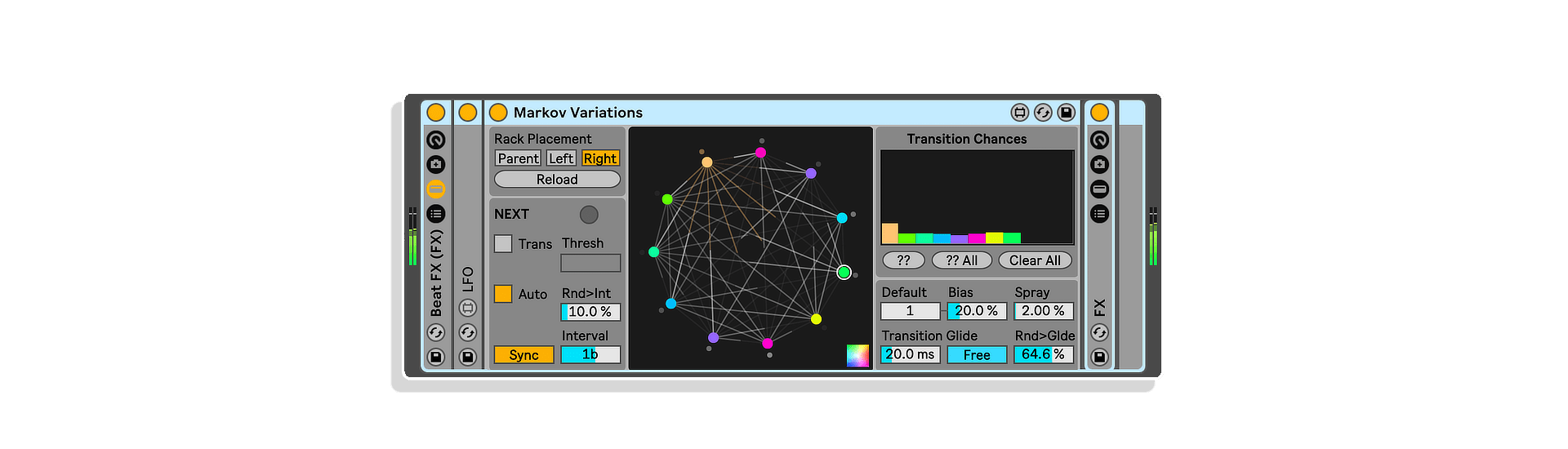
MARKOV VARIATIONS
Use the Markov Variations MaxforLive device to transition between Variations (Variations are the new presets/snapshots feature in Ableton Live’s Racks) using Markov Chains.
The device detects the stored variations on an assigned Rack, then it transitions between them with probabilities (using Markov Chain).
You can change the way that a new transition is triggered (either with a mappable button or automatically at a set interval or when detecting transients). There are features for gliding and changing other functionalities relating to probabilities.
Also included is the Note Trigger Map device within the live pack that sends a trigger when MIDI notes are received to a mapped parameter. This is useful if you want to trigger transitions from MIDI notes.
SCREAMING JANUS
Screaming Janus has 2 main components: a simulation of Janus Bunch Oscillators and a corresponding bank of brutal oscillators.
JANUS BUNCH OSCILLATORS:
To best understand what these are I recommend going to this interactive webpage, which is where I was inspired and grabbed the model from.
I will briefly explain (skipping over details) in case you don’t want to read. A Janus Bunch oscillator state is made of two phases. The model can describe synchronization (between the internal phases as well as external oscillators) by coupling both internally and externally.
This allows for very interesting and complex movements of the phases. Additionally for this implementation, the oscillators are given XY positions determined by the two phases and a rotational speed.
Their colors and Z positions are also determined based on the deltas of the phases. So all in all we get from each Janus Bunch oscillator voice: 2 running phases, an XYZ position, and a color value. These are visualized in the center of the device by squares. NOTE: The Janus Bunch oscillators in this device DO NOT CREATE SOUND themselves, but the positions, phases, and colors are used to drive and modulate sound in the brutal oscillators described below.
THE BRUTAL OSCILLATORS:
This is what we hear in the device. Each brutal oscillator voice corresponds with an associated Janus Bunch oscillator. Here is roughly the signal path of each brutal oscillator voice:
- The original signal comes from the 2 running phases of the associated Janus Bunch oscillator. These are sent through a cosine function to create a stepped sine wave (which is more aliased and has more harmonics). Both of the resulting sine waves are panned hard left and right.
- Next, the signal is cross-modulated (optionally) by the previous frame’s sum of all of the brutal oscillators.
- Next, the signal is cross-modulated (optionally) by the previous frame output of the voice
- Next is a highpass and then lowpass filter
- Next is a stereo delay line with different times for the left and right signals respectively
- Next is a brutal wave-shaping of the signal
- Next is the feedback for the delay, which has an option for being with the wave-shaped signal or the signal right after the delays.
- Ends with a tanh function and gain reduction
There are parameters on the device for applying modulation to the following parameters:
Delay time Left and Right, Feedback amount Left and Right, Highpass and Lowpass filter cutoffs, Gain.
The modulation sources include the Janus Bunch oscillator positions, colors, and phases as well as a static spread between each voice.
- FEATURES:
- Janus Bunch oscillator bank modulating a band of brutal feedback oscillators
- Various parameters for the janus oscillaotr model
- Various parameters for the signal path of the brutal oscillators
- Various modulatable parameters for the feedback oscillators
SPECTRAL ATTRACTORS
Spectral Attractors uses a physics simulation and a phase vocoder. The phase vocoder sounds whatever spectral content is in the current “state”. The “state” is attracted to up to 4 other spectral “states” called “attractors”, which attract the state via the physics simulation with two different modes:
(1) FFT Mode: physics simulation is in 12288 dimensions (a bit higher CPU as a result) in which every FFT frequency bin amplitude, phase value and previous frame value for both left and right channels is a dimension, which results in a complex soundscape and combination of spectrums.
(2) 2D Mode: physics simulation is in 2 dimensions, in which attractors are spread out on a 2D plane based on their spectral differences. The sounding “state” then depends on how close it is to the attractors in a 2D space, resulting in spectra closer to the original attractor states. This mode also includes an option for either interpolating or crossfading based on distance to attractors.
Attractor states are selected by taking “snapshots” of audio in a buffer, which can either be a dropped sample or recorded live from routing audio from another track in Live. Additionally there are parameters for controlling the physics dynamics and real time frequency domain pitch shifting.
FEATURES:
- Basic physics simulation which affects the spectral content of the phase vocoder
- Various spectral snapshots obtained from sampling to morph between
- Function to randomonly grab different spectral snapshots from a buffer
- various modes of spectral morphing
- pitch shifting
- Attack and decay smoothing of spectral morphing
- Panning and gain
STRANGE MOD
Strange Mod is a MaxforLive device for Ableton Live that uses several Strange or Chaotic Attractors to produce a moving 3D coordinate.
The coordinate may be mapped to various parameters in Live similar to an LFO.
The difference is that chaotic attractors do not repeat the exact same progression, although each has its own structure.
So you can get tons of endless variety while having similar flows for each attractor.
This is a simple device and there have been many implementations of chaotic attractors (especially Lorenz) in sound/music, have fun exploring!
SWARMALATORS N
A sequel to ‘Swarmalators T’, except this version is a MIDI effect that outputs MIDI notes! Swarmalators applies the ‘Swarmalators’ model to control MIDI note outputs. More info is in the link below about Swarmalators. Because Swarmalators’ positions and internal oscillators are all interconnected, they offer different dynamic possibilities from swarming to harmonic synchronization. The Swarmalators’ XY positions can be mapped to the note out parameters like pitch, velocity, and duration.
There are also various scale options for the pitches, as well as a mode that detects the pitches of a drum rack. The device can create generative melodies, harmonies, and drum patterns.
More info about Swarmalators: here
FEATURES:
- Particle system of swarmalators model and controls for the model
- MIDI Note output when swarmalators complete an oscillation period
- Modulatable note output options
- Various scale options including one for drum racks
- MPE output options
SWARMALATORS T
Swarmalators applies the ‘Swarmalators’ model to a bank of oscillators as modulation. More info is in the link below about Swarmalators. Because Swarmalaotrs’ positions and internal oscillators are all interconnected, they offer different dynamic possibilities from swarming to harmonic synchronization.
The internal oscillators of each Swarmalator is applied to basic LFO shapes, which together with the XY positions can be mapped to the audio oscillator parameters. The audio oscillators additionally have tuning options (Scala files can be used for custom tunings, including microtonal ones!), FM, and resonant lopass filtering.
This allows for sonic possibilities from lush textures, to glitchy and harsh soundscapes, as well as generative melodic and harmonic patterns.
FEATURES:
- Particle system of swarmalators model and controls for the model
- bank of FM oscillators with waveshape selection and various modulatable parameters
Frequently Asked Questions
These are Max for Live devices, so you will need Ableton Live Suite or a copy of Live Standard or Intro with a separate Max for Live licence. Check the individual device requirements within the pack for any version-specific notes.
No, Max for Live is bundled within Ableton Live Suite and handles everything these devices need. You do not need a standalone installation of Max unless you want to open and edit the device internals yourself.
The pack is self-installing, so simply double-click the downloaded file and Ableton Live will handle the rest, placing all devices in the correct location. No manual file moving or third-party installers are required.
Cellular Degradation is well suited to ambient, experimental, and generative music where evolving, unpredictable textures are desirable. The cellular automaton system means no two passes sound identical, making it great for drone work, sound design, and generative composition.
Yes, the generative and modulation-heavy nature of devices like Cellular Degradation makes them particularly well suited to live performance, where evolving soundscapes can run with minimal intervention. They work inside your standard Ableton Live session just like any other Max for Live device.
Yes, Max for Live devices are compatible with both macOS and Windows as long as you are running a supported version of Ableton Live. Ensure your system meets Ableton’s current requirements for the smoothest experience.
Important Information
V1.0.0 – Initial Release – January 2024
Our Products are generally provided as Zip file downloads which in all cases will need to be extracted and saved to your hard drive prior to installation. Details on the different file type provided and what to do with them are below.
.alp Files – These are Ableton Live Packs and will either install directly into the Packs Section of the browser of Ableton Live or ask you to save them to your hard drive. For packs that install to the library, when you double click on them you will see a pop up window asking you to confirm that installation is ok as the files are described as “Legacy”. This is fine and you are ok to proceed, the packs are created using the format for an earlier version of Live and so remain compatible with the current version.
.amxd files – These are individual MaxforLive Devices and can be stored anywhere on your hard drive. We’d advise creating a folder for them and then adding that folder as a location within the Places section of Lives Browser.
END-USER LICENSE AGREEMENT FOR ISOTONIK STUDIOS SOFTWARE PRODUCTS.
PLEASE READ THE TERMS AND CONDITIONS OF THIS LICENSE AGREEMENT CAREFULLY BEFORE CONTINUING WITH THIS PROGRAM INSTALL.
This End-User License Agreement (referred to as “EULA”) is a legal agreement between an individual or a single entity (referred to as “LICENSEE”) and Isotonik Studios for the Isotonik Studios software product(s) which may include associated software components, media, printed materials, and “online” or electronic documentation (referred to as “SOFTWARE PRODUCT”). By installing, copying, or otherwise using the SOFTWARE PRODUCT, the LICENSEE agrees to be bound by the terms of this EULA.
This EULA represents the entire agreement concerning the program between the LICENSEE and Isotonik Studios and it supersedes any prior proposal, representation, or understanding between the parties. If the LICENSEE does not agree to the terms of this EULA, the LICENSEE should not install or use the SOFTWARE PRODUCT.
The SOFTWARE PRODUCT is protected by copyright laws and international copyright treaties, as well as other intellectual property laws and treaties. The SOFTWARE PRODUCT is licensed, not sold.
- GRANT OF LICENSE.
The SOFTWARE PRODUCT is licensed as follows:
(a) Installation and Use. Providing that the LICENSEE has paid any applicable license fees, Isotonik Studios grants the LICENSEE the right to install and use copies of the SOFTWARE PRODUCT on up to two computers in the LICENSEE’s possession that are running a validly licensed copy of the operating system for which the SOFTWARE PRODUCT was designed [e.g., Windows 10, macOS]. The computer(s) must be owned by the LICENSEE.
(b) Backup Copies. The LICENSEE may also make copies of the SOFTWARE PRODUCT as may be necessary for backup and archival purposes.
- DESCRIPTION OF OTHER RIGHTS AND LIMITATIONS.
(a) Maintenance of Copyright Notices. The LICENSEE must not remove or alter any copyright notices on any and all copies of the SOFTWARE PRODUCT.
(b) Distribution. The LICENSEE may not distribute registered copies of the SOFTWARE PRODUCT to third parties.
(c) Prohibition on Reverse Engineering, Decompilation, and Disassembly. The LICENSEE may not reverse engineer, decompile, or disassemble the SOFTWARE PRODUCT, except and only to the extent that such activity is expressly permitted by applicable law notwithstanding this limitation.
(d) Rental. The LICENSEE may not rent, lease, or lend the SOFTWARE PRODUCT.
(e) License transfer The LICENSEE may not transfer their license to the SOFTWARE PRODUCT to any third party. Any attempt to do so will be considered a violation of this EULA.
(f) Support Services. Isotonik Studios may provide the LICENSEE with support services related to the SOFTWARE PRODUCT for a period of 12 months following the date of purchase. Any supplemental software code provided to the LICENSEE as part of the Support Services shall be considered part of the SOFTWARE PRODUCT and subject to the terms and conditions of this EULA.
(g) Compliance with Applicable Laws. The LICENSEE must comply with all applicable laws regarding use of the SOFTWARE PRODUCT.
- TERMINATION Without prejudice to any other rights, Isotonik Studios may terminate this EULA if the LICENSEE fails to comply with the terms and conditions of this EULA. In such event, the LICENSEE must destroy all copies of the SOFTWARE PRODUCT in the LICENSEE’s possession.
- COPYRIGHT All title, including but not limited to copyrights, in and to the SOFTWARE PRODUCT and any copies thereof are owned by Isotonik Studios or its suppliers. All title and intellectual property rights in and to the content which may be accessed through use of the SOFTWARE PRODUCT is the property of the respective content owner and may be protected by applicable copyright or other intellectual property laws and treaties. This EULA grants the LICENSEE no rights to use such content. All rights not expressly granted are reserved by Isotonik Studios.
- NO WARRANTIES Isotonik Studios expressly disclaims any warranty for the SOFTWARE PRODUCT. The SOFTWARE PRODUCT is provided ‘As Is’ without any express or implied warranty of any kind, including but not limited to any warranties of merchantability, noninfringement, or fitness of a particular purpose. Isotonik Studios does not warrant or assume responsibility for the accuracy or completeness of any information, text, graphics, links or other items contained within the SOFTWARE PRODUCT. Isotonik Studios makes no warranties respecting any harm that may be caused by the transmission of a computer virus, worm, time bomb, logic bomb, or other such computer program. Isotonik Studios further expressly disclaims any warranty or representation to the LICENSEE or to any third party.
- LIMITATION OF LIABILITY In no event shall Isotonik Studios be liable for any damages (including, without limitation, lost profits, business interruption, or lost information) arising out of the LICENSEE’s use of or inability to use the SOFTWARE PRODUCT, even if Isotonik Studios has been advised of the possibility of such damages. In no event will Isotonik Studios be liable for loss of data or for indirect, special, incidental, consequential (including lost profit), or other damages based in contract, tort or otherwise. Isotonik Studios shall have no liability with respect to the content of the SOFTWARE PRODUCT or any part thereof, including but not limited to errors or omissions contained therein, libel, infringements of rights of publicity, privacy, trademark rights, business interruption, personal injury, loss of privacy, moral rights or the disclosure of confidential information.