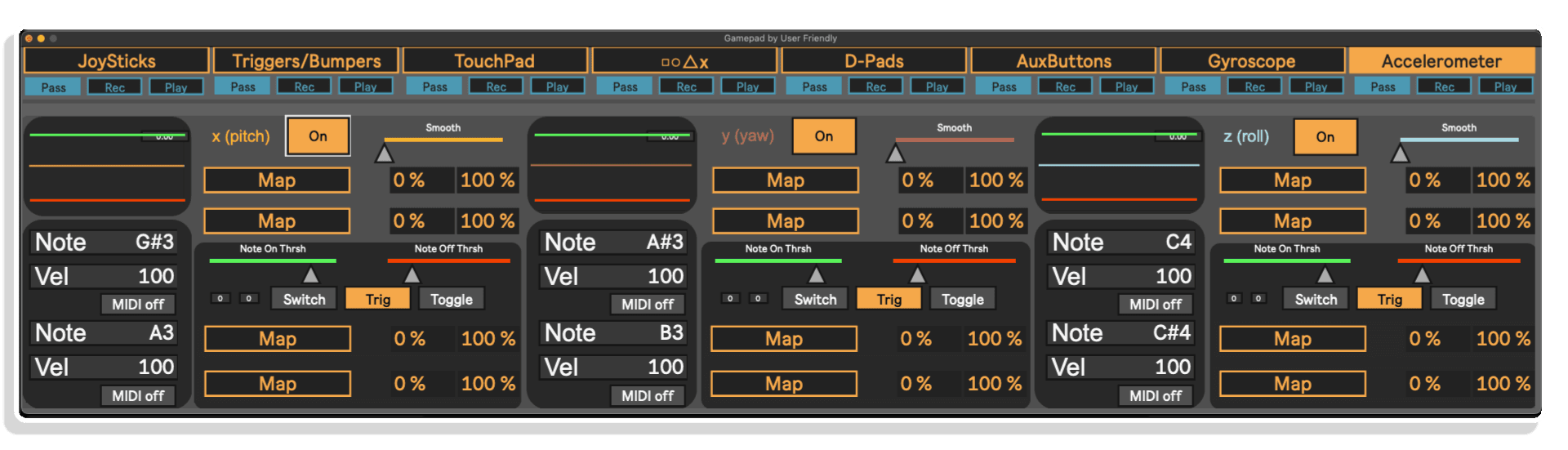
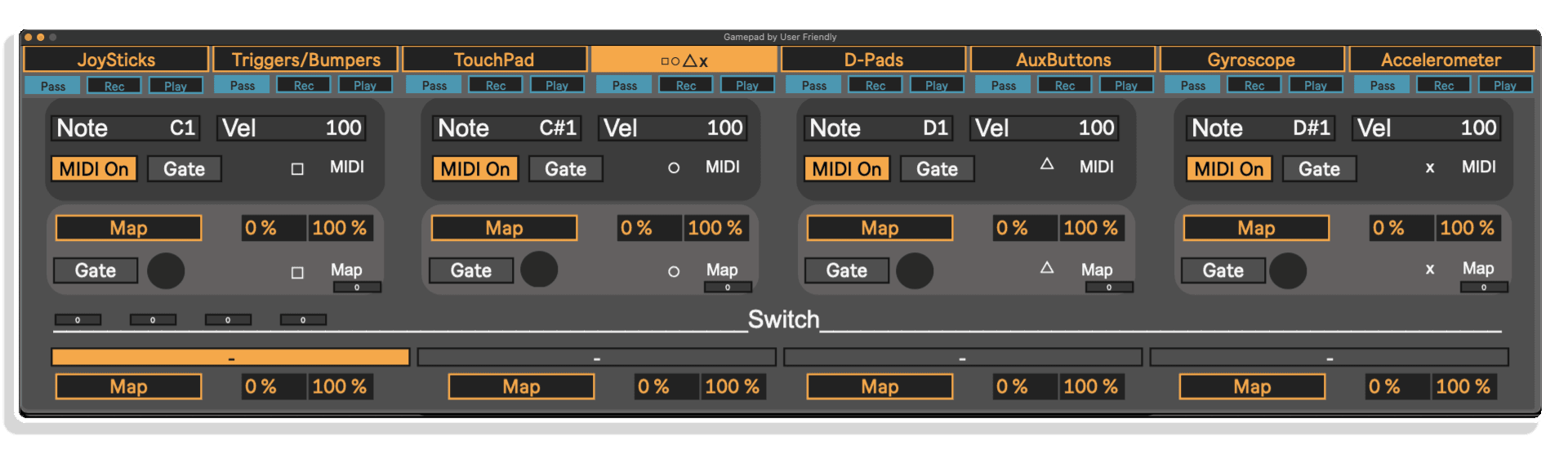
The accelerometer page includes 3 oscilloscopes (one for each axis) to help you see what is happening under the hood. But the real fun is in the MIDI and mappable outputs!
Steuern Sie Ihre Ableton Live-Sessions auf ganz neue Weise – mit Ihrem Gamepad! Das „Gamepad M4L Device“ von User Friendly verwandelt PS4-, PS5-, Xbox- und kompatible Gamepads in vollständig zuweisbare MIDI-Tools mit 64 Steuerelementen.
Jammen Sie Drum-Beats per Tastendruck, drehen Sie Filter mit den Gyrosensoren oder modulieren Sie Synthesizer mithilfe von Joystick-Bewegungen – ganz ohne die Maus zu berühren. Ganz gleich, ob Sie live auftreten, Studioaufnahmen machen oder Musikproduktion mit Gaming-Spaß verbinden: Dieses Gerät eröffnet Ihnen unendliches kreatives Potenzial.
Hauptmerkmale:
Starte Gamepad, schließe deinen Controller an – und verwandle das Spielen in eine Performance.
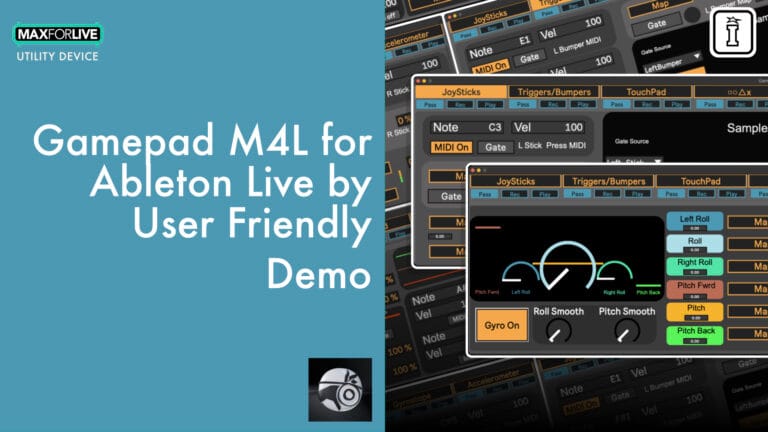
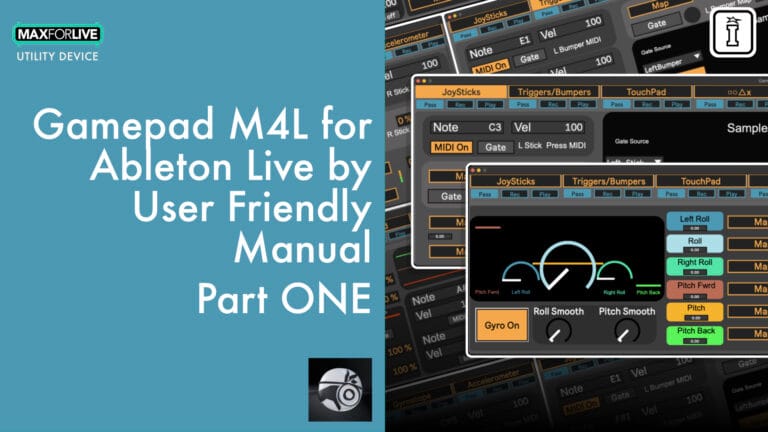
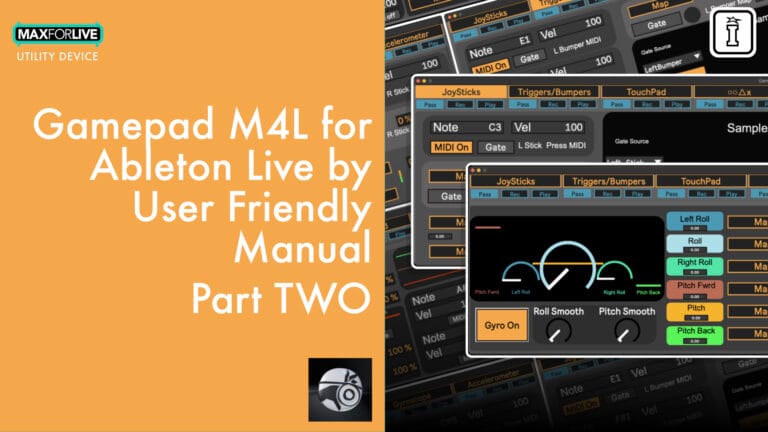
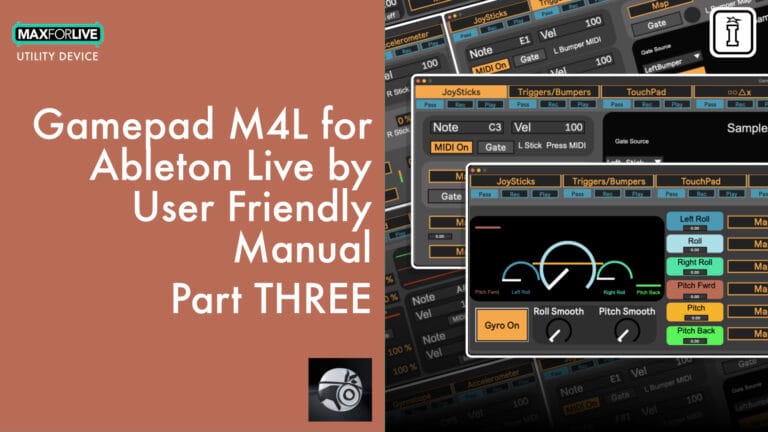
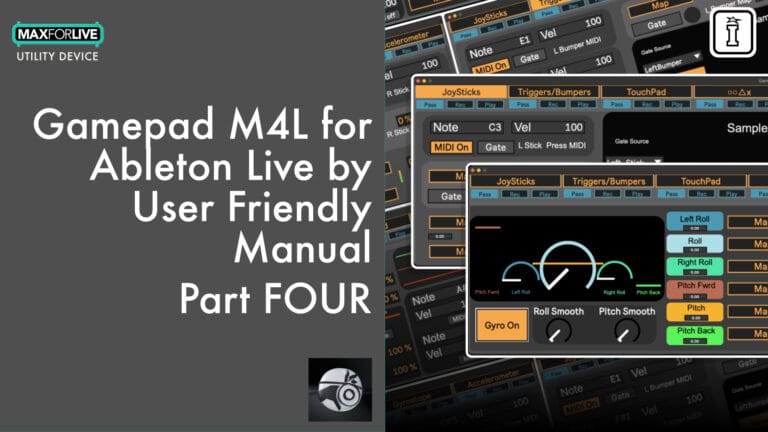
Steuern Sie Ihre Ableton Live-Sessions auf ganz neue Weise – mit Ihrem Gamepad! Das „Gamepad M4L Device“ von User Friendly verwandelt PS4-, PS5-, Xbox- und kompatible Gamepads in vollständig zuweisbare MIDI-Tools mit 64 Steuerelementen.
Jammen Sie Drum-Beats per Tastendruck, drehen Sie Filter mit den Gyrosensoren oder modulieren Sie Synthesizer mithilfe von Joystick-Bewegungen – ganz ohne die Maus zu berühren. Ganz gleich, ob Sie live auftreten, Studioaufnahmen machen oder Musikproduktion mit Gaming-Spaß verbinden: Dieses Gerät eröffnet Ihnen unendliches kreatives Potenzial.
Hauptmerkmale:
Starte Gamepad, schließe deinen Controller an – und verwandle das Spielen in eine Performance.
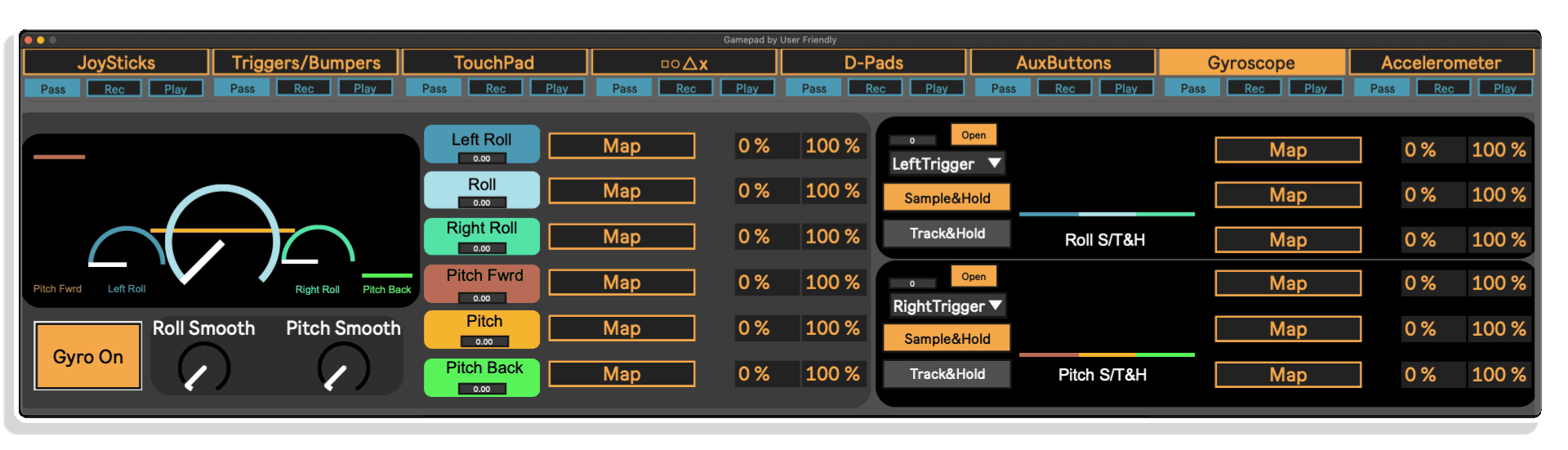
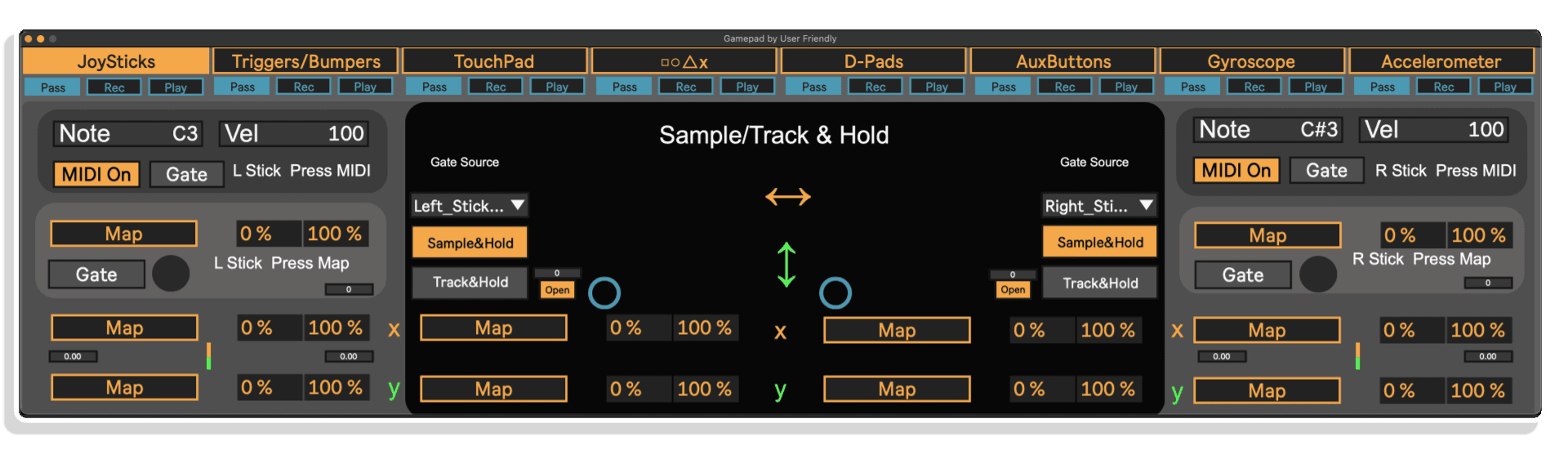
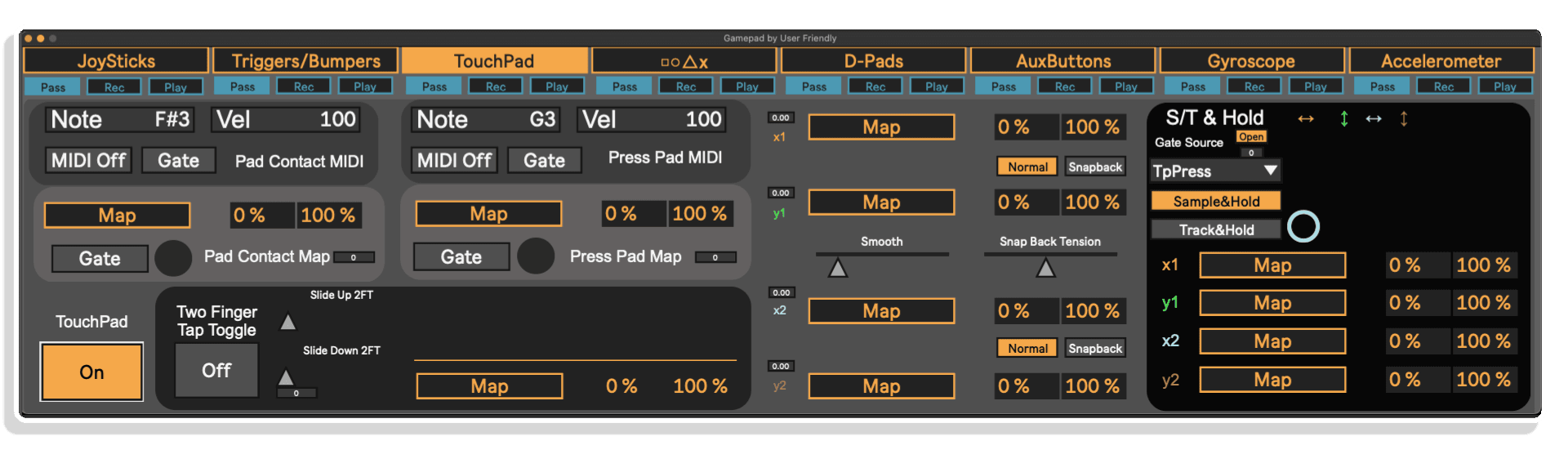
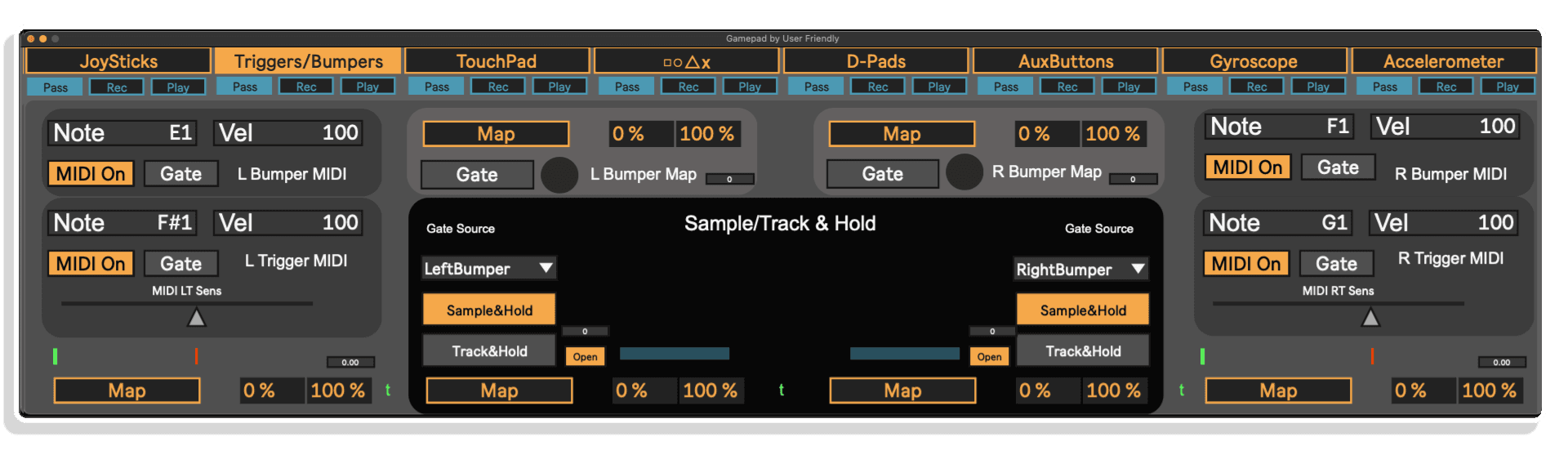
Wenn du dein Gehirn bereits auf Gamecontroller umgestellt hast, kann ich mir keine bessere Methode vorstellen, um Parameter in der DAW zu steuern.
Sehr empfehlenswert
Ich war auf der Suche nach einer Möglichkeit, meine PS4-Controller zu nutzen, und das hier war die Lösung. Ein wirklich tolles Tool.
Ich musste mir schließlich einen PS4-Controller kaufen, damit der Gyrosensor und der Beschleunigungsmesser funktionieren. Aus irgendeinem Grund habe ich es nie geschafft, dass der Xbox Elite-Controller dasselbe tut. Ich verwende Max 9.0.7 und Ableton 12.2.1 Live Suite.
Ein tolles kleines Tool, sehr umfangreich. Jetzt kann ich einen Synth wie ein Raumschiff steuern.
Stell dir vor, du jammst Beats oder modulierst Effekte, indem du nichts weiter als einen PlayStation- oder Xbox-Controller verwendest. Genau das ermöglicht dir das Gamepad M4L Device – es verbindet die Welt des Gamings und der Musik in einem intuitiven Max-for-Live-Tool. Dieses von User Friendly entwickelte Gerät nutzt bis zu 64 Steuerausgänge deines Gamepads und ordnet sie in Ableton Live 12 zu. Du kannst Tasten drücken, um MIDI-Noten auszulösen, Filter mit Joystick-Neigungen steuern oder Effekte mit Bewegungsgesten über das Gyroskop und den Beschleunigungsmesser des Controllers formen.
Und da moderne Gamepads äußerst ergonomisch gestaltet sind, kannst du mit natürlichen Handbewegungen auf eine Vielzahl von Steuerelementen zugreifen – weit über das hinaus, was herkömmliche MIDI-Keyboards oder Pad-Controller bieten. Perfekt für Live-Auftritte, Beatmaking, die Aufnahme von Automationen oder einfach nur zum Spaß, wenn du dich nicht zwischen Gaming und Musikproduktion entscheiden kannst.
Controller wie das PS5-Gamepad vereinen in kompakter Form ein enormes Ausdruckspotenzial – 64 Bedienelemente, die alle gleichzeitig zugänglich sind. Über die Tasten und Sticks hinaus lassen sich mit subtilen körperlichen Gesten (wie Neigungen und Bewegungen) deine Klänge dynamisch steuern. Spiele einen Beat, während Bewegungen ganz natürlich den Hall oder die Modulation anpassen. Ordne Joystick-Drücke den FX-Schaltern zu. Nutze Gyro-Daten, um deinen Mix zu beleben. Die kreativen Anwendungsmöglichkeiten sind endlos – und machen Spaß!
Egal, ob du auftrittst, produzierst oder einfach nur in deinem Studio abhebst – das Gamepad M4L Device verwandelt deinen bewährten Konsolen-Controller in einen inspirierenden und taktil-intuitiven Bestandteil deines Musik-Workflows. Perfekt für kreative Produzenten, Performer oder Gamer, die zu Musikern geworden sind – schnapp es dir und fang an, die Tasten auf die bestmögliche Art und Weise zu bedienen.
AUCH ERHÄLTLICH BEI USER FRIENDLY – AISSUF | ALSM | UFGM | A4SP | ASP8UF
A: Gamepad MaxforLive ist ein MaxforLive-Steuergerät von User Friendly, mit dem Sie Gamepad-Tasten und Joysticks zuweisen und zur Steuerung von Parametern in Ableton Live nutzen können – ideal für DIY-MIDI-Performance-Setups.
A: Um Gamepad MaxforLive nutzen zu können, müssen die folgenden Voraussetzungen erfüllt sein:
macOS- oder Windows-Betriebssystem
Ein mit Ihrem System kompatibles USB- oder Bluetooth-Gamepad
MAC: PS4- und PS5-Controller funktionieren auf dem Mac über ein USB-Kabel (volle Funktionalität) oder
Bluetooth (eingeschränkte Funktionalität). XBOX-Controller funktionieren auf dem Mac, derzeit jedoch NUR über
Bluetooth. Dies ist wichtig, da bestimmte Funktionen des Controllers eine USB-Verbindung
Verbindung erfordern, wie beispielsweise Gyro, Touchpad und Beschleunigungssensor.
PC: Bei PS4 und PS5 gibt es Berichte über Verbindungsprobleme, aber gleichzeitig
Bestätigungen, dass die Verbindung auf dem PC problemlos funktioniert. Moderne Xbox-Controller scheinen
auf dem PC besser zu funktionieren.
Andere Controller: Es gibt so viele Controller auf dem Markt, dass ich nicht alle testen kann. Es gibt zwar PlayStation- und Xbox-Controller, aber es gibt auch so viele verschiedene
Controller allein für diese beiden Konsolen!
Ich weiß, dass die PlayStation 4 und 5 funktionieren, aber funktioniert auch die PlayStation 3? Wie sieht es mit der 2 aus? Xbox 1? Xbox 360? Ein nachgemachter PlayStation-Controller, der nicht von Sony hergestellt wurde?
Was ist mit einem Controller, der kein Bluetooth hat? Was ist mit einem Controller, der kein
USB-Kabel hat, du aber einen Adapter hast? Welche Firmware läuft auf dem Controller selbst?
Ich weiß es einfach nicht. Hinzu kommt noch die Frage, welche Art von Computer und Betriebssystem du verwendest.
Es kann sein, dass der Controller zwar mit dem Gamepad M4L-Gerät funktioniert, aber nicht mit deinem
Computer. Außerdem sind manche Controller mit unterschiedlichen Funktionen ausgestattet, sei es ein Gyrosensor, ein Touchpad, zusätzliche Tasten usw.
A: Ja, für dieses Gerät ist Max for Live erforderlich, das in der Ableton Live Suite enthalten ist oder als Add-on für Live Standard erhältlich ist.
A: MaxforLive ist eine Plattform innerhalb von Ableton Live, die die Erstellung und Nutzung benutzerdefinierter Audio-/MIDI-/Steuergeräte – wie beispielsweise das Gamepad MaxforLive – mittels visueller Programmierung ermöglicht. Sie ist im Lieferumfang von Live Suite enthalten oder für Live Standard über Ihr Ableton.com-Konto erhältlich.
A: Hier können Sie weitere Tools und Geräte von User Friendly entdecken:
User Friendly
V1.0.0 – Erstveröffentlichung – Juni 2025
Unsere Produkte werden in der Regel als ZIP-Dateien zum Herunterladen bereitgestellt, die in jedem Fall vor der Installation entpackt und auf Ihrer Festplatte gespeichert werden müssen. Nachfolgend finden Sie Details zu den verschiedenen Dateitypen und deren Verwendung.
.alp-Dateien – Hierbei handelt es sich um Ableton Live-Packs, die entweder direkt im Bereich „Packs“ des Ableton Live-Browsers installiert werden oder bei denen Sie aufgefordert werden, das Pack auf Ihrer Festplatte zu speichern, von wo aus Sie das Live-Set anschließend öffnen können.
Bei .alp-Dateien, die in den „Live Packs“-Bereich installiert werden, erscheint beim Doppelklick ein Popup-Fenster, in dem du aufgefordert wirst, die Installation zu bestätigen, da die Dateien als „Legacy“ gekennzeichnet sind. Das ist in Ordnung, und du kannst fortfahren. Die Packs wurden im Format einer früheren Live-Version erstellt und sind daher weiterhin mit der aktuellen Version kompatibel.
ENDBENUTZER-LIZENZVEREINBARUNG FÜR SOFTWAREPRODUKTE VON ISOTONIK STUDIOS.
BITTE LESEN SIE DIE BEDINGUNGEN DIESER LIZENZVEREINBARUNG SORGFÄLTIG DURCH, BEVOR SIE MIT DER INSTALLATION DIESES PROGRAMMS FORTFAHREN.
Diese Endbenutzer-Lizenzvereinbarung (im Folgenden als „EULA“ bezeichnet) ist eine rechtliche Vereinbarung zwischen einer natürlichen Person oder einer einzelnen juristischen Person (im Folgenden als „LIZENZNEHMER“ bezeichnet) und Isotonik Studios über die Softwareprodukte von Isotonik Studios, die zugehörige Softwarekomponenten, Datenträger, gedruckte Materialien, sowie „Online“- oder elektronische Dokumentation umfassen können (im Folgenden als „SOFTWAREPRODUKT“ bezeichnet). Durch die Installation, das Kopieren oder die anderweitige Nutzung des SOFTWAREPRODUKTS erklärt sich der LIZENZNEHMER mit den Bedingungen dieser EULA einverstanden.
Diese EULA stellt die gesamte Vereinbarung zwischen dem LIZENZNEHMER und Isotonik Studios bezüglich des Programms dar und ersetzt alle früheren Vorschläge, Zusicherungen oder Absprachen zwischen den Parteien. Wenn der LIZENZNEHMER den Bedingungen dieser EULA nicht zustimmt, darf er das SOFTWAREPRODUKT nicht installieren oder nutzen.
Das SOFTWAREPRODUKT ist durch Urheberrechtsgesetze und internationale Urheberrechtsabkommen sowie durch andere Gesetze und Abkommen zum Schutz geistigen Eigentums geschützt. Das SOFTWAREPRODUKT wird lizenziert, nicht verkauft.
Das SOFTWAREPRODUKT wird wie folgt lizenziert:
(a) Installation und Nutzung. Sofern der LIZENZNEHMER alle anfallenden Lizenzgebühren entrichtet hat, gewährt Isotonik Studios dem LIZENZNEHMER das Recht, Kopien des SOFTWAREPRODUKTS auf bis zu zwei Computern in seinem Besitz zu installieren und zu nutzen, auf denen eine gültig lizenzierte Kopie des Betriebssystems läuft, für das das SOFTWAREPRODUKT entwickelt wurde [z. B. Windows 10, macOS]. Der/die Computer muss/müssen Eigentum des LIZENZNEHMERS sein.
(b) Sicherungskopien. Der LIZENZNEHMER darf außerdem Kopien des SOFTWAREPRODUKTS anfertigen, soweit dies für Sicherungs- und Archivierungszwecke erforderlich ist.
(a) Beibehaltung von Urheberrechtsvermerken. Der LIZENZNEHMER darf keine Urheberrechtsvermerke auf irgendeiner der Kopien des SOFTWAREPRODUKTS entfernen oder verändern.
(b) Weitergabe. Der LIZENZNEHMER darf registrierte Kopien des SOFTWAREPRODUKTS nicht an Dritte weitergeben.
(c) Verbot von Reverse Engineering, Dekompilierung und Disassemblierung. Der LIZENZNEHMER darf das SOFTWAREPRODUKT nicht rückentwickeln, dekompilieren oder disassemblieren, es sei denn, eine solche Tätigkeit ist ungeachtet dieser Einschränkung durch geltendes Recht ausdrücklich gestattet.
(d) Vermietung. Der LIZENZNEHMER darf das SOFTWAREPRODUKT nicht vermieten, verpachten oder verleihen.
(e) Lizenzübertragung. Der LIZENZNEHMER darf seine Lizenz für das SOFTWAREPRODUKT nicht an Dritte übertragen. Jeder Versuch, dies zu tun, gilt als Verstoß gegen diese EULA.
(f) Supportleistungen. Isotonik Studios kann dem LIZENZNEHMER für einen Zeitraum von 12 Monaten ab dem Kaufdatum Supportleistungen im Zusammenhang mit dem SOFTWAREPRODUKT bereitstellen. Jeder zusätzliche Softwarecode, der dem LIZENZNEHMER im Rahmen der Supportleistungen zur Verfügung gestellt wird, gilt als Teil des SOFTWAREPRODUKTS und unterliegt den Bestimmungen dieser EULA.
(g) Einhaltung geltender Gesetze. Der LIZENZNEHMER muss alle geltenden Gesetze bezüglich der Nutzung des SOFTWAREPRODUKTS einhalten.
 -20%
-20%