Sensei by Ebostudio
BUILD 3D WORLDS INSIDE ABLETON LIVE
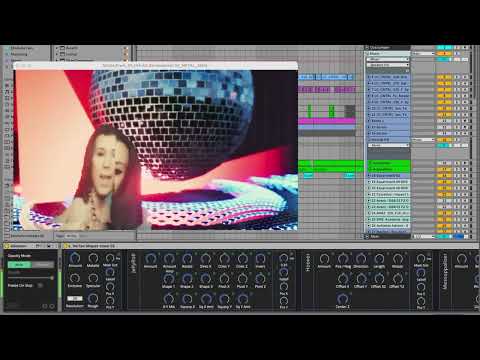
SenSei transforms Ableton Live into a real-time 3D visual generation engine powered by Unreal Engine. Create immersive scenes with cameras, lights, particle systems, meshes, and dynamic effects—all controlled through MaxforLive plug-ins that integrate seamlessly with your music production workflow.
Inside you’ll find:
- Complete 3D scene building with multiple cameras, three light types, and Overview Map navigation
- Video integration supporting EboSuite sources and external apps via Spout/Syphon
- 24 unique 3DFX vertex effects across 6 Vertex Shaper Stack plug-ins for video plane distortion
- 3D text generation with 60 fonts, clip color support, and 3DFX transformations
- Mesh Loader accepting GLTF/GLB files plus 22 included meshes for slicing and swarming
- 60 2DFX plug-ins for video manipulation before applying to 3D objects
- Particle systems including fire, smoke, impacts, lasers, amplitude visualizers, and nature elements
- Post-processing effects: film grain, light leaks, chromatic aberration, blur, distortion, vignette
- Macro Mapper for instant MIDI controller mapping of grouped plug-in parameters
- Separate Unreal Engine application for maximum performance without affecting Live’s audio
From live performances to installation art, from music videos to experimental audiovisual compositions, SenSei provides professional 3D generation tools with the intuitive workflow you already know from Ableton Live. Build reusable scene presets, automate every parameter, and create truly immersive audiovisual experiences.
Requires Ableton Live 11+ and Max for Live
Available for Windows and Mac
Where music meets 3D visual generation—powered by Unreal Engine.
DEMO VERSION: AVAILABLE HERE
USER GUIDE: SenSei Manual
Sale
Sensei by Ebostudio
BUILD 3D WORLDS INSIDE ABLETON LIVE
SenSei transforms Ableton Live into a real-time 3D visual generation engine powered by Unreal Engine. Create immersive scenes with cameras, lights, particle systems, meshes, and dynamic effects—all controlled through MaxforLive plug-ins that integrate seamlessly with your music production workflow.
Inside you’ll find:
- Complete 3D scene building with multiple cameras, three light types, and Overview Map navigation
- Video integration supporting EboSuite sources and external apps via Spout/Syphon
- 24 unique 3DFX vertex effects across 6 Vertex Shaper Stack plug-ins for video plane distortion
- 3D text generation with 60 fonts, clip color support, and 3DFX transformations
- Mesh Loader accepting GLTF/GLB files plus 22 included meshes for slicing and swarming
- 60 2DFX plug-ins for video manipulation before applying to 3D objects
- Particle systems including fire, smoke, impacts, lasers, amplitude visualizers, and nature elements
- Post-processing effects: film grain, light leaks, chromatic aberration, blur, distortion, vignette
- Macro Mapper for instant MIDI controller mapping of grouped plug-in parameters
- Separate Unreal Engine application for maximum performance without affecting Live’s audio
From live performances to installation art, from music videos to experimental audiovisual compositions, SenSei provides professional 3D generation tools with the intuitive workflow you already know from Ableton Live. Build reusable scene presets, automate every parameter, and create truly immersive audiovisual experiences.
Requires Ableton Live 11+ and Max for Live
Available for Windows and Mac
Where music meets 3D visual generation—powered by Unreal Engine.
DEMO VERSION: AVAILABLE HERE
USER GUIDE: SenSei Manual
Additional information
| MaxforLive | Visual Devices |
|---|---|
| Ableton Live Compatibility | Ableton Live 11 Standard with MaxforLive, Ableton Live 11 Suite, Ableton Live 12 Standard with MaxforLive, Ableton Live 12 Suite |
| OS | Mac, Windows |
PRICE: Original price was: £166.00.£91.00Current price is: £91.00.
Product reviews
FEATURES
5 out of 5
1 review
How item rating is calculated
We show the average based on reviews. Only genuine reviews are displayed.
Sort by
December 1, 2025
This reviewer bought this product from our store.
Ebostudio's SenSei is a monumental breakthrough that effectively turns Ableton Live into a professional 3D visual engine. Powered by Unreal Engine, it allows you to build immersive, music-reactive 3D worlds, lighting rigs, and particle systems directly inside your DAW. The fact that it brings this power to both Mac and Windows is a game-changer, finally making high-end real-time visuals accessible to every electronic musician.
I recommend this product
Sensei by Ebostudio
What if you could build entire 3D worlds inside Ableton Live? SenSei transforms Live into a real-time 3D visual generation engine, built on Unreal Engine’s powerful rendering technology. Create immersive 3D scenes with cameras, lights, particle systems, meshes, and dynamic effects—all controlled directly from your Live Set with MaxforLive plug-ins. From live performances to installation art, from music videos to experimental visual compositions, SenSei provides professional-grade 3D tools that integrate seamlessly with your music production workflow.
Unlike traditional VJ software, SenSei operates as a native extension of Ableton Live, giving you the same intuitive workflow for visuals that you already know from working with audio. The Unreal Engine-powered application runs separately from Live for maximum performance, while MaxforLive plug-ins provide complete control over every parameter. Stream video from EboSuite or external applications via Spout/Syphon, apply video textures to 3D objects, and manipulate everything in real-time with automation, MIDI controllers, and envelope followers.
|
EASY AND FLEXIBLE When creativity strikes, you want your tools to keep up. Drop the SenSei plug-ins into your Live set and start building 3D scenes and mixes instantly. Add cameras, lights, particle systems, meshes, 3D text, and 3D effects to bring your ideas to life. Each plug-in offers a wide range of parameters, letting you create visuals, mix video, and push the boundaries of audiovisual performance… all in real time. |
|
|
|
MIX VIDEO AND USE 3D VIDEO FX Add as many video planes to your scene as you like and stream video onto them directly from EboSuite or any other app that supports Syphon or Spout (e.g., Resolume, VDMX, TouchDesigner). Arrange and animate your video planes in 3D space, combine them with lights, effects, and other SenSei plug-ins, and craft visually stunning compositions in real time. Nearly every SenSei plug-in supports video input and for even more depth, SenSei includes a suite of dedicated 3D FX tools. |
|
CREATE ADVANCED 3D SCENES Every plug-in acts as a building block in your scene. Combine them and tweak their parameters to create your own unique compositions. |
|
|
|
USE ANY MESH Use the Mesh Loader plug-in to import any mesh into your scene, complete with materials and animations. Grab meshes from sites like sketchfab.com, free3D.com, turbosquid.com, or use your own creations (for example, made in Blender) and drop them into the plug-in to have them appear in your scene instantly. |
|
VISUALIZE YOUR SOUNDS Automate and sequence the SenSei plug-ins and combine them with Live’s audio plug-ins to shape music and visuals as one. Build evolving compositions that react to your sound in real time, or design precise audio-visual arrangements. With SenSei, experimentation in the world of visual music becomes a natural part of your creative flow. |
|
|
|
USE 3D TEXT Use SenSei’s 3D Text plug-in to seamlessly integrate text into your compositions and presentations. The plug-in includes a range of 3D FX options for added creative expression. |
|
USE MANY CAMERAS AND LIGHTS Add as many cameras to your scene as you like and switch between them on the fly to create dynamic, cinematic compositions. Light up your scene with as many lights as you want. Experiment, go wild, and shape the mood in endless creative ways. |
|
|
|
CONTROL EVERYTHING LIVE SenSei plug-ins work entirely in real time. All parameters are fully mappable, controllable live, and automatable for maximum creative flexibility and control. |
|
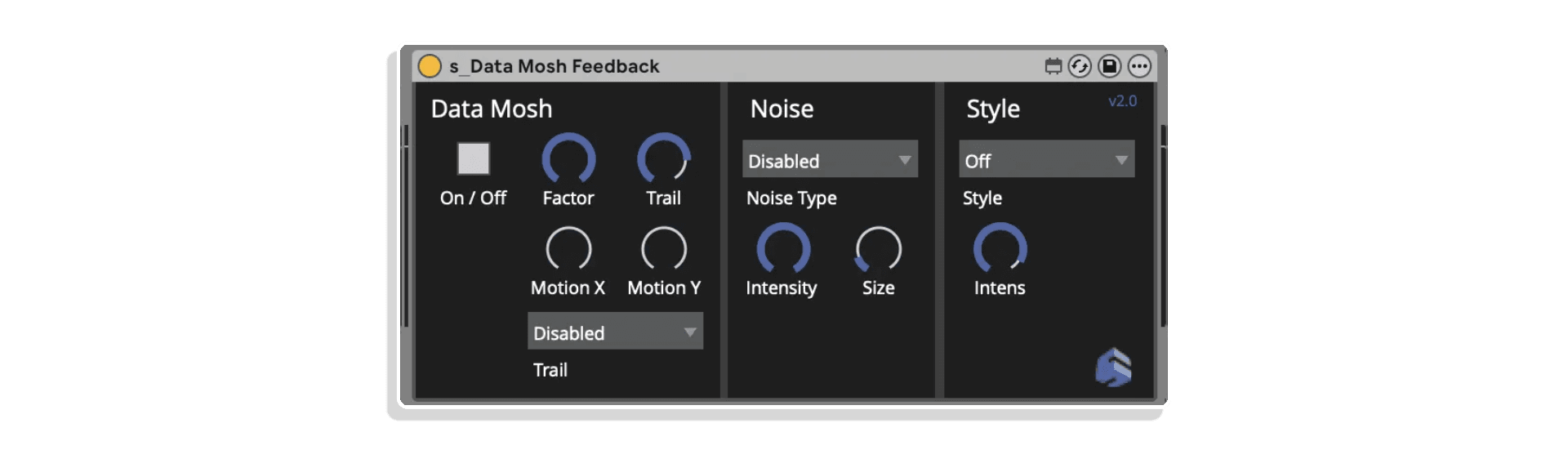
ADD POST-PROCESSING EFFECTS Apply Post-processing effects for data moshing, feedback, analogue film looks, and more. |
|
|
|
SEAMLESSLY DRAG AND DROP SCENES INTO YOUR LIVE SET Use the MacroMapper plug-in to add grouped plug-ins, entire scenes, seamlessly to your set, controlling them instantly with a MIDI controller, Envelope Follower, automation, and more. Just drop a group into your set, including cameras, lights, and effects, and bring it straight into your live performance, ready to play. VJ-ing with 3D scenes. |
|
… AND MUCH MORE
|
|


The system includes comprehensive documentation, tutorial videos, and community support through forums and Facebook groups. The Unreal Engine application runs on Windows and Mac, with all 3D rendering optimized for modern GPUs.
Requirements
Windows: Windows 10 or higher, Ableton Live 11 or higher (64-bit), Max for Live (included in Live Suite), modern NVIDIA or AMD graphics card recommended
Mac: macOS 10.14 or higher, Ableton Live 11 or higher (64-bit), Max for Live (included in Live Suite), modern graphics card recommended
Explore More
SenSei provides an extensive library of MaxforLive plug-ins organized by category:
- Cameras: s_SenSei Control + Main Camera, s_Camera
- Lights: Point, Spot, Rectangle
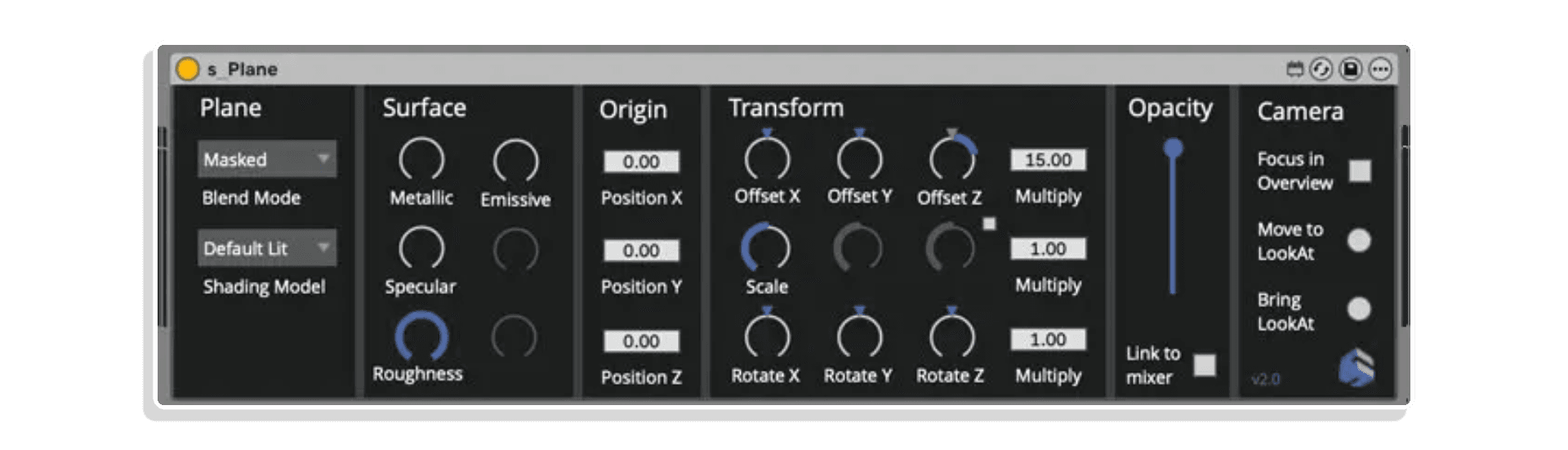
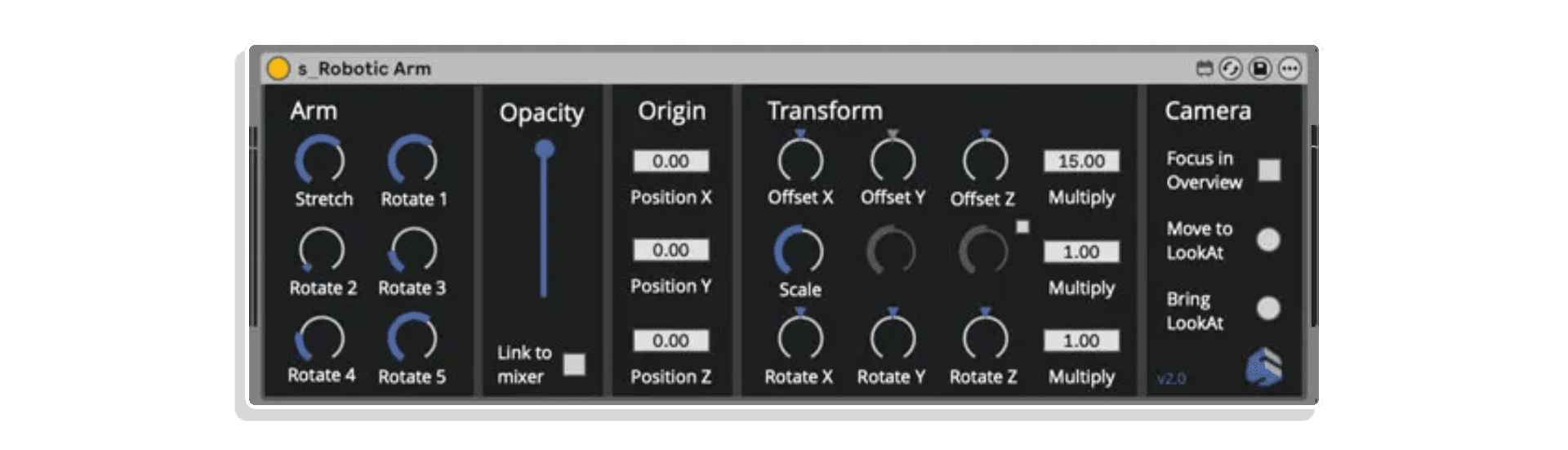
- Video Planes: Plane, Drop and Break, Drop and Swing, Video Storm, Robotic Arm
- 3DFX: 6 Vertex Shaper Stacks with 24 total effects
- Text: 3D text generation with 60 fonts
- Post-Process: Data Mosh Feedback
- Mesh: Mesh Loader, Mesh Slicer, Mesh Swarm, Disco Ball, Progress Bar, SenSei Logo, Watch
- Tools: Video Route, Macro Mapper, Macro Mapper MIDI
- Amplitude: 5 audio visualization plug-ins
- Background: MGD Background 01-02, Noise Silhouette, Sky Sphere, Sky, Studio, Wall
- Basic: Basic Cube, Basic Floor
- Fire and Smoke: Color Burster, Embers and Smoke, Fire, Flame Tornado, Smoke
- Floor: Dynamic Floor 01-03, Floor, Water
- Impacts: 5 MIDI-triggered effects
- Laser: Dynamic Laser, Kinetic, Laser Beam
- Lines: Line Dancer, Uitarete
- Magical: Flash Ring, Gravity Star, Magic Circle
- Nature: Butterflies, Flowers, Grass, Plants, Stone, Wood
- Particle: Bounce Marbles, Cube Cluster, Spiral Cloud, Fluff Beams, Whirlide, Dendro, Floating
- Tunnel: RecTunnel
- 2DFX: 60 video processing effects
SenSei includes extensive particle systems for creating dynamic visual effects:
Fire and Smoke: Color Burster (MIDI-triggered flames in burst or stream mode), Embers and Smoke (depth-enhancing dust particles), Fire, Flame Tornado, and multiple Smoke types add atmosphere and drama to your scenes.
Impact Effects: Trigger rhythmic visual bursts with Impact Metal (bullets hitting metal with sparks), Mud Splash (bullets in mud with splashes), Passiflora (colorful sparkling bursts), Stylized Explosion (cartoony explosions), and SynthaShock (colorful shockwaves). All impact effects support video input for video-textured explosions.
Audio Visualization: Five Amplitude plug-ins visualize audio using particle rings, mesh circles, and lines—designed specifically for use with Envelope Followers mapped to amplitude parameters.
Transform your video planes with specialized effects that go beyond basic playback:
Drop and Break: Video planes shatter on impact with the floor, creating dramatic fragmentation effects.
Drop and Swing: Creates swinging video planes suspended by cables for dynamic, physics-based movement.
Video Storm: Breaks video planes into manipulatable particles for abstract, particle-based video effects.
Robotic Arm: Controls video planes with articulated robot arms for complex kaleidoscopic compositions and precise mechanical movements.
All video plane effects support surface property adjustments including metallic, specular, roughness, and emissive characteristics.
Laser Systems: Dynamic Laser generates realistic lasers that interact with meshes in your scene, controllable via automation or automatic animation. Kinetic creates complex color choreographies, while Laser Beam provides special effects and creative shapes.
Line Systems: Line Dancer creates randomly moving lines, and Uitarete builds complex interconnected line structures for abstract geometric compositions.
Particle Collections: Bounce Marbles creates reflective marble flocks with distortion capabilities. Cube Cluster generates rotating cubes perfect for video texturing. Spiral Cloud, Fluff Beams, Whirlide, Dendro, and Floating provide diverse particle behaviors and compositions. RecTunnel creates tunnel effects with particles flying toward the camera.
Build complete environments with professional-grade background elements:
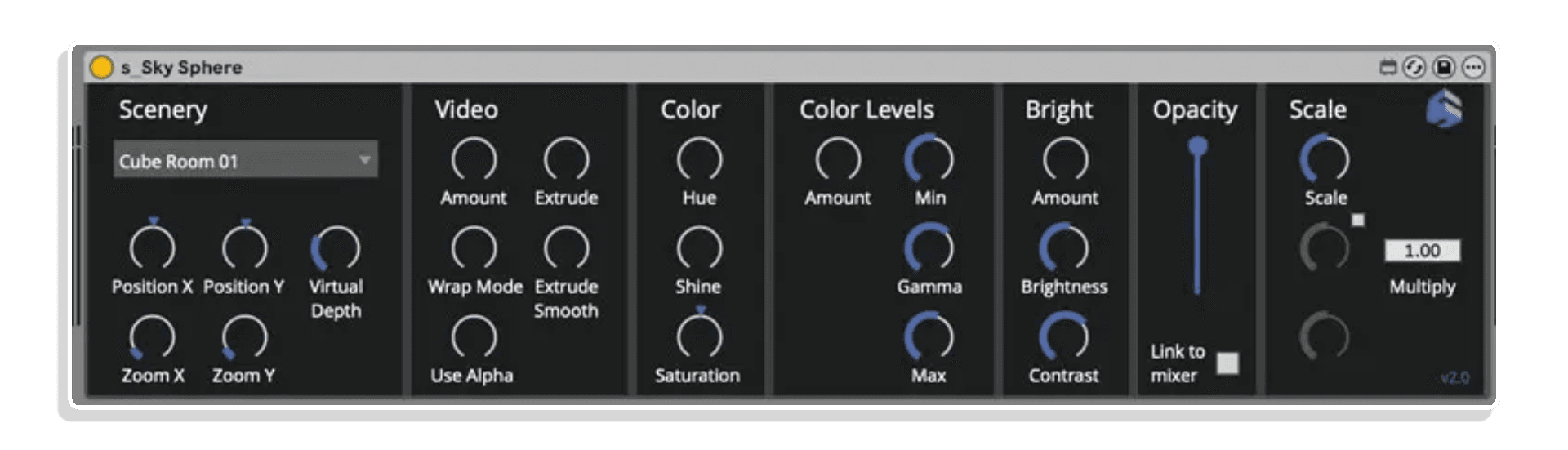
Sky Sphere: 44 different 360° backdrops wrap around the camera—adjust focal length to control spatial perception and create immersive environments.
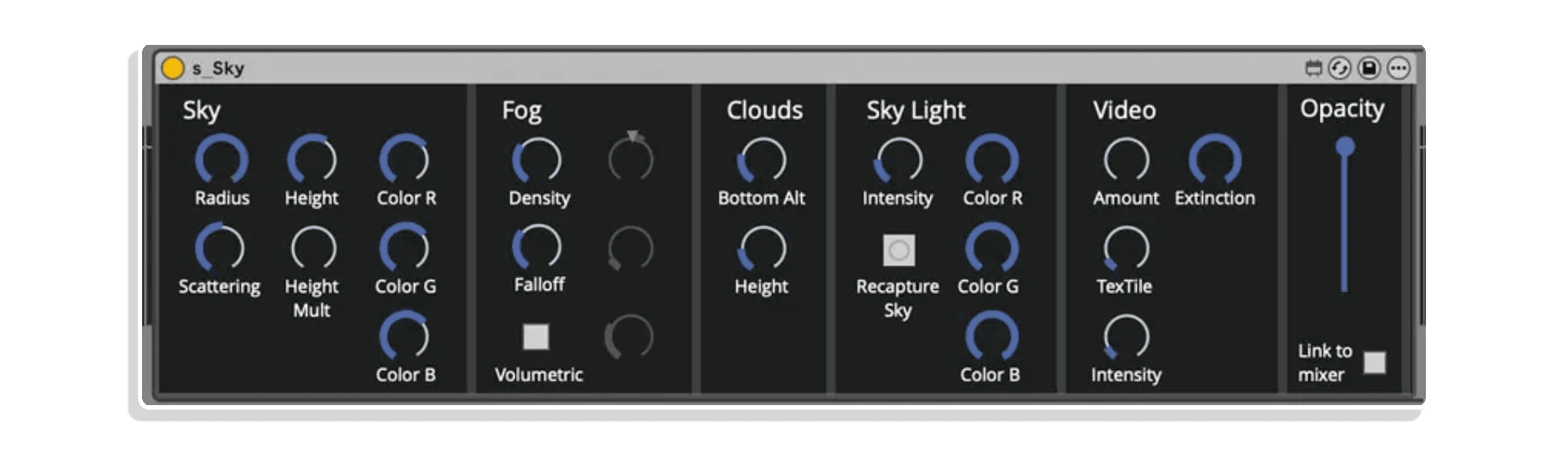
Sky: Realistic skies with sun, clouds, and Sky Light for natural-looking ambient illumination across your entire scene.
Floors: 13 distortable floor types including Dynamic Floors with moving hexagons, cubes, or cylinders. Water effects add realistic liquid surfaces.
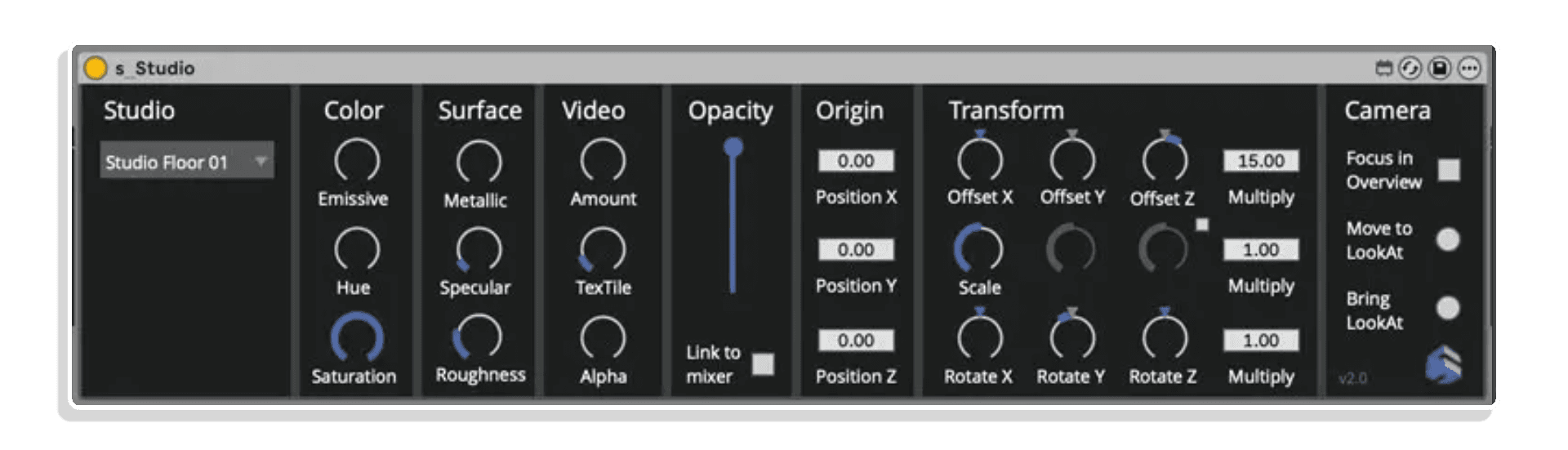
Walls & Studio: Professional floor setups via Studio plug-in, plus 26 different 3D walls for architectural compositions.
MGD Backgrounds: Animated backdrops using grids of moving spheres or spiky meshes for abstract, motion-driven backgrounds.
Nature Elements: Butterflies creates flocks that become “videoflies” with video texturing. Flowers and Plants add natural elements with wind and distortion parameters. Grass tiles, Stone selections, and Wood elements provide environmental building blocks.
Frequently Asked Questions
A: SenSei is a real-time 3D visual generation system powered by Unreal Engine that transforms Ableton Live into a complete audiovisual production environment. It provides an extensive library of MaxforLive plug-ins for creating immersive 3D scenes with cameras, lights, particle systems, meshes, video integration, and dynamic effects—all controlled directly from your Live Set.
A: Yes, SenSei is a MaxforLive-based system and requires Max for Live to function.
A: MaxforLive is a platform that integrates the visual programming environment Max with Ableton Live, allowing users to create and use custom audio, MIDI, and control devices.
A: SenSei is a 3D visual generation engine built on Unreal Engine that creates real-time 3D scenes with cameras, lights, particles, and meshes. EboSuite is a video manipulation and sampling suite that works with video files. The two products complement each other—you can stream video from EboSuite into SenSei to texture 3D objects, or use SenSei to generate 3D visuals that enhance your EboSuite-based performances.
A:
- Windows: Windows 10+, Ableton Live 11+ (64-bit), Max for Live, modern NVIDIA or AMD graphics card recommended
- Mac: macOS 10.14+, Ableton Live 11+ (64-bit), Max for Live, modern graphics card recommended
A: You can explore more of EboStudio’s tools and devices here: EboStudio
Important Information
Sensei V2.15 – Released March 2026
- New feature: 12 particle system plugins
- Aether
- Bloblet
- Circlerder
- Drift
- Gracious
- HexShield
- LavaSpheres
- Residue
- SineCurl
- Spiralide
- Static
- Trailor
- New feature: 2 3D video effect plugins
- Spiralor
- Mecha 01
- New feature: 1 new Impact plugin
- SpikeHIt
- Fix: Crash using Color Picker
- Fix: the distance field in the Mesh Loader Plus was colliding with particles
Sensei 2.1 – Released February 2026
This update brings the following new additions/fixes to SenSei (Mac, Windows):
- New feature: 9 new audio-visualiser plug-ins
- Audio Visualisers 06
- Audio Visualisers 07
- Audio Visualisers 08
- Audio Visualisers 09
- Audio Visualisers 10 Video
- Audio Visualisers 11
- Audio Visualisers 12
- Audio Visualisers 13
- Audio Visualisers 14 Video
- New feature: 6 new mesh plug-ins
- Mesh Dissolver 01 – turn imported meshes into a particle cloud
- Mesh Dissolver 02 – turn imported meshes into a particle cloud
- Mesh Dissolver 03 – turn imported meshes into a particle cloud
- Mesh Glitcher 01 – distroy imported meshes
- Mesh Loader Plus – stream video on imported meshes, edit the material, enable collision and distance field, use 3D distortion effects
- Mesh Swarm – use imported meshes in a particle system
- New feature: 3 new dynamic surface plug-ins
- Dynamic Surface 04
- Dynamic Surface 05
- Dynamic Surface 06
- New feature: 2 new refraction plug-ins (use in High render mode)
- Heatwave
- Shockwave
- New feature: 2 new basic shape plug-ins
- Basic Sphere
- Basic Plane
- New feature: 3 new 3D video effects (Most of the other plug-ins can also be used as video effects.)
- Video Storm 03 – turn video into a particle system
- Break Canvas – collide other objects with the video canvas and make it splinter away
- Clowd – turn video into a particle system
- New feature: Video Overlay plug-in, to stream Syphon/Spout video fullscreen on top of the SenSei scene (kind of video pass-through to crossfade between SenSei and a Syphon/Spout source)
- New feature: Improved emmissive in Vertex Shapers
- Fix: Crash using Color Picker
V2.0.1 – Released December 2025
This update brings the following new additions/fixes to EboSuite:
- Syphon output and preview didn’t work on master (Mac)
This update brings the following new additions/fixes to SenSei:
- New feature: Options in Sensei Control plug-in to have output window always on top (and set position/size)
- New feature: Audio input for audio reactive effects
- New feature: Audio input monitoring (click in output window and press ‘A’ on keyboard)
- New assets: 5 audio visualizers utilising audio input
- New asset: Video Storm 02 (in 3DFX)
- Updated asset: Cleaner amount control in Video Storm 01 (in 3DFX)
- New feature: Blend modes in s_Plane (in Video Canvas)
- New asset: s_Refraction plane for distortion effects (in Video Canvas)
- New asset: s_Video Waterfall (in 3DFX)
- New asset: s_Kaling (in Particles)
- New asset: s_Furry (in Particles)
- New asset: s_Fireworks (in Particles)
- Fix: s_Smoke didn’t always properly recall settings
- Fix: video stream upside down when using fx in certain cases (Windows)
V1.0.0 – Initial Release – November 2025
Our Products are generally provided as Zip file downloads which in all cases will need to be extracted and saved to your hard drive prior to installation. Details on the different file type provided and what to do with them are below.
.alp Files – These are Ableton Live Packs and will either install directly into the Packs Section of the browser of Ableton Live or ask you to save them to your hard drive. For packs that install to the library, when you double click on them you will see a pop up window asking you to confirm that installation is ok as the files are described as “Legacy”. This is fine and you are ok to proceed, the packs are created using the format for an earlier version of Live and so remain compatible with the current version.
.amxd files – These are individual MaxforLive Devices and can be stored anywhere on your hard drive. We’d advise creating a folder for them and then adding that folder as a location within the Places section of Lives Browser.
END-USER LICENSE AGREEMENT FOR ISOTONIK STUDIOS SOFTWARE PRODUCTS.
PLEASE READ THE TERMS AND CONDITIONS OF THIS LICENSE AGREEMENT CAREFULLY BEFORE CONTINUING WITH THIS PROGRAM INSTALL.
This End-User License Agreement (referred to as “EULA”) is a legal agreement between an individual or a single entity (referred to as “LICENSEE”) and Isotonik Studios for the Isotonik Studios software product(s) which may include associated software components, media, printed materials, and “online” or electronic documentation (referred to as “SOFTWARE PRODUCT”). By installing, copying, or otherwise using the SOFTWARE PRODUCT, the LICENSEE agrees to be bound by the terms of this EULA.
This EULA represents the entire agreement concerning the program between the LICENSEE and Isotonik Studios and it supersedes any prior proposal, representation, or understanding between the parties. If the LICENSEE does not agree to the terms of this EULA, the LICENSEE should not install or use the SOFTWARE PRODUCT.
The SOFTWARE PRODUCT is protected by copyright laws and international copyright treaties, as well as other intellectual property laws and treaties. The SOFTWARE PRODUCT is licensed, not sold.
- GRANT OF LICENSE.
The SOFTWARE PRODUCT is licensed as follows:
(a) Installation and Use. Providing that the LICENSEE has paid any applicable license fees, Isotonik Studios grants the LICENSEE the right to install and use copies of the SOFTWARE PRODUCT on up to two computers in the LICENSEE’s possession that are running a validly licensed copy of the operating system for which the SOFTWARE PRODUCT was designed [e.g., Windows 10, macOS]. The computer(s) must be owned by the LICENSEE.
(b) Backup Copies. The LICENSEE may also make copies of the SOFTWARE PRODUCT as may be necessary for backup and archival purposes.
- DESCRIPTION OF OTHER RIGHTS AND LIMITATIONS.
(a) Maintenance of Copyright Notices. The LICENSEE must not remove or alter any copyright notices on any and all copies of the SOFTWARE PRODUCT.
(b) Distribution. The LICENSEE may not distribute registered copies of the SOFTWARE PRODUCT to third parties.
(c) Prohibition on Reverse Engineering, Decompilation, and Disassembly. The LICENSEE may not reverse engineer, decompile, or disassemble the SOFTWARE PRODUCT, except and only to the extent that such activity is expressly permitted by applicable law notwithstanding this limitation.
(d) Rental. The LICENSEE may not rent, lease, or lend the SOFTWARE PRODUCT.
(e) License transfer The LICENSEE may not transfer their license to the SOFTWARE PRODUCT to any third party. Any attempt to do so will be considered a violation of this EULA.
(f) Support Services. Isotonik Studios may provide the LICENSEE with support services related to the SOFTWARE PRODUCT for a period of 12 months following the date of purchase. Any supplemental software code provided to the LICENSEE as part of the Support Services shall be considered part of the SOFTWARE PRODUCT and subject to the terms and conditions of this EULA.
(g) Compliance with Applicable Laws. The LICENSEE must comply with all applicable laws regarding use of the SOFTWARE PRODUCT.
- TERMINATION Without prejudice to any other rights, Isotonik Studios may terminate this EULA if the LICENSEE fails to comply with the terms and conditions of this EULA. In such event, the LICENSEE must destroy all copies of the SOFTWARE PRODUCT in the LICENSEE’s possession.
- COPYRIGHT All title, including but not limited to copyrights, in and to the SOFTWARE PRODUCT and any copies thereof are owned by Isotonik Studios or its suppliers. All title and intellectual property rights in and to the content which may be accessed through use of the SOFTWARE PRODUCT is the property of the respective content owner and may be protected by applicable copyright or other intellectual property laws and treaties. This EULA grants the LICENSEE no rights to use such content. All rights not expressly granted are reserved by Isotonik Studios.
- NO WARRANTIES Isotonik Studios expressly disclaims any warranty for the SOFTWARE PRODUCT. The SOFTWARE PRODUCT is provided ‘As Is’ without any express or implied warranty of any kind, including but not limited to any warranties of merchantability, noninfringement, or fitness of a particular purpose. Isotonik Studios does not warrant or assume responsibility for the accuracy or completeness of any information, text, graphics, links or other items contained within the SOFTWARE PRODUCT. Isotonik Studios makes no warranties respecting any harm that may be caused by the transmission of a computer virus, worm, time bomb, logic bomb, or other such computer program. Isotonik Studios further expressly disclaims any warranty or representation to the LICENSEE or to any third party.
- LIMITATION OF LIABILITY In no event shall Isotonik Studios be liable for any damages (including, without limitation, lost profits, business interruption, or lost information) arising out of the LICENSEE’s use of or inability to use the SOFTWARE PRODUCT, even if Isotonik Studios has been advised of the possibility of such damages. In no event will Isotonik Studios be liable for loss of data or for indirect, special, incidental, consequential (including lost profit), or other damages based in contract, tort or otherwise. Isotonik Studios shall have no liability with respect to the content of the SOFTWARE PRODUCT or any part thereof, including but not limited to errors or omissions contained therein, libel, infringements of rights of publicity, privacy, trademark rights, business interruption, personal injury, loss of privacy, moral rights or the disclosure of confidential information.
More from EboStudio
 -47%
-47%EboStudioEboSuite & Sensei Bundle by EboStudioLive 11 & 12 · Max for Live Original price was: £298.00.£158.00Current price is: £158.00.
 -34%
-34%EboStudioEboSuite TWO by EboStudioLive 11 & 12 · Max for Live Original price was: £133.00.£88.00Current price is: £88.00.
Frequently Bought Together