
No, the LaunchControl XXL script is not compatible with the LaunchControl XL MkIII. Make sure you are using an earlier version of the LaunchControl XL before purchasing.
LaunchControl XXL by Sigabort
ABLETON LIVE CONTROL SURFACE SCRIPT
NOT COMPATIBLE WITH LAUNCHCONTROL XL MKIII
The Novation LaunchControl XXL Control Surface Script for Ableton Live adds Session Control, Mix Control and advanced 24 Parameter Device Control.
- Session Control
- 24 Parameter Device Control
- Send & Return Control
USER GUIDE: LaunchControl XXL USER GUIDE
LaunchControl XXL by Sigabort
ABLETON LIVE CONTROL SURFACE SCRIPT
NOT COMPATIBLE WITH LAUNCHCONTROL XL MKIII
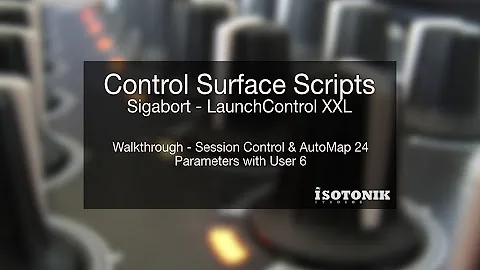
The Novation LaunchControl XXL Control Surface Script for Ableton Live adds Session Control, Mix Control and advanced 24 Parameter Device Control.
- Session Control
- 24 Parameter Device Control
- Send & Return Control
USER GUIDE: LaunchControl XXL USER GUIDE
Additional information
| Controllers | Novation LaunchControl XL MKII |
|---|---|
| Ableton Live Compatibility | Ableton Live 10 Intro, Ableton Live 10 Standard, Ableton Live 10 Standard with MaxforLive, Ableton Live 10 Suite, Ableton Live 11 Intro, Ableton Live 11 Standard, Ableton Live 11 Standard with MaxforLive, Ableton Live 11 Suite, Ableton Live 12 Intro, Ableton Live 12 Standard, Ableton Live 12 Standard with MaxforLive, Ableton Live 12 Suite |
PRICE: £29.17
Product reviews
FEATURES
5 out of 5
8 reviews
How item rating is calculated
We show the average based on reviews. Only genuine reviews are displayed.
Sort by
September 3, 2025
This reviewer bought this product from our store.
Loved this for the MK2 -- need an updated version for the MK3 if not just for the master channel control. That seems like a huge fail on Novation's part.
October 1, 2024
This reviewer bought this product from our store.
ESP
Tras algunos meses utilizando este script tengo que decir que, como se menciona en otras opiniones, Launch control XXL convierte el Launch control XL en lo que debería ser: un gran controlador para Live.
Entre las muchas funciones que tiene algunas de las que hago uso constante: 16 macros (o hasta 32 controles si se incluyen los faders), acceso rápido a canales de retorno y al master (presionando dos veces en track focus), cambiar entre la vista de clip y la vista de device (botón mute en Custom Mode 6), selección de devices (Device + track select CM6), activación o apagado de devices (Presionando Record Arm CM6). Hace poco me hice un rack multiefectos y estoy como un niño con un juguete nuevo.
Vale cada céntimo, penique o cualquiera que sea la moneda donde vives.
ENG
After using this script for a few months I have to say that, as mentioned in other reviews, Launch control XXL turns Launch control in what it should have always been: a great controller for Live.
Among the many functions that it has some of the ones I use the most: 16 macros (or up to 32 including the faders), quick access to Return and Master channels (pressing twice on any channel track focus Custom Mode 6), switch between clip and device view (mute button CM6), device selection (device + track select CM6), device activation (Record Arm + device button CM6). Recently I made myself multi-effects rack and I am like a child with a new toy.
It is worth every cent, penny or whatever currency is in use where you live.
December 29, 2023
This reviewer bought this product from our store.
Honestly, without this script I would return Launchcontrol XL, because device control "integration" in Ableton was totally crippled out-of-the box: 1. dumb limit of only 8 knobs per device usable in Factory mode; 2. User mode is not following device focus (OMFG, why?) 3. it would be possible to overcome this using Live`s racks, but then - Live limits rack to 16 macros (wtf?!).
Novation shoud pay Sigabort to show them how to deliver proper integration. It just works and extra features are cherry on the top - device switching and on/off, automatic mapping of device parameters, etc.
If there is switch to make also bottom buttons usable for device control, it would be 100%.
Although script is expensive (for me), it is great and hopefully we will get updates for future versions of Live.
Just get it, it makes the device really usable.
July 27, 2022
This reviewer bought this product from our store.
Bit on the pricey side, but, man, so much time saved. Plugged it in, and it all just works. Don't get fooled by the simplicity of the videos on Youtube. The extra features are very well thought out. The support is fast and it works great with Ableton 11. Thank you to the devs for all the hard work. Get it.
July 6, 2022
This reviewer bought this product from our store.
Buy it. Sigabort. Legend. Love this script. Reason#1 - Its just works. Always loaded no matter how much I tweak. Rock solid. No midi stress because its set and forget. Reason#2 - For instant, deep(128), reliable control of devices. No mapping, no losing focus. Bang. Click. I'm tweaking the 50th least important parameter of this convolution reverb & I didn't have to touch the fucking mouse. Momentary mutes would be cool. Buy it
LaunchControl XXL by Sigabort
Produced by Sigabort the LaunchControl XXL Remote script doesn’t require Max4Live, when used in conjunction with the LaunchControl XL you’ll find all the standard functionality with two new User Modes and a few key enhancements…
LAUNCHCONTROL XXL – SESSION CONTROL
Display – Ring Focus Box (On screen Red Box to show which tracks are in focus within Session View)
Navigation – User configuration of the number of tracks each press of the Track Left or Right will increment in
LAUNCHCONTROL XXL – MIX CONTROL
Track Control – Track volume & track select
Sends – The option to have three sends as standard rather than just two and the Pan control
Returns – Return Track Control with user configuration
LAUNCHCONTROL XXL – DEVICE CONTROL
Extended Parameter Device Control – User Six Mode 24 Pots control AutoMaps to the parameters of the currently in focus device, with the configuration of the Device_32 parameter you can extend this to include the 8 fades taking each bank to be 32 parameters.
Device left / right & on / off – Navigate within the devices within the track –
Parameter bank up / down – Shift up and Down the organised banks of 24 parameters at a time
LAUNCHCONTROL XXL – ADDITIONAL COMPATIBILITY
PrEditor – Our Isotonik PrEditor Mapping Utility allows you to define what parameters the LaunchControl XL automats to when in focus of the blue hand. Ableton is configured to work sensibly in banks of eight parameters at a time, with the extended control offered with twenty four parameters at a time you’ll want to re-configure the AutoMapping for your Ableton Live Instruments & Effects along with VST’s, AU’s and MaxforLive Devices
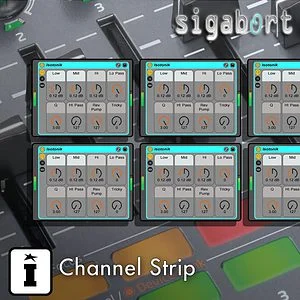
Channel Strip – Our additional Control Surface Script Upgrade allows you to control 8 racks across 8 tracks which dynamically follow what’s in focus of the RingFocus Box
MaxforLive Developers – For the more advanced user we’ve made it easier to extend the LaunchControl XL functionality. User Eight Mode has been exposed to Max4Live allowing the more creative to interface directly with the controller without having to disable default functionality!
Frequently Asked Questions
No, this is a remote script and does not require Max for Live to run. It works directly with Ableton Live without any additional software dependencies.
The script is designed for use with Ableton Live and works alongside the Novation LaunchControl XL as a control surface. Check the product page or contact Isotonik Studios to confirm compatibility with your specific version of Live.
Using the two new User Modes, all 24 pots on the LaunchControl XL can be mapped to control device parameters simultaneously. This significantly extends the standard device control capability beyond what the default script offers.
Key enhancements include a configurable Ring Focus Box for Session View, user-defined track increment steps for navigation, three send controls instead of the standard two, and Return Track Control with user configuration options.
Installation involves placing the script files into the correct Ableton Live Remote Scripts folder and then selecting it as a control surface within Live’s MIDI preferences. Detailed installation instructions are included with the download.
Yes, several aspects of the script are user configurable, including the number of tracks navigated per button press and the behaviour of the Return Track Control. This makes it flexible enough to adapt to a range of live and studio workflows.
Important Information
February 2024
Release version for Live 12.1 Compatibility
February 2021
Release version for Live 11 Compatibility
October 2018
Release version for Live 10.0.4 Compatibility
Our Products are generally provided as Zip file downloads which in all cases will need to be extracted and saved to your hard drive prior to installation. Details on the different file type provided and what to do with them are below.
.alp Files – These are Ableton Live Packs and will either install directly into the Packs Section of the browser of Ableton Live or ask you to save them to your hard drive. For packs that install to the library, when you double click on them you will see a pop up window asking you to confirm that installation is ok as the files are described as “Legacy”. This is fine and you are ok to proceed, the packs are created using the format for an earlier version of Live and so remain compatible with the current version.
Control Surface Scripts – Please refer directly to the supplied user manual for installation instructions, due to the changes in the Python language used by Live across versions of 10, 11, 12 and 12.1 you will need to ensure you have installed to the correct location and used the correct files as instructed and supplied.
END-USER LICENSE AGREEMENT FOR ISOTONIK STUDIOS SOFTWARE PRODUCTS.
PLEASE READ THE TERMS AND CONDITIONS OF THIS LICENSE AGREEMENT CAREFULLY BEFORE CONTINUING WITH THIS PROGRAM INSTALL.
This End-User License Agreement (referred to as “EULA”) is a legal agreement between an individual or a single entity (referred to as “LICENSEE”) and Isotonik Studios for the Isotonik Studios software product(s) which may include associated software components, media, printed materials, and “online” or electronic documentation (referred to as “SOFTWARE PRODUCT”). By installing, copying, or otherwise using the SOFTWARE PRODUCT, the LICENSEE agrees to be bound by the terms of this EULA.
This EULA represents the entire agreement concerning the program between the LICENSEE and Isotonik Studios and it supersedes any prior proposal, representation, or understanding between the parties. If the LICENSEE does not agree to the terms of this EULA, the LICENSEE should not install or use the SOFTWARE PRODUCT.
The SOFTWARE PRODUCT is protected by copyright laws and international copyright treaties, as well as other intellectual property laws and treaties. The SOFTWARE PRODUCT is licensed, not sold.
- GRANT OF LICENSE.
The SOFTWARE PRODUCT is licensed as follows:
(a) Installation and Use. Providing that the LICENSEE has paid any applicable license fees, Isotonik Studios grants the LICENSEE the right to install and use copies of the SOFTWARE PRODUCT on up to two computers in the LICENSEE’s possession that are running a validly licensed copy of the operating system for which the SOFTWARE PRODUCT was designed [e.g., Windows 10, macOS]. The computer(s) must be owned by the LICENSEE.
(b) Backup Copies. The LICENSEE may also make copies of the SOFTWARE PRODUCT as may be necessary for backup and archival purposes.
- DESCRIPTION OF OTHER RIGHTS AND LIMITATIONS.
(a) Maintenance of Copyright Notices. The LICENSEE must not remove or alter any copyright notices on any and all copies of the SOFTWARE PRODUCT.
(b) Distribution. The LICENSEE may not distribute registered copies of the SOFTWARE PRODUCT to third parties.
(c) Prohibition on Reverse Engineering, Decompilation, and Disassembly. The LICENSEE may not reverse engineer, decompile, or disassemble the SOFTWARE PRODUCT, except and only to the extent that such activity is expressly permitted by applicable law notwithstanding this limitation.
(d) Rental. The LICENSEE may not rent, lease, or lend the SOFTWARE PRODUCT.
(e) License transfer The LICENSEE may not transfer their license to the SOFTWARE PRODUCT to any third party. Any attempt to do so will be considered a violation of this EULA.
(f) Support Services. Isotonik Studios may provide the LICENSEE with support services related to the SOFTWARE PRODUCT for a period of 12 months following the date of purchase. Any supplemental software code provided to the LICENSEE as part of the Support Services shall be considered part of the SOFTWARE PRODUCT and subject to the terms and conditions of this EULA.
(g) Compliance with Applicable Laws. The LICENSEE must comply with all applicable laws regarding use of the SOFTWARE PRODUCT.
- TERMINATION Without prejudice to any other rights, Isotonik Studios may terminate this EULA if the LICENSEE fails to comply with the terms and conditions of this EULA. In such event, the LICENSEE must destroy all copies of the SOFTWARE PRODUCT in the LICENSEE’s possession.
- COPYRIGHT All title, including but not limited to copyrights, in and to the SOFTWARE PRODUCT and any copies thereof are owned by Isotonik Studios or its suppliers. All title and intellectual property rights in and to the content which may be accessed through use of the SOFTWARE PRODUCT is the property of the respective content owner and may be protected by applicable copyright or other intellectual property laws and treaties. This EULA grants the LICENSEE no rights to use such content. All rights not expressly granted are reserved by Isotonik Studios.
- NO WARRANTIES Isotonik Studios expressly disclaims any warranty for the SOFTWARE PRODUCT. The SOFTWARE PRODUCT is provided ‘As Is’ without any express or implied warranty of any kind, including but not limited to any warranties of merchantability, noninfringement, or fitness of a particular purpose. Isotonik Studios does not warrant or assume responsibility for the accuracy or completeness of any information, text, graphics, links or other items contained within the SOFTWARE PRODUCT. Isotonik Studios makes no warranties respecting any harm that may be caused by the transmission of a computer virus, worm, time bomb, logic bomb, or other such computer program. Isotonik Studios further expressly disclaims any warranty or representation to the LICENSEE or to any third party.
- LIMITATION OF LIABILITY In no event shall Isotonik Studios be liable for any damages (including, without limitation, lost profits, business interruption, or lost information) arising out of the LICENSEE’s use of or inability to use the SOFTWARE PRODUCT, even if Isotonik Studios has been advised of the possibility of such damages. In no event will Isotonik Studios be liable for loss of data or for indirect, special, incidental, consequential (including lost profit), or other damages based in contract, tort or otherwise. Isotonik Studios shall have no liability with respect to the content of the SOFTWARE PRODUCT or any part thereof, including but not limited to errors or omissions contained therein, libel, infringements of rights of publicity, privacy, trademark rights, business interruption, personal injury, loss of privacy, moral rights or the disclosure of confidential information.