

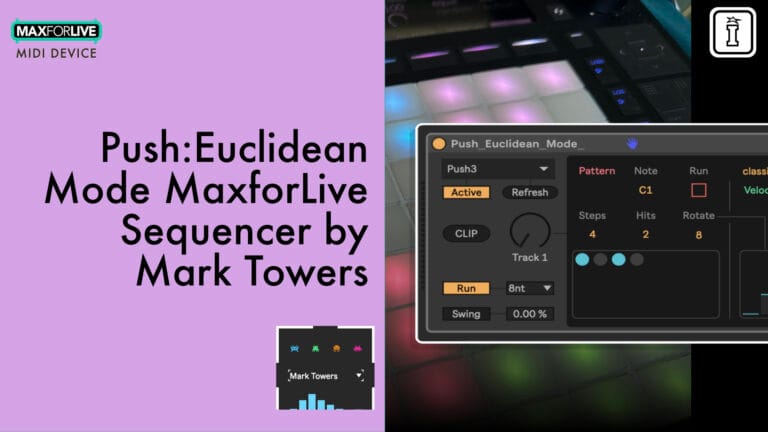
Push:Euclidean Mode by Mark Towers
CREATE EVOLVING POLYRHYTHMS WITH TACTILE PUSH CONTROL AND ALGORITHMIC PRECISION.
MAKE YOUR OWN TRIPLE PACK: Buy any three or more Mark Towers products at the same time and get a 20% Discount (automatically applied at checkout)
Step into the world of geometric grooves with Push:Euclidean Mode, a MaxforLive rhythmic sequencer by Mark Towers, designed specifically for Ableton Push 1, 2, and 3.
Generate dynamic, evenly distributed patterns across 16 tracks using the power of Euclidean logic, all from the comfort of your Push’s 8×8 grid. With intuitive hands-on control over steps, hits, rotation, pitch, velocity, and more, this device is a creative playground for producers who want their rhythms smart, flexible, and performance-ready.
Perfect for live jamming, generative composition, and precision sequencing, Push:Euclidean Mode keeps your ideas flowing with minimal setup and maximum tweakability. Use Shift modes, velocity presets, real-time overrides, and global rate control to craft beats that evolve with your performance.
Inside you’ll find:
- 16-track Euclidean step sequencer fully mapped to Ableton Push
- Independent control of steps, hits, rotation, pitch, velocity per track
- Real-time performance editing and manual overrides
- Velocity shaping with 16 expressive presets
- Global swing, rate control, and pattern export to MIDI
- Full integration with Push 1, 2, and 3 (including Push 3 Standalone)
- Shift Lock and Shift Switch modes for one-handed control
- Comprehensive reference manual included
- Compatible with Ableton Live 12 and MaxforLive
Developed by Ableton Certified Trainer Mark Towers, Push:Euclidean Mode is the perfect fusion of smart sequencing and tactile control. Whether you’re sculpting techno grooves, glitchy IDM fills, or cinematic percussive textures, this device uses mathematical precision to create rhythms that feel natural yet unexpected.
USER GUIDE: Push Eucidean Mode - Reference Manual V2
Push:Euclidean Mode by Mark Towers
CREATE EVOLVING POLYRHYTHMS WITH TACTILE PUSH CONTROL AND ALGORITHMIC PRECISION.
MAKE YOUR OWN TRIPLE PACK: Buy any three or more Mark Towers products at the same time and get a 20% Discount (automatically applied at checkout)
Step into the world of geometric grooves with Push:Euclidean Mode, a MaxforLive rhythmic sequencer by Mark Towers, designed specifically for Ableton Push 1, 2, and 3.
Generate dynamic, evenly distributed patterns across 16 tracks using the power of Euclidean logic, all from the comfort of your Push’s 8×8 grid. With intuitive hands-on control over steps, hits, rotation, pitch, velocity, and more, this device is a creative playground for producers who want their rhythms smart, flexible, and performance-ready.
Perfect for live jamming, generative composition, and precision sequencing, Push:Euclidean Mode keeps your ideas flowing with minimal setup and maximum tweakability. Use Shift modes, velocity presets, real-time overrides, and global rate control to craft beats that evolve with your performance.
Inside you’ll find:
- 16-track Euclidean step sequencer fully mapped to Ableton Push
- Independent control of steps, hits, rotation, pitch, velocity per track
- Real-time performance editing and manual overrides
- Velocity shaping with 16 expressive presets
- Global swing, rate control, and pattern export to MIDI
- Full integration with Push 1, 2, and 3 (including Push 3 Standalone)
- Shift Lock and Shift Switch modes for one-handed control
- Comprehensive reference manual included
- Compatible with Ableton Live 12 and MaxforLive
Developed by Ableton Certified Trainer Mark Towers, Push:Euclidean Mode is the perfect fusion of smart sequencing and tactile control. Whether you’re sculpting techno grooves, glitchy IDM fills, or cinematic percussive textures, this device uses mathematical precision to create rhythms that feel natural yet unexpected.
USER GUIDE: Push Eucidean Mode - Reference Manual V2
Additional information
| MaxforLive | Sequencers |
|---|---|
| Ableton Live Compatibility | Ableton Live 12 Standard with MaxforLive, Ableton Live 12 Suite |
| Controllers | Ableton Push One, Ableton Push THREE Controller, Ableton Push THREE Standalone, Ableton Push TWO |
PRICE: £22.00
Product reviews
FEATURES
5 out of 5
10 reviews
How item rating is calculated
We show the average based on reviews. Only genuine reviews are displayed.
Sort by
June 3, 2026
This reviewer bought this product from our store.
Push Euclidean Mode by Mark Towers…. Fantastic device for the push 3, I love it when technology enables creativity without getting in the way. Highly recommended
Ease of use. Great tool to uncover new ways of discovery
None I can think of at this stage.
I recommend this product
May 1, 2026
This reviewer bought this product from our store.
This is a well-thought-out and well-built device. It does what it promises, and has excellent Push integration, even in standalone mode. I highly recommend it.
I recommend this product
December 24, 2025
This reviewer bought this product from our store.
This tool is really great. Simple, do exactly what it is supposed to do for great results. Wish a version for synths one day...
I just have a small issue, while using pattern, it doesn't copy the entire set of drum, but only the kick and sometime the snare but none of the other parts.
I recommend this product
November 13, 2025
This reviewer bought this product from our store.
Great Push integration
Really great integration with Push - lots of fun to use on my standalone push 3. very inspirational and fun way to develop rhythmic structures. Each channel offers the right amount of options without getting clogged up with unnecessary or niche functionalities so its easy to get started with.
Sensible implementation of Euclidian algorithms in highly usable format
No issues but would have liked to see a dedicated 'reset' for each channel as this is my favourite thing to do with euclidian - but the 'run' button can be used in a similar way.
I recommend this product
July 31, 2025
This reviewer bought this product from our store.
Since using the Push 3 Standalone, I’ve been hoping for tools that make programming more intuitive.
With Euclidean Mode by Mark Towers, that’s finally a reality – creative, immediate, and perfectly tailored for Push 3.
Thanks to Mark Towers and Isotonik Studios!
Push:Euclidean Mode by Mark Towers
Overview & Inspiration
Step into the world of geometric grooves with Push:Euclidean Mode, a MaxforLive rhythmic sequencer by Mark Towers designed specifically for Ableton Push 1, 2, and 3. Generate dynamic, evenly distributed patterns across 16 tracks using the power of Euclidean logic, all from the comfort of your Push’s 8×8 grid.
Developed by Ableton Certified Trainer Mark Towers, this device transforms your Push into a powerhouse of polymetric possibility. Whether you’re sculpting techno grooves, glitchy IDM fills, or cinematic percussive textures, Push:Euclidean Mode uses the logic of Euclidean geometry to create rhythmical patterns that feel natural yet unexpected.
The device implements the original Euclidean algorithm as described in “The Euclidean Algorithm Generates Traditional Musical Rhythms” by Toussaint (2005), distributing hits as evenly as mathematically possible using a recursive algorithm. This is the same mathematical principle found in world music traditions and modern generative beatmaking.
Features & Highlights
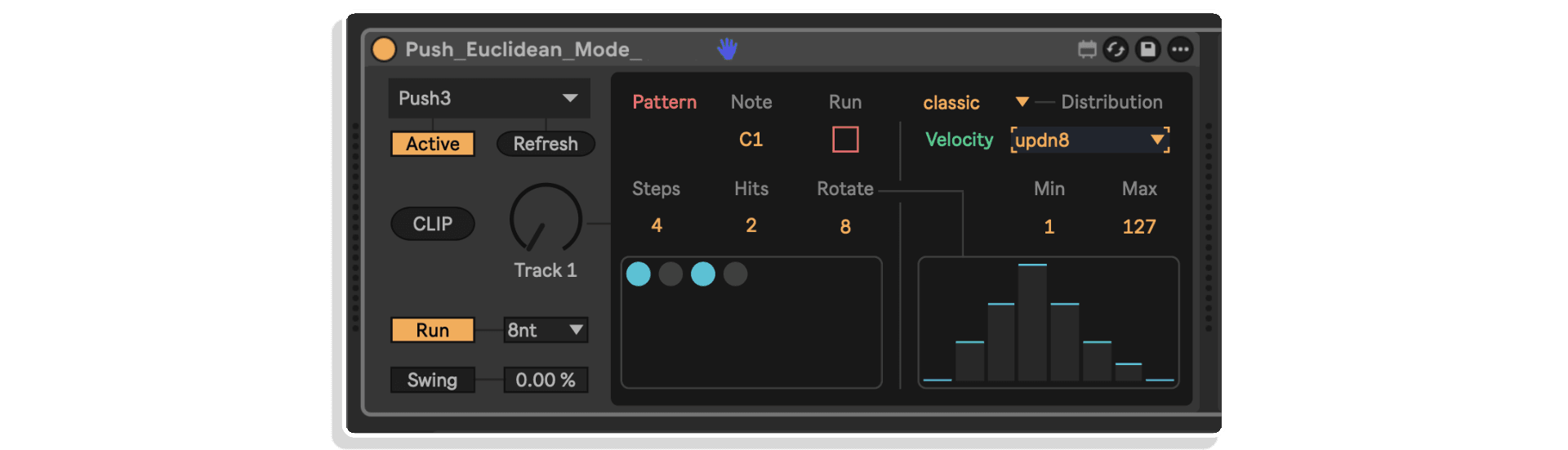
16-Track Euclidean Sequencer – Each track features customizable steps (1-32), hits, rotation, note value, velocity, and velocity presets. All parameters are independently controllable from Push’s hardware interface, giving you deep creative control with tactile immediacy.
Full Push Integration – Deep integration with Push’s 8×8 matrix and encoders. The bottom-left 4×4 grid selects tracks (just like a Drum Rack), the top four rows display and edit steps, and Shift mode reveals hit editing. Track selection, pattern editing, velocity stages, and global controls are all mapped for seamless hardware workflow.
Intuitive Step and Hit Editing – The top four rows of Push’s matrix display step length in blue. Press any pad to set the number of steps. Hold Shift to enter hits mode where the same area shows available hit amounts in yellow. The Euclidean distribution updates instantly as you adjust.
Live Performance Editing – Hold any track pad in the selector grid and toggle steps on/off directly for temporary manual overrides. Perfect for creating fills, jamming, or evolving patterns on the fly. Rotation continues to work even with edited patterns, and the Euclidean algorithm regenerates when you adjust steps or hits.
16 Velocity Stages – The bottom-right 4×4 grid on Push provides 16 velocity levels from 1 to 127, increasing from bottom-left to top-right. Assign dynamics expressively without breaking your workflow, perfect for adding variation, feel, or accents during live performance.
Velocity Presets – Choose from 16 expressive velocity shapes including rising, falling, up-down, down-up, accents, soft accents, equal (flat), and random. Each preset scales between your minimum and maximum velocity settings and loops in sync with your Euclidean pattern.
Real-Time Pattern Rotation – Use Push’s left and right arrow buttons to rotate patterns by one step in either direction. Shift the Euclidean distribution forward or backward for instant rhythmic alignment adjustments without leaving the Push interface.
Global Rate Control – The 8 scene launch buttons on Push are mapped to global playback rates (64n through 1nd). Press any button to instantly change the tempo for all tracks, providing fast, performative tempo shifts during your set.
Shift Modes for One-Handed Control – Shift Lock mode makes Shift act as a toggle rather than momentary, perfect for performing or editing with one hand. Shift Switch mode controls whether hit editing happens in the top or bottom half of Push’s grid, useful for comparing hits with the visual step pattern.
Global Swing and Run Controls – Apply swing globally to 8n, 16n, or 32n timing resolutions with 0-100% swing amount. Use the global Run control to enable/disable all tracks, or use per-track Run toggles via Push’s Play button for quick muting during performance.
MIDI Clip Export – Export your grooves to MIDI clips with LCM-based loop points for perfect playback. The device calculates the Least Common Multiple of all active track step lengths so every track loops seamlessly. Swing and velocity are accurately applied to all exported notes.
How to Use
Drop Push:Euclidean Mode onto a MIDI track in Ableton Live 12. Press Refresh in the device to detect connected control surfaces, select your Push from the menu, and turn on Active. The device takes over Push’s 8×8 matrix and encoders while selected.
Use the bottom-left 4×4 grid to select among the 16 tracks (shown in pink for the selected track, white for actively playing tracks). Edit steps by pressing pads in the top four rows, which display step length in blue. Hold Shift to enter hits mode where the same area shows hit amounts in yellow.
Set velocity levels using the bottom-right 4×4 grid with 16 stages from 1 to 127. Choose velocity presets via Push’s encoders to add dynamic shaping like rising, falling, or accent patterns. Rotate patterns with the arrow buttons, change global rate with scene launch buttons, and toggle track playback with the Play button.
For live performance, hold any track pad and toggle steps directly for temporary manual overrides. Use Shift Lock for one-handed editing and Shift Switch to compare hits with step patterns. Export your creations to MIDI clips when you’re ready to capture your evolving polyrhythmic compositions.
Ideal For
- Electronic music producers creating techno, IDM, and experimental beats
- Live performers who want tactile, hardware-based generative sequencing
- Push users seeking deeper integration and creative sequencing tools
- Composers exploring polyrhythms and polymetric patterns
- Sound designers crafting evolving percussive textures and cinematic rhythms
- Anyone who wants intelligent, mathematically distributed grooves with hands-on control
What’s Included
- Push:Euclidean Mode MaxforLive device (.amxd)
- 16 velocity presets (rising, falling, up-down, down-up, accents, soft accents, equal, random)
- Full Push 1, 2, and 3 integration (including Push 3 Standalone)
- Comprehensive reference manual with detailed Push mapping guide
- MIDI clip export functionality
Requirements
- Ableton Live 12 Standard (with MaxforLive) or Suite
- MaxforLive (included with Live Suite)
- Ableton Push 1, Push 2, or Push 3 (including Push 3 Standalone)
- Mac or Windows
MAKE YOUR OWN TRIPLE PACK: Buy any three or more Mark Towers products at the same time and get a 20% discount (automatically applied at checkout).
EXPLORE MORE FROM MARK TOWERS:
Arcade Series Returns | ArpeX | Arcade Series Ultimate Bundle | Arcade Series One
Frequently Asked Questions
Push:Euclidean Mode is a Max for Live rhythmic step sequencer that employs Euclidean algorithms to generate dynamic, evenly distributed patterns across 16 tracks. It’s designed specifically for Ableton Push controllers, providing intuitive control over various parameters like steps, hits, rotation, pitch, and velocity.
Yes, Push:Euclidean Mode requires MaxforLive, which is included in Ableton Live Suite or can be purchased separately as an add-on for Ableton Live Standard from your Ableton.com account.
Push:Euclidean Mode is compatible with Ableton Live 12 (Suite or Standard with Max for Live).
This device is compatible with both macOS and Windows systems running Ableton Live 12 with Max for Live.
You can explore more offerings from Mark Towers on his Isotonik Studios developer page
Important Information
V1.2.0 – Released June 2025
- Fixed an issue where manual editing of hits would display incorrectly on Push if a pattern was rotated.
- Fixed an issue where manually editing the velocity curve via the device UI would not display correctly if the pattern was rotated.
- Fixed an issue where custom velocity curves would not save correctly with a live set.
V1.1.0 – Released June 2025
- updated the hits and steps parameters so that hits values are retained and repopulated when dynamically reducing and increasing the steps parameter.
- fixed an issue where the Shift_Switch option would not reappear after toggling the launch quantise control.
- Updated the takeover control.
V1.0.0 – Initial Release – May 2025
Our Products are generally provided as Zip file downloads which in all cases will need to be extracted and saved to your hard drive prior to installation. Details on the different file type provided and what to do with them are below.
.alp Files – These are Ableton Live Packs and will either install directly into the Packs Section of the browser of Ableton Live or ask you to save them to your hard drive. For packs that install to the library, when you double click on them you will see a pop up window asking you to confirm that installation is ok as the files are described as “Legacy”. This is fine and you are ok to proceed, the packs are created using the format for an earlier version of Live and so remain compatible with the current version.
.amxd files – These are individual MaxforLive Devices and can be stored anywhere on your hard drive. We’d advise creating a folder for them and then adding that folder as a location within the Places section of Lives Browser.
END-USER LICENSE AGREEMENT FOR ISOTONIK STUDIOS SOFTWARE PRODUCTS.
PLEASE READ THE TERMS AND CONDITIONS OF THIS LICENSE AGREEMENT CAREFULLY BEFORE CONTINUING WITH THIS PROGRAM INSTALL.
This End-User License Agreement (referred to as “EULA”) is a legal agreement between an individual or a single entity (referred to as “LICENSEE”) and Isotonik Studios for the Isotonik Studios software product(s) which may include associated software components, media, printed materials, and “online” or electronic documentation (referred to as “SOFTWARE PRODUCT”). By installing, copying, or otherwise using the SOFTWARE PRODUCT, the LICENSEE agrees to be bound by the terms of this EULA.
This EULA represents the entire agreement concerning the program between the LICENSEE and Isotonik Studios and it supersedes any prior proposal, representation, or understanding between the parties. If the LICENSEE does not agree to the terms of this EULA, the LICENSEE should not install or use the SOFTWARE PRODUCT.
The SOFTWARE PRODUCT is protected by copyright laws and international copyright treaties, as well as other intellectual property laws and treaties. The SOFTWARE PRODUCT is licensed, not sold.
- GRANT OF LICENSE.
The SOFTWARE PRODUCT is licensed as follows:
(a) Installation and Use. Providing that the LICENSEE has paid any applicable license fees, Isotonik Studios grants the LICENSEE the right to install and use copies of the SOFTWARE PRODUCT on up to two computers in the LICENSEE’s possession that are running a validly licensed copy of the operating system for which the SOFTWARE PRODUCT was designed [e.g., Windows 10, macOS]. The computer(s) must be owned by the LICENSEE.
(b) Backup Copies. The LICENSEE may also make copies of the SOFTWARE PRODUCT as may be necessary for backup and archival purposes.
- DESCRIPTION OF OTHER RIGHTS AND LIMITATIONS.
(a) Maintenance of Copyright Notices. The LICENSEE must not remove or alter any copyright notices on any and all copies of the SOFTWARE PRODUCT.
(b) Distribution. The LICENSEE may not distribute registered copies of the SOFTWARE PRODUCT to third parties.
(c) Prohibition on Reverse Engineering, Decompilation, and Disassembly. The LICENSEE may not reverse engineer, decompile, or disassemble the SOFTWARE PRODUCT, except and only to the extent that such activity is expressly permitted by applicable law notwithstanding this limitation.
(d) Rental. The LICENSEE may not rent, lease, or lend the SOFTWARE PRODUCT.
(e) License transfer The LICENSEE may not transfer their license to the SOFTWARE PRODUCT to any third party. Any attempt to do so will be considered a violation of this EULA.
(f) Support Services. Isotonik Studios may provide the LICENSEE with support services related to the SOFTWARE PRODUCT for a period of 12 months following the date of purchase. Any supplemental software code provided to the LICENSEE as part of the Support Services shall be considered part of the SOFTWARE PRODUCT and subject to the terms and conditions of this EULA.
(g) Compliance with Applicable Laws. The LICENSEE must comply with all applicable laws regarding use of the SOFTWARE PRODUCT.
- TERMINATION Without prejudice to any other rights, Isotonik Studios may terminate this EULA if the LICENSEE fails to comply with the terms and conditions of this EULA. In such event, the LICENSEE must destroy all copies of the SOFTWARE PRODUCT in the LICENSEE’s possession.
- COPYRIGHT All title, including but not limited to copyrights, in and to the SOFTWARE PRODUCT and any copies thereof are owned by Isotonik Studios or its suppliers. All title and intellectual property rights in and to the content which may be accessed through use of the SOFTWARE PRODUCT is the property of the respective content owner and may be protected by applicable copyright or other intellectual property laws and treaties. This EULA grants the LICENSEE no rights to use such content. All rights not expressly granted are reserved by Isotonik Studios.
- NO WARRANTIES Isotonik Studios expressly disclaims any warranty for the SOFTWARE PRODUCT. The SOFTWARE PRODUCT is provided ‘As Is’ without any express or implied warranty of any kind, including but not limited to any warranties of merchantability, noninfringement, or fitness of a particular purpose. Isotonik Studios does not warrant or assume responsibility for the accuracy or completeness of any information, text, graphics, links or other items contained within the SOFTWARE PRODUCT. Isotonik Studios makes no warranties respecting any harm that may be caused by the transmission of a computer virus, worm, time bomb, logic bomb, or other such computer program. Isotonik Studios further expressly disclaims any warranty or representation to the LICENSEE or to any third party.
- LIMITATION OF LIABILITY In no event shall Isotonik Studios be liable for any damages (including, without limitation, lost profits, business interruption, or lost information) arising out of the LICENSEE’s use of or inability to use the SOFTWARE PRODUCT, even if Isotonik Studios has been advised of the possibility of such damages. In no event will Isotonik Studios be liable for loss of data or for indirect, special, incidental, consequential (including lost profit), or other damages based in contract, tort or otherwise. Isotonik Studios shall have no liability with respect to the content of the SOFTWARE PRODUCT or any part thereof, including but not limited to errors or omissions contained therein, libel, infringements of rights of publicity, privacy, trademark rights, business interruption, personal injury, loss of privacy, moral rights or the disclosure of confidential information.
More from Mark Towers
 ★ Popular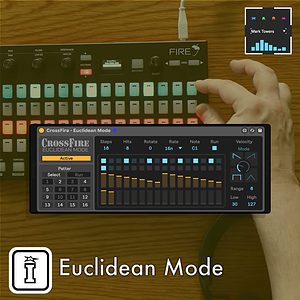
 -20%
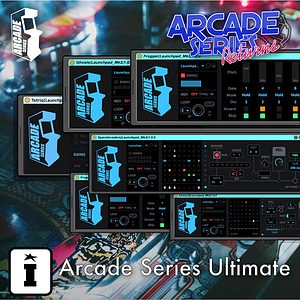
-20%Mark TowersArcade Series Ultimate by Mark TowersLive 10 & 11 & 12 · Max for Live Original price was: £100.00.£80.00Current price is: £80.00.
 -20%
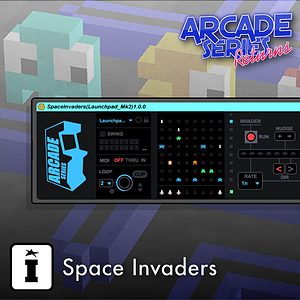
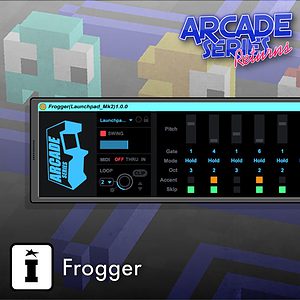
-20%Mark TowersArcade Series Returns by Mark TowersLive 10 & 11 & 12 · Max for Live Original price was: £85.00.£68.00Current price is: £68.00.
Frequently Bought Together
 ★ Popular
 ★ Popular
 -30%
-30%MonomonoVolume One by MonomonoLive 11 & 12 · Max for Live Original price was: £50.00.£35.00Current price is: £35.00.