

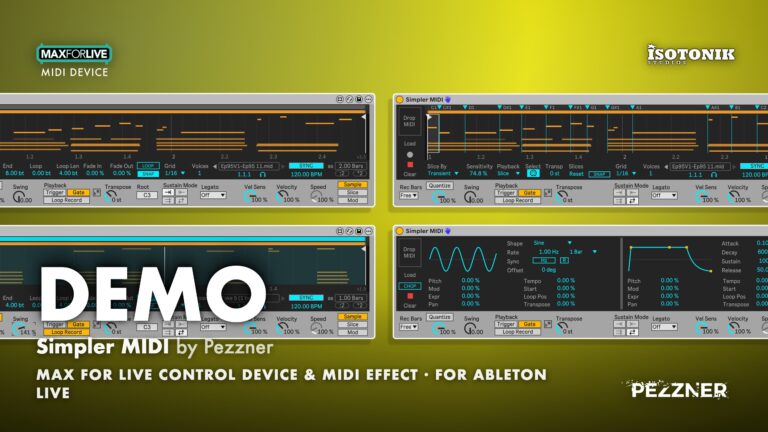
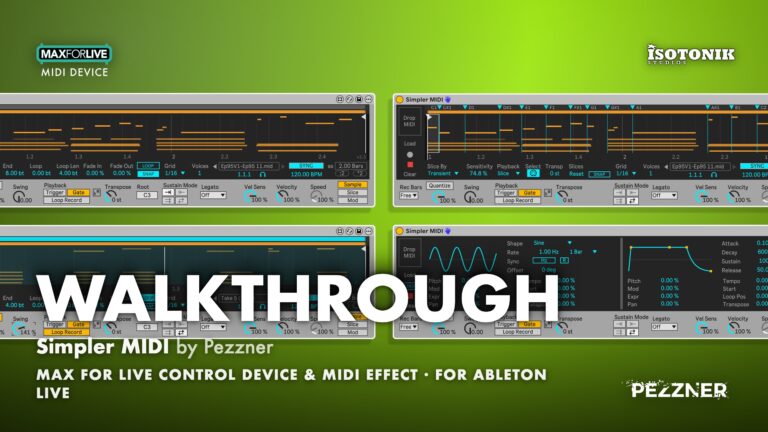
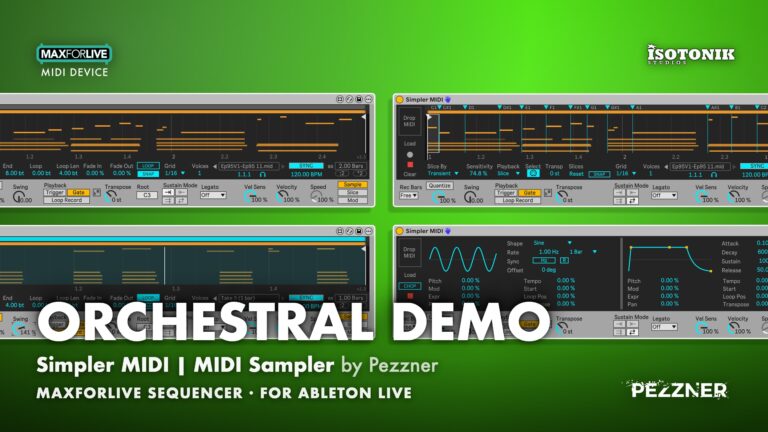
Simpler MIDI | MIDI Sampler by Pezzner
MIDI SAMPLER FOR ABLETON LIVE, BUILT IN MAX FOR LIVE Simpler MIDI works like a sampler, but plays MIDI sequences instead of audio samples. Load a clip or a .mid file, record straight into it, or chop it into slices, then trigger and transpose sequences from any key. A Mod page adds LFO and envelope modulation, with pitch bend and CC output to any instrument on the track. • Three playback modes: Sample mode transposes the whole sequence from any key, Slice mode maps each slice to its own key from C1 up, and a Mod page provides LFO and envelope control without interrupting playback. • Flexible loading: Drop a .mid file, load any clip from your Session or Arrangement View, or record directly into the device, with a 20-item sequence history that is saved with your Set. • Loop Record mode: Turns Simpler MIDI into a MIDI looper, with overdub, undo and redo, and a HOLD button for punch-ins, all running in time with Live. • Slice tools: Slice by Transient, Beat, Region or Manual markers, use the Chop function for MPC-style real-time slicing, and transpose individual or multiple slices independently. • Quantise and Swing: Non-destructive quantise works on recordings, .mid files and loaded clips, with adjustable amount and a Swing knob for shuffle feel. • Scale Aware: Fits every note to Live 12's Scale chooser after all transposition, in both Sample and Slice mode.

Pezzner
Pezzner is a Seattle based composer, music producer and designer of Max For Live devices that enhance workflow and extend creativity.
View all products by PezznerOverview
MIDI sequence sampler and slicer for Live 12
Simpler MIDI treats MIDI sequences the way a sampler treats audio. Load a clip or a .mid file, record a take, or chop a range into slices in real time, then play it back transposed from any key. Because it sits on a MIDI track in front of any instrument, every patch in your set becomes the voice for whatever sequence you load.
Slice mode maps each section of your sequence across the keys, ready to rearrange or transpose on the fly. The Mod page routes an LFO and envelope to pitch, velocity, start position and more, sending pitch bend and CC messages downstream. Loop Record turns the device into a MIDI looper with overdub and undo, and Scale Aware keeps every note locked to Live’s Scale chooser throughout.
- Drag in .mid files or load any clip from Session or Arrangement View. Play the sequence from any key, up to 8 at once for chords of sequences
- Gate or Trigger playback, plus Legato modes (Retrigger, Hold, Trill)
- Scale Aware: follows Live 12’s Scale setting, so every note stays in key
- Set Start, End and the loop right in the note display, with zoom and snap, Forward, Reverse, Loop Forward and Loop Bidirectional
- Sync to the Set or set your own speed; half-time and double-time in one click
- Slice MIDI clips by transient, beat, equal regions or by hand, Each slice gets its own key, and you can transpose slices one at a time or in groups.
- Loop Record with input quantize and swing.
- An LFO and an envelope with eight destinations: pitch, mod wheel, expression, pan, speed, start position, loop position and transpose
- Every main control is MIDI mappable.
- Installation Guide
- Max for Live Audio Effect + MIDI Device .amxd device
- User manual (PDF)
Free for subscribers
Join the list and get 8 free downloads, including 6 Max for Live devices
Subscribers get Isotonik FX, Live Scratcher, Modular Series LE Part ONE, Modular Series LE Part TWO and more for free. You also hear about new releases and deals first.
Just your email. No spam, unsubscribe anytime.


Reviews
No reviews yet. Be the first to review this product.
Sample Mode
Play the whole sequence from any key
In Sample mode, pressing a key plays the whole loaded sequence, transposed relative to the Root note. Change the start time, loop a section, quantize the clip, change it's playback speed, or legato modes.
Slice Mode
Cut a sequence into per-key slices
Slice mode divides the loaded sequence into slices by transient, beat, region or manual markers, and places one slice on each key from C1 up. Sensitivity, playback style and per-slice transposition are all adjustable.
Loop Record
Record and overdub loops in time with Live
Loop Record turns Simpler MIDI into a MIDI looper. Your keys play the instrument directly while whatever is loaded loops in time with Live, and you can overdub, undo or replace passes one by one.
Mod Page
Shape playback with LFO and envelope
The Mod page provides an LFO with selectable shape, rate and sync, plus a full ADSR envelope. Both can be routed to pitch, mod, expression, pan, tempo, start position, loop position or transpose.
Important Information
INSTALLATION
Our Products are generally provided as Zip file downloads which in all cases will need to be extracted and saved to your hard drive prior to installation. Details on the different file type provided and what to do with them are below.
.alp Files – These are Ableton Live Packs and will either install directly into the Packs Section of the browser of Ableton Live or ask you to save them to your hard drive. For packs that install to the library, when you double click on them you will see a pop up window asking you to confirm that installation is ok as the files are described as “Legacy”. This is fine and you are ok to proceed, the packs are created using the format for an earlier version of Live and so remain compatible with the current version.
.amxd files – These are individual MaxforLive Devices and can be stored anywhere on your hard drive. We’d advise creating a folder for them and then adding that folder as a location within the Places section of Lives Browser.
LICENSE
END-USER LICENSE AGREEMENT FOR ISOTONIK STUDIOS SOFTWARE PRODUCTS.
PLEASE READ THE TERMS AND CONDITIONS OF THIS LICENSE AGREEMENT CAREFULLY BEFORE CONTINUING WITH THIS PROGRAM INSTALL.
This End-User License Agreement (referred to as “EULA”) is a legal agreement between an individual or a single entity (referred to as “LICENSEE”) and Isotonik Studios for the Isotonik Studios software product(s) which may include associated software components, media, printed materials, and “online” or electronic documentation (referred to as “SOFTWARE PRODUCT”). By installing, copying, or otherwise using the SOFTWARE PRODUCT, the LICENSEE agrees to be bound by the terms of this EULA.
This EULA represents the entire agreement concerning the program between the LICENSEE and Isotonik Studios and it supersedes any prior proposal, representation, or understanding between the parties. If the LICENSEE does not agree to the terms of this EULA, the LICENSEE should not install or use the SOFTWARE PRODUCT.
The SOFTWARE PRODUCT is protected by copyright laws and international copyright treaties, as well as other intellectual property laws and treaties. The SOFTWARE PRODUCT is licensed, not sold.
- GRANT OF LICENSE.
The SOFTWARE PRODUCT is licensed as follows:
(a) Installation and Use. Providing that the LICENSEE has paid any applicable license fees, Isotonik Studios grants the LICENSEE the right to install and use copies of the SOFTWARE PRODUCT on up to two computers in the LICENSEE’s possession that are running a validly licensed copy of the operating system for which the SOFTWARE PRODUCT was designed [e.g., Windows 10, macOS]. The computer(s) must be owned by the LICENSEE.
(b) Backup Copies. The LICENSEE may also make copies of the SOFTWARE PRODUCT as may be necessary for backup and archival purposes.
- DESCRIPTION OF OTHER RIGHTS AND LIMITATIONS.
(a) Maintenance of Copyright Notices. The LICENSEE must not remove or alter any copyright notices on any and all copies of the SOFTWARE PRODUCT.
(b) Distribution. The LICENSEE may not distribute registered copies of the SOFTWARE PRODUCT to third parties.
(c) Prohibition on Reverse Engineering, Decompilation, and Disassembly. The LICENSEE may not reverse engineer, decompile, or disassemble the SOFTWARE PRODUCT, except and only to the extent that such activity is expressly permitted by applicable law notwithstanding this limitation.
(d) Rental. The LICENSEE may not rent, lease, or lend the SOFTWARE PRODUCT.
(e) License transfer The LICENSEE may not transfer their license to the SOFTWARE PRODUCT to any third party. Any attempt to do so will be considered a violation of this EULA.
(f) Support Services. Isotonik Studios may provide the LICENSEE with support services related to the SOFTWARE PRODUCT for a period of 12 months following the date of purchase. Any supplemental software code provided to the LICENSEE as part of the Support Services shall be considered part of the SOFTWARE PRODUCT and subject to the terms and conditions of this EULA.
(g) Compliance with Applicable Laws. The LICENSEE must comply with all applicable laws regarding use of the SOFTWARE PRODUCT.
- TERMINATION Without prejudice to any other rights, Isotonik Studios may terminate this EULA if the LICENSEE fails to comply with the terms and conditions of this EULA. In such event, the LICENSEE must destroy all copies of the SOFTWARE PRODUCT in the LICENSEE’s possession.
- COPYRIGHT All title, including but not limited to copyrights, in and to the SOFTWARE PRODUCT and any copies thereof are owned by Isotonik Studios or its suppliers. All title and intellectual property rights in and to the content which may be accessed through use of the SOFTWARE PRODUCT is the property of the respective content owner and may be protected by applicable copyright or other intellectual property laws and treaties. This EULA grants the LICENSEE no rights to use such content. All rights not expressly granted are reserved by Isotonik Studios.
- NO WARRANTIES Isotonik Studios expressly disclaims any warranty for the SOFTWARE PRODUCT. The SOFTWARE PRODUCT is provided ‘As Is’ without any express or implied warranty of any kind, including but not limited to any warranties of merchantability, noninfringement, or fitness of a particular purpose. Isotonik Studios does not warrant or assume responsibility for the accuracy or completeness of any information, text, graphics, links or other items contained within the SOFTWARE PRODUCT. Isotonik Studios makes no warranties respecting any harm that may be caused by the transmission of a computer virus, worm, time bomb, logic bomb, or other such computer program. Isotonik Studios further expressly disclaims any warranty or representation to the LICENSEE or to any third party.
- LIMITATION OF LIABILITY In no event shall Isotonik Studios be liable for any damages (including, without limitation, lost profits, business interruption, or lost information) arising out of the LICENSEE’s use of or inability to use the SOFTWARE PRODUCT, even if Isotonik Studios has been advised of the possibility of such damages. In no event will Isotonik Studios be liable for loss of data or for indirect, special, incidental, consequential (including lost profit), or other damages based in contract, tort or otherwise. Isotonik Studios shall have no liability with respect to the content of the SOFTWARE PRODUCT or any part thereof, including but not limited to errors or omissions contained therein, libel, infringements of rights of publicity, privacy, trademark rights, business interruption, personal injury, loss of privacy, moral rights or the disclosure of confidential information.
Frequently Asked Questions
What is Simpler MIDI?
Simpler MIDI is a Max for Live MIDI Effect that works like a sampler, but plays MIDI sequences instead of audio. Load a clip or a .mid file, record a take, or chop a sequence into slices, then trigger and transpose it from any key in front of any instrument on a MIDI track.
What software and versions do I need to run Simpler MIDI?
You need Ableton Live 12 Standard with Max for Live, or Live 12 Suite, running Max 9, on Mac or Windows. Scale Aware uses Live 12’s Scale chooser.
What are the three main modes and how do they differ?
Sample mode plays the whole loaded sequence transposed from a root key whenever you press a key. Slice mode cuts the sequence into slices and places one on each key from C1 upward, so you can rearrange or retrigger individual sections. The Mod page provides LFO and envelope modulation and is accessible without interrupting playback in either mode.
Can I record MIDI directly into Simpler MIDI, and can I loop and overdub?
Yes. Press Rec and play; your notes load as a new sequence when you are done, with Rec Bars letting you set a fixed length of 1 to 16 bars or a free-length take. Loop Record mode turns the device into a MIDI looper: record a base loop, overdub additional passes, and undo or redo each pass, all running in time with Live.
How does Slice mode work, and what is the Chop function?
Slice mode divides your sequence by Transient, Beat, Region or Manual markers and places each slice on a key from C1 up. The Chop function, available when Slice By is set to Manual, lets you tap a key in real time to create new slices as the range plays, similar to an MPC-style chop workflow. You can transpose individual slices or a multi-selection from minus 24 to plus 24 semitones.
Does Simpler MIDI work with Push, and can controls be MIDI-mapped?
Yes, and no. Almost all of the controls can be MIDI-mapped to any midi controller. The device includes nine named pages of eight controls for Push (including Push 3 standalone). Although it is not yet possible for Push to view the Simpler MIDI display, which is one of the key reasons why Ableton’s own “Simpler” device works so nicely on the Push. A Push-only version is currently in development that will all of this and make the device more Standalone-friendly.
Does it make sound on its own?
No. It’s a MIDI effect. Put it in front of any instrument: Live’s own, a plug-in, or hardware through External Instrument.
Does it work with Live 11?
No. It needs Live 12 and Max 9, and Scale Aware relies on Live 12’s Scale setting.
How long can a sequence be?
Up to 32 bars.
In Depth
What Simpler MIDI does
Simpler MIDI is a Max for Live MIDI Effect by Pezzner that works like a sampler, but plays MIDI sequences instead of audio samples. Load a clip or a .mid file, press a key, and the sequence plays back transposed to that key. In Slice mode it cuts the sequence into slices and places one on each key from C1 upward. Put it on any MIDI track in front of any instrument, because it sends notes, pitch bend and CC messages directly to whatever instrument follows it in the chain.
Three ways to get notes in
Drop a .mid file straight onto the device from Live’s browser, Explorer or Finder. Click a MIDI clip in Session or Arrangement View and press Load. Or press Rec and play in real time, hearing the instrument as you go. Every sequence you load joins a list of up to 20, and the back and forward arrows let you step through them without losing anything. The list saves with your Set, so your next session picks up exactly where you left off.
Recording and quantise
Set Rec Bars to Free, 1, 2, 4, 8 or 16 bars, press Rec, and play. The take rounds to whole bars, loads as a named sequence and is ready to play immediately. Quantise moves note starts toward the grid at whatever amount you dial in, from a gentle nudge at 50 percent to a tight snap at 100 percent. Switch it off and the original timing returns exactly as played. Because quantise works on everything loaded, not just recordings, you can apply it to dropped files and clips too. The Swing knob pushes every other grid step later for a shuffle feel, from a straight grid at 0 percent through a triplet feel at 100 percent to a dotted feel at 150 percent, and it only acts while Quantise is on.
Loop Record
Loop Record turns Simpler MIDI into a MIDI looper. While it is on, your keys play the instrument directly and whatever is loaded loops in time with Live. Record a fresh loop, overdub onto it with the plus button, or replace passes one by one. Undo and Redo are available at every step. The Hold button means Rec records only while held, which makes punch-ins a single motion. Switch Loop Record off and your keys trigger the sequence as usual through Trigger, Gate, Sustain Mode and the rest.
Sample mode playback
In Sample mode every key plays the full sequence, transposed from the Root note you set. Legato handles what happens when a second key overlaps the first: Off, Retrigger, Hold or Trill, plus Restrike for Hold. The play range is set with Start and End markers. End is set as a position in the clip, the same way Start is, which means moving Start leaves End exactly where it is. Scale Aware fits every note Simpler MIDI plays to the scale from Live’s Scale chooser, after all transposition, so notes that fall outside the key move to the nearest scale note automatically.
Slice mode
Slice mode cuts the sequence into slices by Transient, Beat, Region or Manual markers and places one slice on each key. Select a slice by clicking it or playing its key, then give it its own Transpose value from minus 24 to plus 24 semitones. Select several slices with Shift-click for a range or Ctrl/Cmd-click one at a time, and transpose them together. With Slice By set to Manual, the Rec button reads CHOP: play C1 and tap a key for each new slice while the range plays, which is the same workflow as chopping on an MPC. Immediately after a chop, Clear reads Undo so you can reverse a chop in one press.
The Cursor and display
A white Cursor line sits in the display with its position shown in bar, beat and sixteenth below the clip name. Drag it, map it to an encoder, or drive it with an LFO. Zooming in makes the Cursor finer, and the view scrolls when the Cursor nears the edge. The headphones icon previews the notes it passes. In Manual slice mode, Enter places a slice at the Cursor position, or at the playhead position while a slice plays, so you can tap slices in from a controller without touching the screen.
The Mod page
The Mod page holds an LFO and an envelope with assignable destinations, including modulation to Start for scrubbing through the sequence. At 100 percent, Start modulation now reaches End, which means the full play range is covered. Switching to the Mod page leaves playback running in whichever mode you are using, so you can adjust modulation while the sequence plays.
Push and controller support
Nine named pages of eight controls are available for Push, including Push 3 standalone, and for other controllers that follow the selected device. Rec, Stop, Load and Clear can be MIDI-mapped. Trigger Mode, Slice By, Sensitivity, Select and Legato are saved with the Set and work from Push running Live 12.4 or later, but are intentionally not MIDI-mappable so they cannot be triggered accidentally.
Exporting and freezing
Playback runs in Max’s timing-accurate thread, which means exported and frozen tracks sound identical to live playback in both Sample and Slice mode, because the timing is stamped the moment each note arrives using Live’s song position.
Requirements
Simpler MIDI requires Ableton Live 12 Standard with Max for Live, or Suite, running Max 9, on Mac or Windows. Scale Aware uses Live 12’s Scale chooser. The Simpler MIDI Listener device is included for recording from another track.