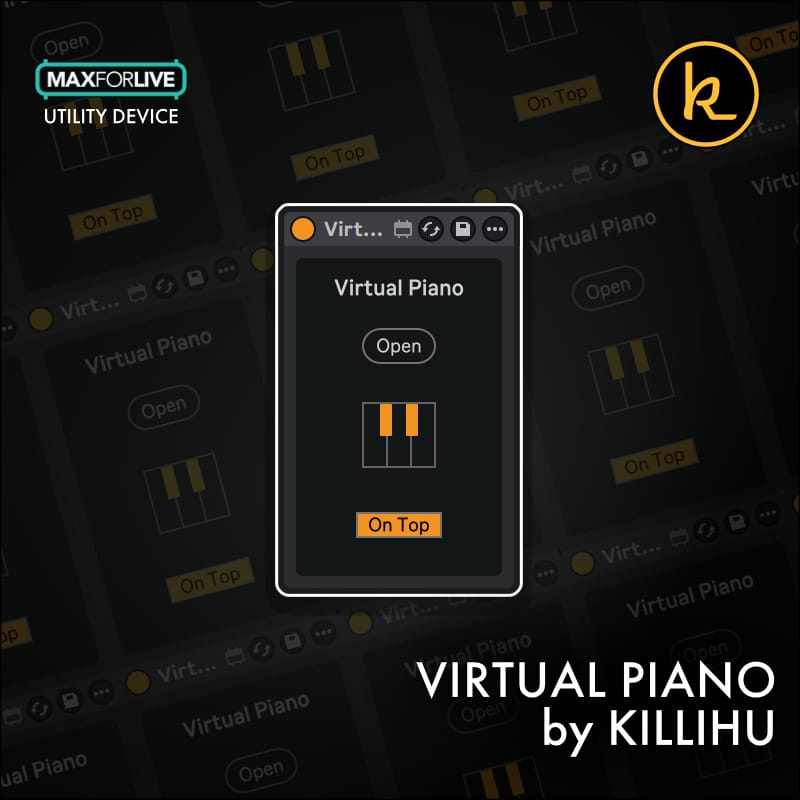
Virtual Piano by KILLIHU
SEE WHAT YOU'RE PLAYING!
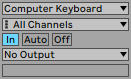
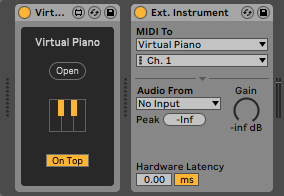
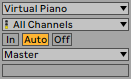
Virtual Piano is a floating virtual midi keyboard that can be used to send MIDI notes and monitor incoming MIDI notes. It can be used with Ableton Live’s MIDI Computer Keyboard input, external MIDI controllers, touch screens and mouse clicks.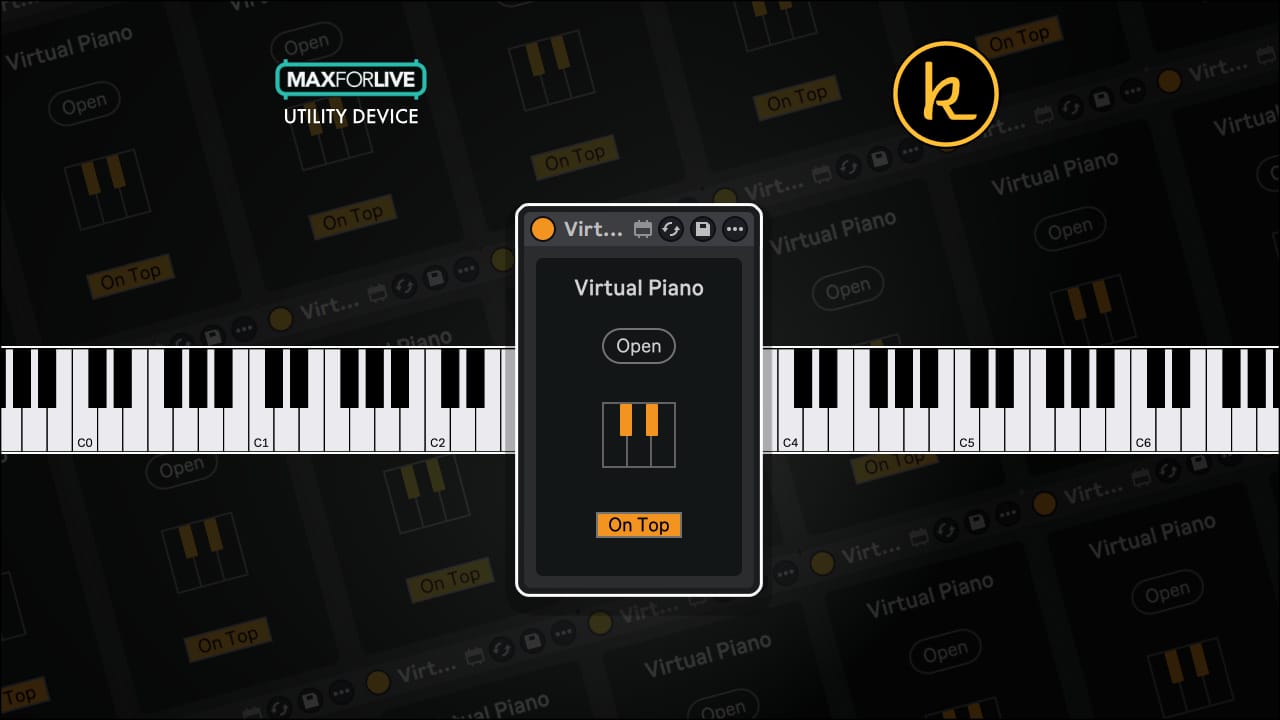
Virtual Piano by KILLIHU
SEE WHAT YOU'RE PLAYING!
Virtual Piano is a floating virtual midi keyboard that can be used to send MIDI notes and monitor incoming MIDI notes. It can be used with Ableton Live’s MIDI Computer Keyboard input, external MIDI controllers, touch screens and mouse clicks.Additional information
| MaxforLive | Control Devices |
|---|---|
| Ableton Live Compatibility | Ableton Live 10 Standard with MaxforLive, Ableton Live 10 Suite, Ableton Live 11 Standard with MaxforLive, Ableton Live 11 Suite, Ableton Live 12 Standard with MaxforLive, Ableton Live 12 Suite |
| Min. Requirements | Ableton Live 10 Standard with MaxforLive Installed or Ableton Live 10 Suite |
| OS | Mac, Windows |
Product reviews
5 out of 5
1 review
How item rating is calculated
We show the average based on reviews. Only genuine reviews are displayed.
Sort by
April 19, 2026
This reviewer bought this product from our store.
Shout out to Killihu for this one. It’s a simple, floating MIDI keyboard that solves the visual gap in Ableton. I love that it monitors incoming MIDI too, so I can use it to double-check my external controller or my computer keyboard input. It's clean, and fits right into the workflow. 5 stars.
I recommend this product
Virtual Piano by KILLIHU
The settings are:
- Size: Sets the total number of keys displayed on the Virtual Piano. The maximum length is from C-2 to G8.
- Offset: Move the keys of the Virtual Piano.
- Zoom: Change the size of the Virtual Piano from 100% to 300%.
- Visual info: Displays information about the Virtual Piano keys (options are: None, Octaves, White Keys, All Keys).
- Theme: Change the color theme of the Virtual Piano (Light/Dark).
- Velocity: Sets the Velocity value sent by the Virtual Piano. When unchecked no velocity changes are applied to incoming MIDI notes.
- ESC to close: When this button is activated the “Escape” key on the computer keyboard closes the Virtual Piano.


Frequently Asked Questions
Virtual Piano is a Max for Live device, so it requires Ableton Live Suite or Ableton Live Standard with Max for Live as an add-on. Always check the device listing for the specific minimum Live and Max for Live version requirements.
Yes, Virtual Piano fully supports touchscreen input, so you can play notes directly on screen. It also works with mouse clicks, your computer keyboard via Ableton’s MIDI Computer Keyboard input, and external MIDI controllers.
It does both. You can use it to send MIDI notes into Ableton Live and also monitor incoming MIDI notes from external controllers or other sources, making it a useful visual feedback tool as well as a playable instrument.
The keyboard can display anywhere up to the full range from C-2 to G8. You can adjust the size and offset settings to show whichever section of the keyboard you need, and zoom in up to 300% for a larger view.
Yes, there is a dedicated velocity setting that sets the velocity value sent by the device. If you are using a mouse or touchscreen, pressing toward the bottom of the keys sends lower velocity values, giving you some expressive control.
Yes, the Visual Info setting lets you choose how keys are labelled, with options for None, Octaves, White Keys, or All Keys. There are also Light and Dark colour themes so it fits comfortably into your workflow.
Once downloaded, place the device file in a location Ableton can access, such as your User Library, then drag it onto a MIDI track just like any other Max for Live device. Ableton Live and Max for Live must both be installed for it to run.
Important Information
v1.2 New features and improvements:
– Modified GUI to adapt to the new rack design in Live version 12.2, does not change the operation of the device.
Initial Release – November 2024
Our Products are generally provided as Zip file downloads which in all cases will need to be extracted and saved to your hard drive prior to installation. Details on the different file type provided and what to do with them are below.
.alp Files – These are Ableton Live Packs and will either install directly into the Packs Section of the browser of Ableton Live or ask you to save them to your hard drive. For packs that install to the library, when you double click on them you will see a pop up window asking you to confirm that installation is ok as the files are described as “Legacy”. This is fine and you are ok to proceed, the packs are created using the format for an earlier version of Live and so remain compatible with the current version.
.amxd files – These are individual MaxforLive Devices and can be stored anywhere on your hard drive. We’d advise creating a folder for them and then adding that folder as a location within the Places section of Lives Browser.
END-USER LICENSE AGREEMENT FOR ISOTONIK STUDIOS SOFTWARE PRODUCTS.
PLEASE READ THE TERMS AND CONDITIONS OF THIS LICENSE AGREEMENT CAREFULLY BEFORE CONTINUING WITH THIS PROGRAM INSTALL.
This End-User License Agreement (referred to as “EULA”) is a legal agreement between an individual or a single entity (referred to as “LICENSEE”) and Isotonik Studios for the Isotonik Studios software product(s) which may include associated software components, media, printed materials, and “online” or electronic documentation (referred to as “SOFTWARE PRODUCT”). By installing, copying, or otherwise using the SOFTWARE PRODUCT, the LICENSEE agrees to be bound by the terms of this EULA.
This EULA represents the entire agreement concerning the program between the LICENSEE and Isotonik Studios and it supersedes any prior proposal, representation, or understanding between the parties. If the LICENSEE does not agree to the terms of this EULA, the LICENSEE should not install or use the SOFTWARE PRODUCT.
The SOFTWARE PRODUCT is protected by copyright laws and international copyright treaties, as well as other intellectual property laws and treaties. The SOFTWARE PRODUCT is licensed, not sold.
- GRANT OF LICENSE.
The SOFTWARE PRODUCT is licensed as follows:
(a) Installation and Use. Providing that the LICENSEE has paid any applicable license fees, Isotonik Studios grants the LICENSEE the right to install and use copies of the SOFTWARE PRODUCT on up to two computers in the LICENSEE’s possession that are running a validly licensed copy of the operating system for which the SOFTWARE PRODUCT was designed [e.g., Windows 10, macOS]. The computer(s) must be owned by the LICENSEE.
(b) Backup Copies. The LICENSEE may also make copies of the SOFTWARE PRODUCT as may be necessary for backup and archival purposes.
- DESCRIPTION OF OTHER RIGHTS AND LIMITATIONS.
(a) Maintenance of Copyright Notices. The LICENSEE must not remove or alter any copyright notices on any and all copies of the SOFTWARE PRODUCT.
(b) Distribution. The LICENSEE may not distribute registered copies of the SOFTWARE PRODUCT to third parties.
(c) Prohibition on Reverse Engineering, Decompilation, and Disassembly. The LICENSEE may not reverse engineer, decompile, or disassemble the SOFTWARE PRODUCT, except and only to the extent that such activity is expressly permitted by applicable law notwithstanding this limitation.
(d) Rental. The LICENSEE may not rent, lease, or lend the SOFTWARE PRODUCT.
(e) License transfer The LICENSEE may not transfer their license to the SOFTWARE PRODUCT to any third party. Any attempt to do so will be considered a violation of this EULA.
(f) Support Services. Isotonik Studios may provide the LICENSEE with support services related to the SOFTWARE PRODUCT for a period of 12 months following the date of purchase. Any supplemental software code provided to the LICENSEE as part of the Support Services shall be considered part of the SOFTWARE PRODUCT and subject to the terms and conditions of this EULA.
(g) Compliance with Applicable Laws. The LICENSEE must comply with all applicable laws regarding use of the SOFTWARE PRODUCT.
- TERMINATION Without prejudice to any other rights, Isotonik Studios may terminate this EULA if the LICENSEE fails to comply with the terms and conditions of this EULA. In such event, the LICENSEE must destroy all copies of the SOFTWARE PRODUCT in the LICENSEE’s possession.
- COPYRIGHT All title, including but not limited to copyrights, in and to the SOFTWARE PRODUCT and any copies thereof are owned by Isotonik Studios or its suppliers. All title and intellectual property rights in and to the content which may be accessed through use of the SOFTWARE PRODUCT is the property of the respective content owner and may be protected by applicable copyright or other intellectual property laws and treaties. This EULA grants the LICENSEE no rights to use such content. All rights not expressly granted are reserved by Isotonik Studios.
- NO WARRANTIES Isotonik Studios expressly disclaims any warranty for the SOFTWARE PRODUCT. The SOFTWARE PRODUCT is provided ‘As Is’ without any express or implied warranty of any kind, including but not limited to any warranties of merchantability, noninfringement, or fitness of a particular purpose. Isotonik Studios does not warrant or assume responsibility for the accuracy or completeness of any information, text, graphics, links or other items contained within the SOFTWARE PRODUCT. Isotonik Studios makes no warranties respecting any harm that may be caused by the transmission of a computer virus, worm, time bomb, logic bomb, or other such computer program. Isotonik Studios further expressly disclaims any warranty or representation to the LICENSEE or to any third party.
- LIMITATION OF LIABILITY In no event shall Isotonik Studios be liable for any damages (including, without limitation, lost profits, business interruption, or lost information) arising out of the LICENSEE’s use of or inability to use the SOFTWARE PRODUCT, even if Isotonik Studios has been advised of the possibility of such damages. In no event will Isotonik Studios be liable for loss of data or for indirect, special, incidental, consequential (including lost profit), or other damages based in contract, tort or otherwise. Isotonik Studios shall have no liability with respect to the content of the SOFTWARE PRODUCT or any part thereof, including but not limited to errors or omissions contained therein, libel, infringements of rights of publicity, privacy, trademark rights, business interruption, personal injury, loss of privacy, moral rights or the disclosure of confidential information.
More from Killihu

Frequently Bought Together