AbleSet 3 by Leolabs
PROFESSIONAL SETLIST CONTROL FOR LIVE PERFORMANCE
Transform your Ableton Live arrangement into a powerful, browser-based performance control system. AbleSet 3 manages setlists, triggers sections, displays synchronized lyrics with chords, and controls multiple computers for redundant playback—all from any device on your network. Inside you'll find:- Choose from Three editions: Intro, Standard, Pro
- Browser-based control from phones, tablets, and computers
- Automatic setlist creation from Ableton Live locators
- Multi-file project support for song-per-file workflows
- Synchronized lyrics with chord transposition (Standard/Pro)
- AbleNet redundancy for multi-computer control (Standard/Pro)
- Canvas custom control surfaces (Pro)
- Mixer for track group volume control (Pro)
- MIDI mapping, OSC control, and advanced scripting
- Support for redundant audio interfaces
- One year of free updates, perpetual license










AbleSet 3 by Leolabs
PROFESSIONAL SETLIST CONTROL FOR LIVE PERFORMANCE
Transform your Ableton Live arrangement into a powerful, browser-based performance control system. AbleSet 3 manages setlists, triggers sections, displays synchronized lyrics with chords, and controls multiple computers for redundant playback—all from any device on your network. Inside you'll find:- Choose from Three editions: Intro, Standard, Pro
- Browser-based control from phones, tablets, and computers
- Automatic setlist creation from Ableton Live locators
- Multi-file project support for song-per-file workflows
- Synchronized lyrics with chord transposition (Standard/Pro)
- AbleNet redundancy for multi-computer control (Standard/Pro)
- Canvas custom control surfaces (Pro)
- Mixer for track group volume control (Pro)
- MIDI mapping, OSC control, and advanced scripting
- Support for redundant audio interfaces
- One year of free updates, perpetual license
Product reviews
5 out of 5
4 reviews
How item rating is calculated
We show the average based on reviews. Only genuine reviews are displayed.
Sort by
September 21, 2026
This reviewer bought this product from our store.
AbleSet is a game-changer. Handling last-minute changes has never been this easy, and the stability gives you total confidence on stage. Easily the best tool out there for running backing tracks and lyrics with Ableton Live.
I recommend this product
July 11, 2026
This reviewer bought this product from our store.
This absolutely changes the game for running your playback.
The shopping experience was straight forward and easy.
None!!
I recommend this product
March 17, 2026
This reviewer bought this product from our store.
Simple to use
A very good tool to reproduce your Live Sessions with a lot of control
I did not expected for that
Thank you very much!
Simple to use
Nothing
I recommend this product
February 23, 2026
This reviewer bought this product from our store.
The best and most robust solution for live playback with redundancy. Period!
My shop expereience with Isotonik Studios is always a great experience. The support is great and the people here are the best in the business, Darren has a great reputation and
There so many Pros.
It's easy to setup, it's reliable, it's redudant ready, and Leo is awesome. For me, the best solution for live reliable Playback, Lyrics and Chords on mobile. It's awesome, and now with version 3 it's even more powerful
Can't think of any cons this time
I recommend this product
AbleSet 3 by Leolabs
Professional setlist management transforms how you deliver live performances with Ableton Live. AbleSet 3 turns your arrangement view into a powerful, flexible control system accessible from any device on your network—no internet connection required. Whether you’re a solo artist running tracks from a laptop or a touring act with redundant playback systems, AbleSet streamlines every aspect of live performance control.
From synchronized lyrics and chord charts to custom control surfaces and redundant playback systems, AbleSet 3 delivers the tools professional performers demand. Control volume, manage setlists, trigger sections, and coordinate multiple computers—all from your phone, tablet, or computer. The browser-based interface means zero software installation on control devices, and the flexible licensing lets you activate on up to three computers depending on your edition.
Core Performance Features
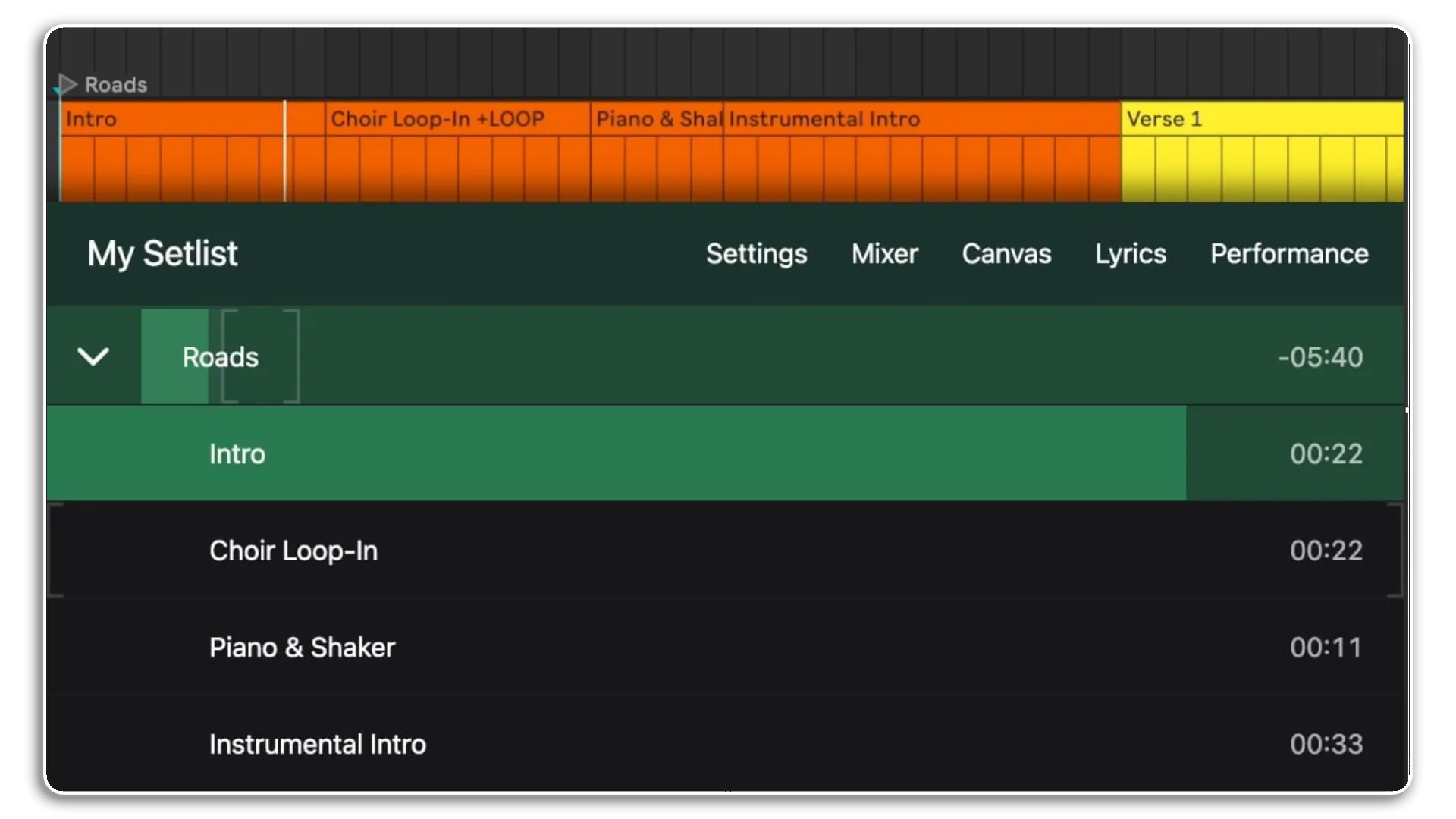
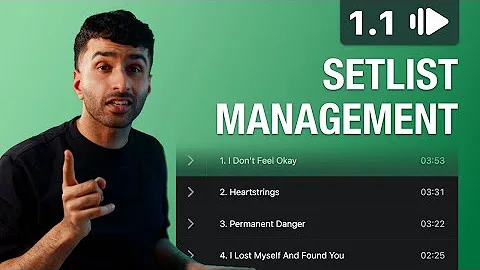
Instant Setlist Creation: AbleSet reads your Ableton Live locators and converts them into an interactive setlist automatically. Place a locator at each song’s start, and AbleSet does the rest. Reorder songs on the fly without touching your Ableton session, add colors and notes for quick visual reference, and see your total set duration updated in real time.
Multi-Device Control: Since AbleSet runs in any modern browser, control your set from any device on the same network. Your phone, tablet, laptop, or desktop becomes a control surface. Multiple devices can connect simultaneously—singers see lyrics while your MD monitors timecode and controls playback.
Smart Setlist Management: Drag and drop songs to reorder your set. Add colors, descriptions, and custom notes to each song. Save multiple setlists for different shows and swap between them instantly. Import and export setlists as plain text. The setlist editor shows total duration and lets you customize every detail without reopening Ableton.
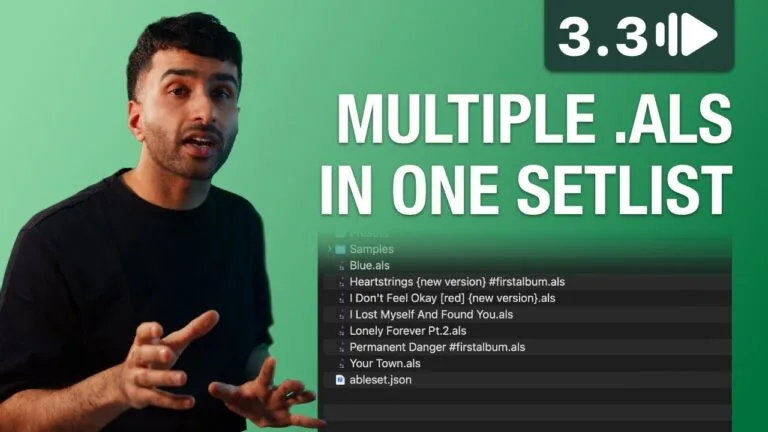
Multi-File Projects: Split large sessions into one Ableton project per song. Load only what you need for each track, reducing memory overhead and improving stability. AbleSet handles the file switching automatically, maintaining setlist order and allowing seamless song-to-song transitions.
Advanced Control & Customization
Flexible MIDI Mapping: Map any MIDI controller to AbleSet functions. Support for notes, CC, and program change messages. Create press, hold, and double-press mappings for maximum efficiency. Add mappings manually or learn them from your controller. Control playback, jump between songs and sections, enable loops, and trigger custom actions—all from your existing hardware.
Guide Tracks: Dynamic guide track management automatically mutes count-in or cue tracks when you jump to unexpected sections, preventing confusion on stage. Create loop guide tracks that only unmute when looping a section. Mark tracks with +GUIDE, +LOOPGUIDE, or +JUMPGUIDE flags and let AbleSet handle the rest.
Intelligent Looping: Use Ableton’s native loop bracket with AbleSet’s enhanced control. Auto-loop current sections with a single click. Set pre-defined loop counts (e.g., +LOOP:4 to loop four times). Choose between standard loops and “loop full” mode that always completes the current loop before moving on. Perfect for extending improvisation or practice sessions.
Performance View: Customize what each device displays. Show song titles, section names, remaining time, timecode, and quick-jump buttons. Lock the view to prevent accidental changes during performance. Singers see lyrics, musicians see song structure, and technical crew monitors timecode and system status—all from the same setlist.
Professional Features by Edition
AbleSet 3 comes in three editions to match your needs and workflow complexity. All editions include core setlist management, multi-file projects, MIDI mapping, and guide tracks. Standard and Pro editions add redundancy support, unlimited lyrics tracks, and advanced control options. Pro edition delivers ultimate flexibility with Canvas, Mixer, and comprehensive scripting capabilities.
Lyrics & Chords (Standard/Pro)
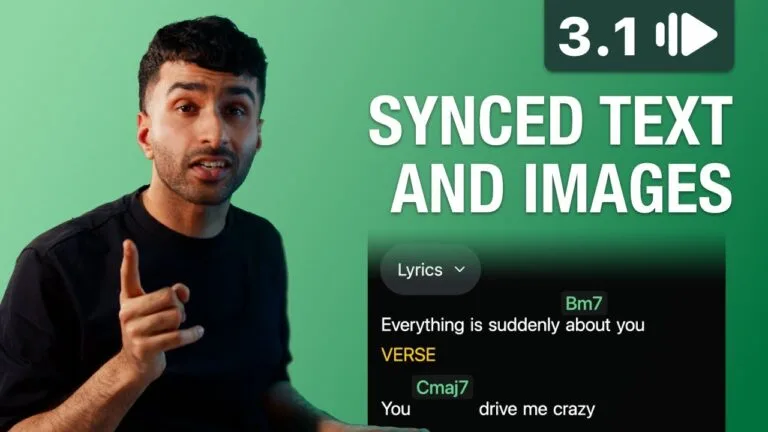
Synchronized Lyrics Display: Create synchronized lyrics using MIDI tracks in Ableton Live. AbleSet displays them in real time, perfectly synced to your arrangement. Support for multiple lyrics tracks means lead vocals, backing vocals, and chord charts can each have their own dedicated display. The included Lyrics Track Generator tool lets you paste lyrics, sync them to your backing track, and export them as ready-to-use Ableton clips.
Chord Transposition: Display chords using ChordPro syntax and transpose them per song or per track. Transpose up for sharps or down for flats. Color-code chords, show only chords, or hide them entirely. Support for complex chord types and automatic formatting ensures your chord charts stay readable on any device.
Flexible Styling: Use Markdown for bold and italic text. Add colors, change text size and alignment, switch to monospaced fonts, and display progress bars for each line. Top-align lyrics with adjustable preview lines, insert images and sheet music, and customize every visual aspect to match your performance needs.
AbleNet: Redundant Playback Systems (Standard/Pro)
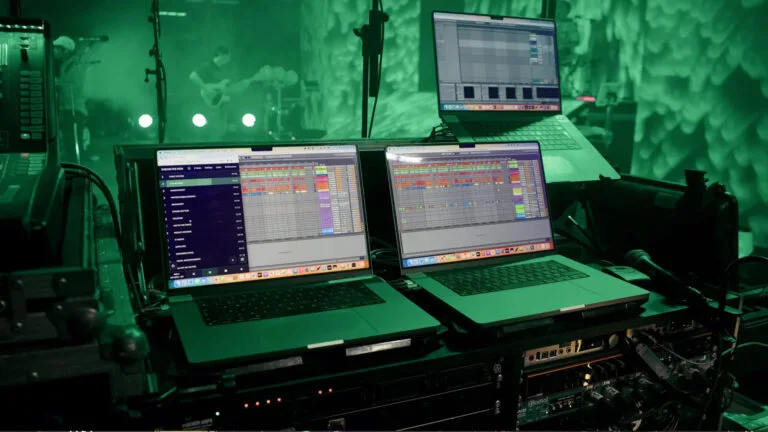
Control Multiple Computers: AbleNet allows simultaneous control of two or more computers running identical Ableton sessions. Commands sent from any device control all connected machines in perfect sync. If your main computer crashes, your backup continues playing without interruption. The system is decentralized—any computer can crash while the show continues.
Automatic Drift Correction: When computers start playback at slightly different times due to network or disk latency, AbleNet’s drift correction automatically nudges them back into sync using Ableton’s Phase Nudge feature. Configure which computer performs correction to maintain your main machine as the timing reference.
Audio Interface Integration: Supports redundant audio interfaces from iConnectivity (PlayAUDIO12, PlayAUDIO1U, PlayAUDIO2U), DirectOut (EXBOX.MD, PRODIGY, MAVEN.A), and DAD (Core256, AX64, AX Center). View interface status in real time, control scene switching, and configure which computer connects to which port. AbleSet can automatically switch your browser to display the currently active computer, ensuring you always monitor the machine sending audio to FOH.
Canvas: Custom Control Surfaces (Pro)
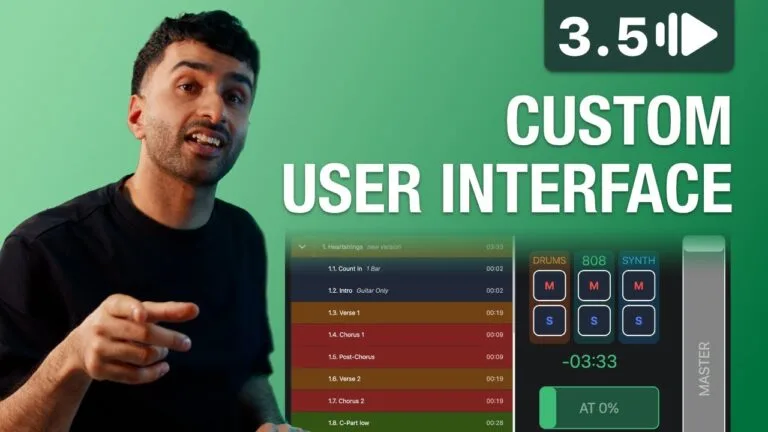
Build Your Own Interface: Canvas lets you create completely custom control interfaces using pre-made elements and customizable buttons, sliders, and labels. Arrange elements freely on your screen, create multiple pages for different use cases, and control everything via touch, mouse, or keyboard. Perfect for creating dedicated control surfaces on tablets or touch displays.
Available Elements: Choose from setlist display, lyrics, audio interface status, buttons, sliders, input fields, labels, images, timecode, visual metronome, song/section progress, clock, and more. Elements can send OSC commands, run JavaScript, navigate to pages, or link to external URLs. Template strings and dynamic variables let you create responsive interfaces that update based on your set’s current state.
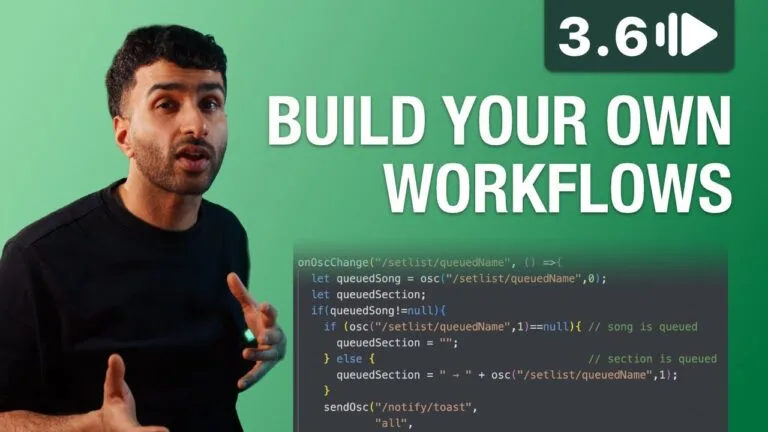
Scripting Integration: Elements support JavaScript for ultimate control. Access OSC values, local and shared variables, MIDI output, and browser navigation. Create countdown timers, broadcast messages to specific devices, control external lighting or video systems, and build complex conditional behaviors—all within your custom interface.
Mixer: Track Group Control (Pro)
Create track groups using the +G: flag in Ableton Live track names. Control volume, mute, and solo for entire groups from any device. Assign tracks to multiple groups for flexible routing. Fade groups in or out over time, sync group states between songs in multi-file projects, and ensure critical tracks never mute using the +NEVERMUTE flag. Click tracks are automatically grouped for easy control during count-in or rehearsal.
OSC Integration (Standard/Pro)
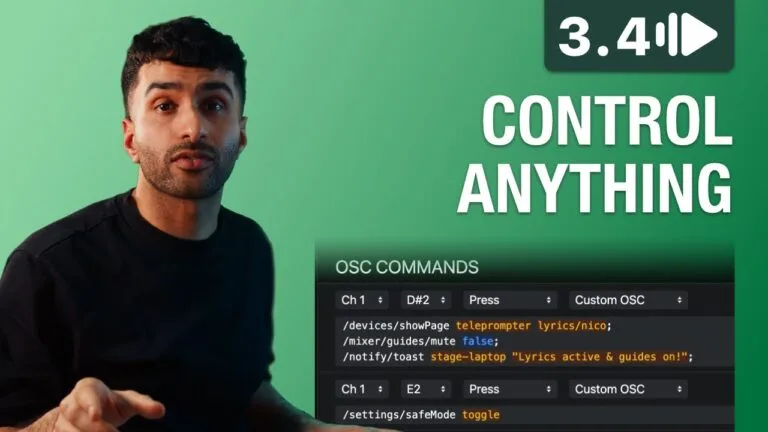
Control from External Apps: Full OSC support lets you control AbleSet from TouchOSC, Open Stage Control, Stream Deck (via Companion), or any OSC-capable application. Start playback, jump between songs and sections, enable loops, control mixer groups, trigger notifications, and access every AbleSet function remotely.
OSC Tracks (Pro): Send timed OSC commands from MIDI tracks in your Ableton session. Trigger lighting cues, control video playback, adjust mixer settings, or communicate with external devices—all synced perfectly to your arrangement timeline. Commands can target AbleSet or external applications via IP and port specification.
Advanced Scripting (Pro): The Project Script runs on AbleSet startup and responds to OSC value changes. Send MIDI, control external devices, create complex automation, and build custom workflows. Local and shared variables persist between script runs and sync across all devices on your network.
System Requirements
Operating System: macOS 12 (Monterey) or higher, Windows 10 or higher
Ableton Live: Live 10, 11, or 12 (all editions). Some features require Live 11 or 12 (section clips, lyrics tracks). Max for Live Controller requires Live Suite or Max for Live add-on for Live Standard.
Control Devices: Any device with a modern web browser (iOS 15+, Android 7+, macOS, Windows, Linux). No app installation required on control devices.
Network: Local network connection between computer running Ableton and control devices. No internet connection required for operation.
Trusted by Top Artists
AbleSet powers live performances for Shawn Mendes, Twenty One Pilots, Tame Impala, Foo Fighters, Jonas Brothers, Pink, Kesha, Bastille, and hundreds more touring artists worldwide. Playback engineers, music directors, and technical teams trust AbleSet for festival main stages, arena tours, theater productions, and broadcast performances.
One year of free updates included with every license. Licenses never expire—continue using your purchased version forever, or renew to access new features as they’re released. Offline activation supported for air-gapped systems.
Frequently Asked Questions
A: AbleSet 3 is a professional setlist management and performance control system for Ableton Live. It converts your arrangement locators into an interactive setlist accessible from any browser on your network, allowing you to control playback, trigger sections, display synchronized lyrics, and manage multi-computer redundant setups. Available in three editions (Intro, Standard, Pro) to match different performance needs.
A:
- Ableton Live 10, 11, or 12 (all editions)
- macOS 12 (Monterey) or higher, or Windows 10 or higher
- Local network connection between computer and control devices
- Live Suite or Max for Live add-on required for Max for Live Controller (optional)
- Modern web browser on control devices (iOS 15+, Android 7+, or any desktop browser)
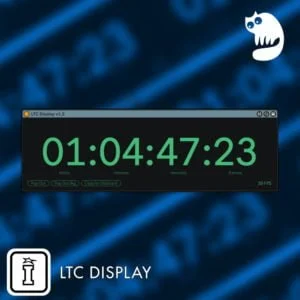
A: Intro includes core setlist management, multi-file projects, MIDI mapping, one lyrics track, and can activate on one computer. Standard adds unlimited lyrics tracks, AbleNet redundancy, audio interface support, OSC control, Stream Deck support, and activates on two computers. Pro includes everything in Standard plus Canvas custom interfaces, Mixer, OSC Tracks, advanced scripting, bundled LTC Display, and activates on three computers.
A: AbleSet licenses never expire. All editions include one year of free updates from the purchase date. You can continue using your purchased version forever. To access updates released more than one year after purchase, you can renew your license.
A: You can explore more of Leolabs’ tools and software here: Leolabs
A: Yes. When you buy AbleSet Intro or Standard, a discount code to upgrade to Pro is automatically added to your Isotonik Studios account. It stays valid for 90 days from your purchase date — just apply it when you buy the Pro edition. Please note there is no upgrade path from Intro to Standard; the upgrade coupon is for moving up to Pro.
Important Information
v3.1.0 – 7 July 2026
New Features
AbleSet Cues (docs)
VST plugin that can be dragged on any track
Automatically generates cues for songs and sections, and count-ins
Multiple voices available, local and online
Custom voices can be placed in a “Custom” folder
Count-Ins can be customized per song or per section
Loops and queued sections are automatically counted in correctly
AbleSet Connect App (docs)
Available for iOS and iPadOS, automatically discovers AbleSet on the network and connects to it
Keeps the screen awake, adds haptics to canvas elements and notifications on iPhone
Reports battery and screen brightness to the devices page and allows you to remotely change screen brightness
Allows you to forward MIDI from connected controllers over the network
Devices Page
Unified place that lists AbleNet hosts, audio interfaces, browsers, and OSC clients
Allows you to remote-control connected browsers and AbleSet Connect clients
Improvements
Canvas
Added a new Visibility Condition field that allows you to dynamically show/hide elements based on any condition
Hidden elements can be displayed slightly transparent or completely hidden in the editor
Added a “Scrollable” option to the Song Progress element
Added options to lock the setlist and song progress bar so they can’t be used to jump to songs or sections
Allowed Button elements to have no background color, giving them a slightly transparent white border
Setlist
Expanded songs now stick to the top of the page
Option to display section measures
Copy/pasting setlists works with descriptions now
Addressed issues with songs losing metadata when their locators were moved, especially when multiple locators share the same name
Fixed locators named “0” being seen as an automatically placed locator
Fixed remaining setlist time changing while playing a song that isn’t part of the setlist
Fixed the song jump dialog allowing jumps to songs that aren’t in the setlist
Fixed the song add dialog only showing songs already in the setlist
Fixed Live starting from the beginning of the current song when starting playback after reaching a +PAUSE locator
Addressed hard-to-reproduce quirks that could cause sections to restart a bar or two after AbleSet jumped to them (e.g. with the +SKIP flag)
Fixed tapping the instant jump button in the bottom right sometimes opening the setlist editor instead
Fixed loop not turning off when using the /loop/toggle command if the loop bracket didn’t perfectly fit the current section
Fixed AbleSet jumping to the next section when disabling a loop that didn’t match the current section
Lyrics
Added support for defining a preferred accidental when transposing chords
OSC Tracks
Added a new ? placeholder feature (OSC Tracks) allowing arguments from clip names to be placed in OSC commands, e.g. [/notify/big all ? 2000 red] [single]
Added a new [?? default] syntax to define a fallback OSC command/value sent when the playhead reaches an empty space between clips
OSC, MIDI Mapping & Scripting
Made the current version of Live, AbleSet, and the Ableton plugin available via /version
Added a Script Name field to MIDI mappings to make it easier to label scripts
Added new /setStatus and /setWebLink OSC commands for OSC clients to customize their display on the Devices page
Made the current version of Live, AbleSet, and the Ableton plugin available via /version
Added the current project file as a /global/projectName value
Added a new debounce helper that can create a debounced function
Added setInterval and setTimeout functions that call a callback function every or after a given number of milliseconds
Fixed onOscChange providing incorrect previous values
Fixed a bug causing AbleSet to crash after receiving /getValues more than 65,000 times
Fixed top-level return statements in scripts being incorrectly marked as errors in the editor
Fixed jumpy values while editing MIDI mappings
AbleNet
Fixed drift correction and “Sync Playback Now” not working when using the “Connect to Custom IPs” field
Fixed rapid back-and-forth switching between hosts when AbleNet was enabled and AbleSet lost connection to Live on one computer
General
Added a new optional warning for when the computer running AbleSet is on batteries
Updated the visual metronome in setlist view to always use the current section’s color
Added a toggle on the Clock page to switch between 12- and 24-hour styles
Fixed automatic locator placement not working if the sections track used the +SECTIONS flag
Fixed toast notifications not respecting the safe area at the top of the screen
V3.0.5 – Released February 2026
Setlist
- Added a new “Jump to Song” dialog that can be opened with ⌘ ⇧ K
- This allows you to search for a song that is in the setlist and jump to it
- You can also replace the “Add Song” button on the bottom right with a button that opens this new dialog by opening the setlist settings and enabling “Show Song Search Button”
- Addressed an alert that markers are unequal between projects in an AbleNet setup
- Fixed active section not updating as expected when jumping out of a loop using the GO Button or
/setlist/jumpToQueuedwhile another section is queued
Canvas
- Added a button to duplicate the current canvas
- Added the ability change the size of a canvas to a connected device’s screen size
- Added new presets for Play/Pause/Stop buttons, Next/Prev Song buttons, and Solo/Mute Click buttons
- Added the ability to open the song dialogs from canvases with ⌘ K and ⌘ ⇧ K
- Added the current canvas slug as a class name for targeted custom styling
- Improved the way multi-touch works on buttons
- Multiple buttons can now be highlighted at the same time
- Multiple touches on the same button get ignored
- Fixed selection rectangle appearing behind elements
- Fixed settings in the canvas sidebar being stuck on old values when selecting different elements
Performance View
- Fixed track group pills taking up too much space
- Added the “Jump to Song” dialog, which can be opened using ⌘ ⇧ K
Lyrics
- Fixed images not being displayed if the project path contains folders that start with a dot
- This affected projects stored in Google Drive, for example
OSC
- Added
/setlist/songCountand/setlist/sectionCountOSC values - Added
/devices/showSongAddDialog,/devices/showSongJumpDialog, and/devices/hideSongDialog` for controlling the song dialogs programmatically
AbleNet
- Fixed an issue that caused the same host to appear twice if the host’s own IP address was entered into its “Connect to Custom IPs” settings field
V3 – Released February 2026
Our Products are generally provided as Zip file downloads which in all cases will need to be extracted and saved to your hard drive prior to installation. Details on the different file type provided and what to do with them are below.
.alp Files – These are Ableton Live Packs and will either install directly into the Packs Section of the browser of Ableton Live or ask you to save them to your hard drive. For packs that install to the library, when you double click on them you will see a pop up window asking you to confirm that installation is ok as the files are described as “Legacy”. This is fine and you are ok to proceed, the packs are created using the format for an earlier version of Live and so remain compatible with the current version.
.amxd files – These are individual MaxforLive Devices and can be stored anywhere on your hard drive. We’d advise creating a folder for them and then adding that folder as a location within the Places section of Lives Browser.
END-USER LICENSE AGREEMENT FOR ISOTONIK STUDIOS SOFTWARE PRODUCTS.
PLEASE READ THE TERMS AND CONDITIONS OF THIS LICENSE AGREEMENT CAREFULLY BEFORE CONTINUING WITH THIS PROGRAM INSTALL.
This End-User License Agreement (referred to as “EULA”) is a legal agreement between an individual or a single entity (referred to as “LICENSEE”) and Isotonik Studios for the Isotonik Studios software product(s) which may include associated software components, media, printed materials, and “online” or electronic documentation (referred to as “SOFTWARE PRODUCT”). By installing, copying, or otherwise using the SOFTWARE PRODUCT, the LICENSEE agrees to be bound by the terms of this EULA.
This EULA represents the entire agreement concerning the program between the LICENSEE and Isotonik Studios and it supersedes any prior proposal, representation, or understanding between the parties. If the LICENSEE does not agree to the terms of this EULA, the LICENSEE should not install or use the SOFTWARE PRODUCT.
The SOFTWARE PRODUCT is protected by copyright laws and international copyright treaties, as well as other intellectual property laws and treaties. The SOFTWARE PRODUCT is licensed, not sold.
- GRANT OF LICENSE.
The SOFTWARE PRODUCT is licensed as follows:
(a) Installation and Use. Providing that the LICENSEE has paid any applicable license fees, Isotonik Studios grants the LICENSEE the right to install and use copies of the SOFTWARE PRODUCT on up to two computers in the LICENSEE’s possession that are running a validly licensed copy of the operating system for which the SOFTWARE PRODUCT was designed [e.g., Windows 10, macOS]. The computer(s) must be owned by the LICENSEE.
(b) Backup Copies. The LICENSEE may also make copies of the SOFTWARE PRODUCT as may be necessary for backup and archival purposes.
- DESCRIPTION OF OTHER RIGHTS AND LIMITATIONS.
(a) Maintenance of Copyright Notices. The LICENSEE must not remove or alter any copyright notices on any and all copies of the SOFTWARE PRODUCT.
(b) Distribution. The LICENSEE may not distribute registered copies of the SOFTWARE PRODUCT to third parties.
(c) Prohibition on Reverse Engineering, Decompilation, and Disassembly. The LICENSEE may not reverse engineer, decompile, or disassemble the SOFTWARE PRODUCT, except and only to the extent that such activity is expressly permitted by applicable law notwithstanding this limitation.
(d) Rental. The LICENSEE may not rent, lease, or lend the SOFTWARE PRODUCT.
(e) License transfer The LICENSEE may not transfer their license to the SOFTWARE PRODUCT to any third party. Any attempt to do so will be considered a violation of this EULA.
(f) Support Services. Isotonik Studios may provide the LICENSEE with support services related to the SOFTWARE PRODUCT for a period of 12 months following the date of purchase. Any supplemental software code provided to the LICENSEE as part of the Support Services shall be considered part of the SOFTWARE PRODUCT and subject to the terms and conditions of this EULA.
(g) Compliance with Applicable Laws. The LICENSEE must comply with all applicable laws regarding use of the SOFTWARE PRODUCT.
- TERMINATION Without prejudice to any other rights, Isotonik Studios may terminate this EULA if the LICENSEE fails to comply with the terms and conditions of this EULA. In such event, the LICENSEE must destroy all copies of the SOFTWARE PRODUCT in the LICENSEE’s possession.
- COPYRIGHT All title, including but not limited to copyrights, in and to the SOFTWARE PRODUCT and any copies thereof are owned by Isotonik Studios or its suppliers. All title and intellectual property rights in and to the content which may be accessed through use of the SOFTWARE PRODUCT is the property of the respective content owner and may be protected by applicable copyright or other intellectual property laws and treaties. This EULA grants the LICENSEE no rights to use such content. All rights not expressly granted are reserved by Isotonik Studios.
- NO WARRANTIES Isotonik Studios expressly disclaims any warranty for the SOFTWARE PRODUCT. The SOFTWARE PRODUCT is provided ‘As Is’ without any express or implied warranty of any kind, including but not limited to any warranties of merchantability, noninfringement, or fitness of a particular purpose. Isotonik Studios does not warrant or assume responsibility for the accuracy or completeness of any information, text, graphics, links or other items contained within the SOFTWARE PRODUCT. Isotonik Studios makes no warranties respecting any harm that may be caused by the transmission of a computer virus, worm, time bomb, logic bomb, or other such computer program. Isotonik Studios further expressly disclaims any warranty or representation to the LICENSEE or to any third party.
- LIMITATION OF LIABILITY In no event shall Isotonik Studios be liable for any damages (including, without limitation, lost profits, business interruption, or lost information) arising out of the LICENSEE’s use of or inability to use the SOFTWARE PRODUCT, even if Isotonik Studios has been advised of the possibility of such damages. In no event will Isotonik Studios be liable for loss of data or for indirect, special, incidental, consequential (including lost profit), or other damages based in contract, tort or otherwise. Isotonik Studios shall have no liability with respect to the content of the SOFTWARE PRODUCT or any part thereof, including but not limited to errors or omissions contained therein, libel, infringements of rights of publicity, privacy, trademark rights, business interruption, personal injury, loss of privacy, moral rights or the disclosure of confidential information.
More from Leolabs