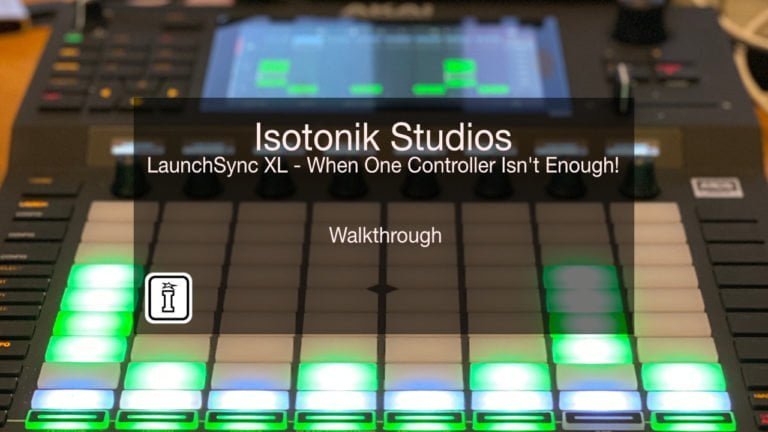
LaunchSync XL by Isotonik Studios
SYNC TOGETHER ABLETON CONTROL SURFACES
The LaunchSync Series began life over the coffee table in the office of Novation, the team there had an idea of syncing together their LaunchPad family with the forthcoming LaunchControl XL. As we developed the idea it became apparent that everyone has a different view of what made the perfect performance set up, whether it be an Ableton Push based one or revolve around an APC40MKII the same things became clear!
USER GUIDE: LaunchSync XL
LaunchSync XL by Isotonik Studios
SYNC TOGETHER ABLETON CONTROL SURFACES
The LaunchSync Series began life over the coffee table in the office of Novation, the team there had an idea of syncing together their LaunchPad family with the forthcoming LaunchControl XL. As we developed the idea it became apparent that everyone has a different view of what made the perfect performance set up, whether it be an Ableton Push based one or revolve around an APC40MKII the same things became clear!
USER GUIDE: LaunchSync XL
Additional information
| MaxforLive | Control Devices |
|---|---|
| Ableton Live Compatibility | Ableton Live 11 Standard with MaxforLive, Ableton Live 11 Suite, Ableton Live 12 Standard, Ableton Live 12 Standard with MaxforLive |
| Controllers | Ableton Push One, Ableton Push TWO, AKAI Fire, AKAI MIDIMIX, Allen & Heath K2, Behringer, Korg NanoKontrol Studio, Novation Launchcontrol, Novation Launchpad |
PRICE: £30.00
Product reviews
LAUNCHSYNC XL FEATURES
LAUNCHSYNC SERIES FEATURES
4.5 out of 5
11 reviews
How item rating is calculated
We show the average based on reviews. Only genuine reviews are displayed.
Sort by
June 15, 2025
This reviewer bought this product from our store.
This is a life saver for me! I wanted to connect multiple APC Mini Controllers to work together, now they sync perfectly without any hassle! Thanks a lot, this is exactly what I was looking for for a very long time! <3
December 4, 2024
This reviewer bought this product from our store.
If you're rocking multiple controllers this is a nice way to keep them clean.
March 15, 2024
This reviewer bought this product from our store.
did not work for me tried everything it will not show ring focal boxes very disappointing
Reply from Darren E Cowley (Admin)
August 13, 2025
August 9, 2022
This reviewer bought this product from our store.
I got what I wanted! A movable red box / green box / blue box / focus ring box (really just depends on what place in Ableton's script list in preferences your controller occupies) that snaps to my selected or highlighted scene. I have selected scene mapped to a rotary encoder on the APC40 mkII, so now I can just turn that to scroll up and down and have the focus ring follow along perfectly! So much more useful. Darren helped me out when I had an issue with the actual scene itself not being triggered by the plugin (rather just the clips within the scene, ignoring scene specific BPM and time signature changes) by providing a different version that DOES trigger the scene itself if you're not using track "exclusions". Since I didn't need exclusions, this worked great for me. Thanks again for all the help and great service!
April 14, 2021
This reviewer bought this product from our store.
Thanks you a lot for that quick and passionated response.
I just contacted you trying to go ahead with your proposal. :)
It is a way for me to put Push 2 more in a vintage straight-forward working, or so to approach the "each thing its place" style
LaunchSync XL by Isotonik Studios
LaunchSync began life over the coffee table in the office of Novation, the team there had an idea of syncing together their LaunchPad family with the forthcoming LaunchControl XL. As we developed the idea it became apparent that everyone has a different view of what made the perfect performance set up, whether it be an Ableton Push based one or revolve around an APC40MKII the same things became clear, but better summed up in words by Peter Kirn of Create Digital Music..
“In live electronic music, the endless free expanse of the computer screen tends to run up against the limited ability of your brain to tell just which freakin’ track am I on, anyway? In the studio, it can be annoying. Live onstage, it can be train wreck-inducing.
Ableton Live’s Session View has for years exacerbated this problem. You can limit your options to eight (or even four) tracks. But that doesn’t always work. You might need more than eight tracks for particular routings of audio or MIDI. And unless you use Device Racks and chains, you’ll also need extra tracks to switch instruments.
LaunchSync XL is a solution to that problem. Instead of all of your controllers going their own way and controlling different parts of Live separately, they can now move in tandem. So, rather than doing scrolling on multiple devices and squinting at the screen to see where the heck you are, you can navigate on one controller and everything else follows.”
With the launch of Live 10 we knew that we’d need to go back to the drawing board and rewrite the code from scratch, advances in the way the control surface scripts for Live have been written mean that we are now able to provide compatibility for every controller that has an onscreen RedBox (Ring Focus Box to use the official terminology).
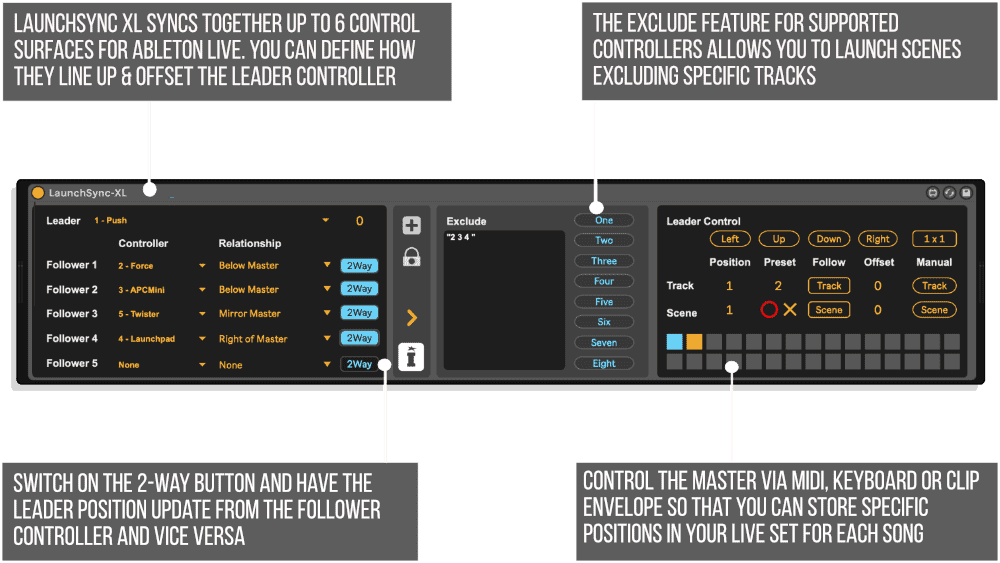
LAUNCHSYNC XL
- Sync together up to 6 Control surfaces aligning their Ring Focus Boxes as desired
- Bi-Directional Sync between Leader and Follower
- Have the Leader Controller move via MIDI Mapping
- Auto-Sync to the Highlighted Track or Scene, and offset the Ring to have the chosen track or scene in the middle of your controller
- Save the Leader position to a preset for recall by Clip Envelope
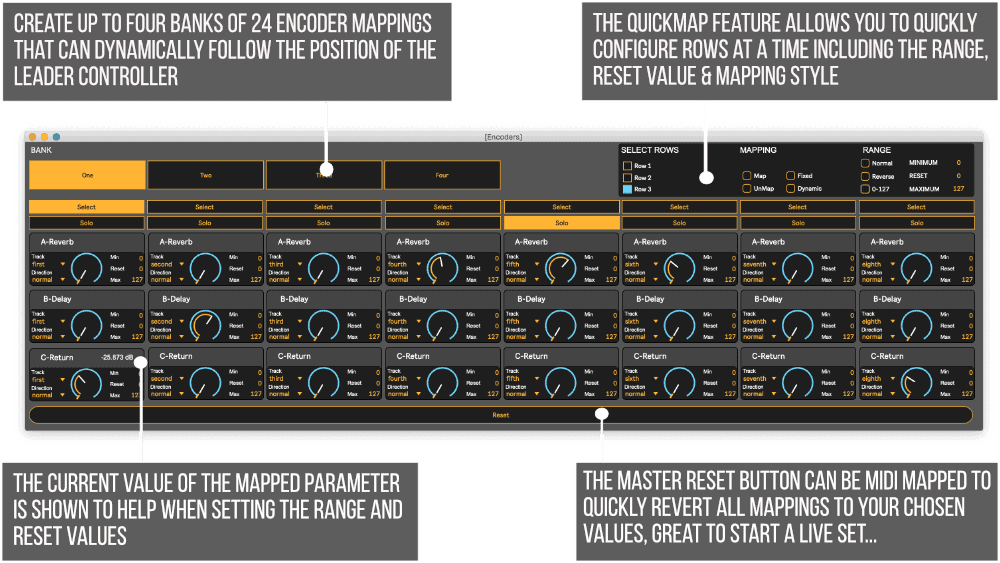
- 4 banks of 24 Encoders that can be mapped to follow your Ring Focus Box dynamically
- Define which tracks that will be excluded from Scene Launching
- Bridge from Follow which can create Follow Actions for Scenes
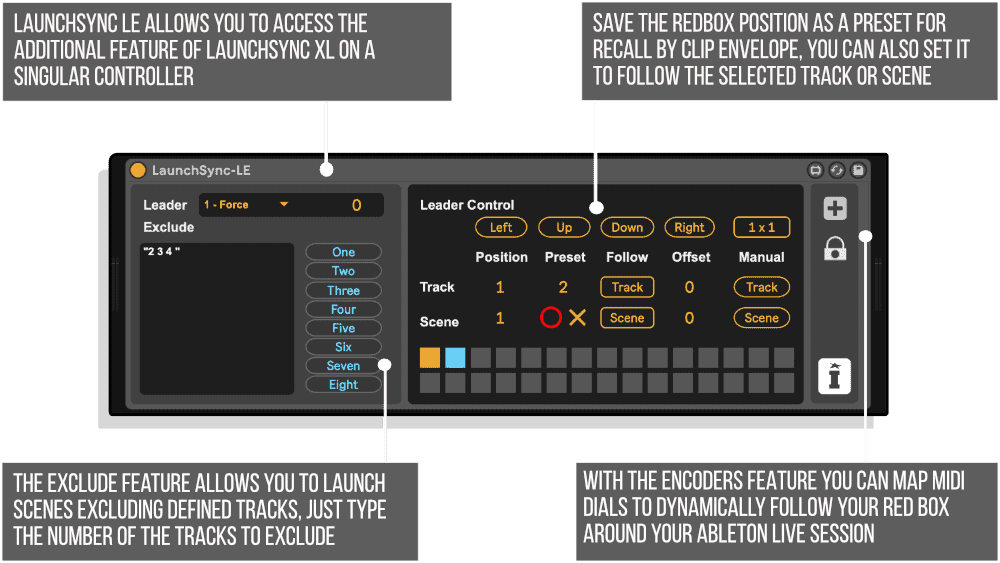
LAUNCHSYNC LE
- Enhanced MIDI Control of a singular RedBox controller
- Auto-Sync to the Highlighted Track or Scene, and offset the Ring to have the chosen track or scene in the middle of your controller
- Save the Leader position to a preset for recall by Clip Envelope
- 4 banks of 24 Encoders that can be mapped to follow your Ring Focus Box dynamically
- Define which tracks that will be excluded from Scene Launching
- Bridge from Follow which can create Follow Actions for Scenes
ENHANCED ABLETON LIVE SCRIPTS
In addition to supporting the factory scripts included in Ableton Live 10 we also provide support for our enhanced range of control surface scripts from Sigabort
- AKAI MIDIMIX XL
- Behringer BCR XL
- Behringer BCF XL – Isotonik Script
- Novation LaunchControl XXL
- Novation LaunchControl X
- Korg NanoKontrol Studio XL
PLEASE NOTE: The Exclude feature is not compatible with Scene Follow Actions in Live 11.
PLEASE NOTE: Not compatible with Push 3 see FAQ for using with Push 2 with Live 12
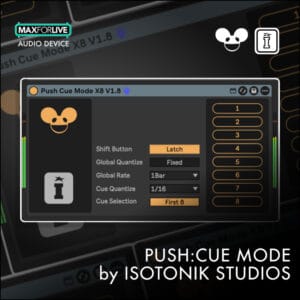
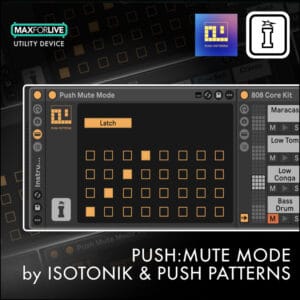
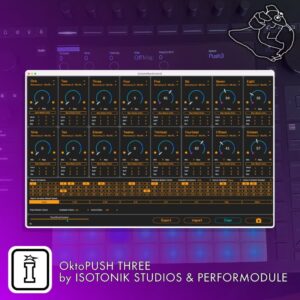
ALSO AVAILABLE BY ISOTONIK STUDIOS – OKTOPUSH THREE | FOLLOW XL | ISOTONIK FX | PUSH MUTE MODE | SMART XL | MODULAR SERIES XL
Frequently Asked Questions
Since the update to Live that moved the Push 2 out of the Control Surface slots in Live Preferences you’ll need to add a line to your options.txt file to revert to the previous treatment of both scripts.
-Push2UseLegacyScript
Important Information
Our Products are generally provided as Zip file downloads which in all cases will need to be extracted and saved to your hard drive prior to installation. Details on the different file type provided and what to do with them are below.
.alp Files – These are Ableton Live Packs and will either install directly into the Packs Section of the browser of Ableton Live or ask you to save them to your hard drive. For packs that install to the library, when you double click on them you will see a pop up window asking you to confirm that installation is ok as the files are described as “Legacy”. This is fine and you are ok to proceed, the packs are created using the format for an earlier version of Live and so remain compatible with the current version.
.amxd files – These are individual MaxforLive Devices and can be stored anywhere on your hard drive. We’d advise creating a folder for them and then adding that folder as a location within the Places section of Lives Browser.
END-USER LICENSE AGREEMENT FOR ISOTONIK STUDIOS SOFTWARE PRODUCTS.
PLEASE READ THE TERMS AND CONDITIONS OF THIS LICENSE AGREEMENT CAREFULLY BEFORE CONTINUING WITH THIS PROGRAM INSTALL.
This End-User License Agreement (referred to as “EULA”) is a legal agreement between an individual or a single entity (referred to as “LICENSEE”) and Isotonik Studios for the Isotonik Studios software product(s) which may include associated software components, media, printed materials, and “online” or electronic documentation (referred to as “SOFTWARE PRODUCT”). By installing, copying, or otherwise using the SOFTWARE PRODUCT, the LICENSEE agrees to be bound by the terms of this EULA.
This EULA represents the entire agreement concerning the program between the LICENSEE and Isotonik Studios and it supersedes any prior proposal, representation, or understanding between the parties. If the LICENSEE does not agree to the terms of this EULA, the LICENSEE should not install or use the SOFTWARE PRODUCT.
The SOFTWARE PRODUCT is protected by copyright laws and international copyright treaties, as well as other intellectual property laws and treaties. The SOFTWARE PRODUCT is licensed, not sold.
- GRANT OF LICENSE.
The SOFTWARE PRODUCT is licensed as follows:
(a) Installation and Use. Providing that the LICENSEE has paid any applicable license fees, Isotonik Studios grants the LICENSEE the right to install and use copies of the SOFTWARE PRODUCT on up to two computers in the LICENSEE’s possession that are running a validly licensed copy of the operating system for which the SOFTWARE PRODUCT was designed [e.g., Windows 10, macOS]. The computer(s) must be owned by the LICENSEE.
(b) Backup Copies. The LICENSEE may also make copies of the SOFTWARE PRODUCT as may be necessary for backup and archival purposes.
- DESCRIPTION OF OTHER RIGHTS AND LIMITATIONS.
(a) Maintenance of Copyright Notices. The LICENSEE must not remove or alter any copyright notices on any and all copies of the SOFTWARE PRODUCT.
(b) Distribution. The LICENSEE may not distribute registered copies of the SOFTWARE PRODUCT to third parties.
(c) Prohibition on Reverse Engineering, Decompilation, and Disassembly. The LICENSEE may not reverse engineer, decompile, or disassemble the SOFTWARE PRODUCT, except and only to the extent that such activity is expressly permitted by applicable law notwithstanding this limitation.
(d) Rental. The LICENSEE may not rent, lease, or lend the SOFTWARE PRODUCT.
(e) License transfer The LICENSEE may not transfer their license to the SOFTWARE PRODUCT to any third party. Any attempt to do so will be considered a violation of this EULA.
(f) Support Services. Isotonik Studios may provide the LICENSEE with support services related to the SOFTWARE PRODUCT for a period of 12 months following the date of purchase. Any supplemental software code provided to the LICENSEE as part of the Support Services shall be considered part of the SOFTWARE PRODUCT and subject to the terms and conditions of this EULA.
(g) Compliance with Applicable Laws. The LICENSEE must comply with all applicable laws regarding use of the SOFTWARE PRODUCT.
- TERMINATION Without prejudice to any other rights, Isotonik Studios may terminate this EULA if the LICENSEE fails to comply with the terms and conditions of this EULA. In such event, the LICENSEE must destroy all copies of the SOFTWARE PRODUCT in the LICENSEE’s possession.
- COPYRIGHT All title, including but not limited to copyrights, in and to the SOFTWARE PRODUCT and any copies thereof are owned by Isotonik Studios or its suppliers. All title and intellectual property rights in and to the content which may be accessed through use of the SOFTWARE PRODUCT is the property of the respective content owner and may be protected by applicable copyright or other intellectual property laws and treaties. This EULA grants the LICENSEE no rights to use such content. All rights not expressly granted are reserved by Isotonik Studios.
- NO WARRANTIES Isotonik Studios expressly disclaims any warranty for the SOFTWARE PRODUCT. The SOFTWARE PRODUCT is provided ‘As Is’ without any express or implied warranty of any kind, including but not limited to any warranties of merchantability, noninfringement, or fitness of a particular purpose. Isotonik Studios does not warrant or assume responsibility for the accuracy or completeness of any information, text, graphics, links or other items contained within the SOFTWARE PRODUCT. Isotonik Studios makes no warranties respecting any harm that may be caused by the transmission of a computer virus, worm, time bomb, logic bomb, or other such computer program. Isotonik Studios further expressly disclaims any warranty or representation to the LICENSEE or to any third party.
- LIMITATION OF LIABILITY In no event shall Isotonik Studios be liable for any damages (including, without limitation, lost profits, business interruption, or lost information) arising out of the LICENSEE’s use of or inability to use the SOFTWARE PRODUCT, even if Isotonik Studios has been advised of the possibility of such damages. In no event will Isotonik Studios be liable for loss of data or for indirect, special, incidental, consequential (including lost profit), or other damages based in contract, tort or otherwise. Isotonik Studios shall have no liability with respect to the content of the SOFTWARE PRODUCT or any part thereof, including but not limited to errors or omissions contained therein, libel, infringements of rights of publicity, privacy, trademark rights, business interruption, personal injury, loss of privacy, moral rights or the disclosure of confidential information.