

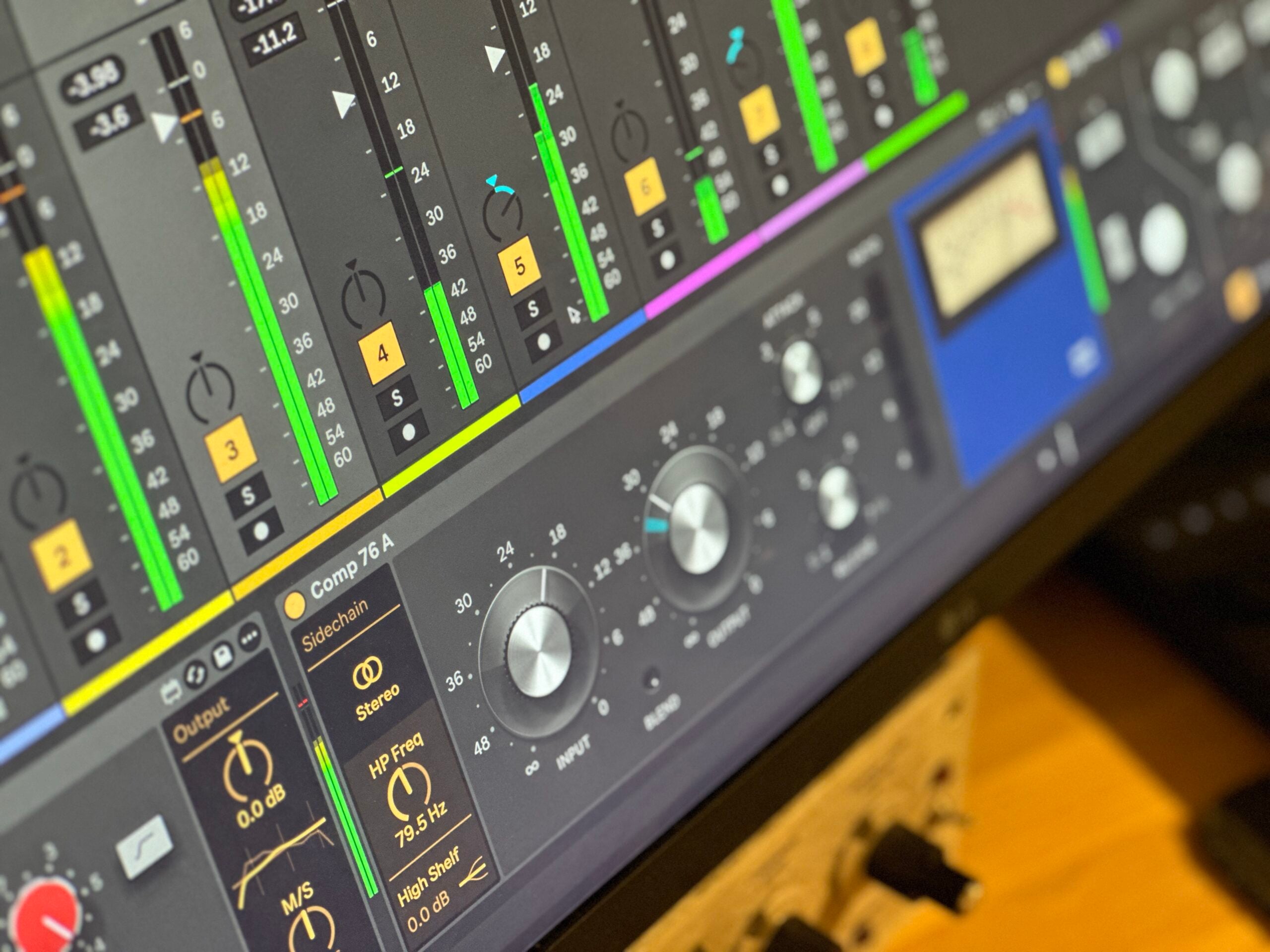
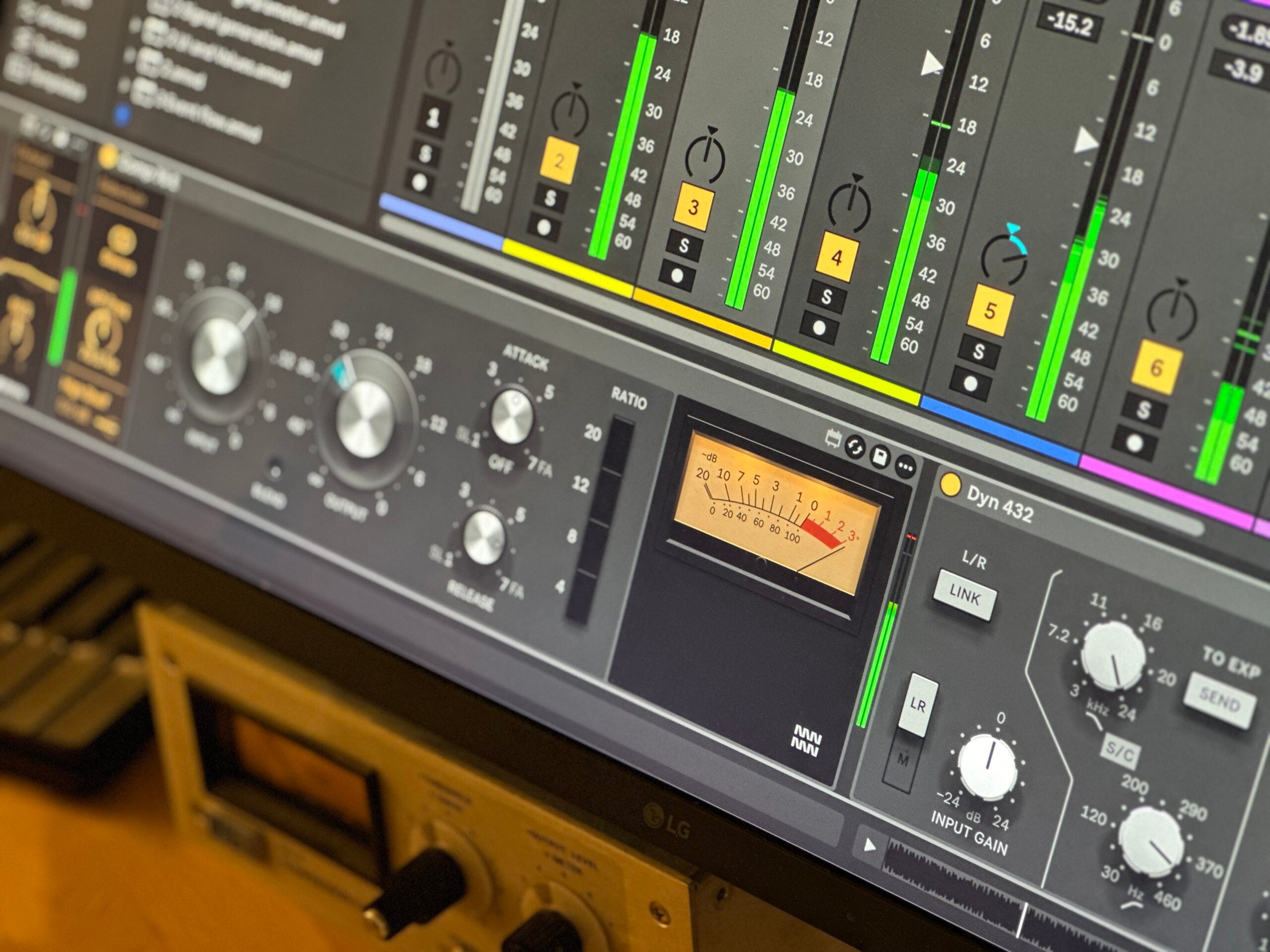
Comp 76 by Monomono
TWO FET COMPRESSORS MODELLED ON THE CLASSIC 1176, FOR ABLETON LIVE AND PUSH 3 STANDALONE Comp 76 delivers two faithful circuit-level models of Universal Audio's legendary 1176 limiting amplifier. Comp 76 A follows the bluestripe circuit of 1967; Comp 76 E follows the black-face low-noise version of the early seventies. Each captures a distinct character, from warm harmonic thickness to clean, controlled limiting. • Two Distinct Colours: Comp 76 A adds a clear second harmonic at everyday levels, pulling voices forward with warmth; Comp 76 E stays cleaner and more controlled until pushed hard. • Feedback Compression Architecture: Modelled part-for-part on the original circuit, with a fixed threshold and Input-driven compression, exactly as the hardware works. • Parallel Compression and Sidechain Filtering: A Blend control and sidechain filter extend the hardware design, giving you tools the original never had. • Push 3 Standalone Compatible: Both devices run in Ableton Live and on Push 3 Standalone.

Overview
Two 1176-modelled FET compressors for Live
Comp 76 puts two circuit-level models of the 1176 limiting amplifier on one panel in Ableton Live. Comp 76 A follows the bluestripe unit of 1967, with its characteristic second harmonic and forward-pushing warmth. Comp 76 E follows the black-face low-noise revision of the early seventies, staying clean and even until you drive it hard, then clipping decisively.
Both share the same feedback-compressor architecture as the original hardware, with a fixed threshold you approach by driving the Input, four ratio buttons, and Attack and Release controls. Around that core sit two additions the hardware never offered: a Blend control for parallel compression and a sidechain filter that shapes what the compressor hears. Load either device and your signal is already level-matched at the defaults, so you can hear the character immediately without hunting for a starting point.
- Two FET compressor devices in one package: Comp 76 A (bluestripe, 1967 circuit) and Comp 76 E (black-face low-noise, early-seventies circuit)
- Comp 76 A adds a clear second harmonic at everyday levels, thickening voices and pulling them forward, with a shade more attack transient and faster gain recovery
- Comp 76 E stays clean and controlled at moderate settings, holds on longer at each Release setting, and clips harder when pushed into the red
- Circuit-level model of the original circuit: FET gain cell, feedback sidechain, preamp, and class A line amp, modelled part for part
- Feedback compression architecture with a fixed internal threshold, so Input drives how hard the compressor works and how much harmonic character is added
- Four ratio buttons with the original hardware behaviour, including the all-buttons-in mode; a higher ratio button also starts the compressor later
- Blend control for parallel compression, letting you mix the compressed and dry signals directly on the device
- Sidechain filter that shapes what the compressor listens to, an addition the original hardware never offered
- Compatible with Ableton Live and Push 3 Standalone
- Max for Live Audio Effect .amxd device
- User manual (PDF)
Free for subscribers
Join the list and get 10 free downloads, including 8 Max for Live devices
Subscribers get Isotonik FX, Live Scratcher, Modular Series LE Part ONE, Modular Series LE Part TWO and more for free. You also hear about new releases and deals first.
Just your email. No spam, unsubscribe anytime.


Reviews
No reviews yet. Be the first to review this product.
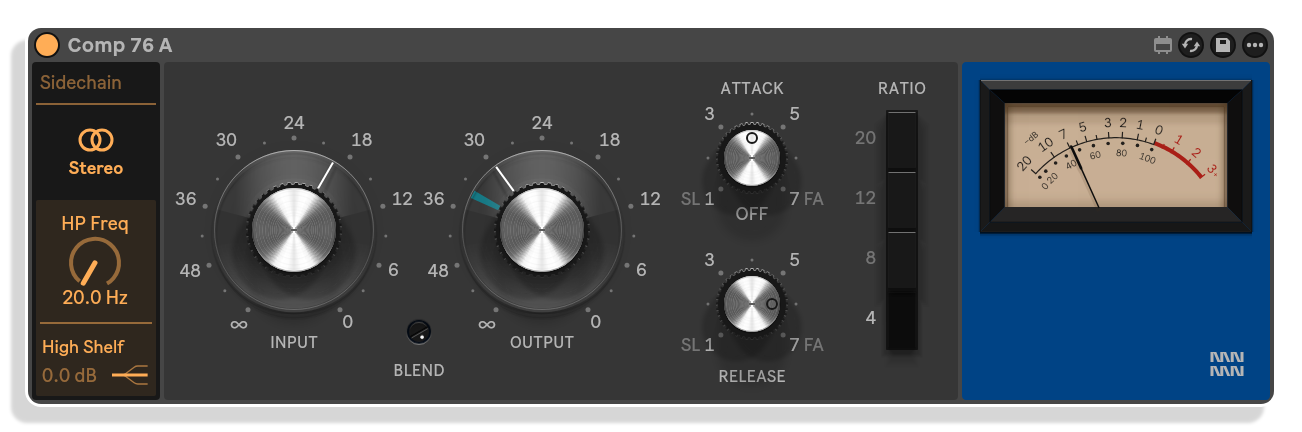
Comp 76 A
Bluestripe character with parallel compression blend
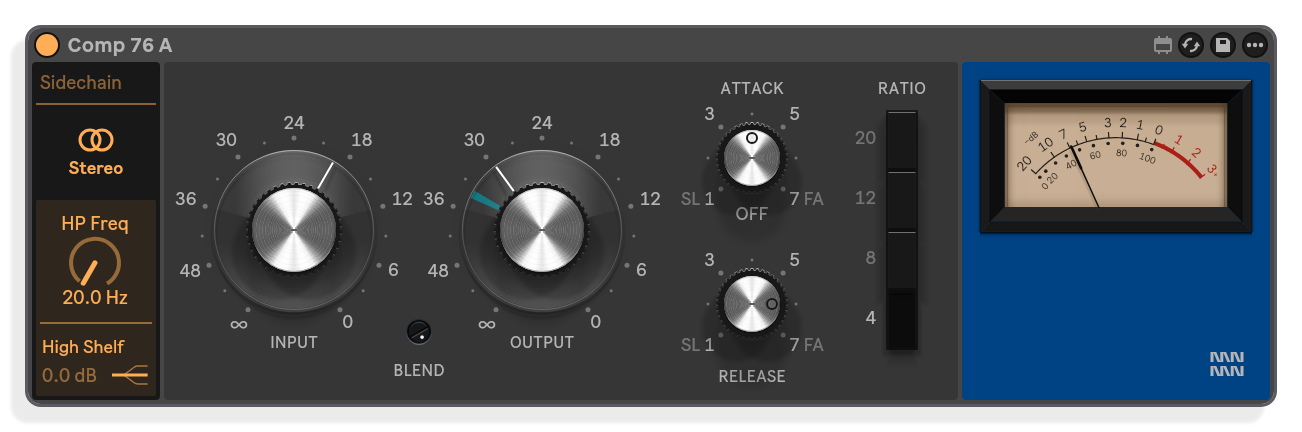
Comp 76 A models the 1967 bluestripe circuit, adding a clear second harmonic that thickens voices and pulls them forward. The Blend knob, absent on the original hardware, lets you mix the compressed signal in parallel with the dry signal.
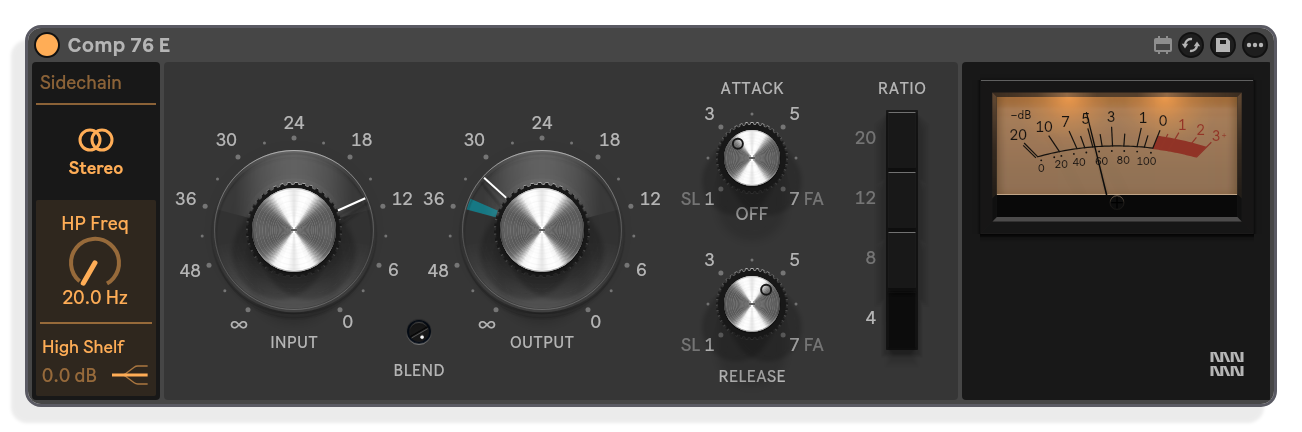
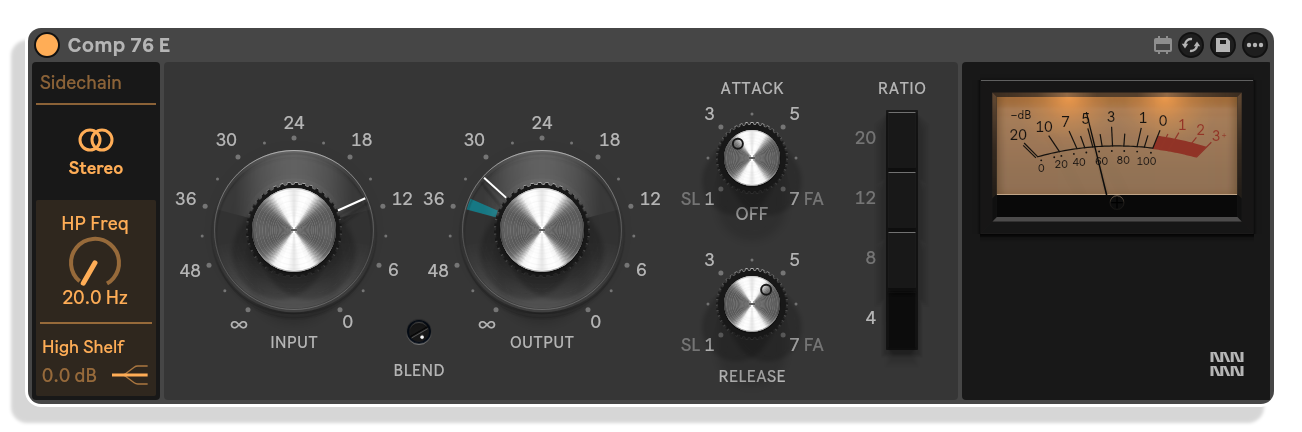
Comp 76 E
Clean low-noise black-face compression
Comp 76 E models the early-seventies black-face low-noise circuit, staying cleaner and more even than the A at everyday levels. Drive it hard and it clips faster than the A, adding a harder edge when pushed.
Important Information
INSTALLATION
Run .alp to install devices to your Live library.
LICENSE
END-USER LICENSE AGREEMENT FOR ISOTONIK STUDIOS SOFTWARE PRODUCTS.
PLEASE READ THE TERMS AND CONDITIONS OF THIS LICENSE AGREEMENT CAREFULLY BEFORE CONTINUING WITH THIS PROGRAM INSTALL.
This End-User License Agreement (referred to as “EULA”) is a legal agreement between an individual or a single entity (referred to as “LICENSEE”) and Isotonik Studios for the Isotonik Studios software product(s) which may include associated software components, media, printed materials, and “online” or electronic documentation (referred to as “SOFTWARE PRODUCT”). By installing, copying, or otherwise using the SOFTWARE PRODUCT, the LICENSEE agrees to be bound by the terms of this EULA.
This EULA represents the entire agreement concerning the program between the LICENSEE and Isotonik Studios and it supersedes any prior proposal, representation, or understanding between the parties. If the LICENSEE does not agree to the terms of this EULA, the LICENSEE should not install or use the SOFTWARE PRODUCT.
The SOFTWARE PRODUCT is protected by copyright laws and international copyright treaties, as well as other intellectual property laws and treaties. The SOFTWARE PRODUCT is licensed, not sold.
- GRANT OF LICENSE.
The SOFTWARE PRODUCT is licensed as follows:
(a) Installation and Use. Providing that the LICENSEE has paid any applicable license fees, Isotonik Studios grants the LICENSEE the right to install and use copies of the SOFTWARE PRODUCT on up to two computers in the LICENSEE’s possession that are running a validly licensed copy of the operating system for which the SOFTWARE PRODUCT was designed [e.g., Windows 10, macOS]. The computer(s) must be owned by the LICENSEE.
(b) Backup Copies. The LICENSEE may also make copies of the SOFTWARE PRODUCT as may be necessary for backup and archival purposes.
- DESCRIPTION OF OTHER RIGHTS AND LIMITATIONS.
(a) Maintenance of Copyright Notices. The LICENSEE must not remove or alter any copyright notices on any and all copies of the SOFTWARE PRODUCT.
(b) Distribution. The LICENSEE may not distribute registered copies of the SOFTWARE PRODUCT to third parties.
(c) Prohibition on Reverse Engineering, Decompilation, and Disassembly. The LICENSEE may not reverse engineer, decompile, or disassemble the SOFTWARE PRODUCT, except and only to the extent that such activity is expressly permitted by applicable law notwithstanding this limitation.
(d) Rental. The LICENSEE may not rent, lease, or lend the SOFTWARE PRODUCT.
(e) License transfer The LICENSEE may not transfer their license to the SOFTWARE PRODUCT to any third party. Any attempt to do so will be considered a violation of this EULA.
(f) Support Services. Isotonik Studios may provide the LICENSEE with support services related to the SOFTWARE PRODUCT for a period of 12 months following the date of purchase. Any supplemental software code provided to the LICENSEE as part of the Support Services shall be considered part of the SOFTWARE PRODUCT and subject to the terms and conditions of this EULA.
(g) Compliance with Applicable Laws. The LICENSEE must comply with all applicable laws regarding use of the SOFTWARE PRODUCT.
- TERMINATION Without prejudice to any other rights, Isotonik Studios may terminate this EULA if the LICENSEE fails to comply with the terms and conditions of this EULA. In such event, the LICENSEE must destroy all copies of the SOFTWARE PRODUCT in the LICENSEE’s possession.
- COPYRIGHT All title, including but not limited to copyrights, in and to the SOFTWARE PRODUCT and any copies thereof are owned by Isotonik Studios or its suppliers. All title and intellectual property rights in and to the content which may be accessed through use of the SOFTWARE PRODUCT is the property of the respective content owner and may be protected by applicable copyright or other intellectual property laws and treaties. This EULA grants the LICENSEE no rights to use such content. All rights not expressly granted are reserved by Isotonik Studios.
- NO WARRANTIES Isotonik Studios expressly disclaims any warranty for the SOFTWARE PRODUCT. The SOFTWARE PRODUCT is provided ‘As Is’ without any express or implied warranty of any kind, including but not limited to any warranties of merchantability, noninfringement, or fitness of a particular purpose. Isotonik Studios does not warrant or assume responsibility for the accuracy or completeness of any information, text, graphics, links or other items contained within the SOFTWARE PRODUCT. Isotonik Studios makes no warranties respecting any harm that may be caused by the transmission of a computer virus, worm, time bomb, logic bomb, or other such computer program. Isotonik Studios further expressly disclaims any warranty or representation to the LICENSEE or to any third party.
- LIMITATION OF LIABILITY In no event shall Isotonik Studios be liable for any damages (including, without limitation, lost profits, business interruption, or lost information) arising out of the LICENSEE’s use of or inability to use the SOFTWARE PRODUCT, even if Isotonik Studios has been advised of the possibility of such damages. In no event will Isotonik Studios be liable for loss of data or for indirect, special, incidental, consequential (including lost profit), or other damages based in contract, tort or otherwise. Isotonik Studios shall have no liability with respect to the content of the SOFTWARE PRODUCT or any part thereof, including but not limited to errors or omissions contained therein, libel, infringements of rights of publicity, privacy, trademark rights, business interruption, personal injury, loss of privacy, moral rights or the disclosure of confidential information.
Frequently Asked Questions
What is Comp 76?
Comp 76 is a Max for Live audio device containing two FET compressors modelled on two distinct revisions of the Universal Audio 1176 limiting amplifier. Comp 76 A follows the bluestripe circuit of 1967 and Comp 76 E follows the black-face low-noise version from the early seventies. Both share one panel inside Ableton Live.
What is the difference between Comp 76 A and Comp 76 E?
Comp 76 A runs hotter: the same Input setting drives it further into compression and it adds a clear second harmonic at everyday levels, thickening voices and pulling them forward. Its gain comes back a little sooner at every Release setting. Comp 76 E is the cleaner of the two until you lean on it hard, at which point it clips first and more decisively. They do different jobs rather than one being better than the other.
How does the fixed threshold work?
Like the original 1176 hardware, Comp 76 has no Threshold knob. The threshold is a fixed point inside the detector, and the Input control decides how far your signal is driven above it. More Input means more compression and more level; Output then brings the level back without changing the compression. Set Input by watching the meter rather than the numbers on the dial, because a quiet track needs more of it than a loud one.
What does the Blend control do?
Blend is a parallel compression control that mixes the compressed and dry signals directly on the device. It is an addition the original 1176 hardware never offered.
Is Comp 76 compatible with Push 3 Standalone?
Yes. Both Comp 76 A and Comp 76 E run in Ableton Live and on Push 3 Standalone.
What version of Ableton Live do I need?
Comp 76 requires Ableton Live 11 or 12 Suite with Max for Live. It is compatible with Mac and Windows.
In Depth
Two Revisions, One Panel
Comp 76 is a Max for Live audio device containing two separate FET compressors for Ableton Live and Push 3 Standalone. Each is modelled on a different revision of the Universal Audio 1176 limiting amplifier. Comp 76 A follows the bluestripe circuit of 1967, one of the earliest production units. Comp 76 E follows the black-face low-noise version of the early seventies. Both sit on a shared panel with a common set of controls, because the 1176 family shares one architecture, and the differences between revisions are worth hearing in direct comparison.
The 1176 and Why It Still Matters
Bill Putnam built the original 1176 in a lab near his home in Tarzana, spending 1966 working with the field-effect transistor, then a new component, until he found a way to make it the gain-reduction element. Studio Electronics first showed the result at the AES Convention in 1967, calling it a true peak limiter with the distinction of being completely transistorised. It caught a peak in under 20 microseconds, the fastest attack of any peak limiter at the time. The factory intended gentle use, no more than 3 to 4 dB of limiting, but engineers pushed it harder and found it changed the sound rather than just holding the level. Vocals stepped forward, drums turned explosive, and a setting the factory never sanctioned, all four ratio buttons held in at once, became a tool in its own right.
The 1176 was revised continuously from revision A in 1967 to K in the eighties. The early revisions addressed stability, noise and distortion in a circuit built around a young component. Later ones added more output drive and a wider input tolerance. Each revision also moved the sound. Comp 76 is modelled on two points in that stretch, one from each end of the class A era, stopping at E, just before the push-pull output stage arrived in 1973.
How the Signal Path Works
Comp 76 is modelled on the original circuit, part for part. Audio runs through the Input stage, a field-effect transistor that reduces the signal, a preamp that brings it back up, the Output stage, and a class A line amplifier. The sidechain listens after the preamp, to a signal that has already been turned down. Its filters shape what the detector hears, the ratio buttons set how strongly it responds, and Attack and Release smooth the detector output into the voltage that drives the transistor.
That arrangement makes Comp 76 a feedback compressor. It measures the result rather than the incoming signal, which means every bit of reduction lowers what the detector hears. The result is a curve that bends softly rather than breaking at a hard knee.
The Fixed Threshold and How to Use It
Comp 76 has no Threshold knob, because the original had none. The threshold is a fixed point inside the detector, and Input decides how far the signal is driven above it. Input therefore does two jobs at once: more Input means more compression and more level into the gain cell. Output sits after that tap and brings the level back without touching the compression. Because the threshold never moves, you set how hard the compressor works by how hard you drive it, reading the meter rather than relying on the numbers on the dial. A quiet track needs more Input than a loud one for the same amount of reduction.
In practice: choose a ratio, turn Input up until the meter shows the reduction you want, then bring Output down until the track returns to its previous level. The defaults start you level-matched, with a loud signal already well into compression. When you switch from the 4 ratio to 20, add a little Input to keep the same amount of gain reduction, because a higher ratio button also starts the compression later.
Two Colours
Comp 76 A and Comp 76 E share one panel, but not one sound. The difference sits in the amplifiers around the gain cell, and you hear it at everyday settings, before either is pushed hard. Comp 76 A runs hotter: the same Input setting drives it noticeably further into compression, and at everyday levels it adds a clear second harmonic that E keeps out. That harmonic thickens a voice and pulls it forward. Its fastest attack lets a little more of a transient’s front through, and its ratio buttons bite a little steeper. The gain comes back sooner at every Release setting, so the tail and the room rise back behind each hit. The result is a busier, more forward sound, compression you can hear working.
Comp 76 E is the cleaner of the two until you lean on it. It holds on longer at every Release setting, keeps a quieter low-level character, and clips first and harder when both are driven into the red. Neither is the better one. They do different jobs. Load both at their defaults and they produce nearly identical gain reduction curves on the same signal. The difference is not in how much they compress, it is in how the timing of the compression follows the music.
Controls and Added Features
Both devices share Input, Output, Attack, Release, and four ratio buttons. Around those sit two things the hardware never had. Blend brings in the unprocessed signal alongside the compressed one, so you can run parallel compression from a single device rather than splitting your chain. A filter on the sidechain shapes what the compressor listens to, letting you steer the detection away from low-frequency energy that would otherwise drive excessive pumping. These additions sit outside the modelled signal path and do not affect the character of either revision’s core compression.
Push 3 Standalone
Comp 76 is designed to run on Push 3 Standalone as well as in Ableton Live 11 and 12 Suite on Mac and Windows. The panel layout is built with that context in mind.
More from Monomono
 Coming Soon
 -20%New★ Popular
 New
 -20%★ Popular
 ★ Popular
 ★ Popular
 -30%
 -30%★ Popular
 -30%